
Mastering the Samsung Galaxy S26 Call Screening: Your Ultimate Shield Against Spam
The constant barrage of unwanted calls has become a modern-day nuisance, but Samsung is fighting back with its latest innovation. Introduced alongside the Galaxy S26 series and the feature-packed One UI 8.5 at Unpacked 2026, Call Screening stands out as a revolutionary AI-driven addition. This tool significantly expands the Galaxy AI Call Assist toolkit, providing users with a robust defense mechanism to filter out scam artists and telemarketers before they even have a chance to interrupt your day.
- ✨ Proactive Defense: Intercept suspicious calls automatically using advanced AI patterns.
- ✨ Real-Time Transcription: Watch the conversation unfold on your screen as the AI talks to the caller.
- ✨ Total Control: Choose to step into the call or respond via text-to-speech at any moment.
- ✨ Global Language Support: Currently compatible with 13 major world languages for diverse filtering.
Historically, the Call Assist suite in One UI was primarily celebrated for its Live Translate capabilities. However, with the debut of the Galaxy S26 Ultra and its siblings, Samsung has introduced a much-needed proactive layer. Call Screening empowers users to evaluate unknown numbers without ever having to say a word, effectively creating a digital barrier that filters out the noise of the modern world with minimal effort.
How Call Screening Operates in One UI 8.5
Activating this feature is simple and intuitive. Owners of the Galaxy S26 Plus and other models can navigate to Settings > Galaxy AI > Call Assist to enable the service. Once turned on, you can customize the "aggression" level of the filter. You have the option to let the AI screen calls automatically when it detects suspected spam patterns, or you can set it to only engage when an unknown number appears on your caller ID.
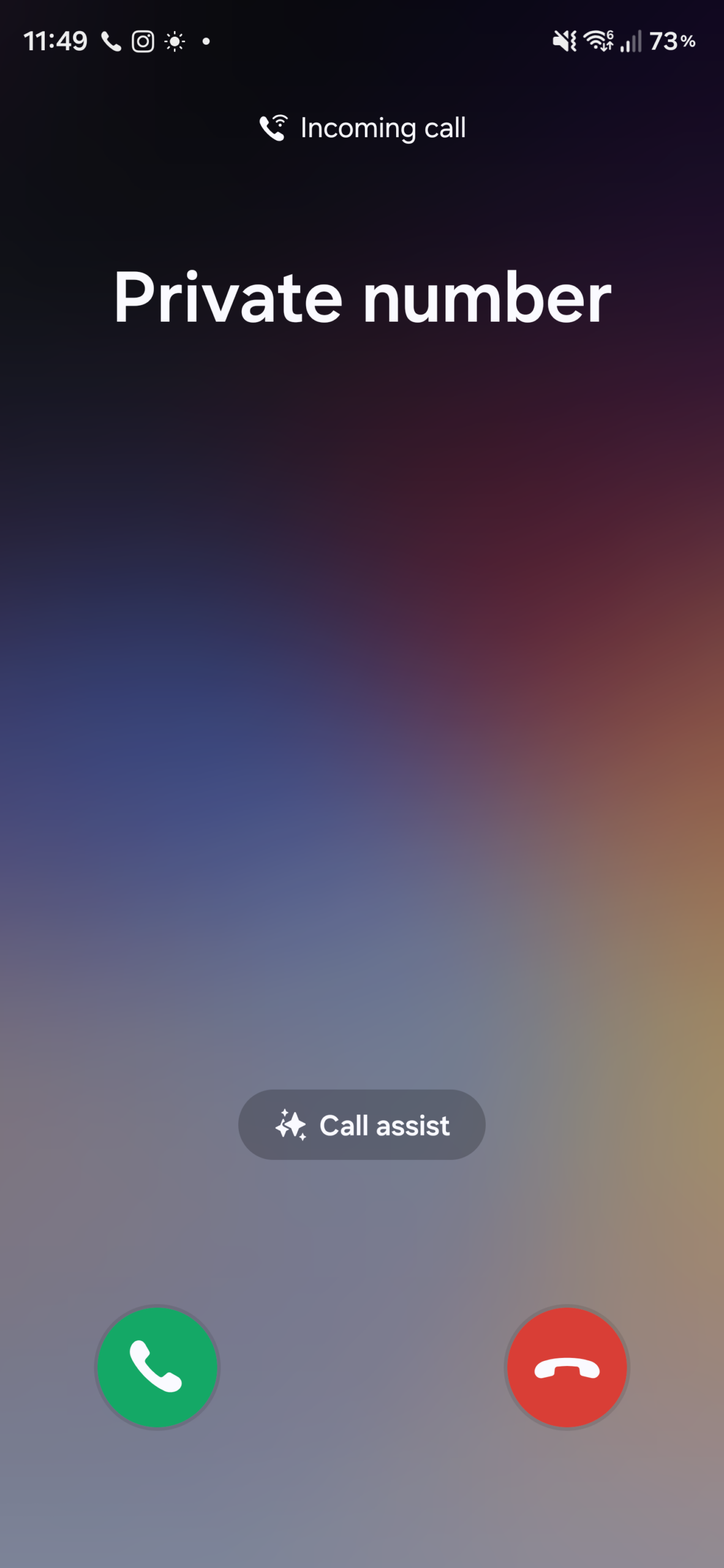
In a real-world scenario, the experience is seamless. When an unfamiliar number rings your device, a "Call Assist" button appears on the incoming call screen. By selecting "Call Screening," you initiate the AI's protective protocol.
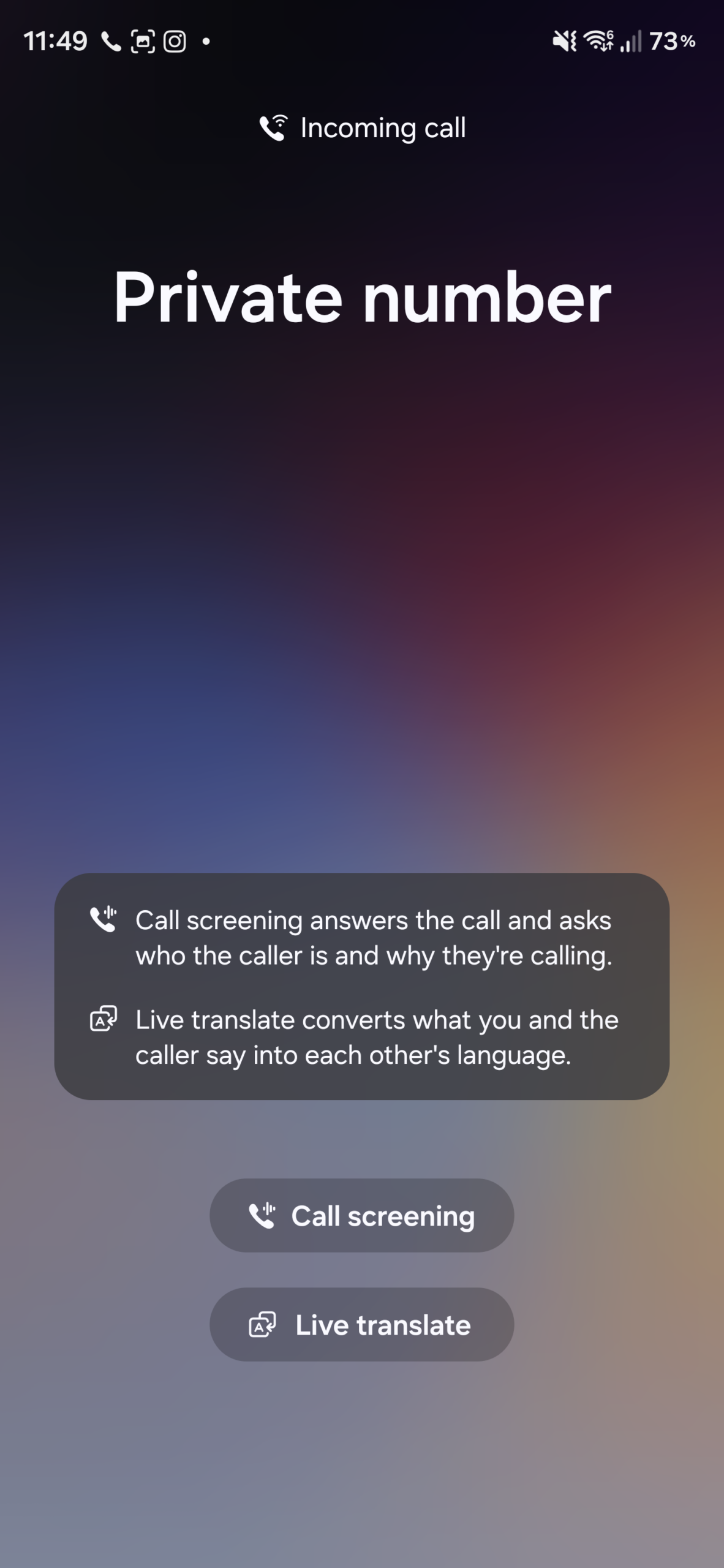
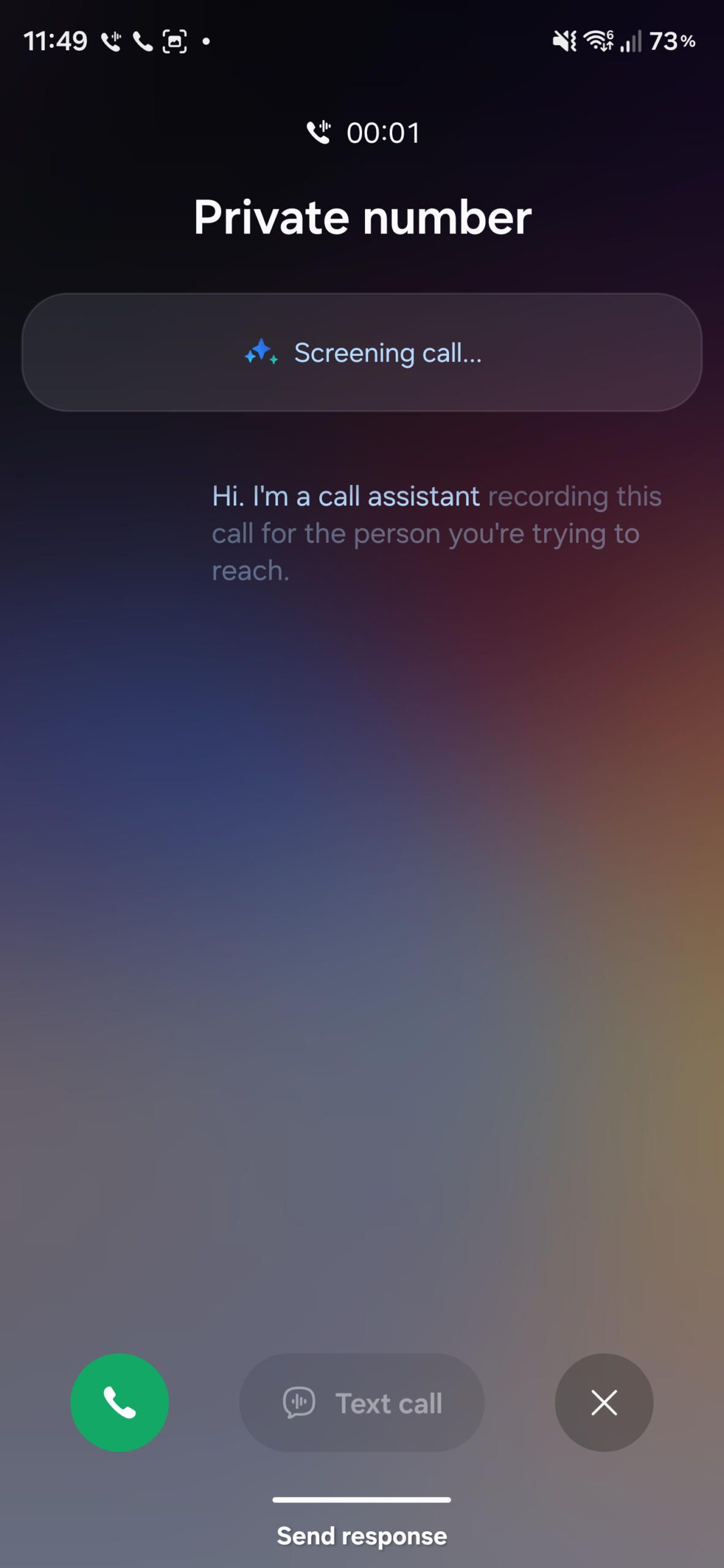
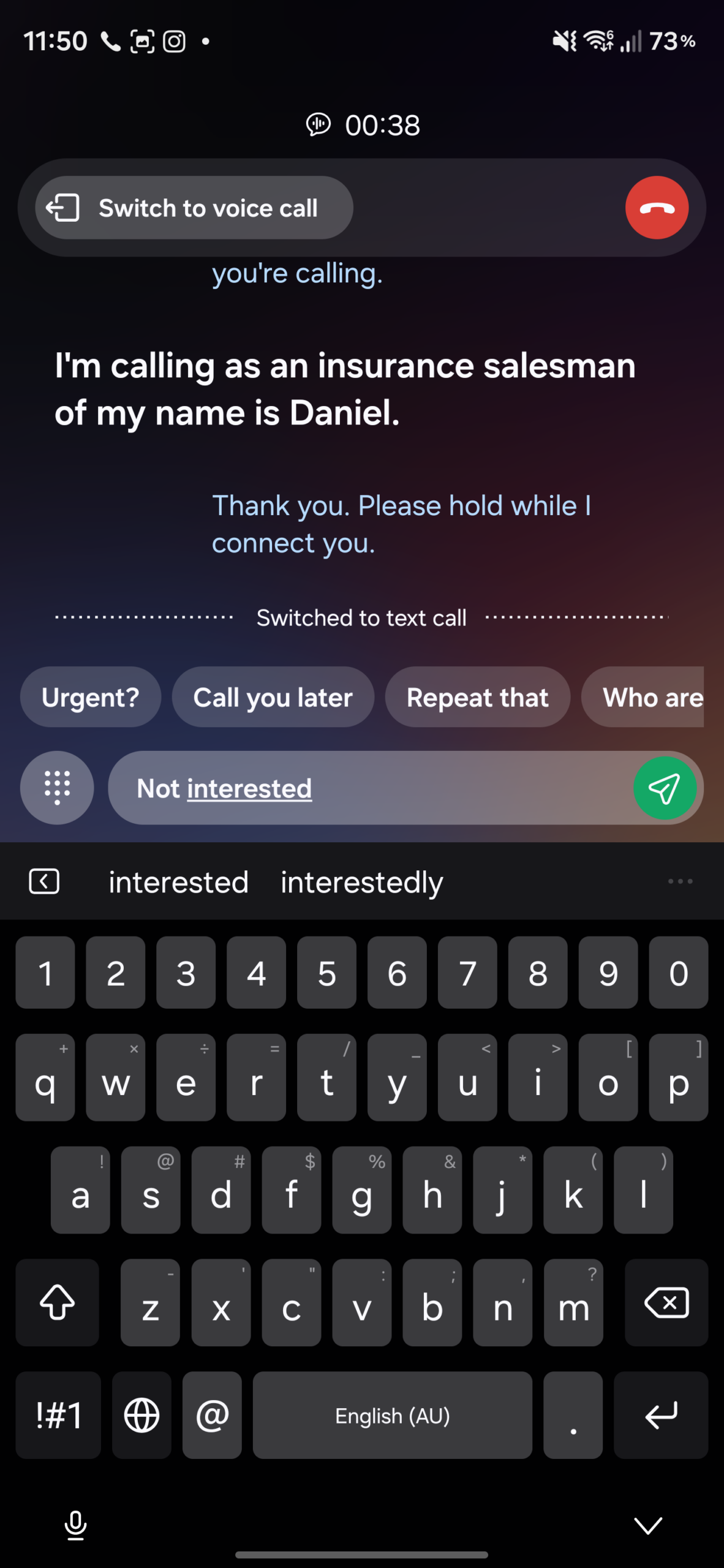
Once the feature is engaged, your Galaxy device answers the call on your behalf using a sophisticated digital voice assistant. The assistant politely asks the caller to identify themselves and explain the purpose of their call. Simultaneously, the entire exchange is transcribed into text and displayed on your screen in real time. This allows you to monitor the caller's intent silently and safely.
The power remains entirely in your hands. If the transcription reveals a legitimate caller—such as a delivery driver or a forgotten appointment reminder—you can jump into the call at any time. If you prefer not to speak, you can type out a response, which the assistant will read back to the caller using high-quality text-to-speech technology. This creates a perfect buffer, keeping you informed while maintaining your privacy.
Essentially, your smartphone acts as a personal secretary. It handles the initial awkwardness of unknown calls while you watch from the sidelines. If the caller is a scammer, you can simply end the call and move on with your day without ever being bothered by their voice.
While this feature is a flagship highlight of the One UI 8.5 launch on the S26 series, Samsung plans to bring this peace of mind to older models as the software update rolls out globally. However, users should be aware of certain regional limitations and language constraints.
Currently, the AI supports 13 languages, including English, Korean, Japanese, Polish, French, German, Italian, Spanish, Portuguese, Thai, Vietnamese, Hindi, and Chinese. As Samsung continues to refine its Galaxy AI, we expect even more linguistic support and smarter filtering capabilities in the future.
What exactly is Samsung Call Screening?
It is an AI-powered feature that allows your phone to answer calls from unknown or suspicious numbers on your behalf. It uses a digital assistant to talk to the caller and provides you with a live text transcription of the conversation.
How do I turn on this feature on my Galaxy S26?
You can enable it by going to the Settings app, selecting "Galaxy AI," then tapping on "Call Assist." From there, you can activate Call Screening and adjust your preferred settings.
Can I answer the call if I see it is someone I know?
Yes, absolutely. At any point during the screening process, you can choose to take over the call and speak to the person directly, or you can use text-based responses for the AI to read aloud.
Does it work in languages other than English?
Currently, Call Screening supports 13 languages, including Spanish, French, German, Hindi, Korean, and Japanese, among others. Samsung is expected to add more languages in future updates.
Will this feature be available on older Samsung phones?
While it launched with the Galaxy S26 series, Samsung typically rolls out new One UI features to older flagship devices (like the S25 and S24 series) through subsequent software updates.
🔎 In conclusion, the Galaxy S26's Call Screening is more than just a software trick; it is a vital tool for reclaiming your digital privacy. By leveraging the power of Galaxy AI, Samsung has created a sophisticated yet user-friendly way to handle the growing problem of spam calls. Whether you are in a meeting or simply want to avoid telemarketers, this feature ensures that you remain in total control of who gets your attention and when.
Post a Comment