
Samsung Galaxy S26 Ultra Privacy Display: How Flex Magic Pixel Protects Your Sensitive Data
The **Galaxy S26 Ultra** has officially arrived as Samsung’s most advanced smartphone to date. While the device boasts a more refined aesthetic, groundbreaking performance metrics, superior camera arrays, and significantly faster charging capabilities, one specific innovation is stealing the spotlight. The new Privacy Display feature is set to become the most valued daily tool for users who prioritize security and confidentiality in public spaces.
- ✨ **Revolutionary Tech:** Powered by the new Flex Magic Pixel hardware.
- ✨ **Total Privacy:** Effectively blocks side-angle viewing from prying eyes.
- ✨ **Smart Automation:** Can activate automatically for banking and sensitive apps.
- ✨ **Zero Compromise:** Maintains full color and brightness for the primary user.
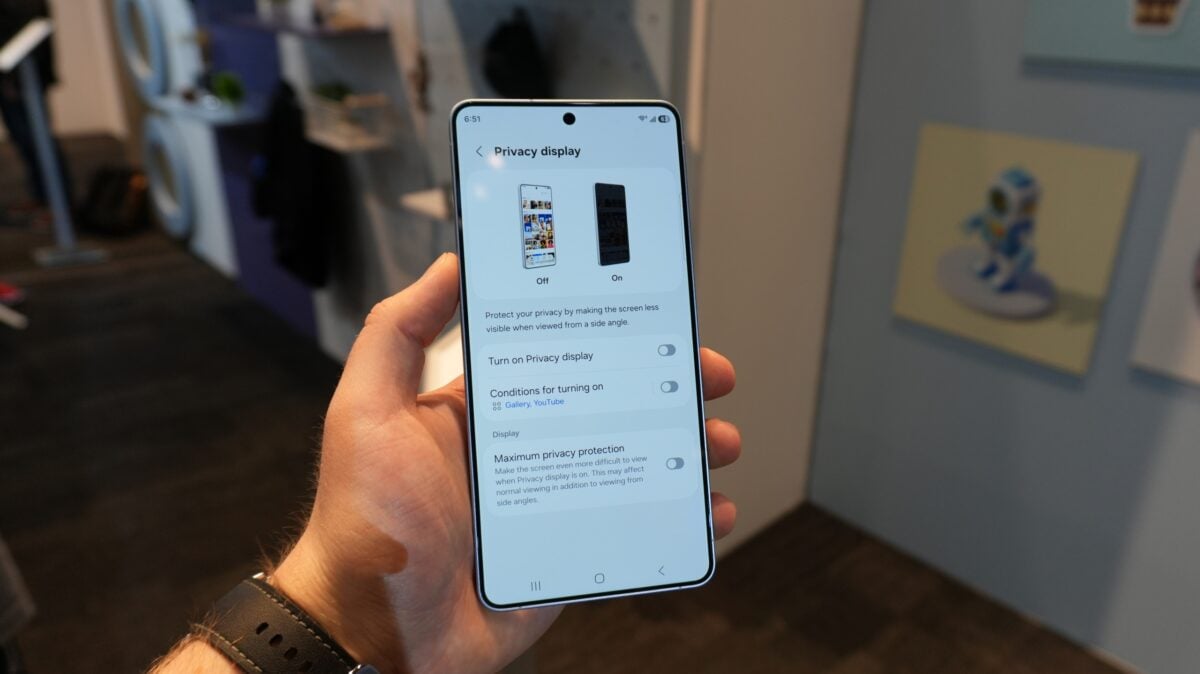
But what exactly is this Privacy Display, and how does it manage to hide your screen content from people standing right next to you? Let's dive into the details of this revolutionary technology.
The Science Behind Privacy Display: Flex Magic Pixel
Samsung has a long-standing history of pushing the boundaries of mobile screens, and the **Samsung Display** panel on the Galaxy S26 Ultra is their latest masterpiece. This screen utilizes a hardware-level technology known as Flex Magic Pixel. Unlike software filters that often dim the screen or distort colors, this system uses two distinct types of pixels: Narrow and Wide.
The magic lies in how these pixels disperse light. When the Privacy Display mode is deactivated, both pixel types work in harmony to broadcast light in all directions. This ensures that the screen remains vibrant and clear even when viewed from extreme side angles—perfect for sharing a video with friends.
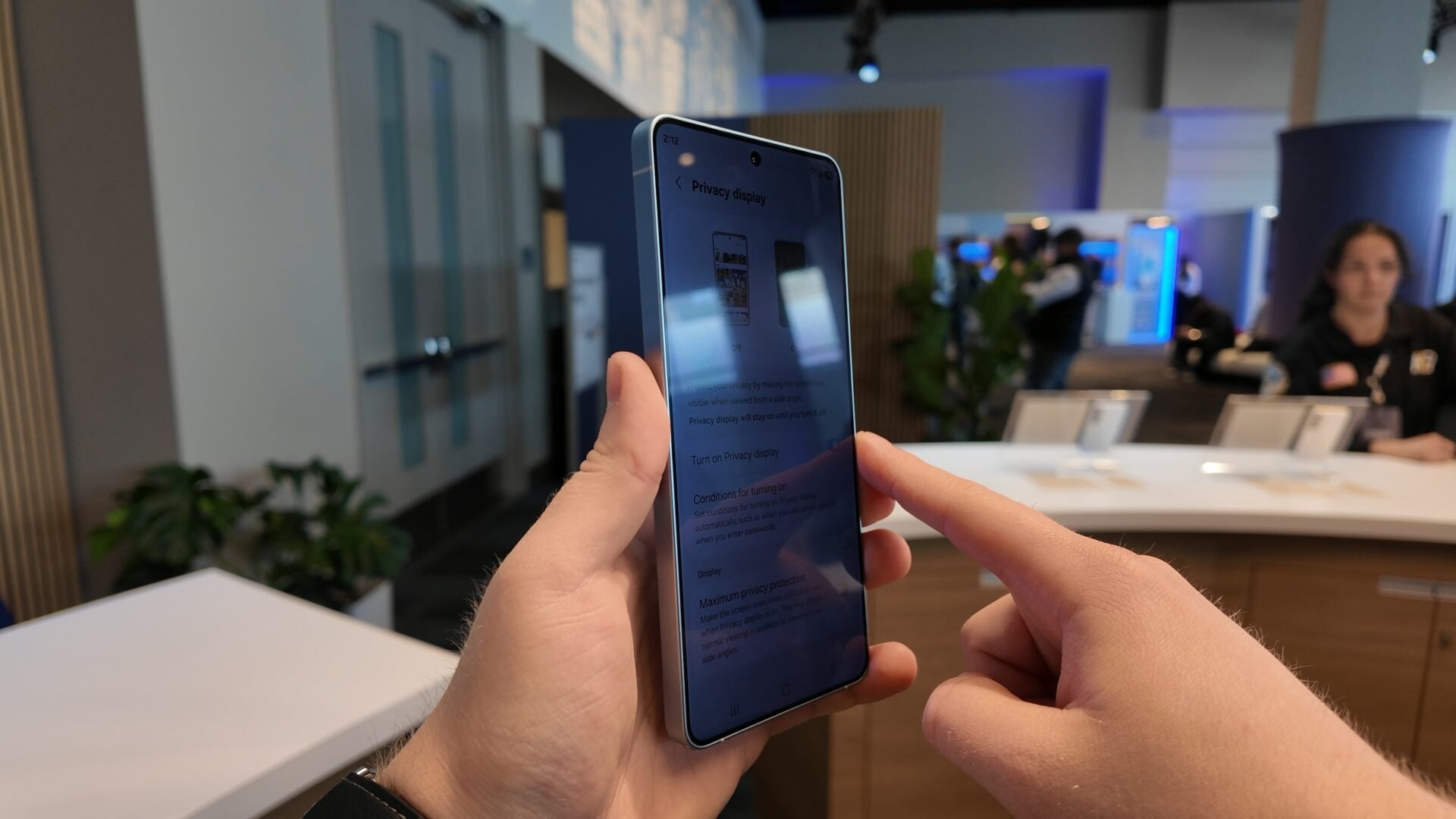
However, once Privacy Display is engaged, the Wide pixels are dimmed to a minimal state, leaving the Narrow pixels to do the heavy lifting. This focuses the light directly toward the person holding the phone. To anyone looking from the side, the screen appears dark or unreadable, while the user enjoys a perfectly crisp image. This is an essential tool for anyone handling bank details, private messages, or corporate data on the go.
Customization and Smart Features
Because this feature is built directly into the hardware, it offers incredible flexibility. You are not forced to have it on all the time. Users can manually toggle the feature via the Quick Settings panel whenever they are entering a PIN or password.
Furthermore, the **Galaxy S26 Ultra** allows for intelligent automation. You can set the device to automatically trigger Privacy Display when you open specific applications, such as your mobile banking app or secure work folders. You can even configure the system to hide notification previews from side-viewers, ensuring that your incoming alerts remain for your eyes only.
For those requiring even higher levels of security, Samsung has introduced a "Maximum Privacy Protection" setting. This mode narrows the viewing cone even further, making it virtually impossible for anyone not directly in front of the phone to see anything. Best of all, this works in both portrait and landscape modes and does not degrade the color accuracy or brightness for the primary user.
Does the Privacy Display affect the battery life of the phone?
No, since the feature works by reducing the activity of specific "Wide" pixels rather than adding a heavy software layer, it does not significantly impact battery life. In some cases, it might even slightly reduce power consumption when the Wide pixels are operating at a minimal level.
Will this feature work if I have a screen protector installed?
Yes, the Flex Magic Pixel technology is integrated into the OLED panel itself. While some third-party privacy screen protectors might interfere with the clarity, standard glass or film protectors will allow the hardware-based Privacy Display to function as intended.
Can I use Privacy Display while watching movies in landscape mode?
Absolutely. The hardware is designed to limit side-angle visibility regardless of the phone's orientation. This is particularly useful if you are watching personal content on a plane or train and want to maintain your privacy.
Is it possible to adjust the strength of the privacy effect?
Yes, the Galaxy S26 Ultra includes a "Maximum Privacy Protection" setting within the display menu, allowing users to choose between a standard privacy mode and a more aggressive setting that limits the viewing angle even further.
Does the screen become dimmer for the main user when active?
One of the biggest advantages of Samsung's hardware solution over software filters is that it maintains brightness and color quality for the user looking directly at the screen. You won't have to deal with the "muddy" look associated with traditional privacy filters.
🔎 In conclusion, the Galaxy S26 Ultra’s Privacy Display is a game-changer for mobile security. By integrating Flex Magic Pixel technology directly into the hardware, Samsung has provided a seamless way to protect personal information without sacrificing the stunning visual experience we expect from their flagship devices. Whether you are a business professional or simply someone who values personal space, this feature marks a significant step forward in the evolution of smartphone displays.
Post a Comment