
The Secret to Faster Typing on Samsung Smart TVs: Why App Developers Are Holding You Back
We’ve all been there—trying to search for a movie title on a Samsung Smart TV using nothing but a clunky remote control. As impressive as modern displays have become, one of their most persistent failures is something incredibly basic: typing. It is slow, clumsy, and needlessly tedious. While voice input exists, it remains unreliable at the best of times and becomes nearly unusable if English isn’t your primary language. For years, users have been searching for a more intuitive way to interact with their screens, and the frustrating reality is that Samsung already has a solution—it just isn’t being used.
Quick Article Summary
- ✨ Remote typing on Samsung TVs remains a major pain point for users.
- ✨ The SmartThings app includes a hidden feature that allows users to type using their smartphone keyboard.
- ✨ Most third-party developers ignore Samsung's system keyboard, rendering the feature useless in popular apps.
- ✨ Samsung needs to enforce better integration to make the mobile remote a true physical remote replacement.

SmartThings: The Powerful Remote in Your Pocket
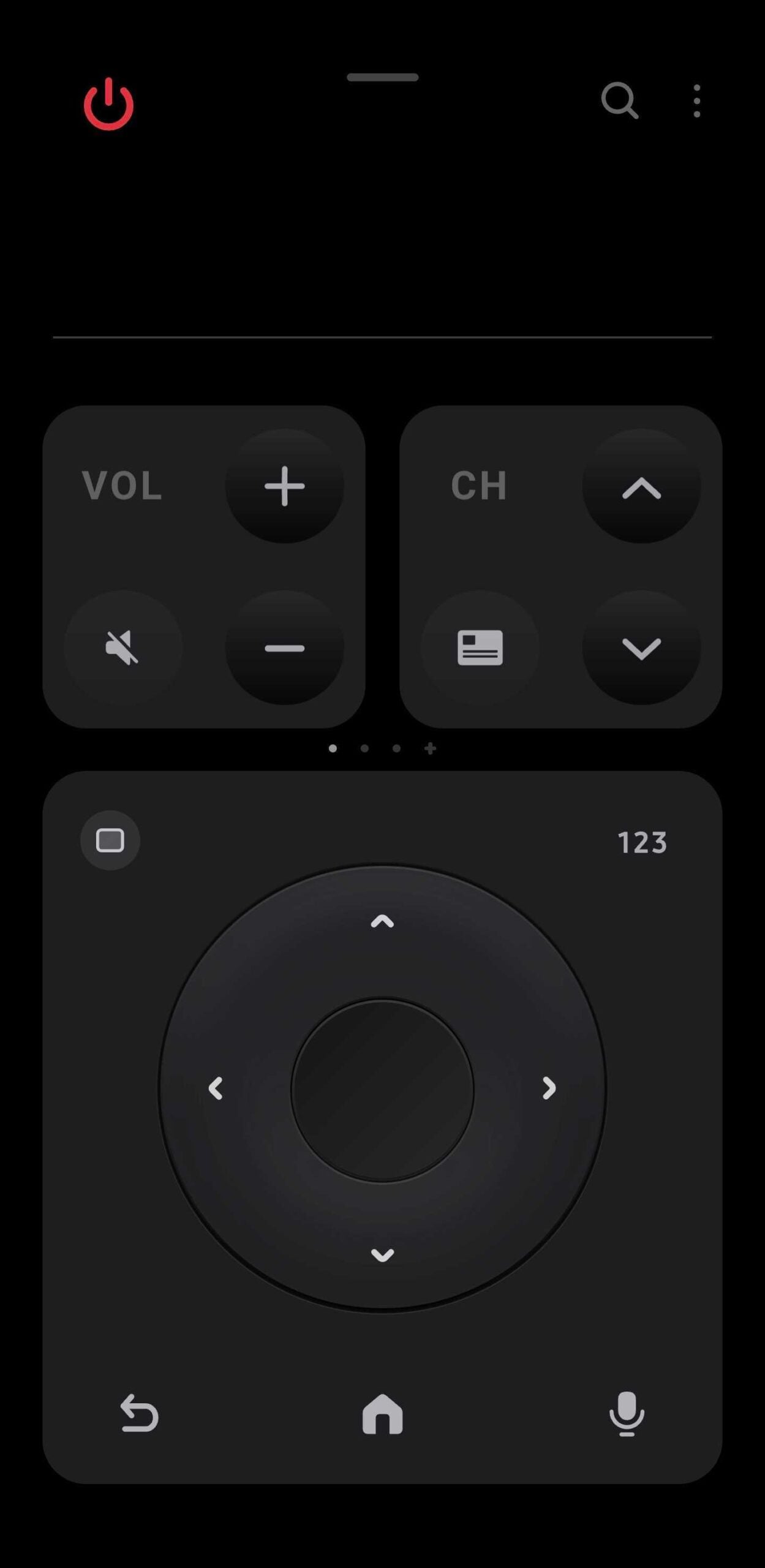
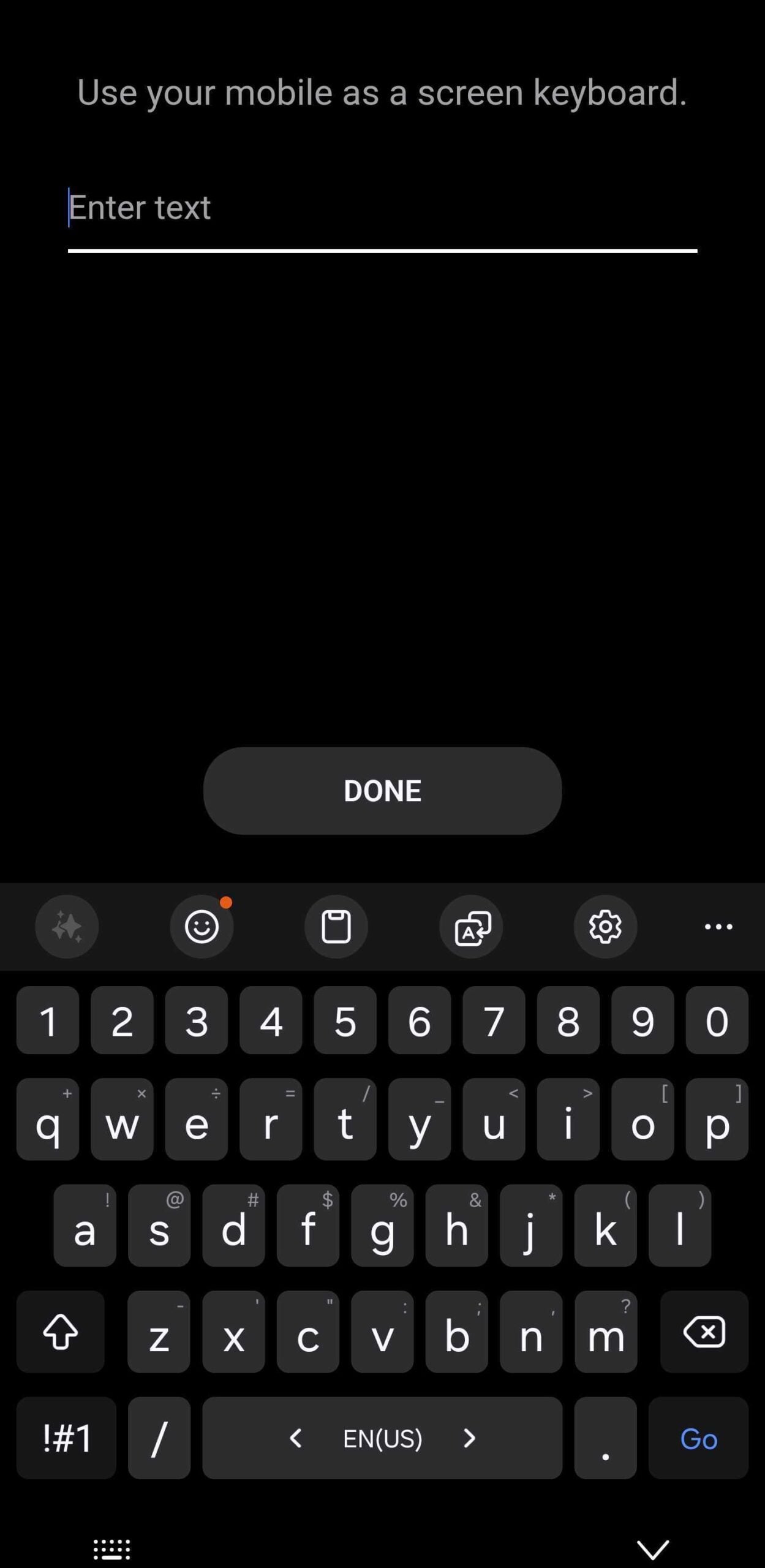
The solution to the typing dilemma already lives inside the SmartThings app. If you open the TV remote interface on your smartphone, you can actually use your phone’s on-screen keyboard to enter text instead of pecking away letter-by-letter with a physical remote. On paper, this is exactly what every Neo QLED and OLED owner needs. It transforms a frustrating minute-long task into a two-second swipe-and-tap experience.
However, there is a significant catch: this feature only works when a TV application utilizes Samsung’s built-in virtual keyboard. Native apps like Samsung Internet are perfectly optimized for this. The moment you highlight the URL field and the system keyboard appears on your TV, your phone automatically takes over, making typing feel natural again.
Why Most TV Apps Fail to Support Phone Typing
Unfortunately, this is where the convenience ends. The core issue is that the vast majority of third-party TV applications—including major streaming services—refuse to use Samsung’s system keyboard. Instead, they rely on their own custom-coded input methods. Because these custom keyboards are isolated from the TV's operating system, they completely ignore the SmartThings integration. This leaves the user right back where they started, manually navigating an on-screen alphabet with arrow keys.
Interestingly, some developers are getting it right. The newly launched Jellyfin app for Samsung TVs actually supports this feature. It correctly summons the built-in virtual keyboard, allowing for seamless phone-to-TV input. For almost any other app, however, the entire trick falls apart. This inconsistency is a real shame, as it prevents a brilliant feature from becoming a standard part of the user experience.
The Future of the SmartThings Remote
If this feature worked consistently across all applications, it would turn the SmartThings mobile app into a genuine upgrade over the physical remote rather than just a backup. The framework is already built into the Tizen OS, and the hardware in our pockets is more than capable. The execution simply requires a push from Samsung to ensure developers adhere to system standards.
Until Samsung makes this a mandatory requirement for app certification, one of the best ideas for the modern living room risks remaining an obscure secret known only to a few. For now, users will have to hope that more developers follow the lead of apps like Jellyfin and embrace the tools already available to them.
Can I use my smartphone to type on all Samsung TV apps?
No. Currently, you can only use your phone's keyboard via SmartThings if the app uses the Samsung system keyboard. Many third-party apps like Netflix or YouTube use their own custom keyboards which do not support this feature.
How do I enable the keyboard feature in the SmartThings app?
You don't need to enable a specific setting. Simply open the TV remote in the SmartThings app on your phone. When you click on a text input field on your TV that supports the system keyboard, a keyboard notification or icon will automatically appear on your phone.
Which apps are known to support the SmartThings keyboard?
Native apps like the Samsung Internet browser and certain third-party apps like the newly released Jellyfin app are known to support the built-in system keyboard and mobile typing.
Will Samsung fix this for other apps in the future?
While the functionality exists, it is up to third-party developers to update their apps to use Samsung's native keyboard API. Samsung would need to encourage or require developers to make this change for it to work everywhere.
🔎 In summary, while Samsung has technically solved the problem of tedious TV typing through its SmartThings integration, the lack of developer adoption remains a major hurdle. Until more apps transition to using the native system keyboard, users will continue to struggle with traditional remote input, leaving a potentially revolutionary feature underutilized.
Post a Comment