
Galaxy S26 Photo Assist: Everything You Need to Know About Samsung’s Upgraded AI Editing
If you enjoy using generative AI for photo editing, you'll probably like what Samsung has done with the Galaxy S26. The new flagship phones bring a major update to generative editing, and the Photo Assist suite is now more capable than ever. This evolution marks a significant step forward in how users interact with their mobile photography, making professional-grade tools accessible to everyone through the power of Galaxy AI.
- ✨ Introduction of multimodal support allowing users to edit photos via simple text prompts.
- ✨ Advanced creative capabilities including changing outfits and altering the time of day in scenes.
- ✨ Non-destructive editing history that allows for step-by-step adjustments or undos.
- ✨ Initial launch featuring One UI 8.5 on the highly anticipated Galaxy S26 series.
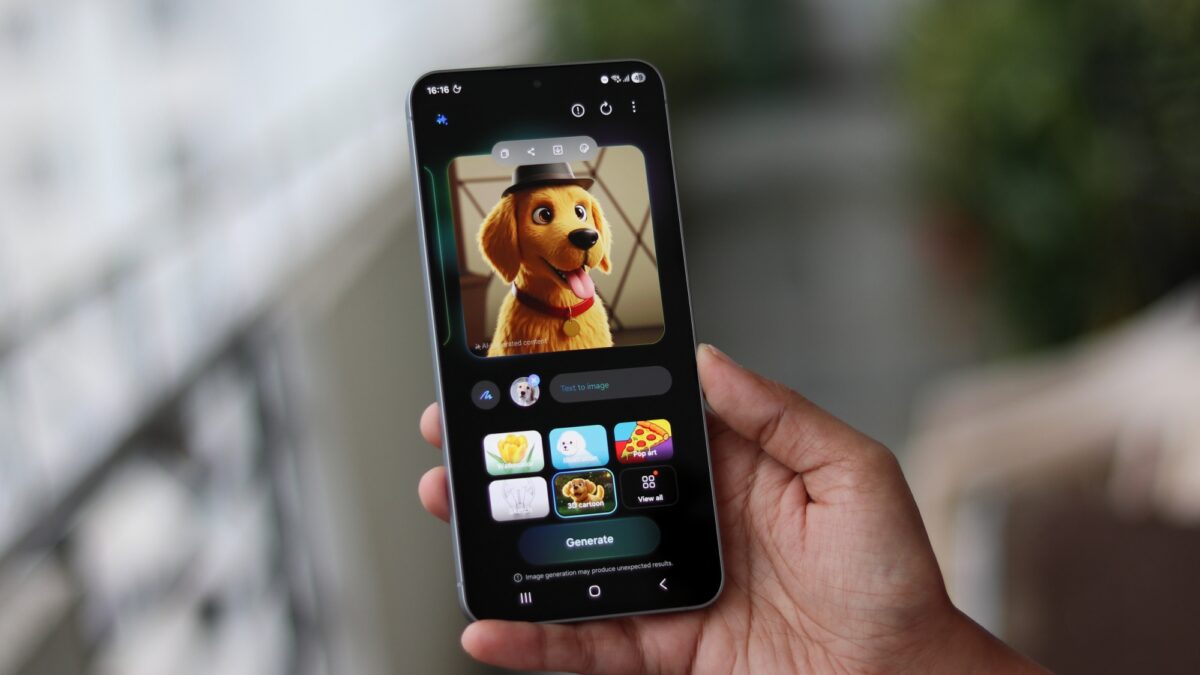
If you are a Samsung phone or tablet user, you probably know that the original Photo Assist tool allowed users to erase elements from photos and fill in cropped or missing areas through the power of generative AI. It was a good start, but compared to the Galaxy S26's upgraded Photo Assist, the original looks a little bit toy-like. The precision and creative freedom offered by the new iteration are designed to redefine user expectations.
Perhaps the lack of versatility in the original version is the reason why the majority of Galaxy phone users rarely bother improving their photos with Photo Assist. Statistics suggest that 74% of people say they don't use these features. These recent upgrades, however, might change even the most skeptical minds by providing more intuitive and powerful results.
How is Photo Assist better on the Galaxy S26?
The biggest change is that, for the first time, Samsung's Photo Assist gains multimodal support through text prompts. This means that instead of just tapping and circling objects, you can now communicate your creative vision directly to the device.
With this upgraded tool, Galaxy S26 users can simply type a description in a text box to instruct the AI how they want the photo edited. Examples include:
- Change a photo's scene from day to night or vice versa.
- Add extra details to an image to enhance the composition.
- Restore missing parts (like a bite taken out of a cake, as shown in Samsung's teasers).
- Clean spills off clothing to save a perfect portrait.
- The S26 Photo Assist can even change outfits entirely.


Needless to say, this new version is a significant upgrade that should make generative AI editing easier and more intuitive. Samsung's overarching goal for Galaxy AI is to remove friction from user interactions, and this new Photo Assist follows that philosophy to the letter. By bridging the gap between imagination and execution, Samsung is making complex edits possible in seconds.


Finally, one last improvement is that the Photo Assist remembers your edits. It keeps a history, and every AI-generated change can be reviewed step by step, adjusted, or undone at any time. This non-destructive workflow ensures that you never lose your original vision while experimenting with new possibilities.
This upgraded generative AI tool debuts with the Galaxy S26 series running One UI 8.5 and should reach other devices once the update exits the beta development stage and starts spreading over-the-air.
What is the main upgrade in Galaxy S26 Photo Assist?
The primary enhancement is the introduction of multimodal support, which allows users to edit photos using natural language text prompts instead of just manual selection tools.
Can I change the time of day in my photos with this tool?
Yes, the upgraded AI can intelligently transform a scene from daytime to nighttime or vice versa, adjusting lighting and shadows automatically.
Is it possible to fix clothing stains using the new AI?
Absolutely. One of the highlighted features of the S26 Photo Assist is the ability to "clean" spills or stains off clothing in your photographs.
Does the tool allow me to go back and change previous edits?
Yes, the tool now maintains an edit history, allowing you to review, adjust, or undo any AI-generated changes step by step at any time.
Which version of One UI is required for these features?
These features are debuting with One UI 8.5, which launches alongside the Galaxy S26 flagship series.
🔎 In conclusion, the Galaxy S26 series is setting a new benchmark for mobile photo editing by integrating a more conversational and capable AI experience. By moving beyond simple object removal to complex scene manipulation via text prompts, Samsung is ensuring that anyone can produce stunning, creative results with minimal effort. As One UI 8.5 rolls out to more devices, we expect a major shift in how users perceive and utilize generative AI in their daily photography.
Post a Comment