
Samsung Galaxy S26 Camera Update: Access 24MP Mode Faster with Camera Assistant
Samsung has consistently pushed the boundaries of mobile photography, and the latest release for the Galaxy S26 Ultra series proves they are listening to user feedback. A new update for the Samsung Camera Assistant app has officially landed, aiming to streamline how enthusiasts capture high-resolution imagery. By rearranging key settings, Samsung is making it significantly easier for users to leverage the power of the 24MP resolution mode, which was previously tucked away in a labyrinth of menus.
Article Quick Summary:
- ✨ Update version 4.5.00.20 simplifies the 24MP resolution toggle.
- ✨ 24MP photos offer a perfect balance between 12MP speed and 200MP detail.
- ✨ The Galaxy S26 series remains the first to support this in standard Photo mode.
- ✨ New persistent settings allow users to keep 24MP as the default resolution.
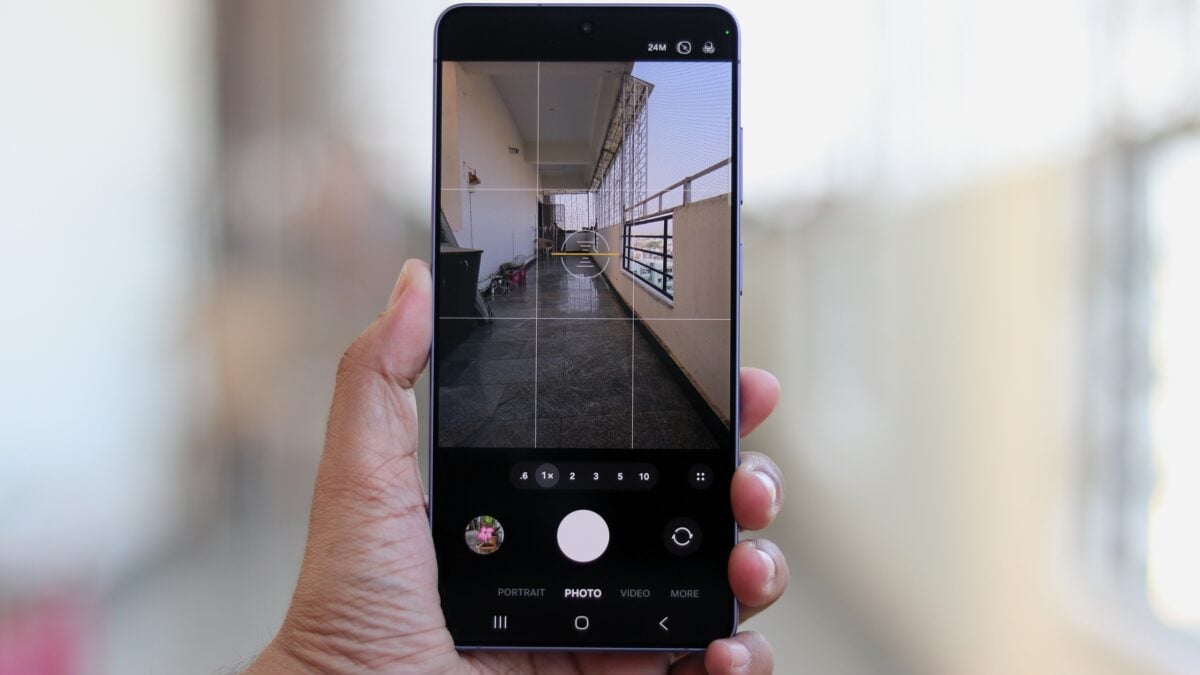
The latest update, identified as version 4.5.00.20, introduces a small but impactful change for Galaxy S26 owners. Previously, the option to enable 24MP resolution in the standard Photo mode was buried deep within the "Advanced resolution options" submenu. This placement often led to users overlooking the feature entirely. With this update, the 24MP toggle is now found directly in the main Samsung Camera Assistant settings page, making it accessible with just a single tap.
Why 24MP is the "Sweet Spot" for Galaxy S26 Users
For many photographers, 12MP images can sometimes lack fine detail, while 50MP or 200MP files can be cumbersome to edit and store. The 24MP shooting option strikes an ideal balance. These photos provide noticeably more detail than standard 12MP shots without the common trade-offs of ultra-high-resolution modes, such as overexposed highlights or slower shutter speeds. By using 24MP, the Galaxy S26 Plus and Ultra models can maintain excellent dynamic range, especially in challenging lighting conditions like bright skies.
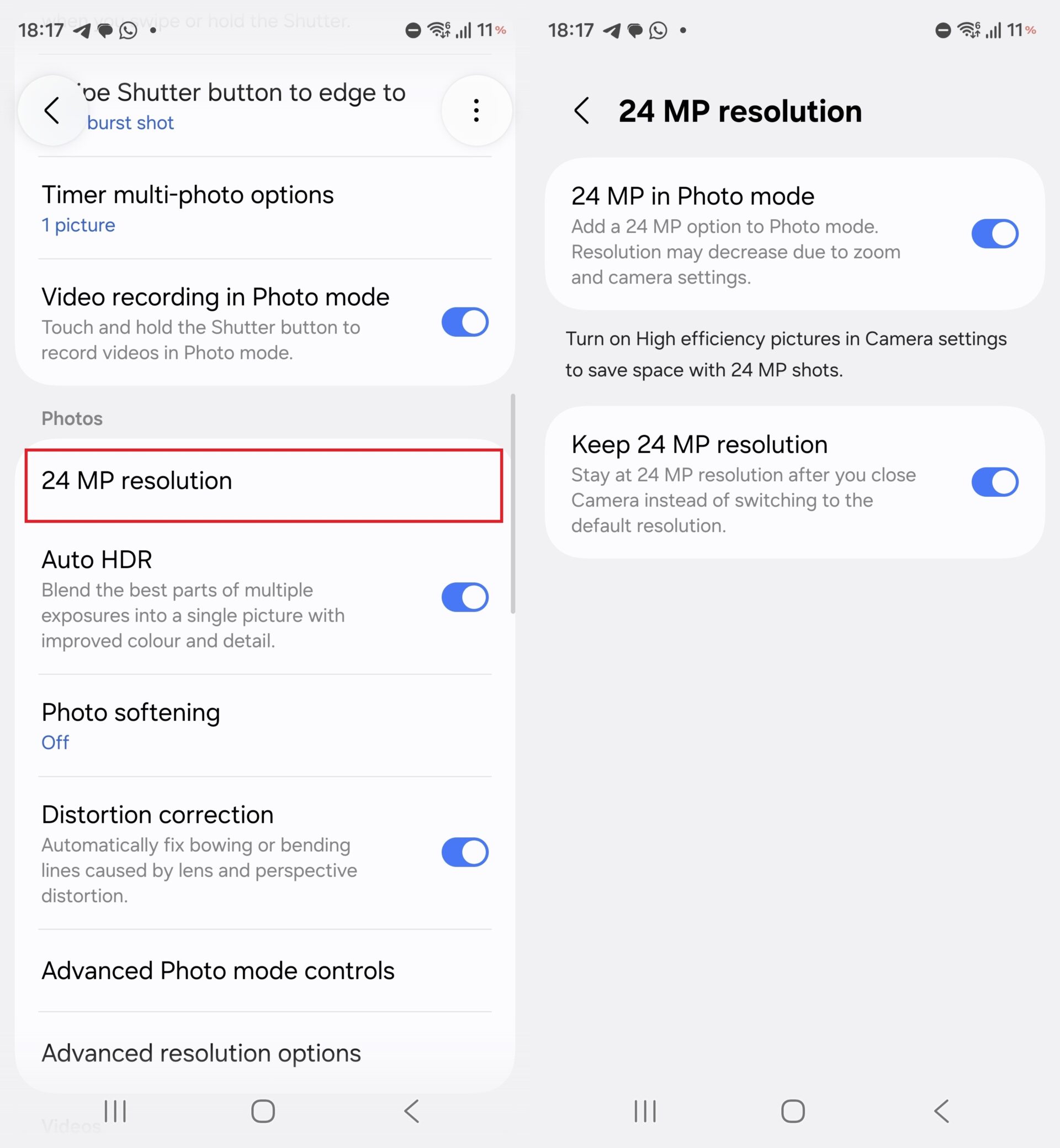
The updated 24MP resolution menu in Camera Assistant allows for quicker adjustments.
It is worth noting that the Galaxy S26, S26+, and S26 Ultra are currently the only Samsung devices to offer this 24MP capability within the standard Photo mode. While older flagships like the Galaxy S25 series can capture 24MP images, they are restricted to the Expert RAW mode. This update brings professional-level flexibility to the everyday camera app, provided you have the Assistant installed.
How to Enable and Lock 24MP Resolution
To take advantage of these changes, users simply need to open the Camera Assistant app and navigate to the newly visible 24MP resolution menu. A particularly useful addition is the "Keep 24MP resolution" toggle. When enabled, this ensures that the camera app remembers your preference, staying set to 24MP every time you launch the camera, rather than reverting to the default 12MP setting.
What is the main benefit of using 24MP over 12MP on the S26?
The 24MP mode provides a significant boost in fine detail and texture clarity compared to 12MP. It allows for better cropping flexibility while avoiding the massive file sizes and potential dynamic range issues found in 50MP or 200MP modes.
Do I need a specific app to use the 24MP mode in the standard camera?
Yes, currently the 24MP toggle for the standard Photo mode is only available through the Samsung Camera Assistant app. Once installed and configured, it integrates directly with your main camera experience.
Will my camera reset to 12MP every time I close the app?
Not if you use the new "Keep 24MP resolution" setting found in the updated Camera Assistant. This feature forces the camera to remember your high-resolution choice even after the app is closed.
Is this update available for the Galaxy S25 or older models?
While Camera Assistant is available for older models, the specific 24MP option in the standard Photo mode is currently exclusive to the Galaxy S26 series hardware and software optimization.
🔎 Ultimately, while we hope Samsung eventually integrates the 24MP toggle directly into the native camera app's UI, this Camera Assistant update is a major win for usability. It empowers users to capture better photos with less effort, ensuring the Galaxy S26 Ultra remains at the top of the mobile photography food chain. If you haven't updated your Assistant app yet, now is the perfect time to head to the Galaxy Store and unlock the full potential of your sensor.
Post a Comment