
Samsung One UI 8.5 Gallery Upgrade: AI Instant Search and Generative Editing Revealed
While Samsung officially introduced several major software innovations alongside the launch of the Galaxy S26 series, the company kept a few impressive details under wraps. Among the most notable hidden gems in One UI 8.5 are significant enhancements to the stock Gallery app. This update introduces AI-driven instant search results, a revolutionary version of Photo Assist that utilizes text prompts for generative editing, and a much-improved Remaster tool for high-resolution photography.
- ✨ Instant Search: Real-time matching for photos and specific segments within video files.
- ✨ Generative AI Editing: New Photo Assist features that respond to natural language text prompts.
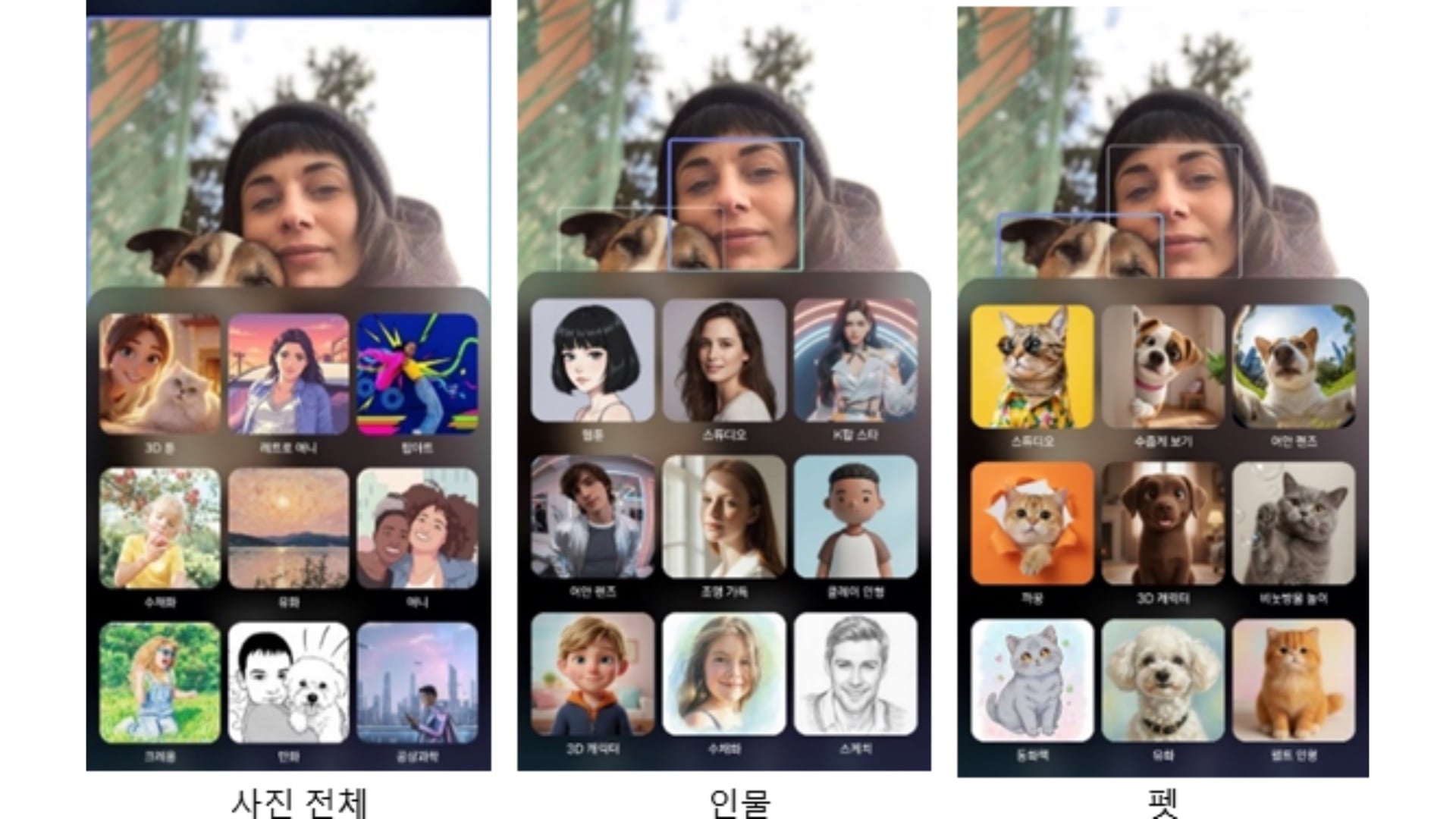
- ✨ Creative AI Styles: Nine distinct artistic filters, including 3D Toon and Sci-Fi, optimized for portraits.
- ✨ Enhanced Remastering: AI-powered detail recovery for high-zoom images up to 12MP resolution.
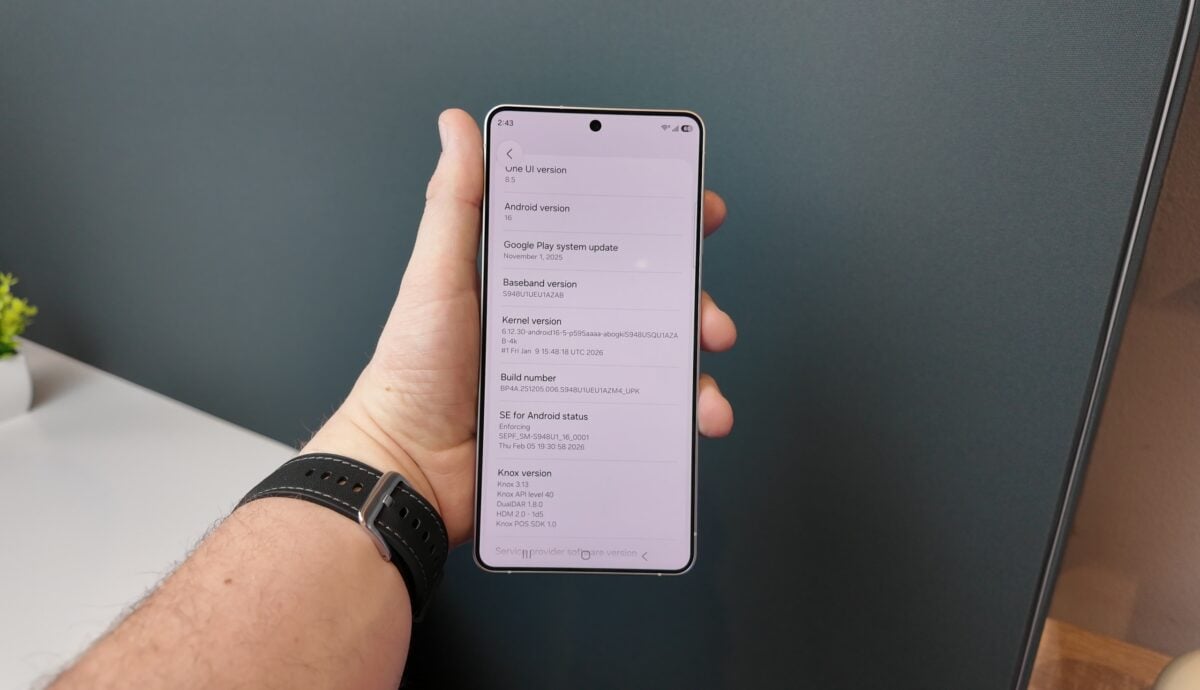
Instant Search Results in the One UI 8.5 Gallery App
The native Gallery app has evolved into a more intuitive tool with the introduction of real-time search capabilities. As you type in the search bar, matching images and videos appear instantly, eliminating the wait for a full database scan. However, the most impressive technical feat is the ability to search for specific content within videos. For instance, if you search for keywords like "sunset" or "ocean," clicking a video result will take you directly to the timestamp where those specific elements appear, saving users from tedious manual scrubbing.
Advanced Photo Assist: Text Prompts and Intelligent Editing
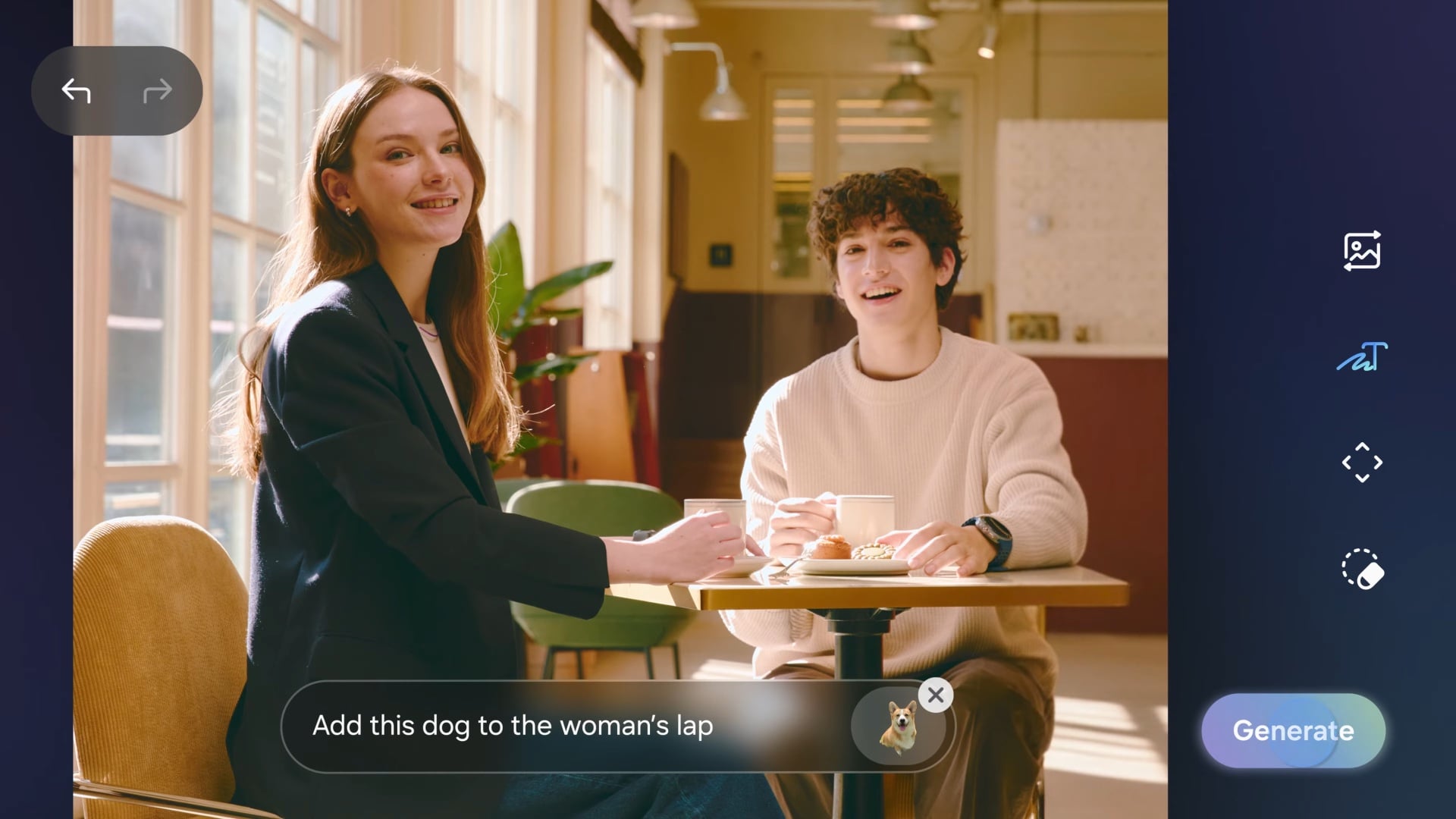
Photo Assist has received a massive upgrade by integrating generative AI that understands text instructions. Within the built-in editor, users can now type specific commands to modify their images. Whether you want to move an object, resize a subject, or tilt the perspective for a better composition, the AI handles the complex pixel-filling required to maintain a natural look. A major improvement is the ability to apply artistic styles exclusively to faces or people while leaving the background untouched, providing a more professional and targeted editing experience.
| Available AI Artistic Styles | Visual Effect Description |
|---|---|
| 3D Toon & Animation | Modern stylized character looks |
| Cartoon & Crayon | Classic hand-drawn and sketch aesthetics |
| Oil Painting & Watercolor | Traditional fine art textures |
| Pop Art & Retro Animation | Vibrant, nostalgic visual themes |
| Science Fiction | Futuristic and cinematic overlays |
Enhanced Photo Remaster Tool
The Remaster tool, a fan favorite on Samsung Gallery, now leverages more powerful generative AI to reconstruct fine details in low-quality images. It now supports enhancements for resolutions up to 12MP. This is particularly useful for photos taken at extreme zoom levels—such as 30x digital zoom—where the AI can sharpen edges and reduce noise to create a clearer final image. Samsung notes that because the tool relies on generative AI, results can occasionally vary in consistency depending on the complexity of the original photo.
Currently, it remains unclear whether these advanced Gallery features will remain exclusive to the Galaxy S26 Ultra and its siblings, or if Samsung plans to roll them out to older flagship phones and tablets through future software updates. Given Samsung's history, a gradual rollout to the S25 and S24 series is highly likely.
What exactly is real-time search in the new Gallery app?
Real-time search means the app displays matching photos and videos instantly as you type each letter in the search bar, rather than waiting for you to finish typing and hit enter. This makes finding specific media much faster.
How does the video section search work?
The AI analyzes the content of your videos. When you search for a term like "beach," the app doesn't just find videos containing a beach; it allows you to jump directly to the specific moment in the video where the beach is visible.
Can I use text prompts to edit any photo?
Yes, within the Photo Assist tool, you can type instructions such as "remove the person in the background" or "change the sky to a sunset," and the generative AI will attempt to process those changes automatically.
Is the Remaster tool better for zoom photos?
Absolutely. The updated Remaster tool is specifically optimized to improve the clarity of images taken at high zoom levels (like 30x) by using AI to fill in missing details and textures.
Will these features be available on the Galaxy S25?
While Samsung has not officially confirmed the rollout for older devices, these features are part of One UI 8.5, which typically reaches previous flagship models a few months after the launch of the newest series.
🔎 The evolution of the Samsung Gallery app in One UI 8.5 demonstrates how generative AI is becoming a practical, everyday tool rather than just a gimmick. By allowing users to search deep within their video archives and edit photos using simple text commands, Samsung is significantly lowering the barrier to professional-level mobile photography and organization. As these features eventually trickle down to more devices, the way we interact with our digital memories is set to change forever.
Post a Comment