
Why Samsung’s One UI 8.5 Notification Summaries Are a Total Game Changer for Galaxy Users
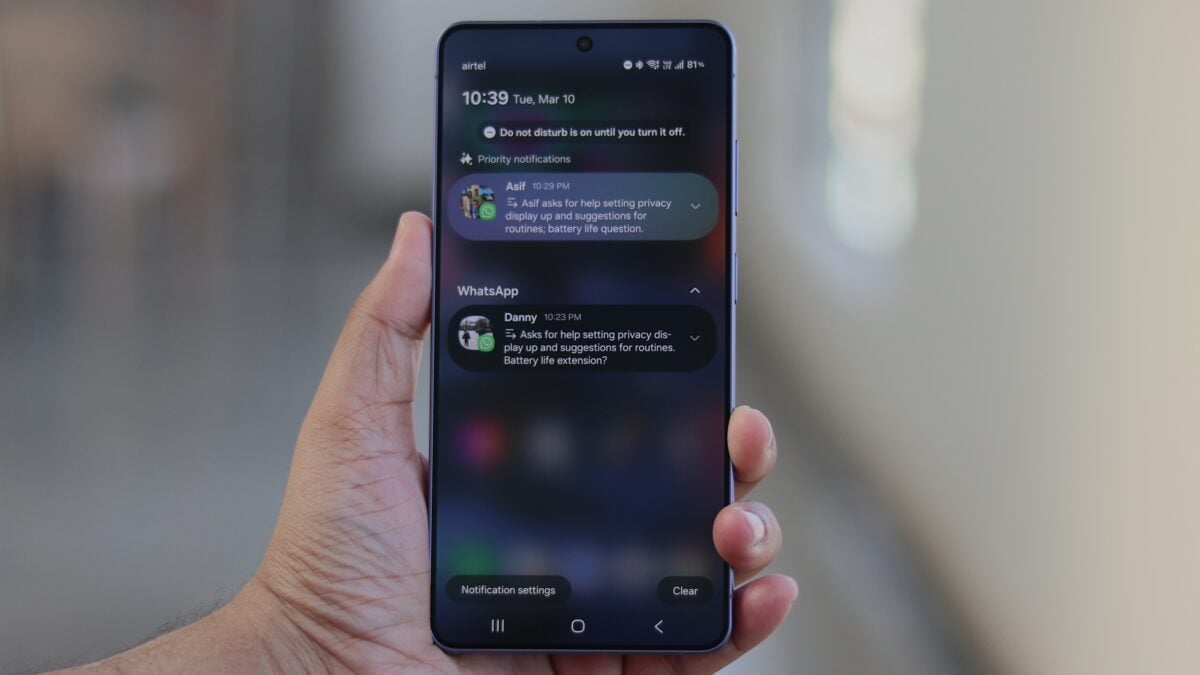
The digital world is noisier than ever, but Samsung is aiming to bring some much-needed silence and clarity to your lock screen. With the introduction of One UI 8.5, the tech giant has unveiled a suite of Galaxy AI features specifically designed to manage the flood of alerts we receive daily. Among these, the "Notification Highlights" feature stands out, offering a dual-layered approach to mobile productivity: intelligent prioritization and automated summarization.
Samsung's One UI 8.5 leverages Galaxy AI to automatically condense long notifications and prioritize urgent messages based on user profiles. This "AI-first" approach requires zero setup and provides a cleaner, more intuitive notification experience for the Samsung Galaxy S26 series and beyond.
- ✨ Seamless Automation: Galaxy AI handles everything in the background without requiring manual app selection.
- ✨ Intelligent Context: Prioritizes alerts using your Samsung account profile for a personalized experience.
- ✨ Glanceable Content: Summaries appear when notifications are collapsed, keeping your screen clutter-free.
- ✨ Broad Language Support: Available in over 13 languages, including English, Spanish, and Korean.
The Power of "It Just Works": A New Era for Notifications
While priority notifications have been a staple of the Android ecosystem for years, Samsung has taken the concept a step further by infusing it with advanced artificial intelligence. By analyzing your Samsung account profile—which can include details as specific as your pet's name—the system identifies which contacts and apps deserve your immediate attention. This isn't just a filter; it's a smart assistant that knows what matters to you.
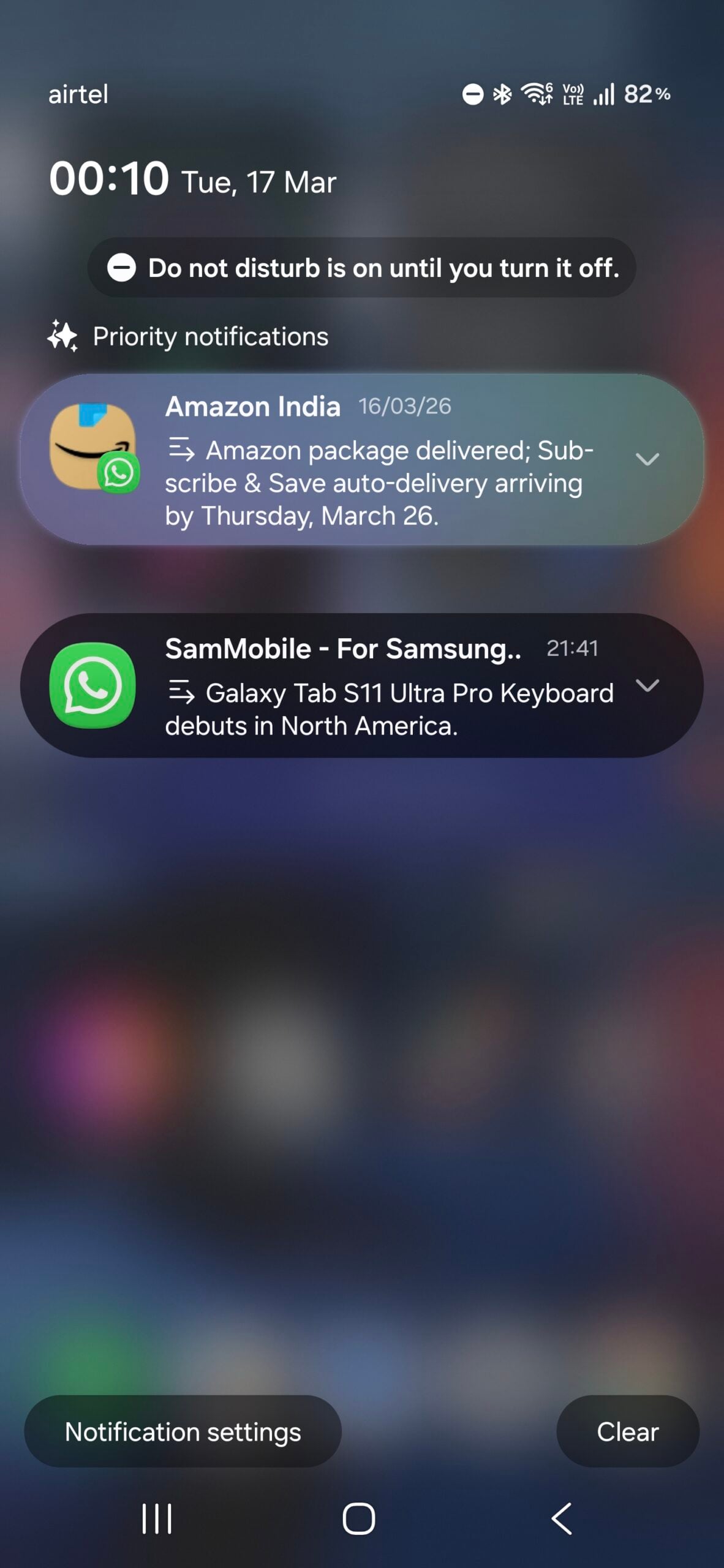
However, the real magic lies in notification summarization. When first exploring a Galaxy S26-series device, many users look for customization toggles for this feature, only to find they don't exist. This is intentional. Notification summaries are designed to be invisible yet indispensable. They quietly activate when a notification is excessively long or cluttered, transforming a wall of text into a readable, punchy sentence.
A Seamless Transition Between Context and Detail
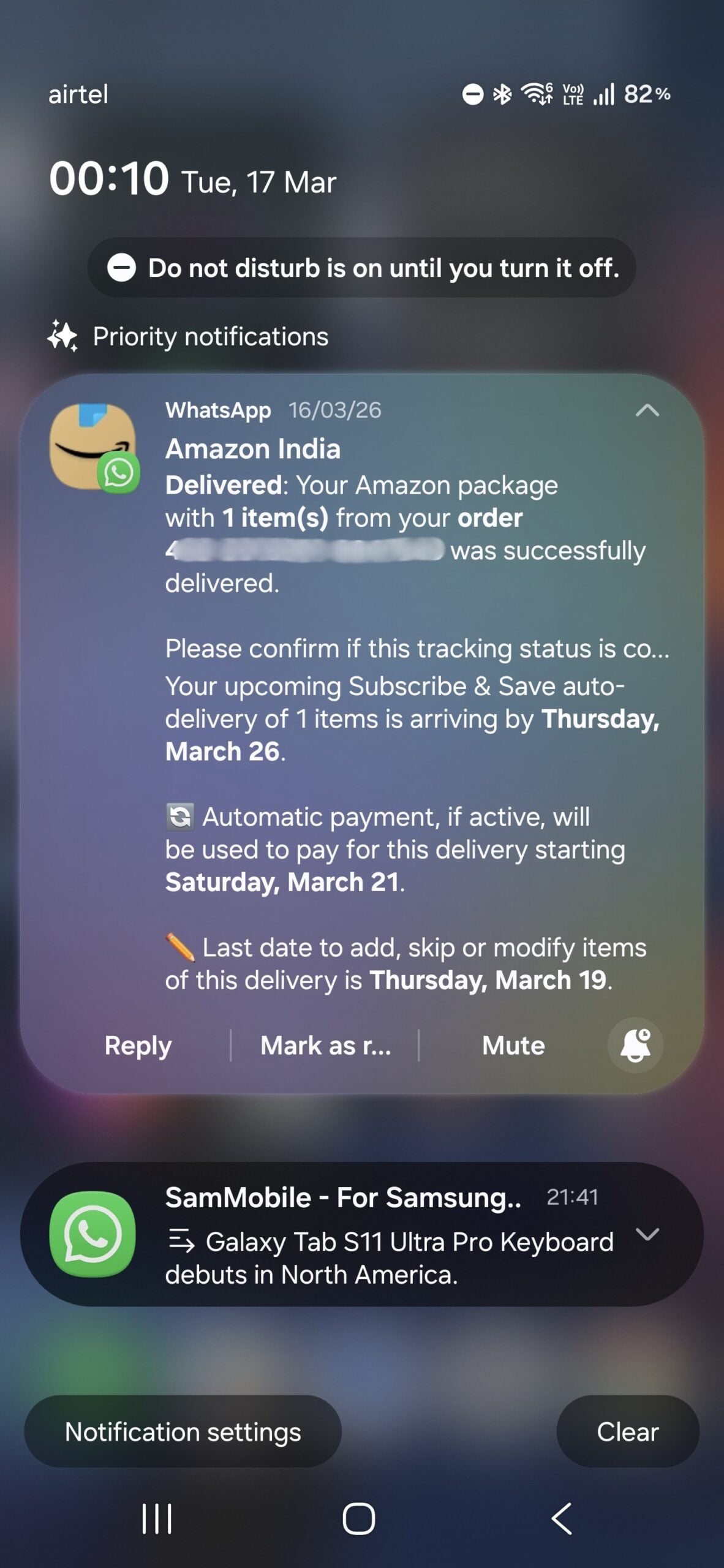
The brilliance of the One UI 8.5 implementation is its dynamic nature. The AI summary is only visible when the notification is collapsed. This allows you to understand the gist of a message at a single glance. If you need the full story, a simple tap to expand the notification restores the original content in its entirety. This prevents information loss while maximizing the efficiency of your lock screen real estate.
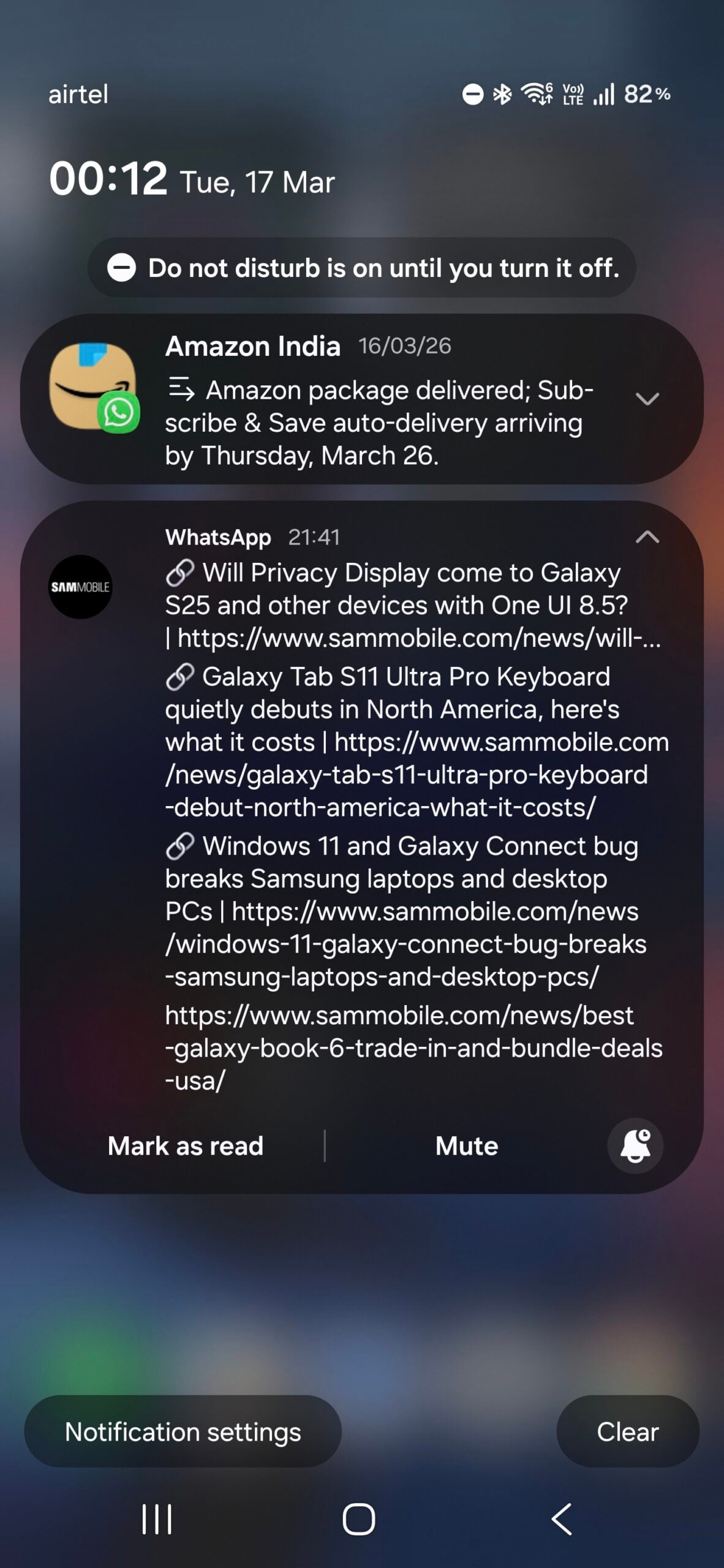
This proactive background behavior is a glimpse into the "AI-first" future Samsung recently discussed. Instead of the user constantly prompting the device, the device anticipates the user's needs—organizing, cleaning, and presenting information before it becomes overwhelming. It’s an experience that feels natural rather than forced.
How to Enable Notification Summaries
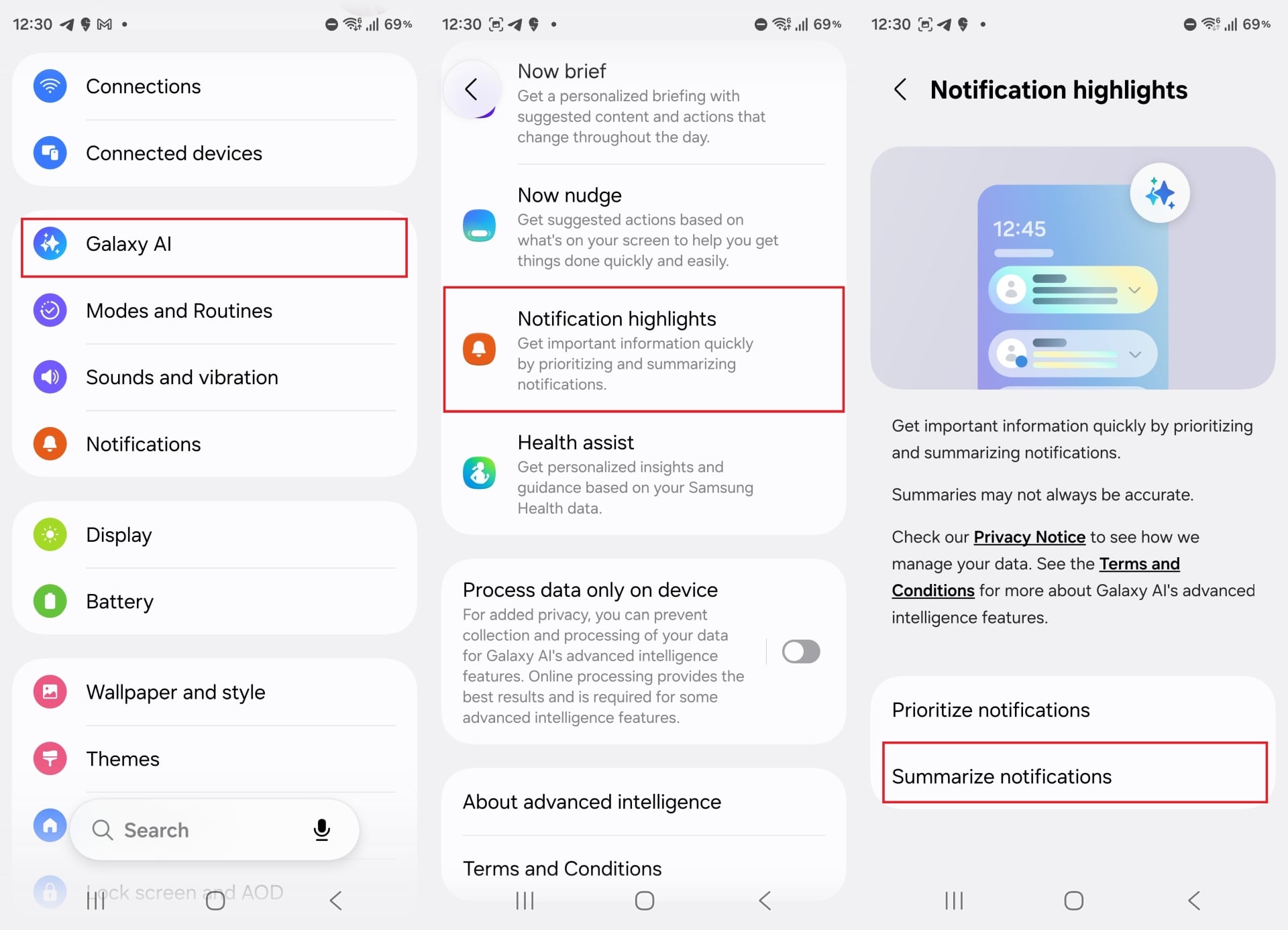
Although the feature manages itself, you must ensure it is toggled on during your initial device setup. To activate these highlights, navigate to the following path on your compatible Galaxy device:
Settings > Galaxy AI > Notification highlights > Summarize notifications
Note that while this feature is native to the Galaxy S26 series, older devices will require the official One UI 8.5 software update to access these capabilities. At launch, the AI supports a wide array of languages, including English, Korean, Spanish, French, German, Italian, Portuguese, Simplified Chinese, Japanese, Polish, Hindi, Thai, and Vietnamese.
What exactly are notification summaries in One UI 8.5?
Notification summaries are an AI-powered feature that automatically condenses long or complex messages into short, easy-to-read highlights on your lock screen or notification shade.
Can I choose which specific apps the AI summarizes?
Currently, the feature is fully automated. Galaxy AI determines which notifications are worth summarizing based on their length and complexity to ensure a clutter-free experience without user intervention.
Will I lose the original message if it gets summarized?
No. The summary only appears when the notification is collapsed. Expanding the notification immediately displays the original, full text of the message.
Which languages are supported by this feature?
At launch, it supports 13 languages, including English, Spanish, French, German, Italian, Korean, Chinese, Japanese, and several others, with more expected in future updates.
Is this feature available on older Galaxy phones?
It is available on the Galaxy S26 series out of the box. Users with older compatible devices will need to wait for the official One UI 8.5 firmware update to enable it.
🔎 In conclusion, Samsung’s implementation of AI in One UI 8.5 represents a significant shift from "gimmicky" tools to practical, everyday utility. Notification summaries don't just add a new button to your phone; they remove the friction of modern digital communication. By handling the heavy lifting of information processing in the background, Samsung is allowing users to spend less time managing their phones and more time engaging with the content that truly matters. If this seamless, proactive integration is the future of Galaxy AI, the mobile industry is heading in a very exciting direction.
Post a Comment