
How to Use the New Native Google App on Galaxy Book and Windows Laptops
For a long time, accessing Google Search or the Gemini AI assistant on a Galaxy Book meant opening a web browser and navigating to a website. However, that workflow has officially changed. Google has transitioned from a browser-centric model to a more integrated desktop experience by launching a dedicated application specifically for the Windows operating system. This move significantly streamlines how users interact with Google's ecosystem on their laptops.
- ✨ Access Google Search and Gemini AI directly from your desktop without a browser.
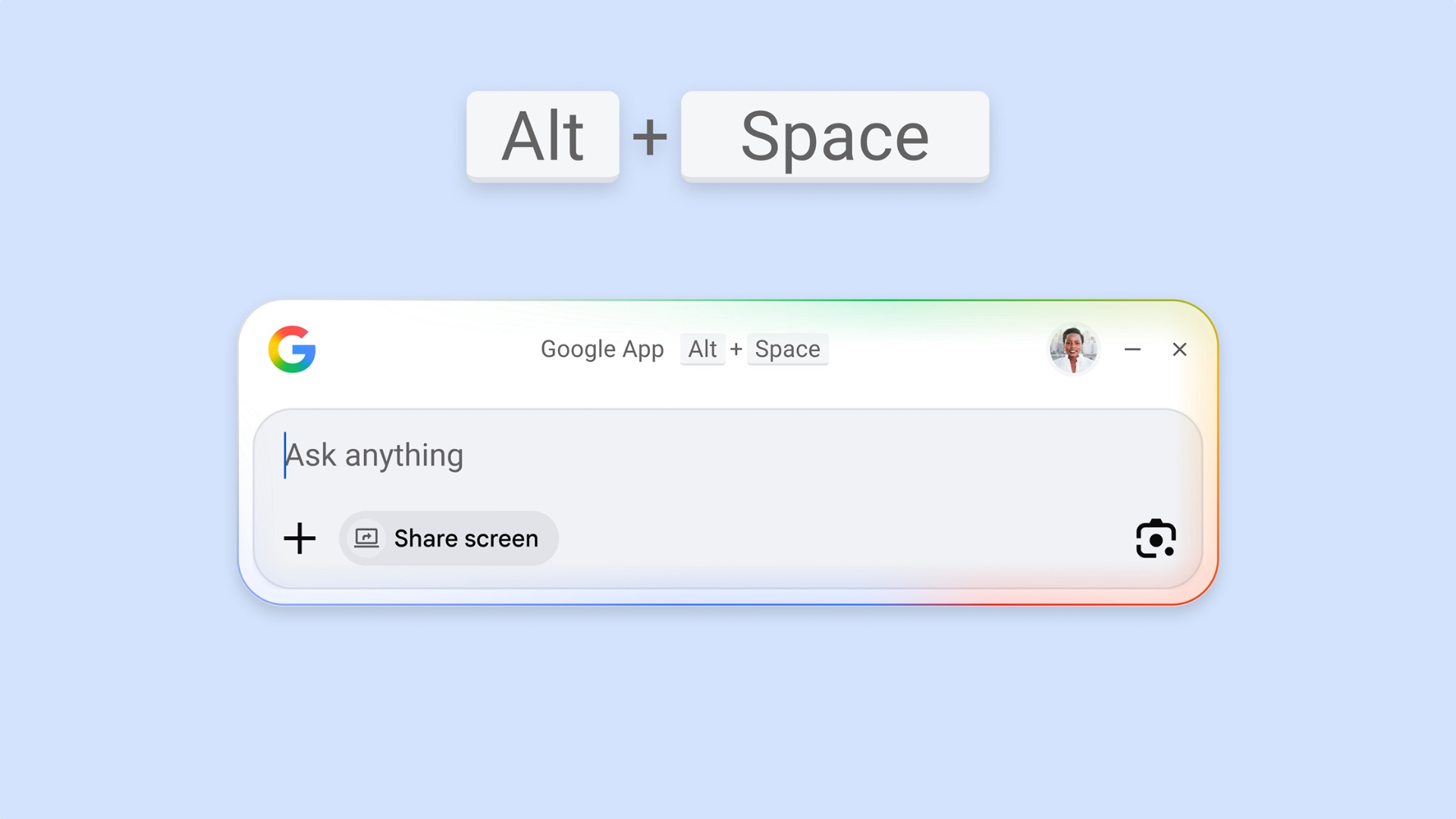
- ✨ Use a quick keyboard shortcut (Alt + Space) to launch a floating search window.
- ✨ Search both the web and your local files with deep system integration.
- ✨ Integrated Google Lens functionality for analyzing on-screen content.
A New Era for Google Search on Windows
Google has officially released the stable version of its Google app for Windows 11 and Windows 10 devices. This application serves as a centralized hub for web queries and provides immediate access to the Gemini AI assistant. After a successful beta period that began in late 2025, the software is now optimized for general use, offering a much smoother performance than the previous web-based workarounds.
The app's design is focused on unobtrusive productivity. It manifests as a small floating window that can stay on top of other active applications. Users can summon the interface instantly by pressing Alt + Space. Beyond simple web searches, the app is capable of indexing local files, provided the user grants the necessary permissions. This dual-search capability makes it a powerful alternative to the native Windows search bar.
Advanced AI Features and Screen Analysis
One of the standout features of this new Google app is the integration of "AI Mode." This allows users to see AI Overviews directly within their search results, summarizing complex information without requiring the user to click through multiple websites. Furthermore, the app includes a dedicated Google Lens button. This tool can analyze whatever is currently visible on your screen, functioning similarly to the popular "Circle to Search" feature found on high-end Galaxy smartphones and tablets.
While the app is currently limited to the English language, Google has confirmed that support for additional languages is in development and will be rolled out in the coming months. This expansion is expected to make the tool indispensable for a global audience of Galaxy Book users.
How do I launch the Google app quickly on my laptop?
You can launch the Google app at any time by using the Alt + Space keyboard shortcut. This opens a floating window that allows you to start typing your search or AI prompt immediately without leaving your current application.
Does the app allow me to search for files stored on my computer?
Yes, the Google app for Windows can search both the internet and your local files. However, for privacy reasons, you must specifically grant the application permission to access your local storage before this feature becomes active.
Is the Gemini AI assistant fully integrated into this Windows app?
Absolutely. The app provides a direct gateway to Gemini. You can toggle into AI Mode to receive summarized answers and interact with the assistant for creative tasks like writing or coding directly from your desktop.
How does the Google Lens feature work on a desktop?
The app includes a Google Lens button that, when clicked, allows you to select any part of your screen. The app then analyzes the visual information to provide search results, translations, or object identification, much like the mobile version of Lens.
Is there a difference between the Windows app and the macOS version?
Google has also launched a native Gemini app for macOS which features deep integration with Google Drive, Photos, and NotebookLM. While the Windows app focuses heavily on Search and Lens, the macOS version is currently more focused on the full Gemini AI suite, though Windows updates are expected to bridge this gap soon.
🔎 The release of a native Google app for Windows signifies a major improvement for Galaxy Book users who rely on Google's ecosystem for productivity. By bringing the convenience of mobile-style search and AI analysis to the desktop, Google is bridging the gap between devices and making information more accessible than ever before. Whether you are searching for a local document or asking Gemini to summarize a complex topic, this new tool ensures that Google's most powerful features are always just a keyboard shortcut away.
Post a Comment