
Samsung Galaxy Connect: Breaking the Ecosystem Barrier for All Windows 11 PCs
Samsung has historically kept its most powerful software features locked within its own ecosystem, requiring users to own both a Galaxy smartphone and a Galaxy Book to enjoy seamless integration. However, in a significant move toward cross-platform accessibility, the Galaxy Connect app has officially expanded its horizons. This update brings the much-coveted continuity features to Windows 11 users, regardless of who manufactured their computer.
Article Highlights:
Samsung has updated Galaxy Connect to version 2.1.6.0, removing the exclusive requirement for Galaxy Book hardware. Users can now sync files, share clipboards, and use tablets as second screens on any compatible Windows 11 PC powered by Intel or AMD processors.
- ✨ Universal support for non-Samsung Windows 11 laptops and desktops.
- ✨ Seamless cross-device copy and paste functionality.
- ✨ Ability to use Galaxy tablets as a wireless second monitor.
- ✨ Enhanced file sharing and mobile device control via PC.
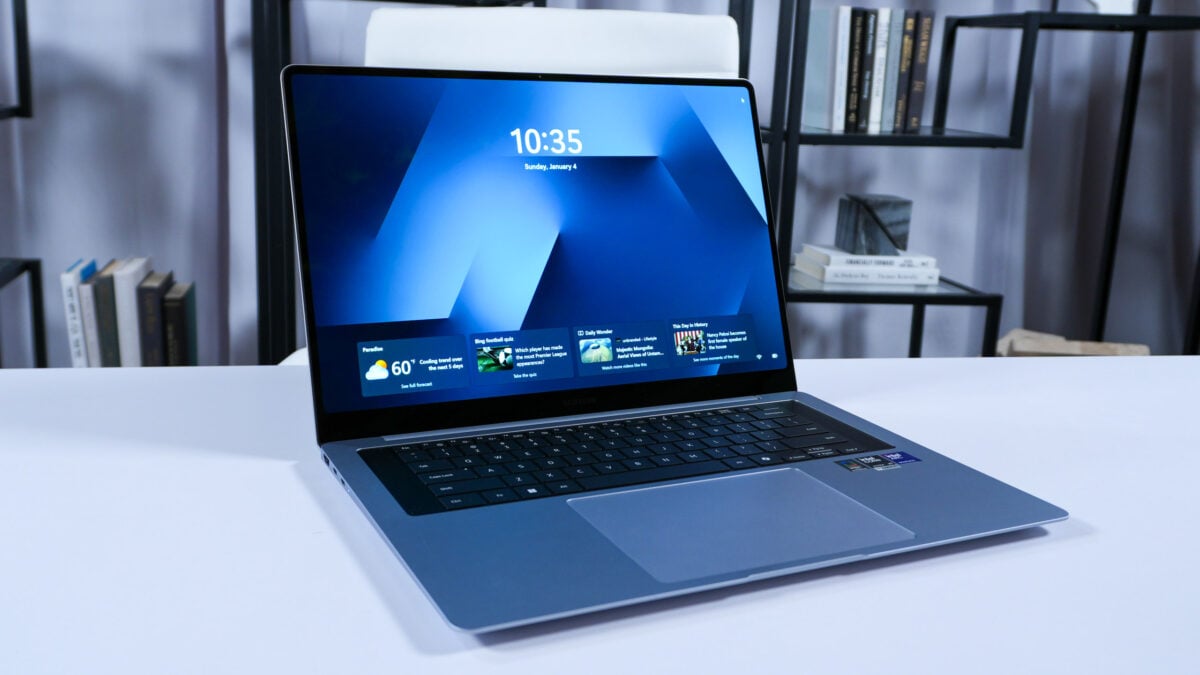
The Windows 11 experience for Galaxy users just got a major upgrade. Previously, the Galaxy Connect app served as a bridge exclusive to Samsung's own laptop lineup. By opening this app to all PC vendors, Samsung is acknowledging that users often mix and match their hardware. This change allows you to maintain the productivity benefits of the Galaxy ecosystem even if you prefer a different brand of workstation or gaming PC.
Key Productivity Features Now Available to Everyone
The app brings a wide range of very useful features that were once the envy of non-Samsung PC owners. For example, if you're using the Samsung Internet Browser on both your mobile device and PC, you can pick up webpages on the PC exactly where you left off on your phone. This continuity ensures a fluid workflow when moving between devices.
Copying and pasting between devices works exceptionally well, as does the ability to access files on your mobile device directly from the File Explorer on your PC. Another standout feature is Multi-control, which lets you control a nearby Galaxy smartphone or tablet using the mouse and keyboard already hooked up to your PC. This effectively turns your mobile device into an extension of your primary workspace.
Furthermore, the Second Screen feature remains a highlight. It allows you to use the high-quality display of a Galaxy tablet as a secondary monitor for your PC, providing extra screen real estate without the need for extra cables or expensive portable monitors.
Technical Requirements and Compatibility
While the gates have been opened, there are still some technical boundaries to keep in mind. Galaxy Connect version 2.1.6.0 is the specific update that adds support for non-Samsung PCs. To utilize these features, your computer must meet the following criteria:
| Requirement | Specification |
|---|---|
| Operating System | Windows 11 (Latest Updates) |
| Processor Type | Intel or AMD (x64 Architecture) |
| App Version | 2.1.6.0 or Higher |
| Hardware Restriction | ARM-based PCs are currently unsupported |
It is important to note that if you are using a newer ARM-based Windows PC, such as those featuring Snapdragon processors, Galaxy Connect will not function at this time. The software is currently optimized strictly for x64 systems. For those with compatible hardware, the app can be downloaded directly from the official store.
What exactly is the Galaxy Connect app?
Galaxy Connect is a software suite designed to synchronize Samsung Galaxy mobile devices with Windows computers. It enables shared features like a universal clipboard, file sharing, and the ability to use a tablet as a second monitor.
Can I use this on a laptop from Dell, HP, or Lenovo?
Yes! With the latest update, Samsung has removed the "Galaxy Book" exclusive check, allowing any PC running Windows 11 with an Intel or AMD processor to use the app.
Why doesn't the app work on my ARM-based PC?
Currently, the Galaxy Connect software is built for x64 architecture. ARM-based processors (like the Snapdragon X Elite) have different instruction sets, and Samsung has not yet released a compatible version for those devices.
Do I need a Samsung account to use these features?
Yes, to sync your phone or tablet with your PC, you will need to be signed into your Samsung account on both devices to verify ownership and secure the connection.
Is the Second Screen feature laggy on non-Samsung PCs?
Performance usually depends on your local Wi-Fi network strength. While a Galaxy Book might have specific driver optimizations, most modern Windows 11 PCs with strong wireless cards provide a smooth experience.
🔎 This expansion of Galaxy Connect marks a turning point for Samsung's software strategy, moving away from a closed hardware loop toward a more inclusive service-based ecosystem. By allowing any Windows 11 user to access these powerful continuity tools, Samsung is making its mobile devices even more attractive to professional users who may already have a preferred PC setup. Whether you are a student using a tablet for notes or a professional managing files across devices, this update ensures that your hardware no longer dictates your productivity potential.
Post a Comment