
Samsung Galaxy Devices Receive New Google Play System Update for March 2026
Samsung has officially begun rolling out a fresh Google Play System update for its Galaxy smartphone lineup. After a period of inconsistent updates, the tech giant is now maintaining a steady pace, ensuring that users have access to the latest system-level improvements. This latest release follows a flurry of updates seen last month, signaling a commitment to keeping the Android ecosystem secure and efficient for Galaxy owners worldwide.
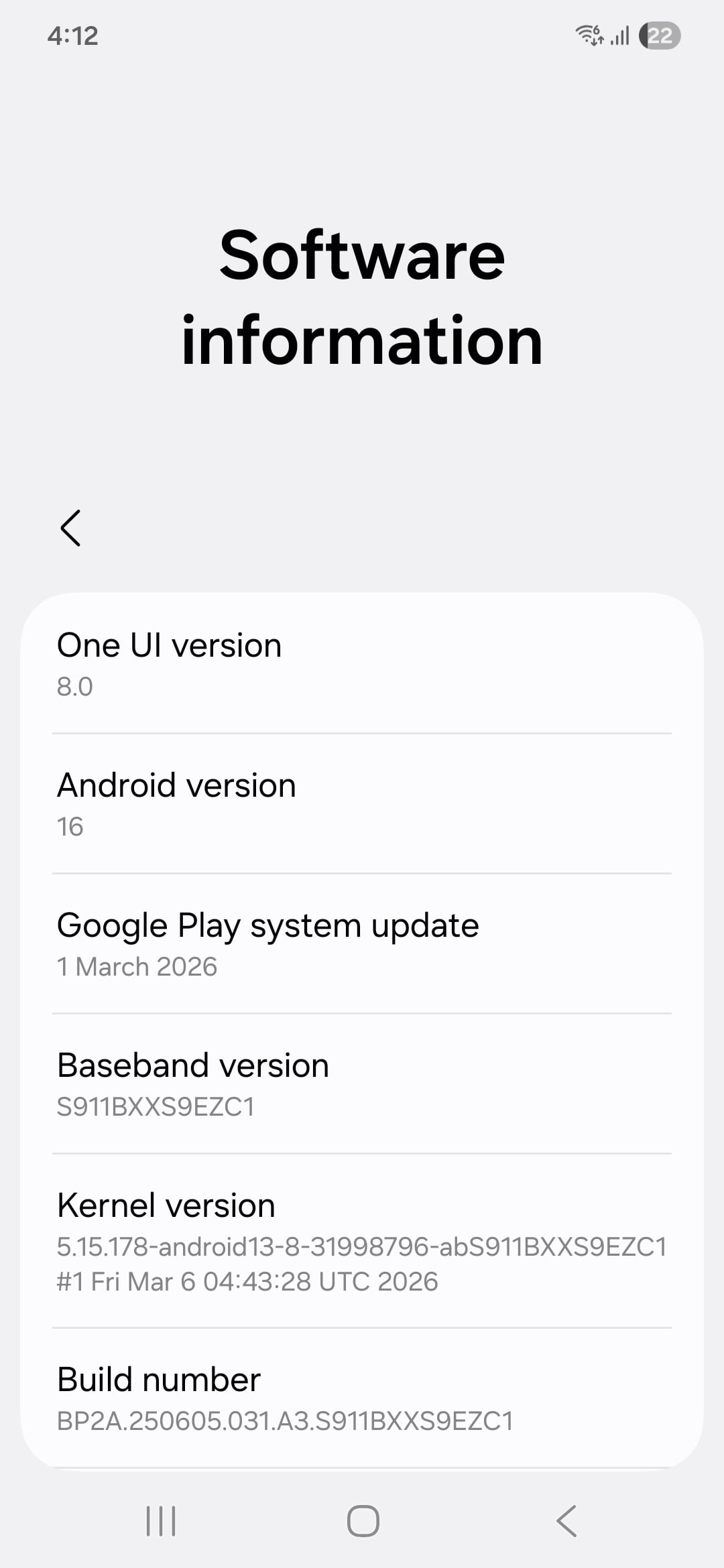
- ✨ New Update: A system-level refresh dated March 1, 2026, is now live.
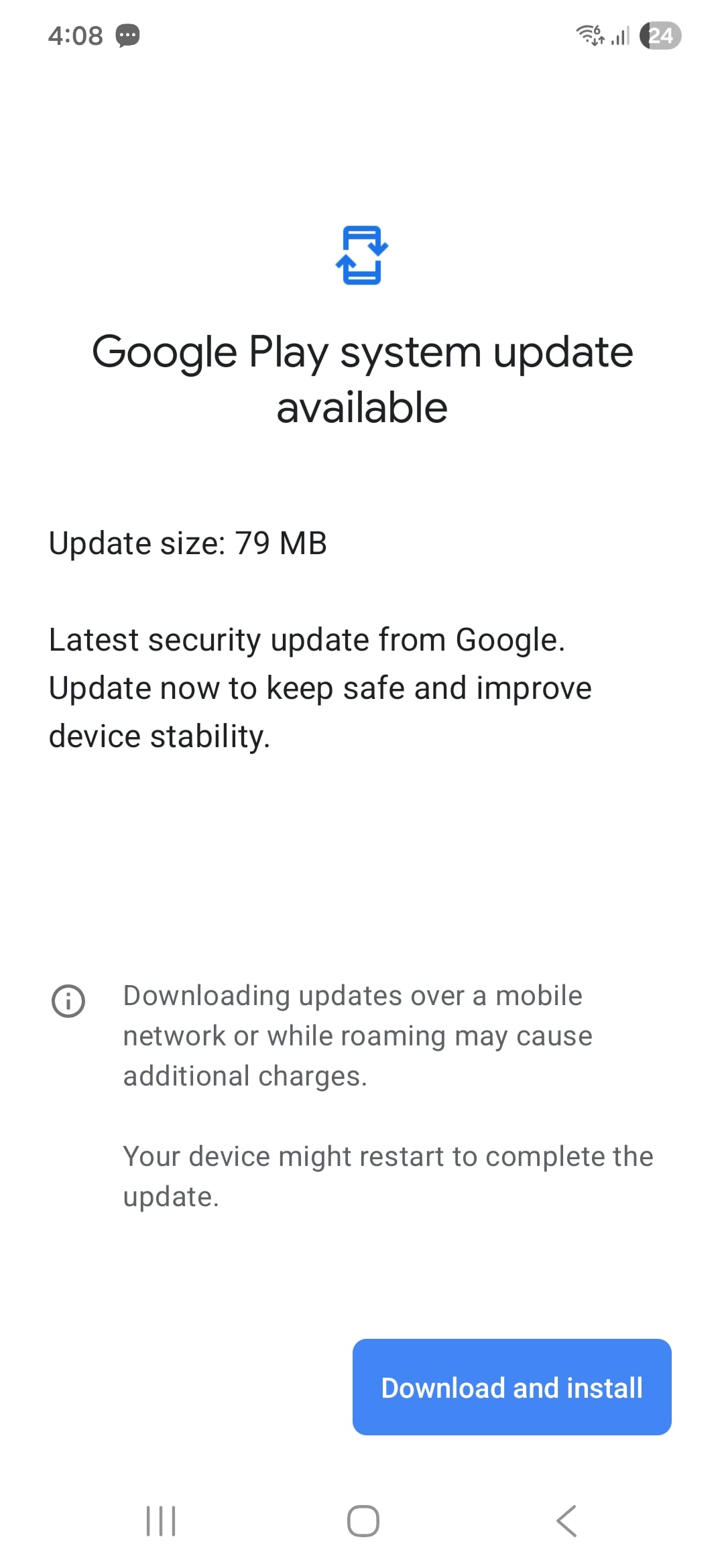
- ✨ File Size: The update weighs in at approximately 79MB.
- ✨ Compatibility: Confirmed rollout for the Galaxy S26 and Galaxy S23 series.
- ✨ Security: Works alongside the April 2026 security patch for comprehensive protection.

Enhanced Stability and System Improvements
The latest Google Play System update is approximately 79MB in size and is officially dated March 1, 2026. While these updates are distinct from the monthly Samsung firmware patches, they are equally vital as they update core Android components directly through the Play Store infrastructure. This ensures that even without a full OS upgrade, your device receives critical fixes for Google services.
To check if the update is available for your device, navigate to Settings > About phone > Software information > Google Play system update. If the update is pending, your device will prompt you to download and restart to apply the changes. It is highly recommended to perform this update over a stable Wi-Fi connection to ensure a smooth installation process.
What is Included in the March 2026 Release?
Google typically does not provide a specific, device-by-device changelog for these system updates. However, based on the Google System Services Release Notes, the March 2026 versions focus on enhancing Play Store connectivity, improving account management security, and optimizing background system services. These incremental upgrades are designed to provide a more "natural" and fluid experience across the Android ecosystem.
The update has already been spotted on Galaxy S26 and Galaxy S23 units in India. It is expected that Samsung will expand this rollout to other regions and mid-range devices in the coming days. In addition to this system update, many flagship users are also beginning to see the April 2026 security patch, which addresses specific vulnerabilities within the One UI interface.
How can I verify if my Samsung phone has the latest update?
You can verify your current version by going to Settings, selecting "About phone," then "Software information," and looking for the "Google Play system update" section. It should display the date of the last installed update.
Is this the same as the One UI software update?
No, the Google Play System update is separate from Samsung's One UI firmware updates. While One UI updates are managed by Samsung, Google Play System updates are managed by Google to improve core Android services.
Why is the update size only 79MB?
Because these updates target specific system modules rather than the entire operating system, they are generally much smaller than full firmware downloads. This makes them faster to download and install.
Will this update delete any of my data?
No, Google Play System updates are designed to update system components in the background. Your personal data, photos, and apps will remain completely safe during the process.
What happens if I don't see the update yet?
Updates are often released in phases. If it is not appearing on your device today, check back in a few days as the rollout expands to more models and geographical regions.
🔎 In conclusion, keeping your Samsung Galaxy device updated with the latest Google Play System release is essential for maintaining a secure and optimized smartphone experience. While these updates may seem small, they play a crucial role in the overall health of the Android platform by patching vulnerabilities and refining system performance. If you own a Galaxy S23 or S26 series device, be sure to check your settings today to ensure you are running the most recent version available.
Post a Comment