
Samsung Supercharges Galaxy S25 FE with One UI 8.5 Beta 3: New AI Tools and Critical Bug Fixes
Samsung is accelerating its software development cycle by rolling out the third beta iteration of One UI 8.5 for its popular fan-edition flagship. As the tech giant refines its next-generation interface, the Samsung Galaxy S25 FE is receiving significant attention, gaining not only performance enhancements but also a suite of advanced artificial intelligence features previously reserved for the ultra-premium S-series models. This latest update marks a pivotal step toward the stable release, addressing user-reported issues while expanding the capabilities of the device's hardware through smarter software integration.
- ✨ New AI Integration: Introduction of Call Screening, Creative Studio, and an upgraded Photo Assist.
- ✨ Regional Availability: The update is currently live for beta testers in India and South Korea.
- ✨ Critical Fixes: Resolves the notorious "green line" bug in 4K HDR videos and improves proximity sensor reliability.
- ✨ Performance Boost: Enhanced multi-touch response and Bluetooth stability for a smoother daily experience.
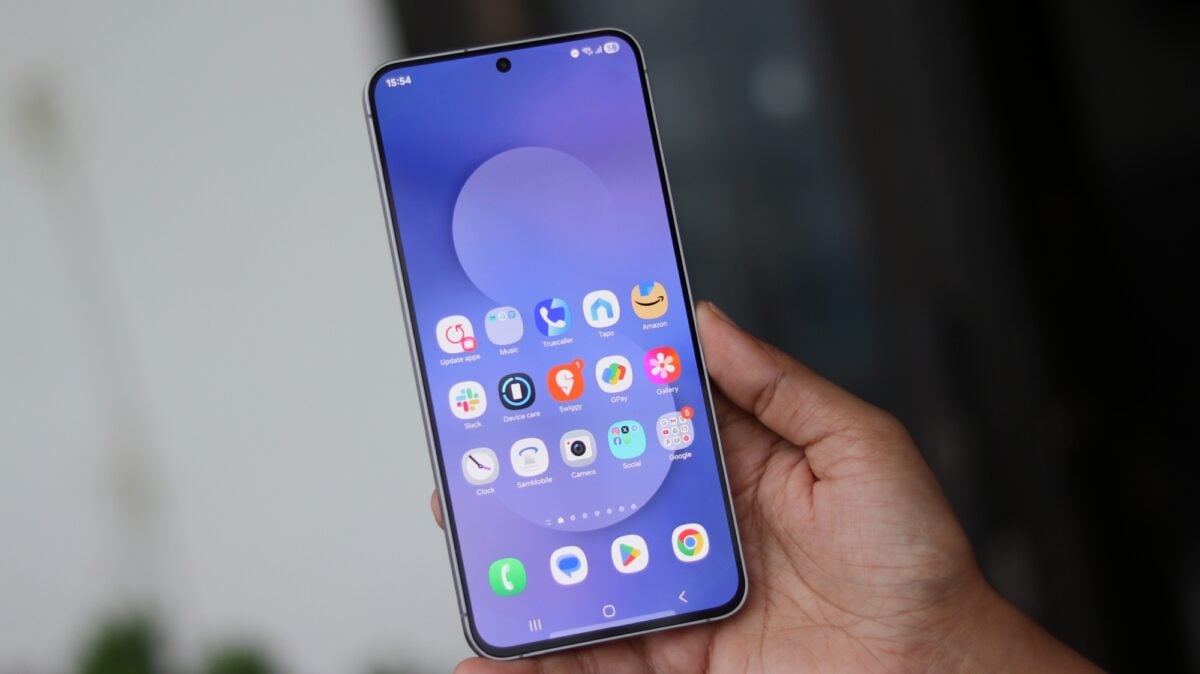
A Closer Look at the One UI 8.5 Beta 3 Deployment
The rollout of the One UI 8.5 update is currently focused on two major markets: India and South Korea. For users in India, the firmware is identified by the version string S731BXXU6ZZDD, while South Korean participants will see version S731NKSU6ZZDD. Weighing in at over 600MB, this is a substantial update that suggests deep-level optimizations and the addition of heavy AI assets. Users are encouraged to click here to learn more about the beta program details.
This release is particularly noteworthy for its focus on the Galaxy AI features suite. Samsung has integrated "Call Screening," which allows the device to handle incoming calls via text-to-speech, and "Creative Studio," a powerful on-device editing tool. Furthermore, the "Audio Eraser" has been refined to better isolate and remove background noise from video recordings, making the S25 FE a more formidable tool for content creators. You can find more details about these tools on the official Samsung Members app.
Squashing Bugs: What Has Been Fixed?
Beyond the flashy new features, Beta 3 is an essential maintenance release. Samsung has listened to the community and addressed several hardware-software interaction glitches. One of the most frustrating issues—the screen waking up late during incoming calls—has been resolved. Additionally, users who experienced "green lines" while recording 4K HDR video in third-party applications like Instagram or TikTok will find this bug completely eradicated.
Comprehensive Official Changelog
- Integration of the latest Galaxy AI features (Call Screening, Creative Studio).
- Fixed the delayed or black screen issue during incoming calls.
- Correction of proximity sensor errors that occurred during active voice calls.
- Elimination of green lines in 4K HDR videos recorded via third-party apps.
- Resolution of random Bluetooth connectivity crashes.
- Optimization of multi-touch performance, specifically after using accessibility magnification tools.
How to Install the Beta 3 Update on Your Device
If your device is already enrolled in the Galaxy Beta Program, the update should appear as a notification. However, you can trigger the download manually by following these steps:
1. Open the Settings app on your Galaxy S25 FE.
2. Scroll down and select Software update.
3. Tap on Check for updates.
4. Once the firmware appears, select Download and Install.
Which AI features are included in the S25 FE Beta 3 update?
The update introduces Call Screening, Creative Studio for advanced media editing, and an improved Audio Eraser. It also includes an updated version of Photo Assist, which leverages generative AI to help users recompose or remove objects from their images with higher precision.
Is the 4K HDR video bug finally fixed?
Yes, one of the primary fixes in this release addresses a specific error where green lines appeared in 4K HDR videos. This issue was most prevalent when using third-party camera applications, and Samsung has now optimized the driver compatibility to ensure clean recordings.
Will this update delete my data?
While beta updates are designed to keep your data intact, they are experimental by nature. It is always highly recommended to back up your important photos, documents, and contacts using Samsung Cloud or Smart Switch before proceeding with any beta installation.
Why is my screen still showing a black display during calls?
If you are on an older version, this is a known bug. Beta 3 specifically targets this issue. If the problem persists after the update, try clearing the cache of the Phone app or checking if a screen protector is interfering with the now-fixed proximity sensor.
🔎 This third beta for the Galaxy S25 FE demonstrates Samsung's commitment to delivering a polished AI-driven experience even to its "Fan Edition" users. By balancing the introduction of innovative tools like Creative Studio with essential stability fixes for Bluetooth and video recording, Samsung is ensuring that the final stable release of One UI 8.5 will be one of its most robust software launches to date. As the beta program nears its conclusion, users can expect even more fluid performance and tighter integration across the Galaxy ecosystem.
Post a Comment