
The End of an Era: Samsung Messages to be Discontinued in Favor of Google Messages
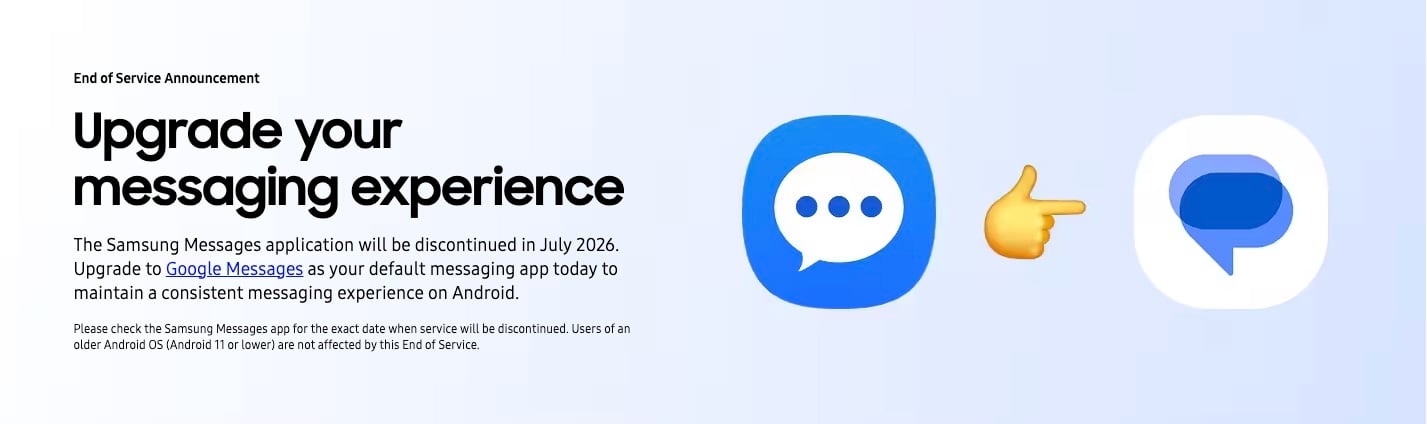
For years, Samsung Galaxy users have relied on the native Samsung Messages app for their daily communication. However, a significant shift in the Android ecosystem is reaching its final stage. Samsung has officially confirmed the discontinuation of its proprietary messaging application, paving the way for Google Messages to become the unified standard for all Galaxy devices. This move marks a major milestone in the collaboration between the two tech giants to streamline the messaging experience on Android.
- ✨ Samsung Messages service will officially reach its end-of-life in July 2026.
- ✨ Google Messages is now the recommended default for all Galaxy phones, tablets, and watches.
- ✨ The transition aims to provide a more consistent RCS (Rich Communication Services) experience.
- ✨ Users can expect enhanced security and AI-powered features through the Google platform.
Samsung Messages Service Announcement: The July 2026 Deadline
The transition didn't happen overnight. Samsung began Samsung Galaxy flagship devices in the US with Google Messages as the default app several years ago. Now, the company has posted an "End of Service Announcement" on its official website, clarifying that Samsung Messages will be fully discontinued by July 2026. This announcement serves as a call to action for millions of users to begin the migration process to ensure no disruption in their messaging services.
The primary driver behind this decision is the industry-wide push for RCS. By consolidating the user base onto Google's platform, Samsung and Google are ensuring that features like high-quality media sharing, typing indicators, and read receipts work seamlessly across different carriers and regions. This collaboration effectively brings the Android messaging experience closer to the level of functionality seen in platforms like iMessage.
Step-by-Step Guide: How to Switch to Google Messages
Switching to the new platform is a straightforward process. If your Galaxy device doesn't already have it set as the primary app, follow these steps to make the change:
- Download the App: First, ensure you have the latest version of the application installed.
- Set as Default: Open the app for the first time. You will see a prompt asking to "make it your default SMS app." Tap on Set default SMS app.
- Confirm Selection: On the selection screen, choose the Google Messages icon (the white icon with the blue conversation bubble) and tap Set as default.
Important Consideration: If you are using an older device running Android 12 or 13, the app might not automatically jump into your home screen dock. You may need to manually drag the icon from your app drawer to your preferred location. Additionally, please note that Galaxy Watch models running the older Tizen operating system (any model prior to the Galaxy Watch 4) will not support message syncing with the Google app.
What New Features Should You Expect?
The move to Google Messages isn't just about changing icons; it brings several functional upgrades to the table. By leveraging Google's cloud infrastructure and AI capabilities, users gain access to a more modern messaging suite.
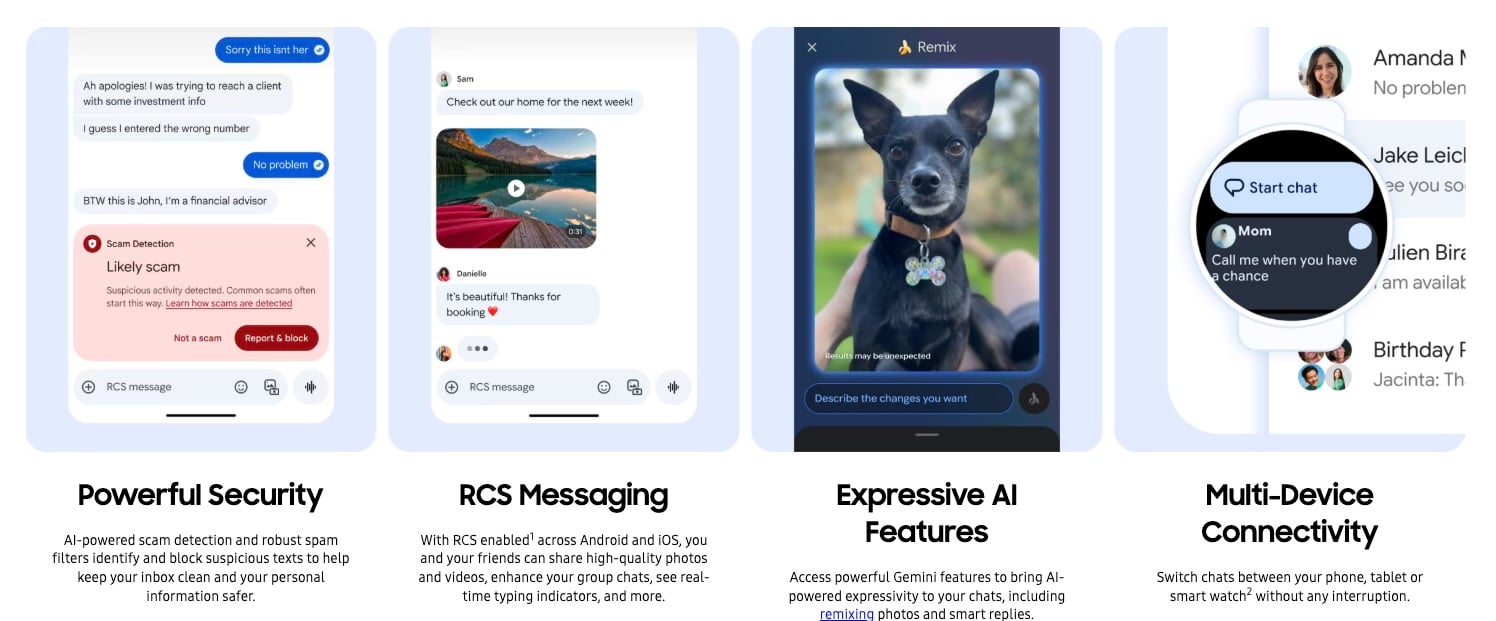
- Advanced AI Security: The app features built-in spam and scam detection that automatically identifies and blocks suspicious texts before they reach your inbox.
- Universal RCS: Send high-resolution photos and videos to other Android and iOS users who support the RCS protocol, complete with group chat improvements.
- Privacy Tools: A handy feature includes the automatic deletion of OTP (One-Time Password) messages after 24 hours, keeping your inbox clean and secure.
- Gemini Integration: Access Google’s AI for smart replies, image remixing, and drafting messages with ease.
- Seamless Connectivity: Your conversations are synced across your phone, tablet, and computer via your Google account, allowing you to text from any web browser.
When exactly will Samsung Messages stop working?
According to the official announcement, the service is scheduled to be discontinued in July 2026. While the app may remain on some devices, it will no longer receive updates or support, and users are encouraged to switch well before this date to avoid data loss or messaging interruptions.
Will I lose my old text messages when I switch?
No, your existing SMS and MMS messages are stored in a shared database on your Android phone. When you set Google Messages as your default app, it will automatically import and display your entire conversation history from the Samsung app.
Can I still use Samsung Messages if I prefer it?
While you may be able to use it until the final discontinuation date in 2026, Samsung is actively removing the app from newer devices and will stop providing security patches for it. For the best experience and continued RCS support, the transition is mandatory.
Why isn't my Galaxy Watch syncing with the new app?
If you own a Galaxy Watch launched before the Galaxy Watch 4 (such as the Watch Active 2 or Gear S3), it runs on the Tizen OS. These older watches are not compatible with the Google Messages syncing architecture, which requires Wear OS.
What is the main benefit of RCS over standard SMS?
RCS (Rich Communication Services) allows for features previously exclusive to apps like WhatsApp or iMessage, such as sending large files, seeing when someone is typing, and using Wi-Fi for messaging instead of relying solely on cellular signals.
🔎 The decision to sunset Samsung Messages is a clear indicator of Samsung's commitment to a more open and unified Android ecosystem. While long-time fans of the native app may feel a bit nostalgic, the benefits of switching to a more secure, feature-rich, and universally compatible platform like Google Messages are undeniable. As 2026 approaches, Galaxy users should take this opportunity to familiarize themselves with the new interface and enjoy the sophisticated AI tools that the future of Android messaging has to offer.
Post a Comment