
Samsung Expert RAW App Optimized for Android 17: What’s New in the One UI 9.0 Update?
Samsung has taken a significant step forward for mobile photography enthusiasts by releasing a dedicated update for its professional-grade camera application. Following the rollout of the first One UI 9.0 beta for the latest flagship series, the tech giant is ensuring that its high-end imaging tools remain perfectly synced with the newest operating system architecture.
Quick Article Summary:
- ✨ Samsung releases Expert RAW version 6.0.00.15 for the Galaxy S26 series.
- ✨ The update ensures full compatibility with Android 17 and One UI 9.0.
- ✨ Download size is approximately 900MB via the Galaxy Store.
- ✨ Preserves advanced features like Ocean Mode and Virtual Reflector.
Soon after releasing the first One UI 9.0 beta update for the Samsung Galaxy S26 series, Samsung released an updated version of the Expert RAW app. It is likely intended to ensure that the app works properly on devices running Android 17 and the latest One UI iteration. This move highlights Samsung's commitment to maintaining a seamless experience for power users who rely on manual camera controls and RAW post-processing.
Technical Details and Availability
The new Expert RAW update is currently available specifically for the Samsung Galaxy S26, Samsung Galaxy S26+, and Samsung Galaxy S26 Ultra running the One UI 9.0 beta. This software package comes with version number 6.0.00.15 and carries a substantial download size of nearly 900MB. Due to its size, users are encouraged to use a stable Wi-Fi connection when downloading it from the Galaxy Store on their eligible devices.
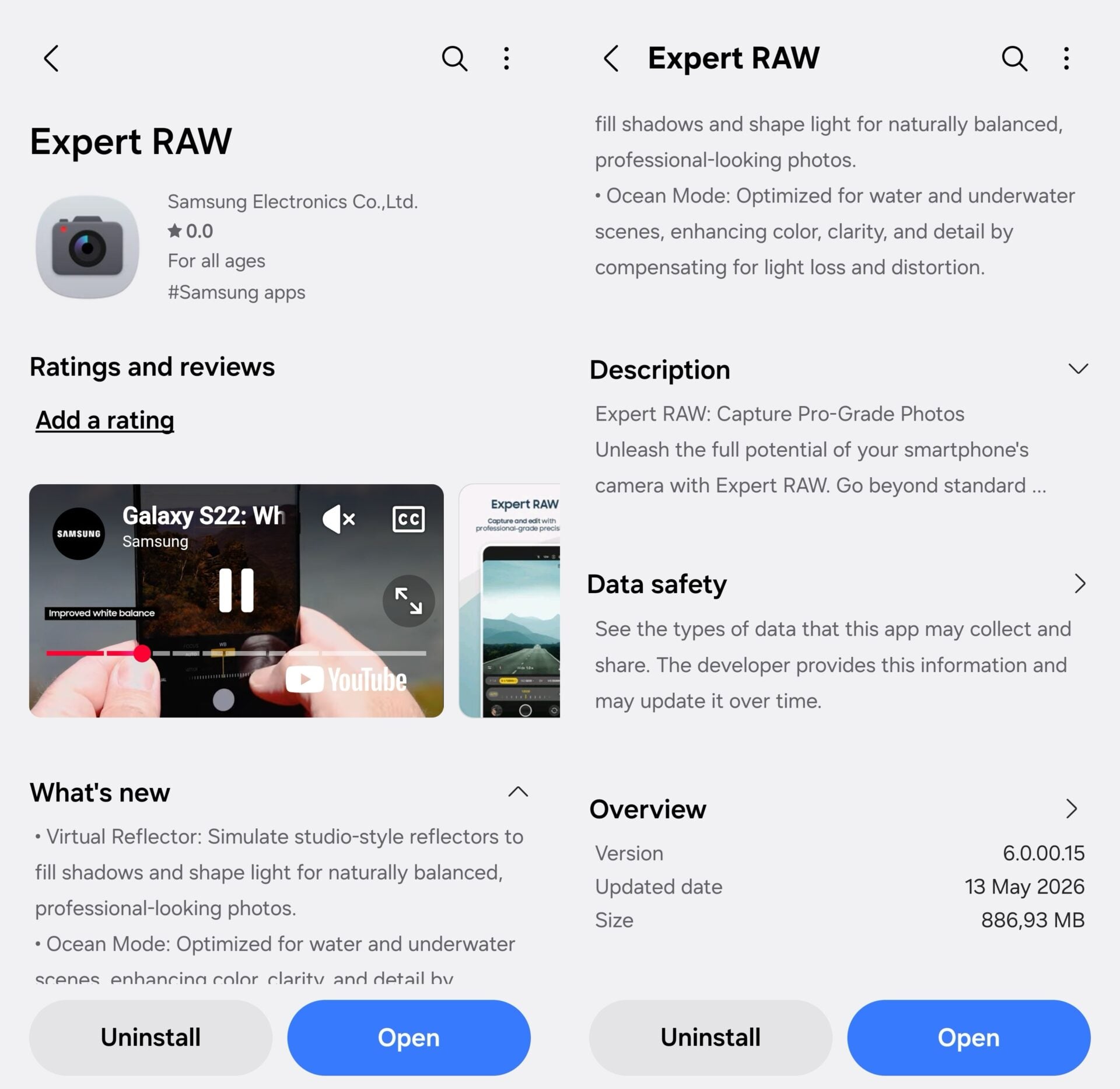
While the version number has jumped, the updated app is still listed with the older changelog. This documentation mentions Ocean Mode and Virtual Reflector—two standout features that debuted with the Galaxy S26 Ultra earlier this year. Consequently, it remains unclear whether this specific version introduces brand-new creative tools or if it focuses primarily on performance optimization and backend stability for Android 17.
Camera Enhancements in One UI 9.0
Interestingly, even the primary One UI 9.0 beta update’s changelog does not explicitly detail new camera-related features for the Galaxy S26 series. It is common for Samsung to release foundational updates first to ensure core stability before announcing or unlocking new AI-powered photography features in subsequent beta phases. We will continue to monitor the Galaxy Store and official forums for any hidden improvements or future feature drops.
Which Samsung devices can download the new Expert RAW update?
The update is currently exclusive to the Galaxy S26, Galaxy S26+, and Galaxy S26 Ultra. Furthermore, these devices must be enrolled in the One UI 9.0 beta program running Android 17 to see the update in the Galaxy Store.
What is the file size of the Expert RAW version 6.0.00.15?
The update is quite large for a camera utility, weighing in at approximately 900MB. This suggests significant under-the-hood changes to ensure compatibility with the new Android file system and processing APIs.
Are there any new camera features in this release?
The official changelog still lists previously released features like Ocean Mode and Virtual Reflector. While no "new" features are explicitly named, the update is essential for stability and performance on the One UI 9.0 beta software.
How can I update the Expert RAW app on my Galaxy phone?
You can check for the update by opening the Galaxy Store app, tapping on the "Menu" or "Updates" section, and looking for Expert RAW. If you are on the eligible beta firmware, the version 6.0.00.15 should be available for download.
🔎 In conclusion, while this update to the Expert RAW application might seem like a routine maintenance patch due to the lack of a fresh changelog, its release alongside the One UI 9.0 beta is vital. It ensures that professional photographers and hobbyists using the Galaxy S26 series can continue to capture high-dynamic-range imagery without software interruptions on Android 17. As the beta cycle progresses, we expect Samsung to refine these tools even further, potentially introducing new AI-enhanced capabilities to leverage the full power of the S26's hardware.
Post a Comment