
Samsung One UI 9 Now Bar: Enhanced Third-Party App Support and Android 17 Integration
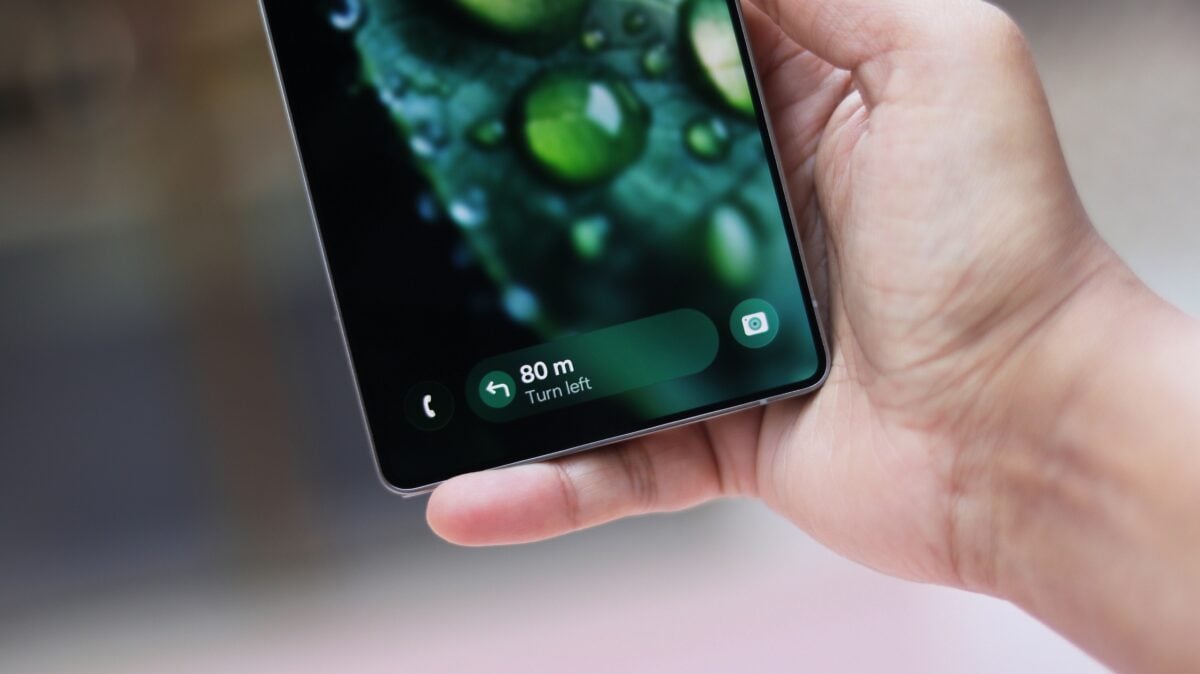
The evolution of Samsung's software interface continues to bridge the gap between aesthetics and functionality. With the upcoming release of One UI 9.0, Galaxy users can expect a significantly more capable Now Bar. This feature, which has become a staple for monitoring real-time activities, is set to receive a major boost thanks to the foundational changes introduced in the latest Android version. By leveraging new notification templates, Samsung is ensuring that your most important data is always just a glance away, whether you are tracking a workout or waiting for a flight.
Article Summary
Samsung's Now Bar is expanding its capabilities in One UI 9.0 by integrating Android 17's "Metric Style" notifications. This update allows third-party apps in categories like health, travel, and timers to display up to three real-time data points simultaneously across the status bar, lock screen, and Always-On Display.
- ✨ One UI 9.0 will utilize Android 17's Live Updates to expand Now Bar functionality.
- ✨ A new "Metric Style" template allows apps to show three different data points at once.
- ✨ Key supported categories include health and fitness, travel tracking, and timers.
- ✨ Enhanced visibility across the status bar, lock screen, and Always-On Display (AOD).
The Now Bar originally made its debut on Galaxy devices with the introduction of One UI 7.0, primarily designed to show ongoing activities such as media playback and basic system tasks. As Samsung moved toward One UI 8.0, the feature became more integrated with Android 16's Live Updates, allowing third-party services like Uber to provide real-time status updates directly in the interface. Now, with Android 17 on the horizon, the scope of the Now Bar is expanding even further to provide a more data-rich experience for users of the Galaxy S25 Ultra and other compatible devices.
Android 17's Metric Style: A Game Changer for Real-Time Data
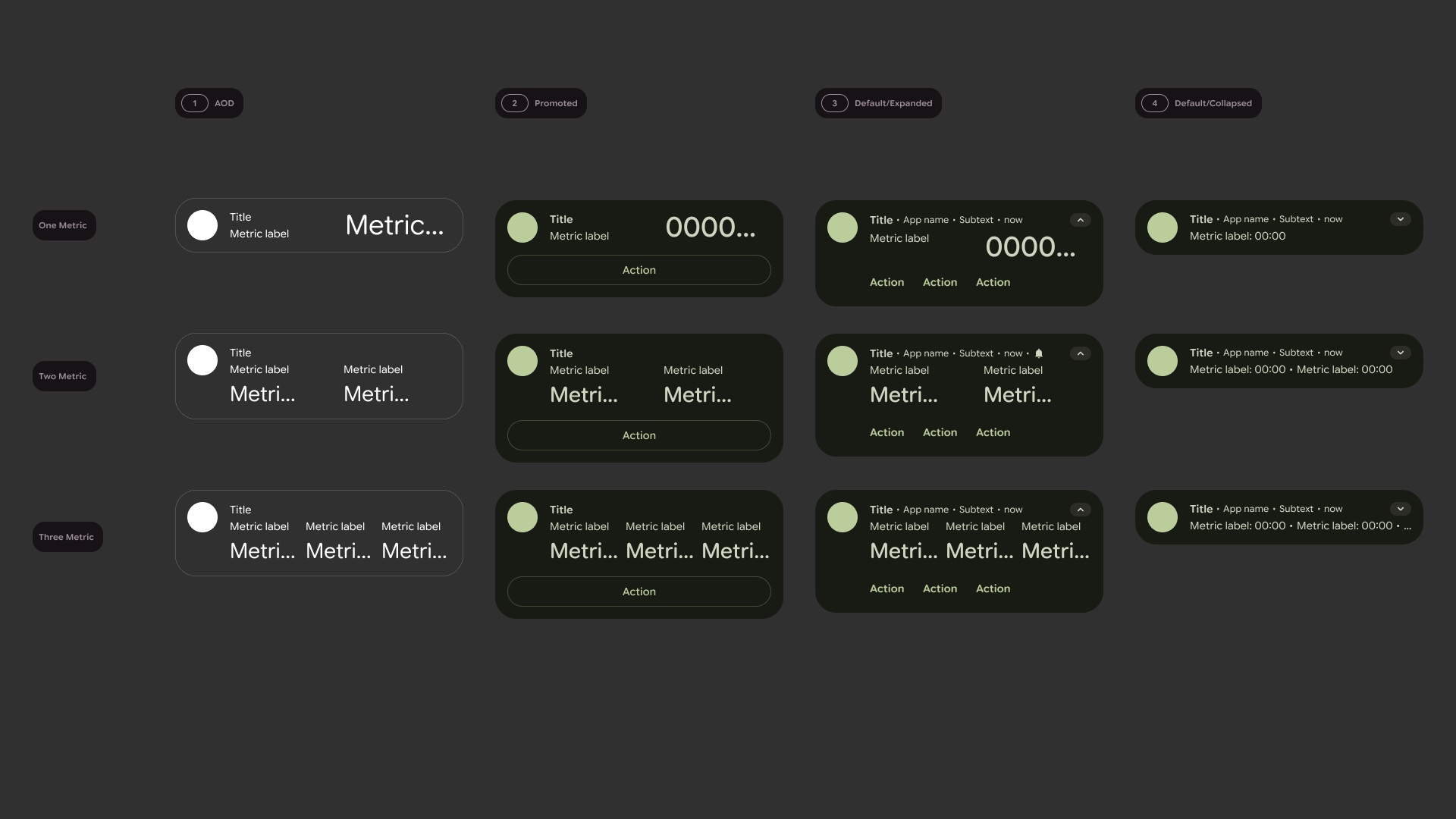
During the Google I/O 2026 developer conference, it was revealed that Live Updates in Android 17 would introduce a sophisticated "Metric Style" notification template. This new format is specifically engineered to handle complex data streams, allowing an application to present three distinct data points at the same time. This is a significant upgrade from previous iterations that were limited in the amount of simultaneous information they could display. Google highlighted that this layout is perfectly suited for apps that require constant monitoring, such as fitness trackers, countdown timers, and travel itineraries.
For instance, a health and fitness application can now use the Metric Style to show your current heart rate, calories burned, and running pace all in one compact view. Similarly, travel and airline applications can benefit by displaying a flight's scheduled takeoff time, the aircraft's current location, and the estimated landing time simultaneously. This eliminates the need for users to constantly open the full app to check multiple stats, placing the most relevant information directly in the Now Bar.
Seamless Integration Across the Galaxy Ecosystem
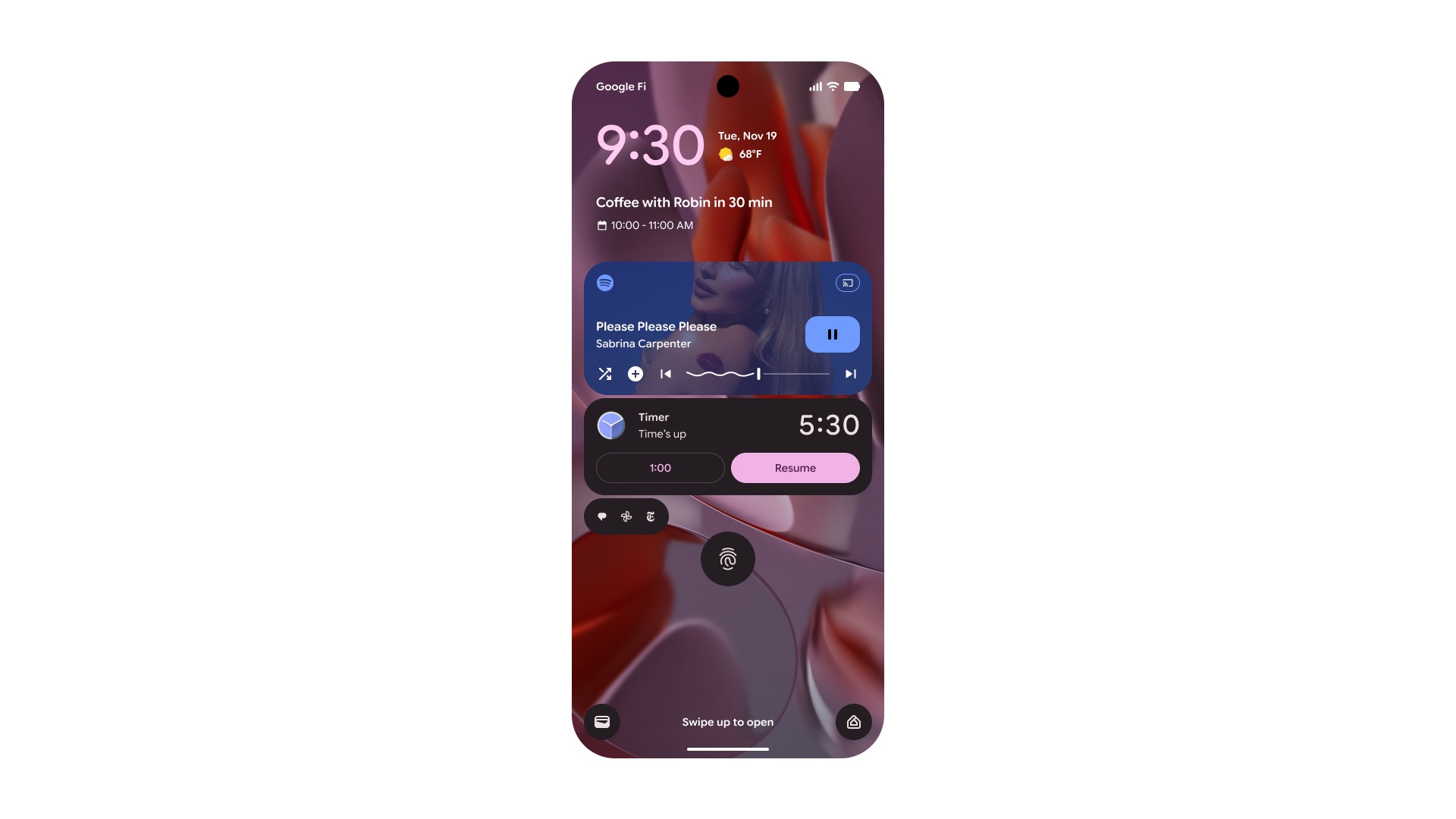
Apps that adopt this new style will be able to project information in four critical areas of the user interface: the notification center, the status bar chip, the lock screen, and the Always-On Display (AOD). Because Samsung’s One UI architecture deeply integrates Android’s native Live Updates into the Now Bar, any third-party app that supports this new layout will automatically be compatible with the Now Bar in One UI 9.0. This ensures a consistent and modern experience across all third-party applications that users rely on daily.
What exactly is the Now Bar in Samsung One UI?
The Now Bar is a dynamic interface element introduced by Samsung to show ongoing background activities. It allows users to see real-time information, like music controls or ride-sharing progress, without having to dive into specific apps or pull down the full notification shade.
How does One UI 9.0 improve third-party app support?
By adopting Android 17's new notification standards, One UI 9.0 allows the Now Bar to display more complex information from third-party apps. Specifically, it supports the "Metric Style" which lets apps show three data points at once instead of just one or two.
Which types of apps will benefit most from this update?
The update is particularly beneficial for health and fitness apps (tracking multiple workout stats), travel apps (tracking flight or train details), and productivity apps like advanced timers or stopwatches.
Will these updates work on the Always-On Display?
Yes, the information provided by the new Live Updates and Now Bar integration will be visible in several locations, including the status bar, the lock screen, and the Always-On Display mode.
Do developers need to update their apps for this to work?
Yes, third-party developers will need to implement the Android 17 "Metric Style" notification template in their apps. Once they do, the information will automatically populate in Samsung's Now Bar on devices running One UI 9.0.
🔎 The expansion of the Now Bar in One UI 9.0 represents a significant step forward in how Samsung handles multitasking and real-time information. By embracing the advancements in Android 17, Samsung is providing a platform where third-party developers can offer more value directly from the home or lock screen. As we move closer to the official rollout, the synergy between Samsung's design philosophy and Android's technical capabilities promises to make the Galaxy experience more intuitive and informative than ever before.
Post a Comment