
Samsung One UI 9.0 Deep Dive: Fresh Design Changes and Top New Features for Galaxy S26
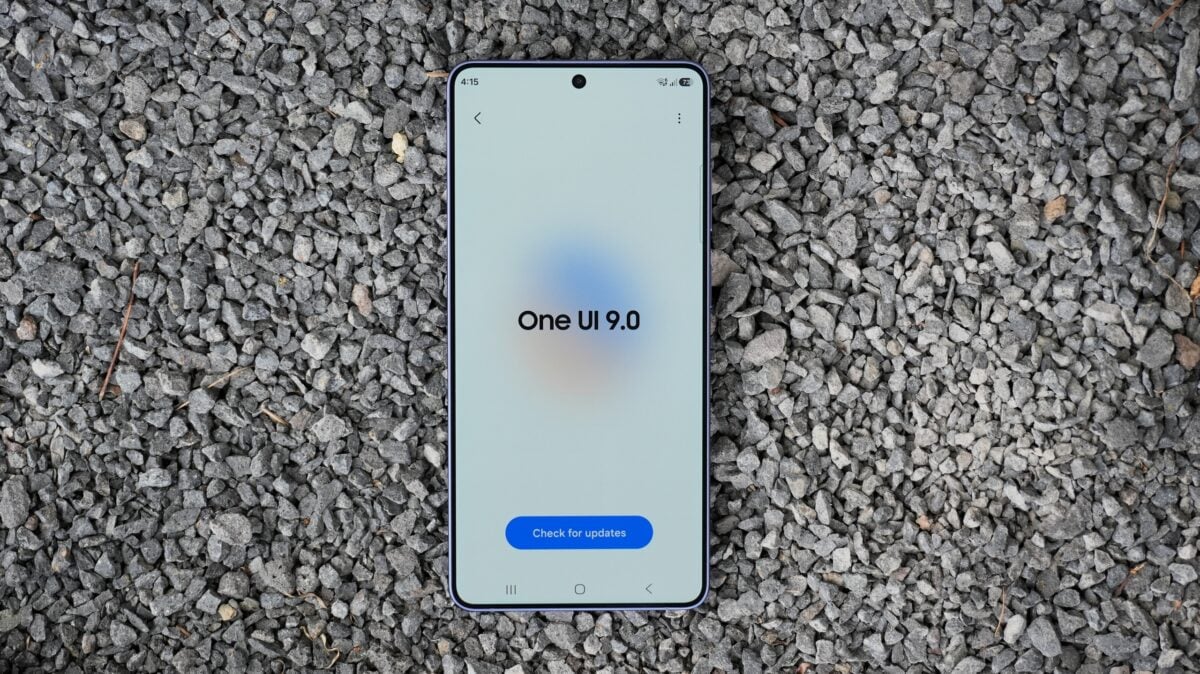
Samsung has officially kicked off its next software era by launching the first public beta of One UI 9.0 for the Galaxy S26 series. While the core experience remains familiar to long-time users, this update introduces a refined aesthetic and several functional upgrades across the system. From a more modular Quick Panel to innovative tools within Samsung Notes, the software aims to provide a more personalized and efficient user interface.
This update focuses on deep customization of the Quick Panel, enhanced privacy indicators for location services, and productivity-boosting features in Samsung Notes, specifically designed for the next generation of Samsung Galaxy devices.
- ✨ Complete layout flexibility for the Quick Panel sliders.
- ✨ Streamlined Game Booster settings accessible during gameplay.
- ✨ New "Tape" feature and pen styles in Samsung Notes.
- ✨ Redesigned Precise Location permission pop-ups.
A More Customizable Quick Panel
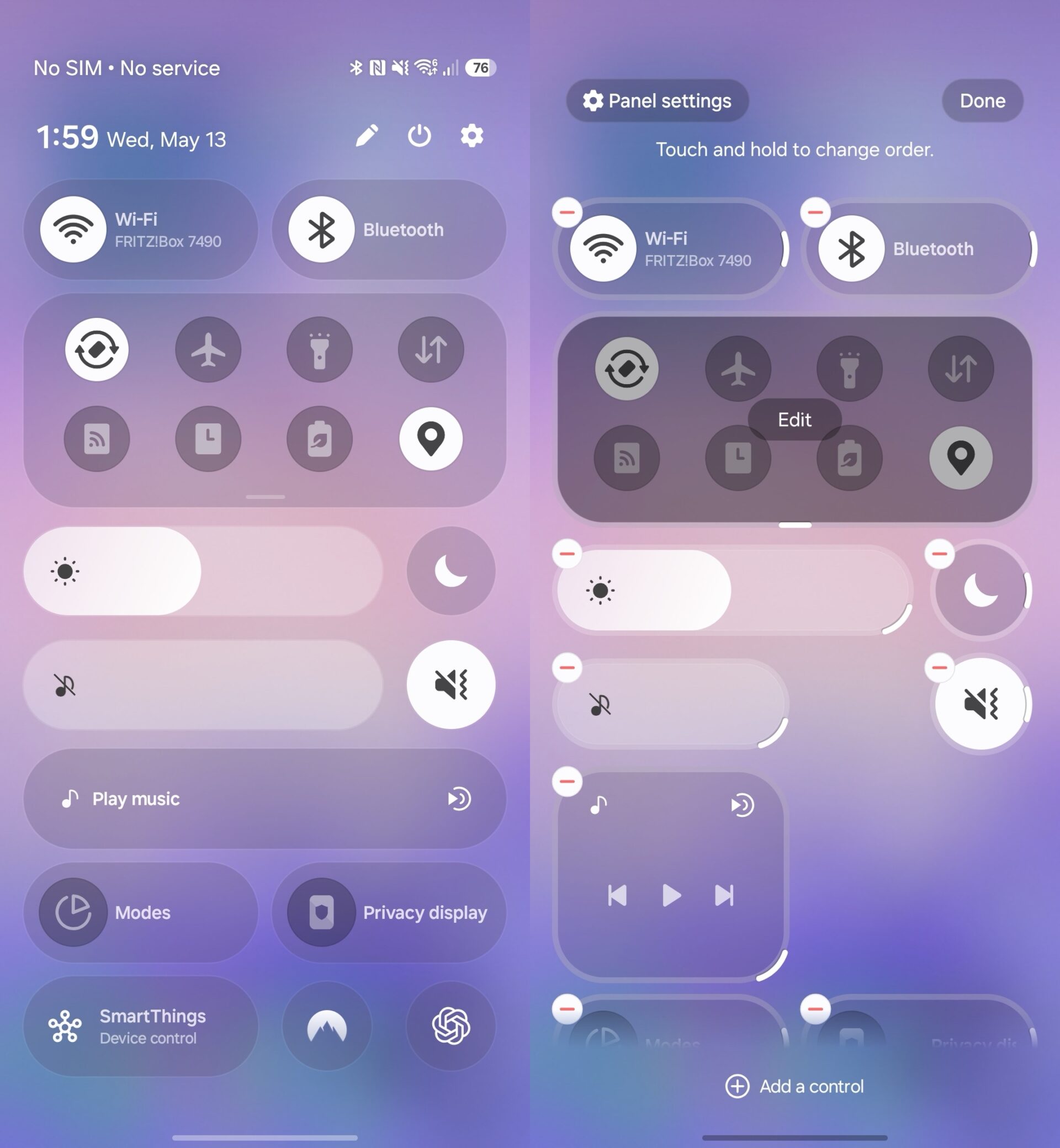
The Quick Panel undergoes a significant transformation in One UI 9.0. Building upon the foundations set in previous versions, Samsung now allows users to resize critical interface elements. You can now adjust the physical footprint of the display brightness slider, the media player widget, and the volume control. Furthermore, the software provides the option to decouple Display Mode and Sound Mode toggles from their respective sliders, allowing for a layout that truly suits individual workflows.
Enhanced Game Booster Integration
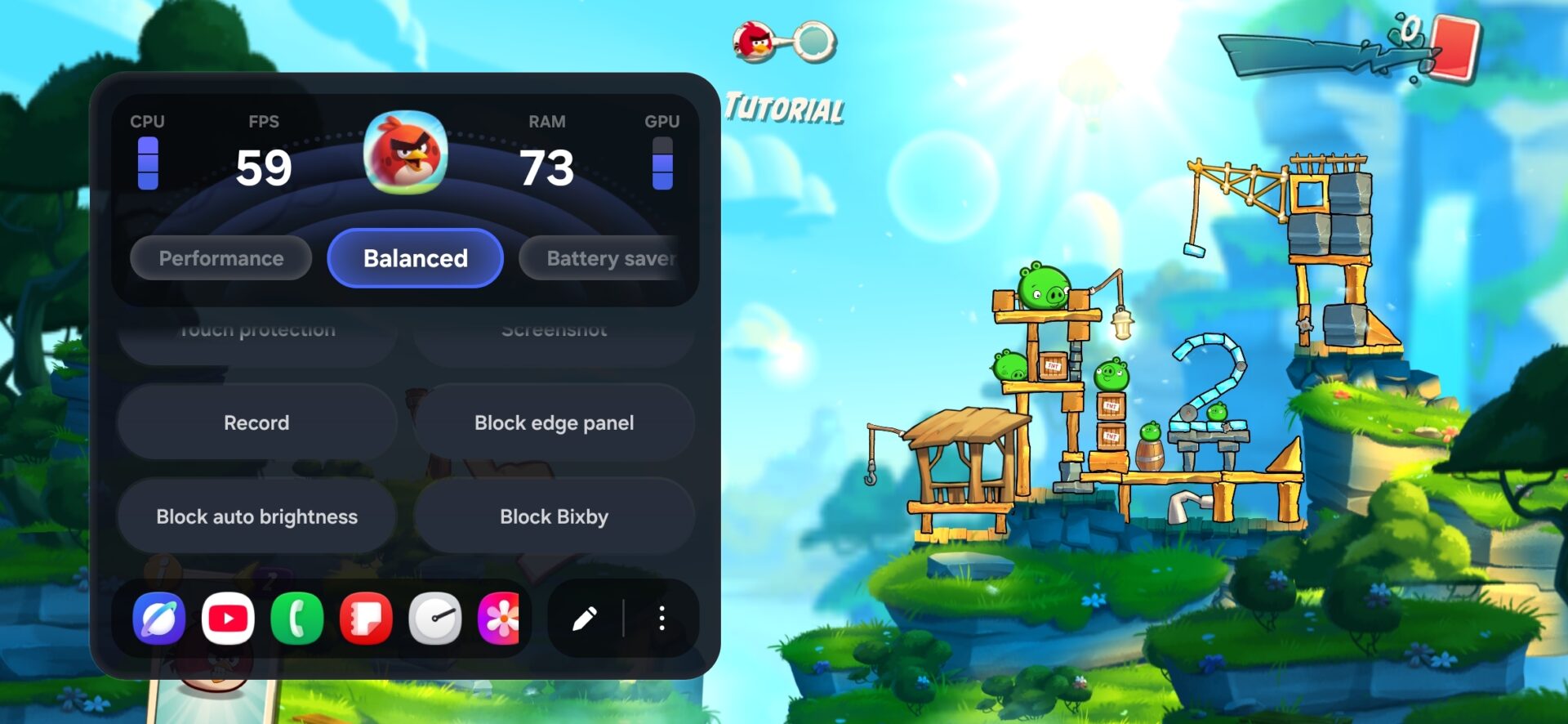
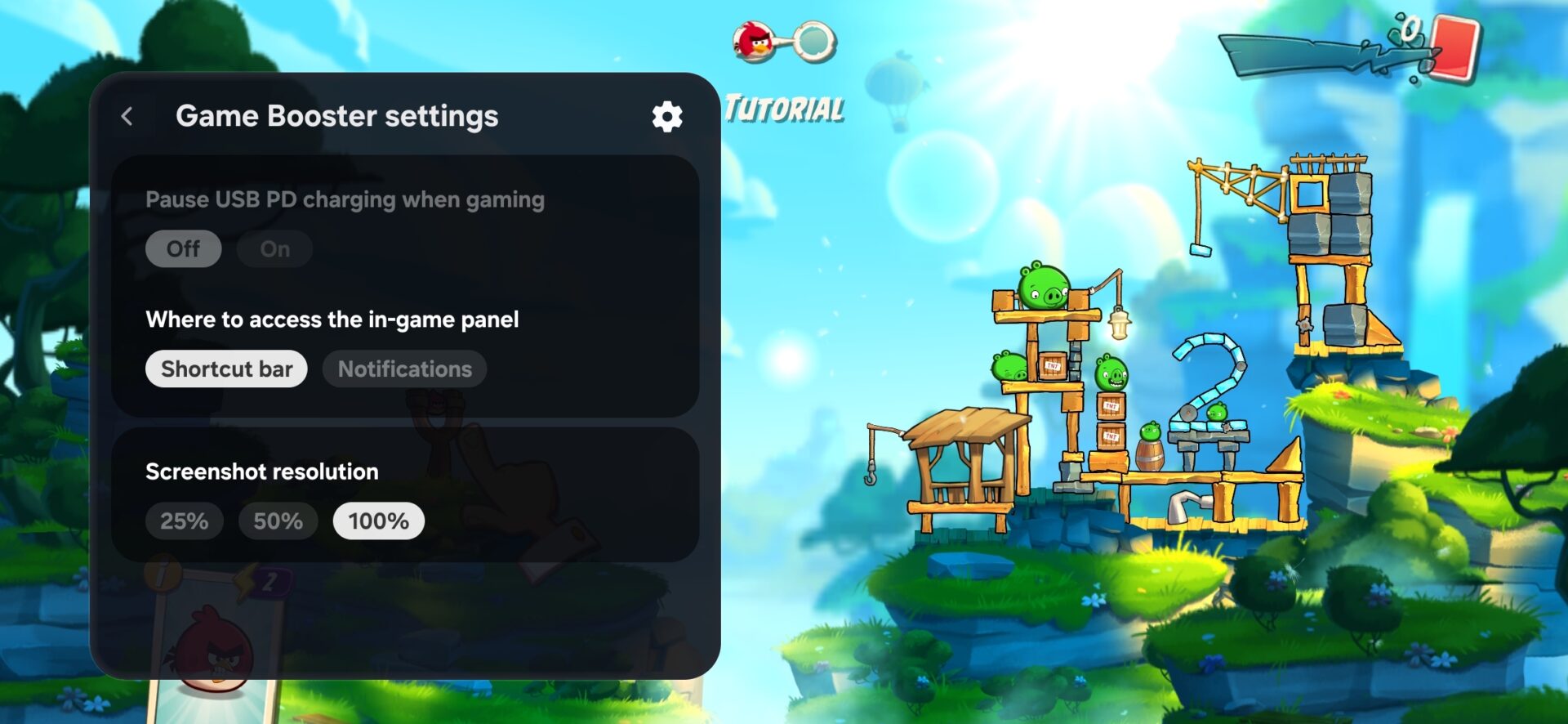
Gamers will appreciate the refinements made to the Game Booster. The redesigned panel now integrates shortcuts directly onto the overlay. This allows players to modify settings like screenshot resolution or the positioning of the in-game panel without needing to pause or exit their current session. It is a subtle but effective change that keeps the focus on the gaming experience.
Privacy and Precise Location Controls
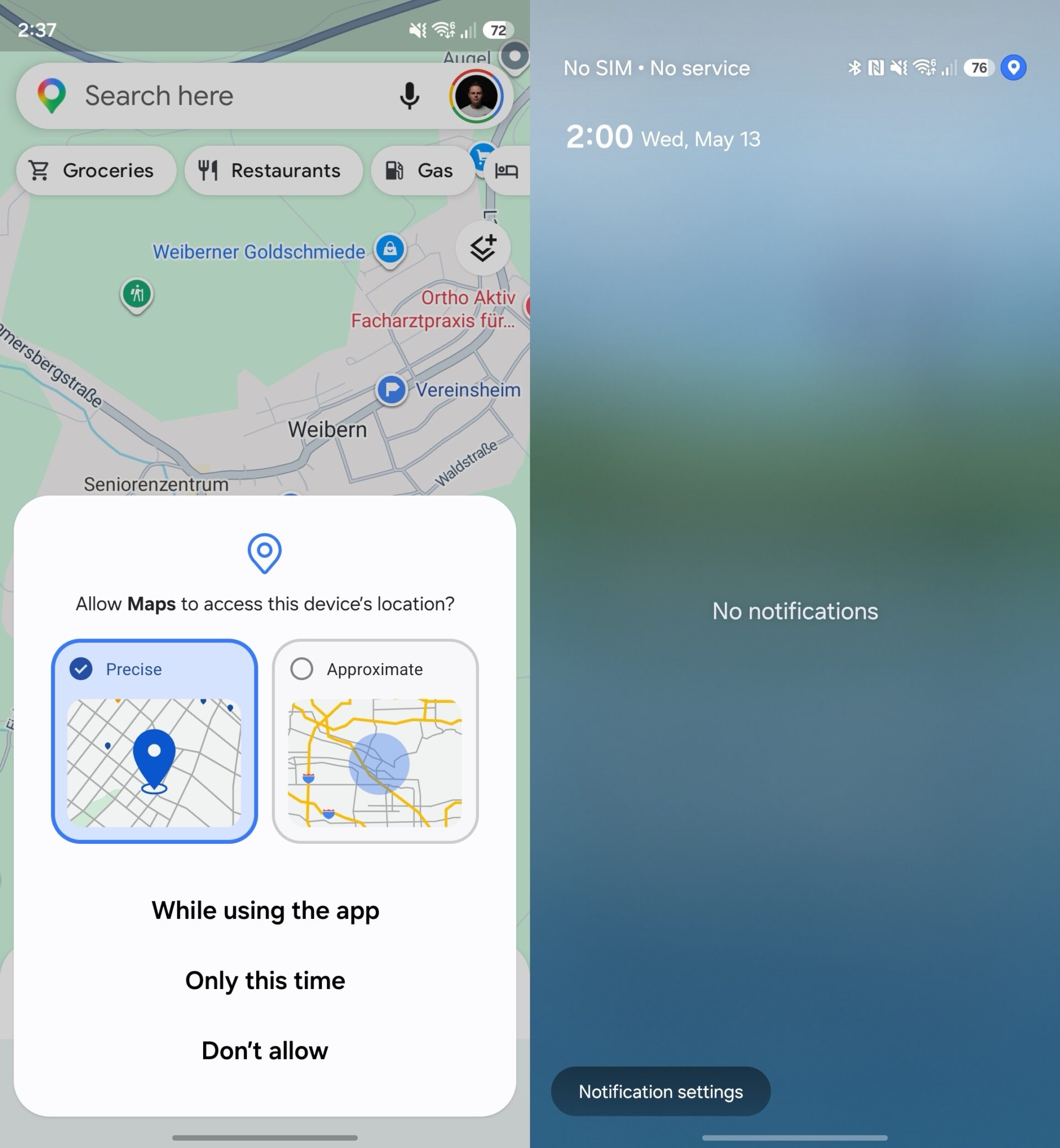
Samsung has also updated the UI for location permissions. When an application requests access to your whereabouts, the pop-up now clearly distinguishes between "Approximate" and "Precise" location data. A distinct blue check mark indicates your current selection, providing better visual feedback and ensuring users are fully aware of what data they are sharing with third-party apps.
Productivity Upgrades in Samsung Notes
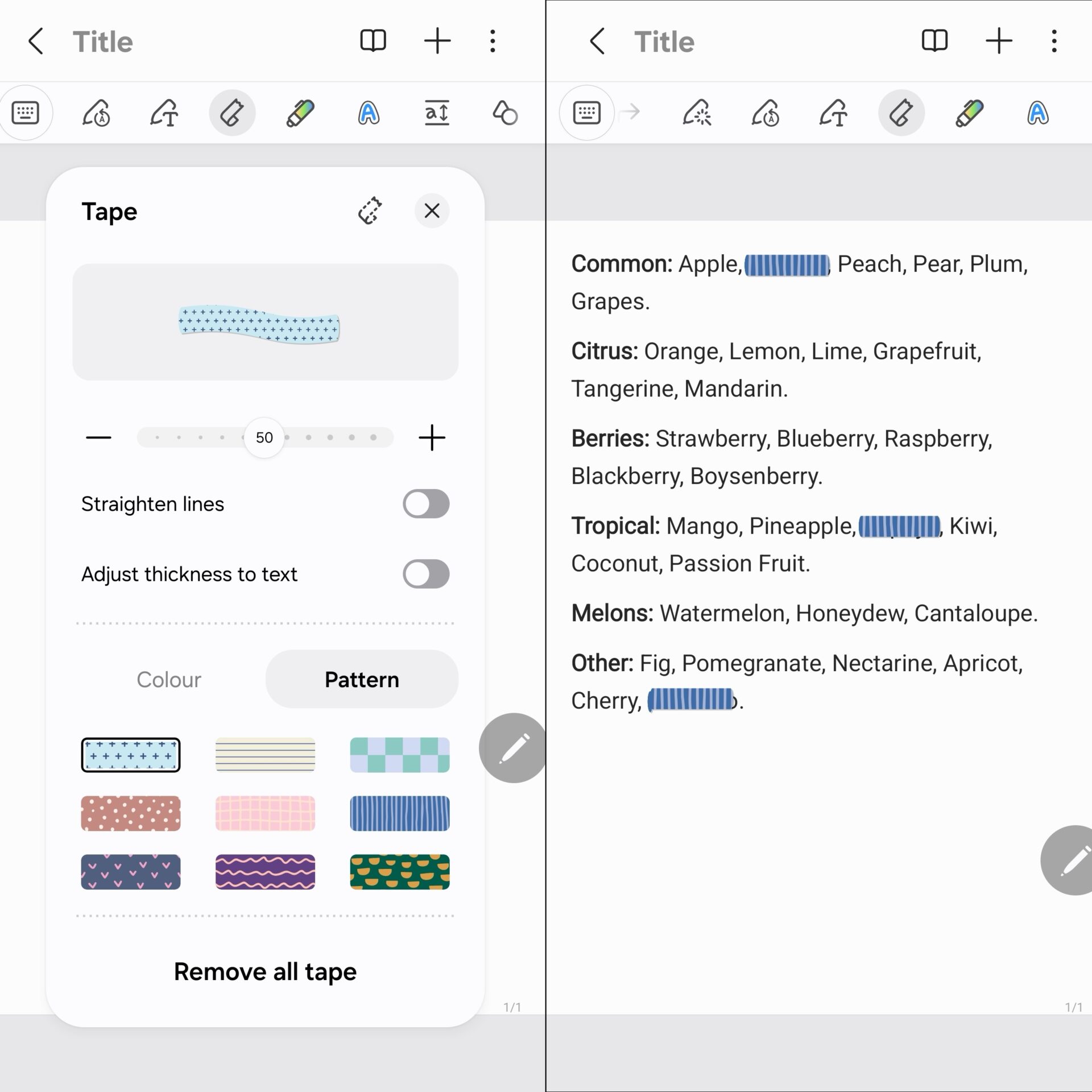
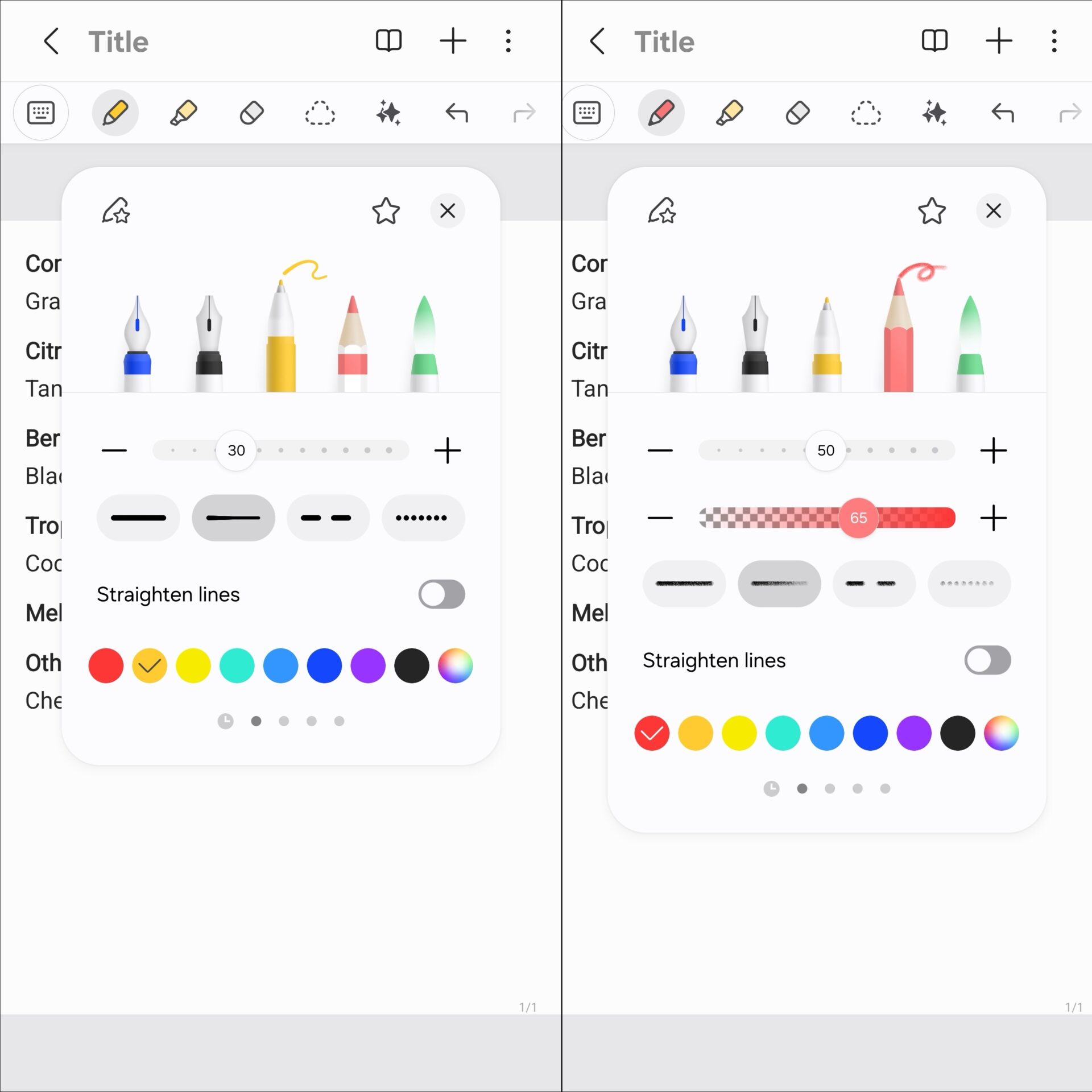
Samsung Notes continues to evolve into a powerhouse for digital handwriting. The One UI 9.0 update introduces the "Tape" feature, which lets you mask specific areas of a note. This is particularly useful for students or professionals who want to hide answers or sensitive information and reveal them with a tap. Additionally, new pen styles have been added to expand the creative possibilities for those using the S Pen.
The journey for One UI 9.0 has only just begun. As the beta progresses, we expect to see more refinements and perhaps even hidden features come to light. For those interested in the technical specifics, the full list of changes is available via the link below.
What are the biggest changes to the Quick Panel in One UI 9.0?
The most notable change is the ability to resize sliders for brightness and volume, as well as the media player widget. Users can also separate specific toggles from the main sliders for a more customized layout.
How does the new "Tape" feature in Samsung Notes work?
The Tape feature allows you to cover parts of your notes with decorative or functional tape. This hidden content can be revealed whenever you need it, making it an excellent tool for memorization or organizing complex notes.
Is Game Booster different in this update?
Yes, the Game Booster now includes direct shortcuts to settings on the main panel. This allows players to adjust things like resolution and panel placement without interrupting their gameplay.
What is the difference between Approximate and Precise location in the new UI?
Approximate location gives apps a general idea of your area, while Precise location gives your exact coordinates. One UI 9.0 makes it visually easier to choose and track which permission you have granted to each app.
🔎 This first look at One UI 9.0 reveals a software update that prioritizes user control and visual clarity. While it may not reinvent the wheel, the refinements to the Quick Panel and utility apps like Samsung Notes suggest that Samsung is focusing on polishing the user experience to perfection. As the beta moves toward a stable release, Galaxy S26 owners have a lot to look forward to in terms of both aesthetics and functionality.
Post a Comment