
Samsung Rolls Out New Google Play System Updates for One UI 8.5 and One UI 9.0 Devices
Samsung is continuing its commitment to device maintenance by releasing fresh Google Play System updates for its latest software versions. These incremental updates ensure that Samsung Galaxy users remain equipped with the latest security patches and system optimizations, even between major OS upgrades.
- ✨ New updates are now rolling out for devices running One UI 8.5 and the One UI 9.0 beta.
- ✨ Update sizes are optimized, ranging from 1.9MB to 2.9MB depending on the version.
- ✨ The builds maintain the May 1, 2026, date while introducing backend improvements.
- ✨ Flagship models like the Galaxy Z Fold 7 and the S26 series are among the first to receive them.
For users currently running One UI 8.5, a new Google Play System update has officially arrived. This specific package weighs in at approximately 2.9MB. Although it retains the May 1, 2026, build date seen in previous iterations, it serves as a critical refresh for system stability. Early reports indicate that the update is already appearing on the Galaxy Z Fold 7 and the Galaxy S23 in regions like India.
Quick Summary:
Samsung has released two distinct Google Play System updates targeting different software branches. One UI 8.5 users receive a 2.9MB patch, while One UI 9.0 beta testers on the Galaxy S26 series get a 1.9MB version. Both updates focus on underlying system health and Google service integration.
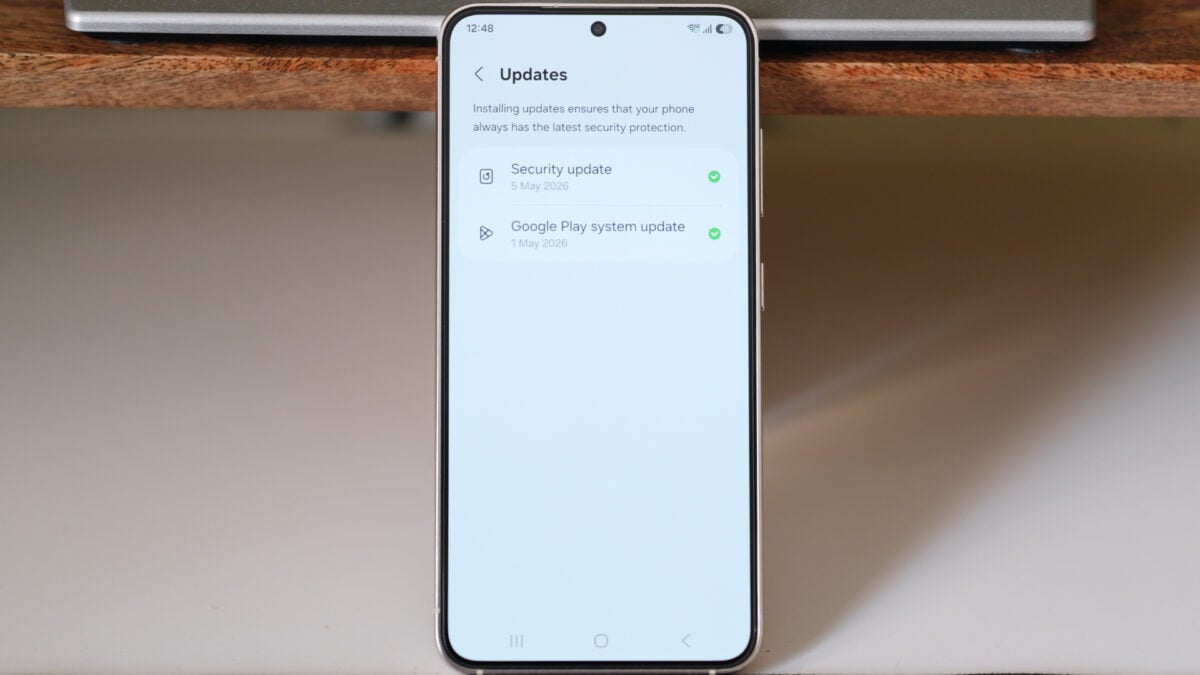
Simultaneously, Samsung hasn't forgotten those testing the cutting-edge Android Update features. A separate Google Play System update is being pushed to devices enrolled in the One UI 9.0 beta program. This includes the Galaxy S26, Galaxy S26+, and the Galaxy S26 Ultra. This version is slightly smaller at 1.9MB but carries the same build timestamp. This information was initially spotted and shared by the user known as KAILASH.
How to Check for the Latest Google Play System Update
Keeping your device updated is a straightforward process. If you haven't received a notification yet, you can manually trigger the check. Navigate to Settings, select Security and privacy, tap on Updates, and finally click Google Play system update. Interestingly, this marks the seventh time Samsung has updated this specific component within the last three months, showing an aggressive pace for system-level maintenance.
While these minor updates rarely include a detailed changelog, their importance shouldn't be underestimated. They typically bundle essential bug fixes, improve the performance of Google Play Services, and enhance compatibility with the latest Android OS features. Ensuring your device is on the latest version helps maintain a smooth and secure user experience across all Google-related apps and services.
Which Samsung devices can download the new Google Play System update right now?
The update is currently rolling out to devices running One UI 8.5, such as the Galaxy Z Fold 7 and Galaxy S23, as well as the Galaxy S26 series running the One UI 9.0 beta.
Why does the build date still say May 1, 2026, after the update?
It is common for Google Play System updates to retain an older build date in the settings menu even after a new patch is applied. This usually indicates that the update contains minor background fixes rather than a full monthly milestone change.
What is the difference between a Security Patch and a Google Play System update?
A Security Patch is usually provided by Samsung to fix hardware and firmware vulnerabilities. In contrast, the Google Play System update is provided via Google to improve core Android components and Google Play services without requiring a full system reboot or carrier approval.
Is it mandatory to install these small 1.9MB or 2.9MB updates?
While not strictly mandatory for the phone to function, these updates are highly recommended as they often resolve hidden bugs and improve the overall efficiency of Google apps and system stability.
🔎 Staying on top of these minor updates is a simple yet effective way to ensure your Samsung smartphone remains in peak condition. Whether you are on the stable One UI 8.5 or experimenting with the One UI 9.0 beta, these patches provide the necessary foundation for a secure and fluid Android experience. Be sure to check your settings regularly to keep your device running the latest version provided by Google and Samsung.
Post a Comment