
Everything You Need to Know About Samsung One UI 9's Advanced iPhone to Galaxy Smart Switch App
Over the past year, Samsung and Google have successfully narrowed the gap between Android and iOS through innovative cross-platform capabilities. For example, Google found a workaround to make Quick Share compatible with AirDrop.
- ✨ One UI 9 introduces a powerful upgraded Smart Switch app for seamless iPhone to Galaxy data transfers.
- ✨ Wireless transfers now support all data types previously exclusive to wired connections.
- ✨ Users no longer need to install any dedicated application on their Apple devices to complete the transfer.
- ✨ Newly supported data items include Passwords, Passkeys, Accessibility Settings, Call History, and eSIM.
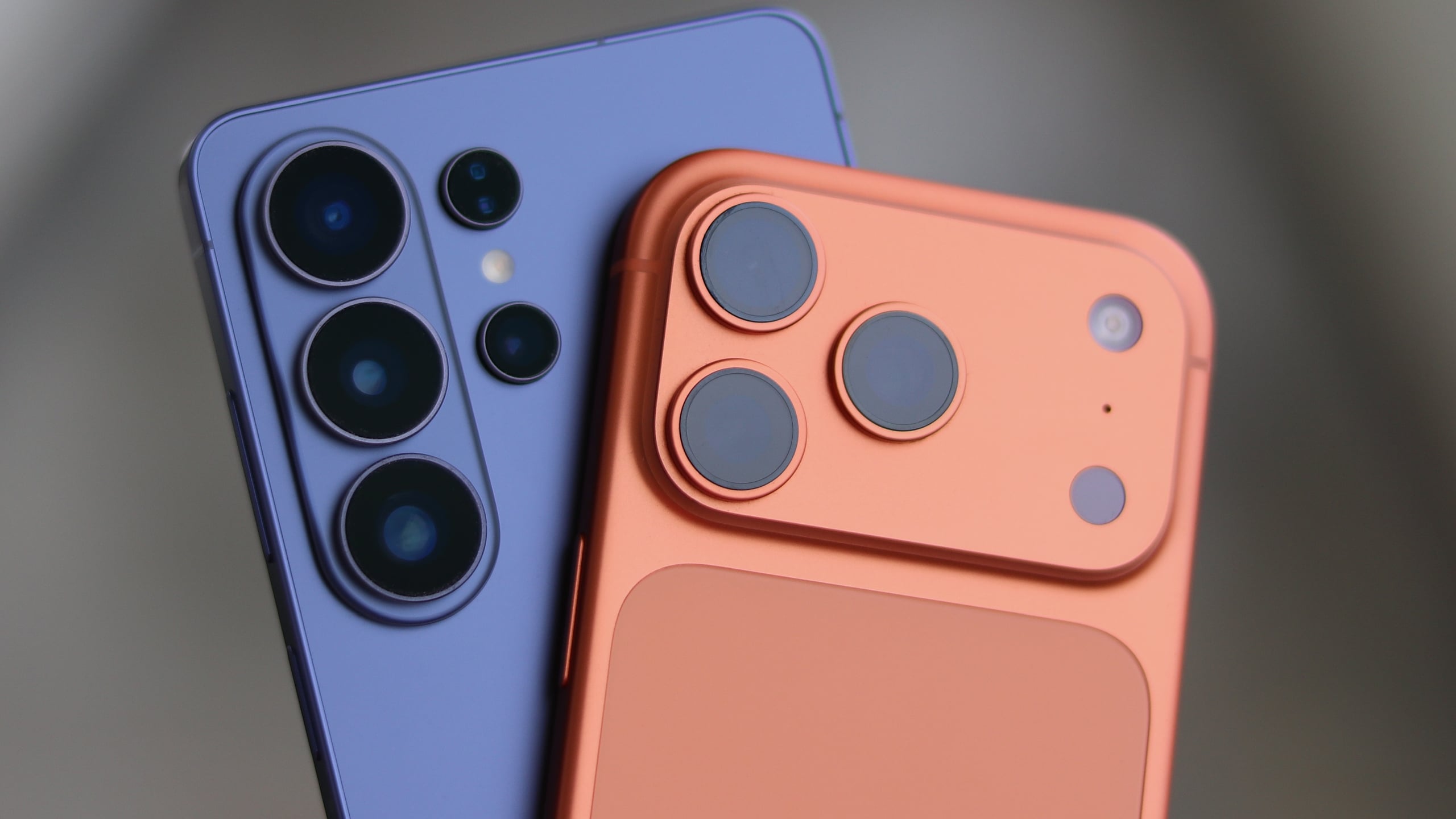
In a similar vein, the latest Galaxy foldable phones, announced at Unpacked in London alongside One UI 9, introduce an easier, upgraded way to transfer files and data from an iPhone or an iPad. Here is how it works.
Every One UI 9 Smart Switch Upgrade for iPhone Users
Whether you are using a wired or wireless connection no longer makes a difference in terms of what you can or cannot transfer. The wireless Smart Switch transfer process has been significantly upgraded. iPhone and iPad users can now wirelessly transfer all the data types that were previously available only through a wired connection.
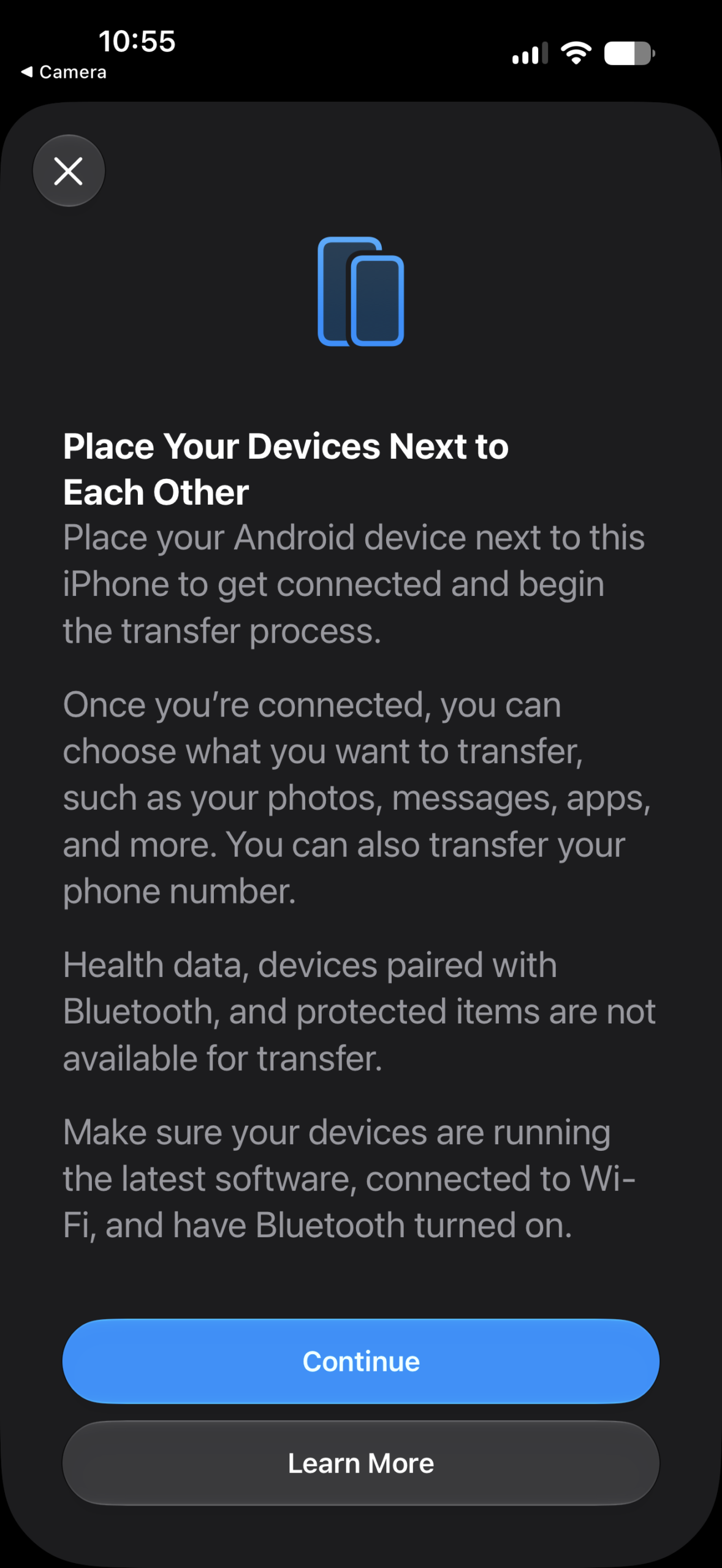
To top it all off, Apple fans do not even need to install Samsung's Smart Switch app to transfer data from their iPhone or iPad to one of the latest Galaxy Z devices. No app installation is needed. It just works, and the steps are fairly straightforward:
- Launch Smart Switch on the Galaxy phone.
- Select Receive on this phone, followed by iPhone/iPad.
- Scan the QR code with your iPhone.
- Select Transfer to Android on the iPhone and tap Continue.
- Scan the QR code again.
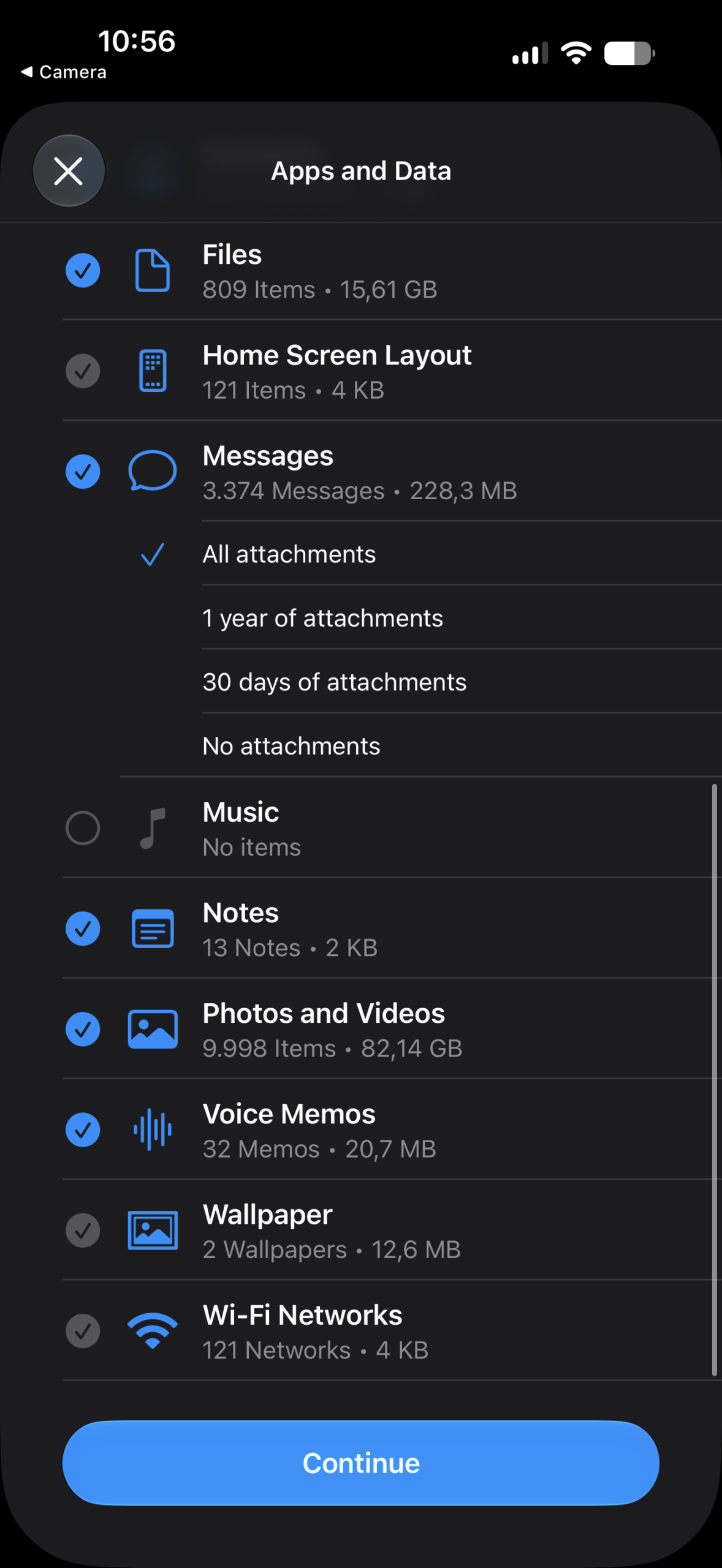
- Select the data you data want to transfer from your iPhone to your Galaxy phone and follow the prompts.
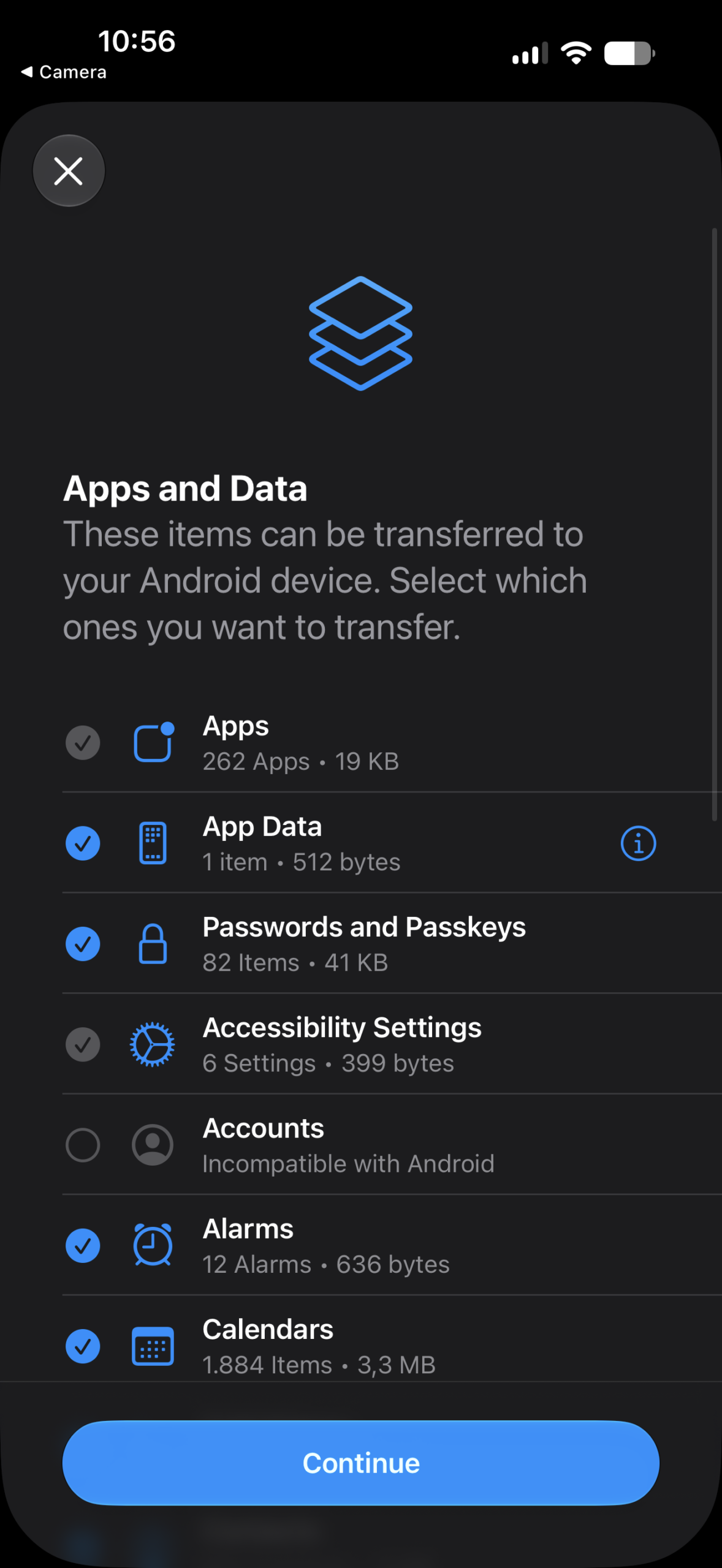
The other huge component of this Smart Switch upgrade is that iPhone and iPad users can now transfer additional data types seamlessly.
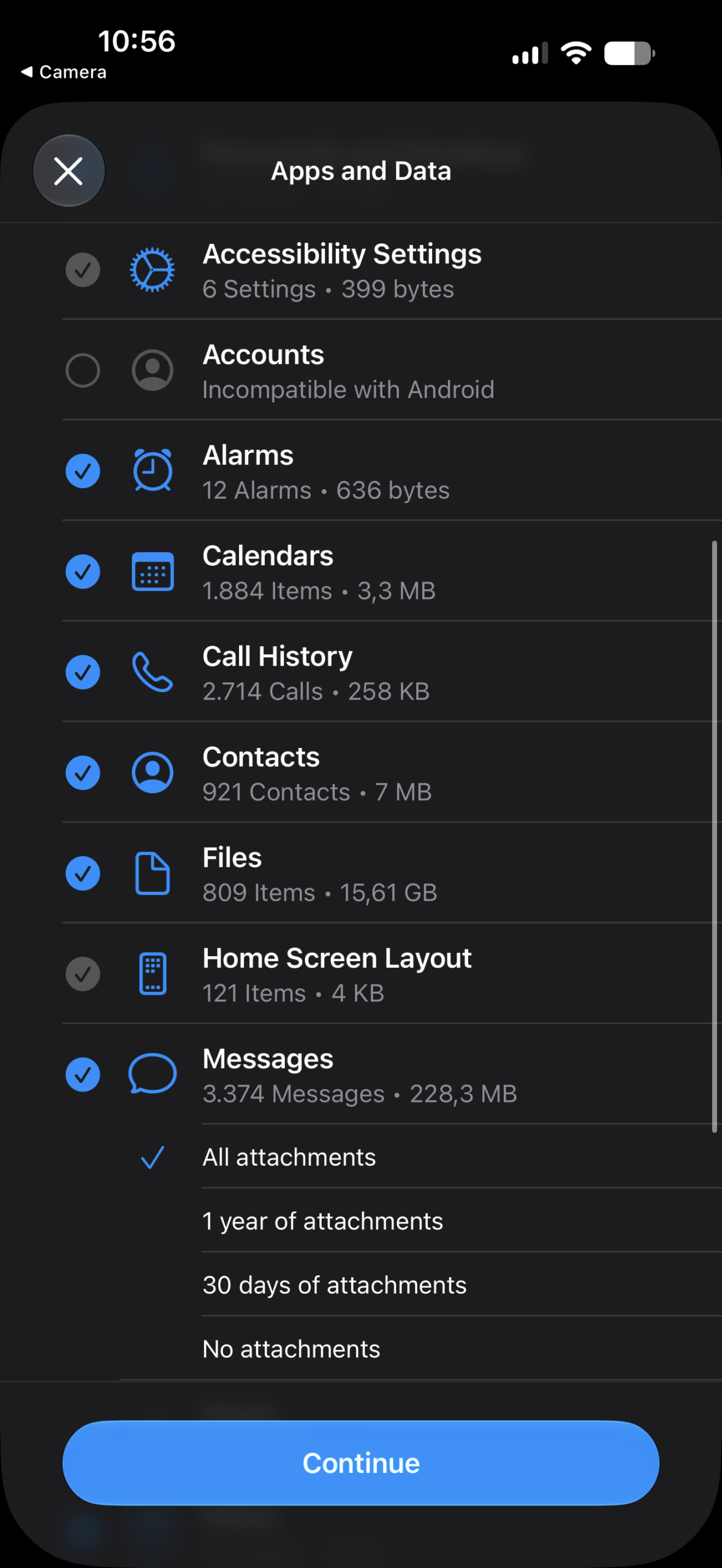
Here is a list of everything you can transfer from your Apple device to the Galaxy Z Flip 8, Fold 8, or Fold 8 Ultra, even on a wireless connection. The new items are marked accordingly:
- NEW: Passwords and Passkeys
- NEW: Accessibility Settings
- NEW: Call History
- NEW: Wi-Fi Networks
- NEW: eSIM
- Apps
- App data
- Alarms
- Calendars
- Contacts
- Files
- Home Screen Layout
- Messages (with the option to choose how attachments are handled)
- Music
- Notes
- Photos and Videos
- Voice Memos
- Wallpaper
The upgraded Smart Switch experience is part of One UI 9, so for now, it is available exclusively on the latest foldable phones.
Although it is currently missing from One UI 9 beta builds on the Galaxy S26 series, it should become available on more devices once One UI 9 exits the beta stage and begins rolling out more broadly.
On the Apple side, the upgraded Smart Switch features are supported on iPhones and iPads running iOS 26.6 or later. Once again, you do not need to download any apps on your Apple device to start the transfer process.
If you are tempted to switch to a foldable phone this summer, it has never been easier. And with the addition of the passport-style Fold 8 model, you have never had more options to choose fro
Do I need to install a special app on my iPhone to use the new Smart Switch?
No, Apple users do not need to install Samsung's Smart Switch application on their iPhone or iPad anymore. The transfer process works natively without any extra app downloads.
What new data types can now be transferred wirelessly?
The newly supported data types include Passwords and Passkeys, Accessibility Settings, Call History, Wi-Fi Networks, and eSIM profiles, all over a wireless connection.
Which devices currently support this advanced Smart Switch feature?
This upgraded feature is currently available exclusively on Samsung's latest foldable devices running One UI 9, with support expanding to other models following the stable software release.
What software version is required on Apple devices for this to work?
Your iPhone or iPad needs to be running iOS 26.6 or a later software version to take advantage of these enhanced cross-platform transfer features.
🔎 Ultimately, Samsung's latest enhancements in One UI 9 demonstrate a strong commitment to improving user accessibility and breaking down ecosystem barriers. By streamlining the iPhone-to-Galaxy migration process and eliminating third-party app requirements, transitioning to a new foldable device has never been more frictionless or efficient.
Post a Comment