
Google Signature App: Revolutionizing Digital Document Signing for Galaxy Smartphones
Digital documentation has become the backbone of modern productivity, yet signing those documents remains a hurdle for many mobile users. While Samsung's premium tablet and smartphone lineup offers the seamless S Pen experience, users without a stylus often find the process cumbersome. Google is now stepping in to bridge this gap with a dedicated Android application designed to make digital signatures accessible to everyone.
Summary: Google is developing "Signature," a specialized Android app that allows users to create, store, and deploy digital signatures via touch, camera, or keyboard. Delivered through Google Play system updates, it aims to simplify document workflows for all Android 12+ devices, particularly beneficial for Galaxy users without an S Pen.
- ✨ Supports three signature methods: hand-drawn, typed, or photographed.
- ✨ Securely stores signatures in a protected digital vault for quick access.
- ✨ Integrates seamlessly with other apps via a partial-screen overlay.
- ✨ Compatible with most modern hardware running Android 12 or later.
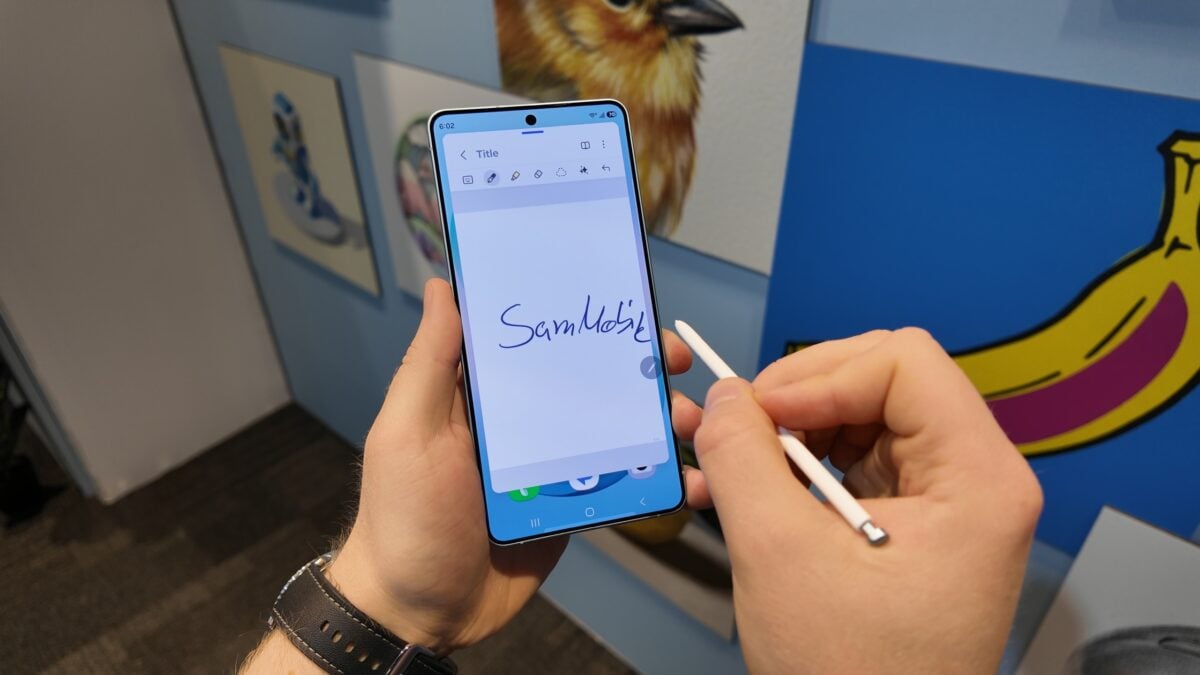
While signing digital documents is a breeze on high-end Galaxy phones and tablets that support the S Pen, the experience can be frustrating on devices lacking a dedicated stylus. To address this disparity, Google is reportedly developing a new utility for the Android ecosystem simply titled "Signature." This app is poised to transform how users interact with PDFs and legal forms directly from their handheld devices.
How the Google Signature App Simplifies Your Workflow
The existence of the upcoming Signature app was first discovered by Android Authority. The core functionality revolves around versatility; users are not limited to just drawing with a finger. The app allows for the creation of three distinct signature types: typed (using various fonts), drawn (via the touchscreen), and photographed (capturing a physical signature from paper). Once created, these assets are housed in a secure vault within the app.
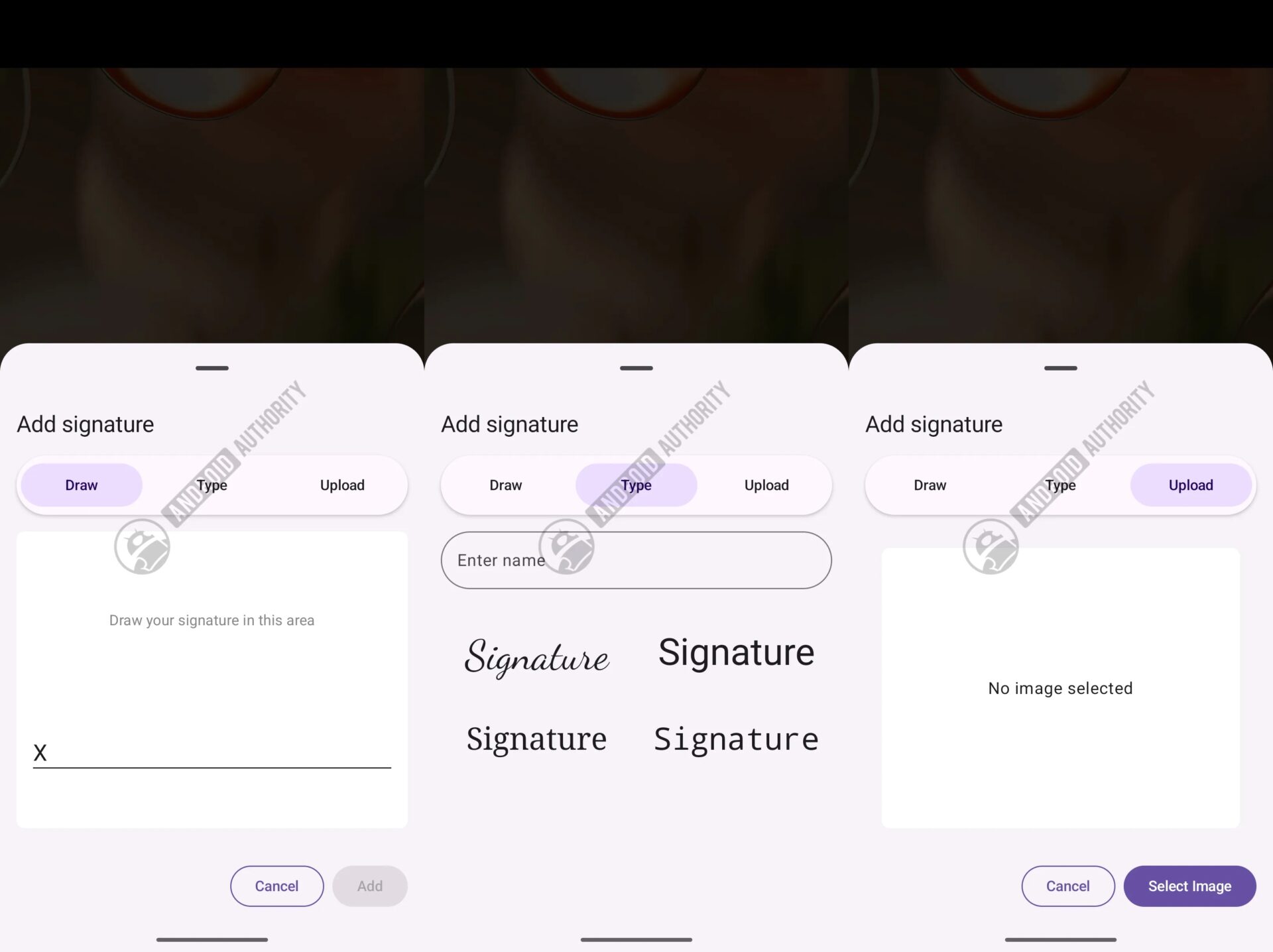
The integration is designed to be non-intrusive. When a compatible Android app requires a signature, the Signature utility triggers a partial-screen window. This allows the user to quickly select their preferred saved signature and apply it to the document without fully switching between different applications, maintaining a smooth multitasking flow.
Compatibility and Release Schedule
Interestingly, Google seems to be bypassing traditional OS updates for this rollout. Indications suggest the Signature app is being distributed via the Google Play system update from June 2026. This strategy ensures that device manufacturers like Samsung do not need to push a specific firmware update for users to gain access to the tool.
The app is expected to be compatible with a wide range of hardware, specifically any device running Android 12 or newer. While Google has yet to make an official public announcement, the presence of the code in recent system updates suggests a formal launch is imminent, providing a significant boost to mobile productivity for millions of users worldwide.
What exactly is the purpose of the Google Signature app?
The app is designed to provide a centralized and secure way to create, store, and use digital signatures across various Android applications. It eliminates the need for third-party PDF editors for basic signing tasks.
Can I use this app on older Samsung Galaxy devices?
Yes, as long as your Galaxy device is running Android 12 or a later version, it should be compatible with the Signature app once it is rolled out via the system updates.
Is it safe to store my signature in this app?
Google has designed the app with a "vault" system, suggesting that signatures are encrypted and stored securely on the device, only being accessed when the user explicitly authorizes a signature request.
How will I get the app on my phone?
The app is being delivered through the Google Play system update (specifically the June 2026 version and onwards), meaning it will likely appear automatically as part of your regular background system maintenance.
🔎 The introduction of the Signature app represents a thoughtful move by Google to standardize a vital productivity feature across the Android ecosystem. By providing a high-quality, secure signing tool that doesn't rely on expensive hardware like the S Pen, Google is making professional workflows more accessible to the average smartphone user. Whether you are signing a lease or a freelance contract, the future of mobile documentation looks significantly more efficient.
Post a Comment