
How to Fix the Annoying Galaxy Store App Install Error
If you have recently encountered a frustrating error while trying to install apps from the Galaxy Store on your Samsung device, you are not alone. Many users have reported a bizarre age-rating pop-up that prevents downloads, even when the account settings appear perfectly normal. In this guide, we will walk you through a simple and effective fix to get your app downloads working again.

Quick Summary
- ✨ This error is typically caused by a synchronization glitch in the "Content Restrictions" settings.
- ✨ You do not need to clear your app cache or reset your phone to resolve this issue.
- ✨ The fix involves toggling your Digital Wellbeing age rating settings to force a refresh.
Understanding the Galaxy Store Restriction Error
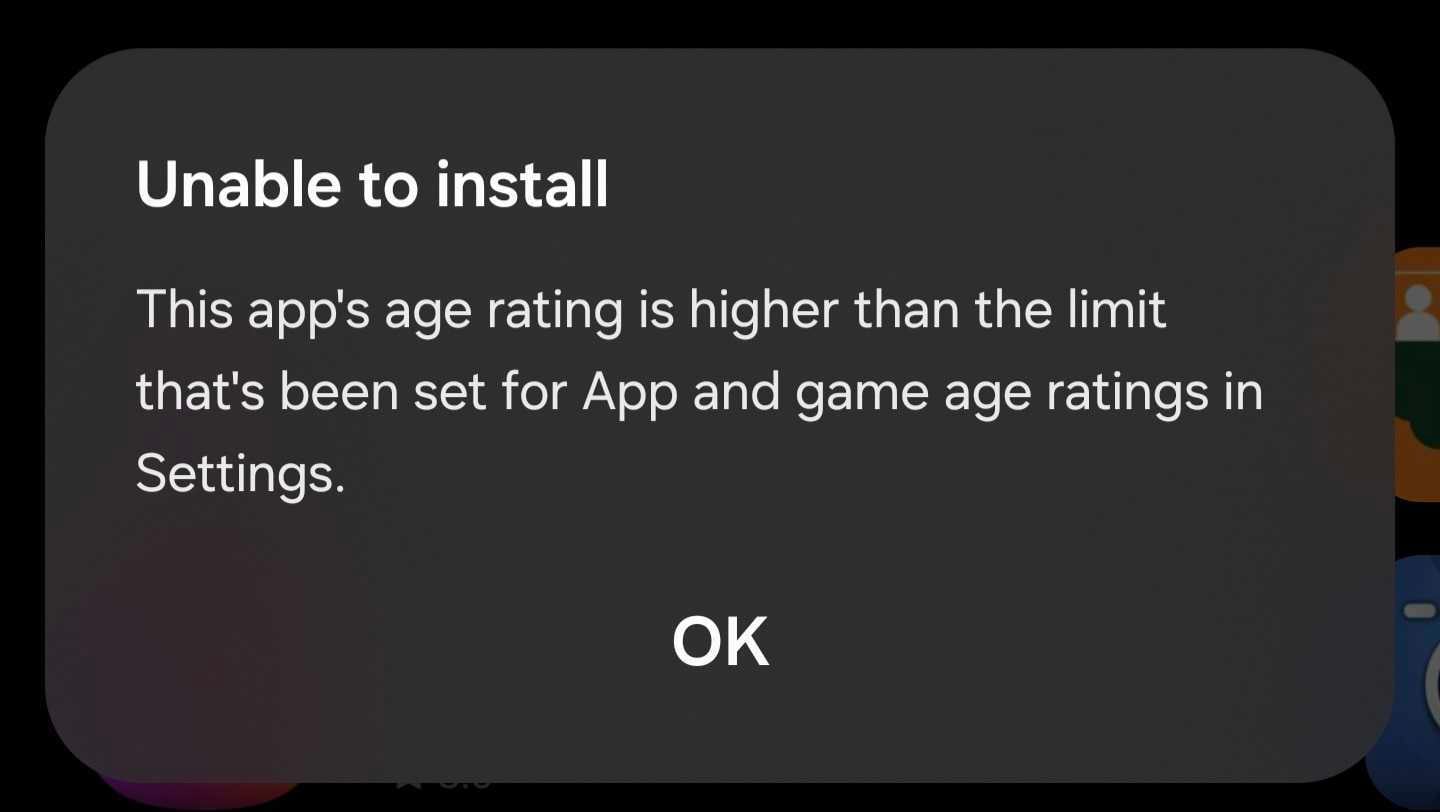
The error usually manifests as a pop-up stating: "Unable to install — This app's age rating is higher than the limit that's been set for Apps and game age ratings in Settings." This often happens unexpectedly, even if you have not touched your device's security settings. It appears to be a minor software bug where the Galaxy Store fails to properly read the age-based permissions associated with your Samsung account.
The Simple Step-by-Step Fix
You can easily resolve this by resetting your content restrictions. Follow these steps precisely:
- ✨ Open your phone's Settings menu.
- ✨ Navigate to Digital Wellbeing.
- ✨ Select Content restrictions.
- ✨ Tap on App and game age ratings.
- ✨ Toggle your selection between All ages and Based on age in Samsung account a few times.
By switching these settings back and forth, you essentially force the system to re-sync your account permissions with the One UI framework. Once you set it back to your preferred option, the Galaxy Store should recognize your age limits correctly and allow you to install your desired apps immediately.
Is this a common issue for all Samsung users?
No, it is not a widespread problem. It appears to be a rare glitch that affects a small number of users, likely triggered by a recent background update or a minor synchronization error between the Samsung account and the store application.
Do I need to clear my Galaxy Store cache?
In most cases, no. The steps provided above should be sufficient to fix the error without needing to clear any cache or data from the Galaxy Store app.
Will this affect my other Samsung services?
No, toggling these specific Digital Wellbeing settings is safe and will not impact your other apps, services, or personal data on your device.
🔎 We hope this guide helped you resolve the annoying app installation error on your device. If the problem persists even after trying these steps, we recommend checking for any pending software updates in your system settings or restarting your phone to ensure all background services are properly initialized. Keeping your device updated is the best way to prevent such minor bugs from recurring in the future.
Post a Comment