
Samsung Galaxy Z Fold 8 Gains Integrated Google Search Bar with One UI 9 Update
The upcoming One UI 9 software update introduces a convenient built-in Google Search bar directly to the home screen of select foldable devices, mirroring the signature layout found on Google Pixel smartphones. This addition offers users much faster and more streamlined web searches without requiring manual widget placement.
- ✨ One UI 9 introduces a native Google Search bar right on the home screen, similar to Pixel devices.
- ✨ Users can easily toggle this feature on the Galaxy Z Fold 8 and Galaxy Z Fold 8 Ultra via launcher settings.
- ✨ The feature is currently absent from current Galaxy S26 Ultra beta builds, with device availability for other models still unconfirmed.
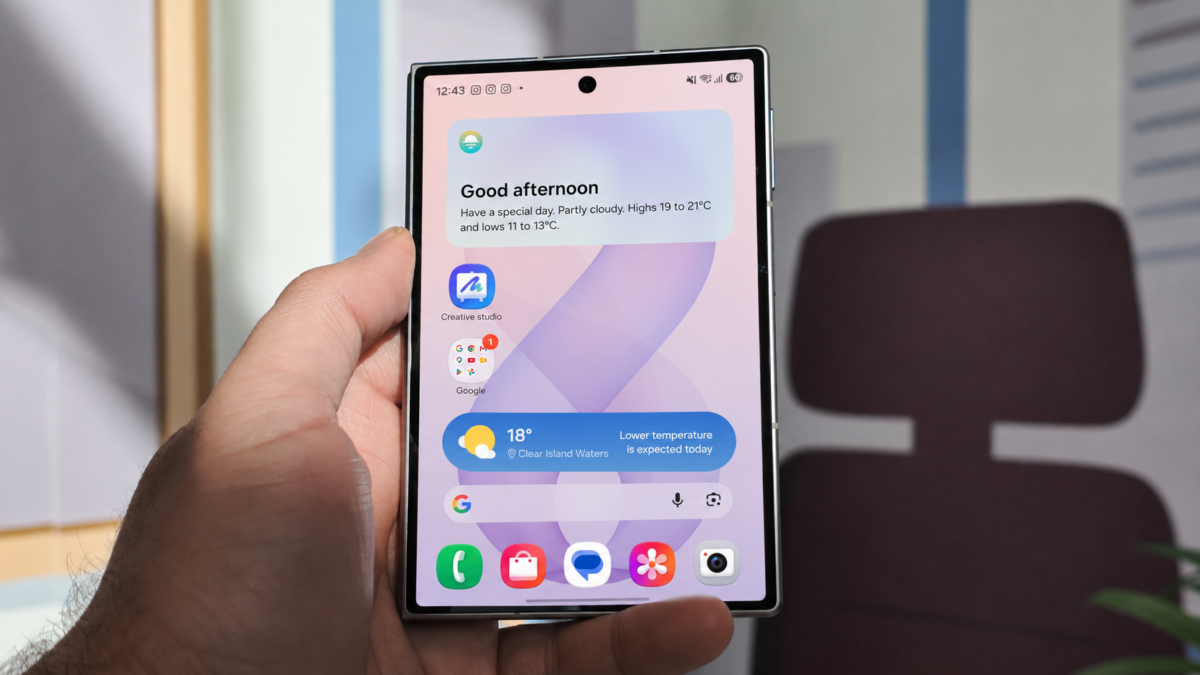
Seamless Google Search Integration in One UI 9
Although One UI 9 does not completely overhaul the visual design established in One UI 8.5, it introduces practical interface refinements and useful features designed for Galaxy smartphones and tablets. Among these additions is a built-in Google Search bar seamlessly integrated into the home screen.
On the Galaxy Z Fold 8 and Galaxy Z Fold 8 Ultra, users can utilize a persistent Google Search bar widget directly on their main screen. To turn it on, simply open the One UI Home launcher settings, go to the option to show search on the home screen, and activate the search toggle. This places a full-width search bar right above your favorite apps dock, eliminating the need to manually search for and drop the widget from the menu.
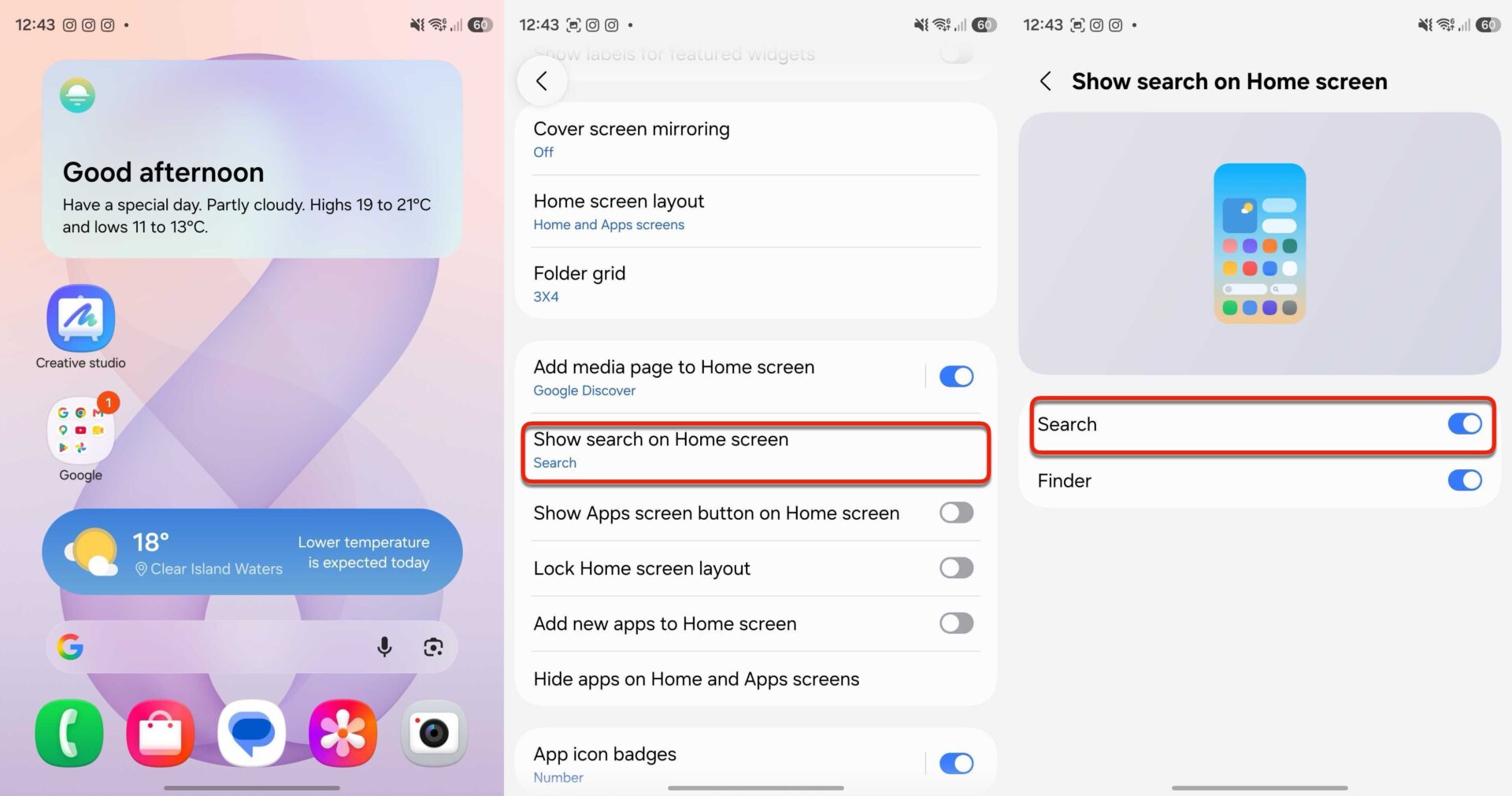
Even while running One UI 9.0 Beta 4, standard flagship models like the Galaxy S26 Ultra do not feature this option yet. This indicates that foldable devices like the Galaxy Z Fold 8 might be testing a newer software build than what is currently accessible in the public beta software releases.
It remains unconfirmed whether this functionality will roll out to the Galaxy Z Flip 8 or other standard candy-bar smartphones. However, Samsung fans hope that stable releases of One UI 9.0 will bring this helpful search bar to a broader range of Galaxy products.
How do I enable the Google Search bar on the Galaxy Z Fold 8?
You can easily enable it by navigating to your One UI Home launcher settings, finding the search display options, and toggling the search bar feature on so it sits above your dock.
Is this feature available on all One UI 9 devices?
Currently, the built-in home screen search bar is spotted on select foldables like the Galaxy Z Fold 8, while other flagship devices on beta builds may not have received it yet.
Do I need to manually download a widget for this?
No, the system integrates a native, full-width search bar automatically when the option is enabled within the launcher settings.
🔎 The introduction of a built-in home screen search bar in One UI 9 showcases Samsung's continuous efforts to refine user convenience and interface fluidity. By offering quicker access to web queries right from the main display, foldable device users can enjoy a more unified and efficient smartphone experience.
Post a Comment