
Samsung Galaxy Z Fold 8 Ultra Introduces Two Powerful Hidden Features for Professional Videographers
While Samsung heavily promotes the upgraded hardware and high-end camera capabilities of its devices, advanced tools often remain unnoticed by casual users. The newly released Galaxy Z Fold 8 Ultra brings substantial professional-grade video upgrades that cater specifically to content creators, videographers, and mobile filmmakers looking to squeeze every drop of performance out of their device's optics.
Key Takeaways
- ✨ The inclusion of Samsung's custom APV codec allows for extremely high-bitrate video recording, drastically reducing compression artifacts during heavy editing.
- ✨ Users can directly record massive APV files to external storage devices, complete with a reliable Safe save fragmentation mode.
- ✨ The new Cine LUT feature lets creators preview and apply four distinct cinematic presets straight onto LOG footage without requiring desktop software.
- ✨ These professional additions position the device as a serious filmmaking tool for creators on the go.
Unlocking Professional Capabilities on Mobile
Almost every new Galaxy Z Fold device has offered upgraded camera hardware over its predecessor. Samsung’s newest device in the lineup is no different, featuring an advanced ultra-wide camera compared to the older Galaxy Z Fold 7. However, Samsung did not stop at hardware improvements; it also packed the device with robust camera software features.
While the company highlighted many major updates, two game-changing features flew under the radar: the APV codec and Cine LUT. Understanding how these tools function reveals a massive leap forward for mobile videography.
The Advanced Professional Video (APV) Codec Explained
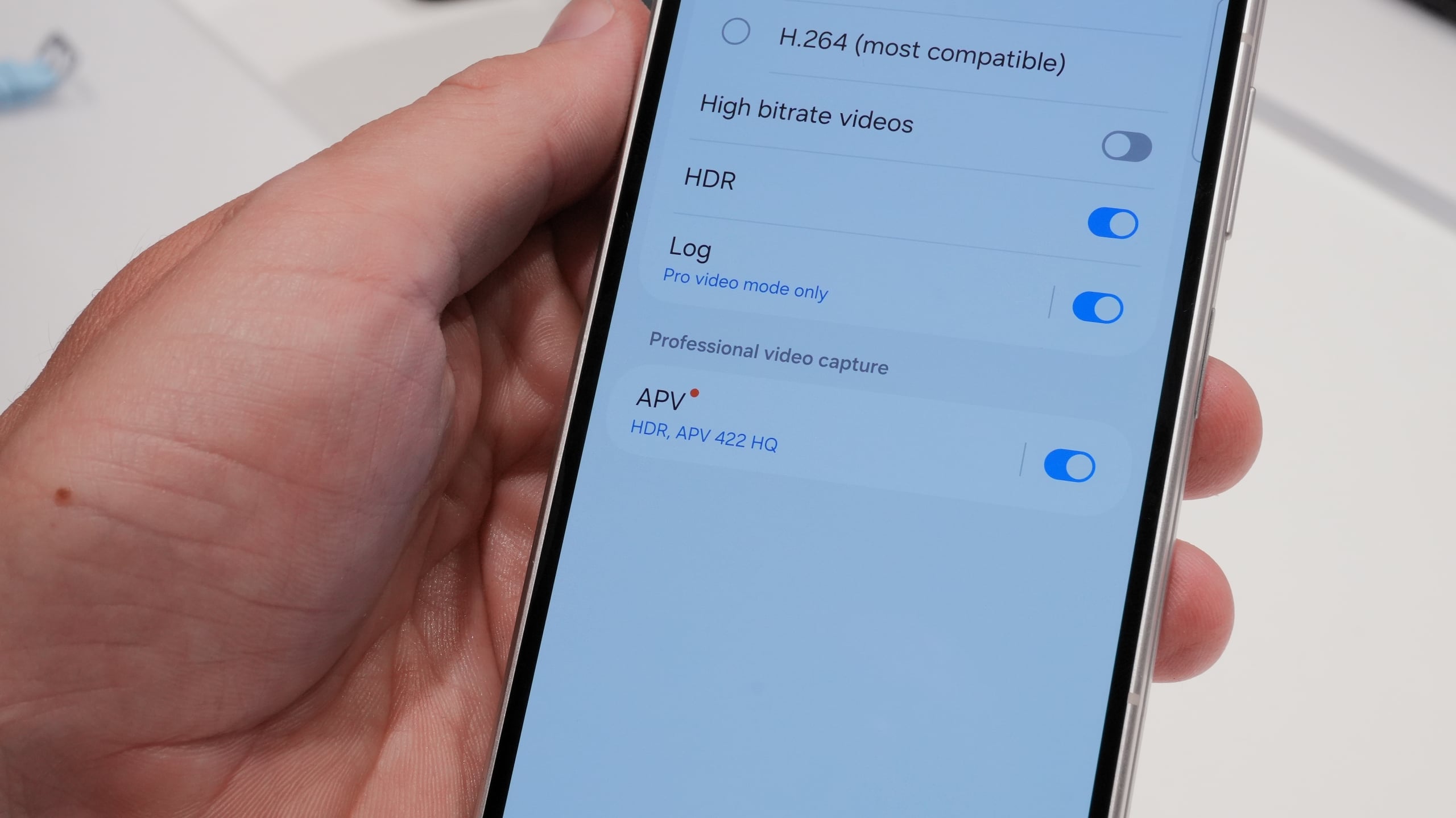
Most standard Android and Samsung phones capture video using HEVC and H.264 formats. The Galaxy Z Fold 8 Ultra, inheriting technology first introduced in the Galaxy S26 Ultra, now supports the proprietary Advanced Professional Video (APV) codec.
APV delivers a drastically higher bitrate than traditional codecs. The phone provides two quality tiers: APV 422 HQ and APV 422 LQ. At 4K60FPS, these profiles push bitrates of 1,592Mbps and 812Mbps respectively, dwarfing the modest 52Mbps of standard HEVC HDR.
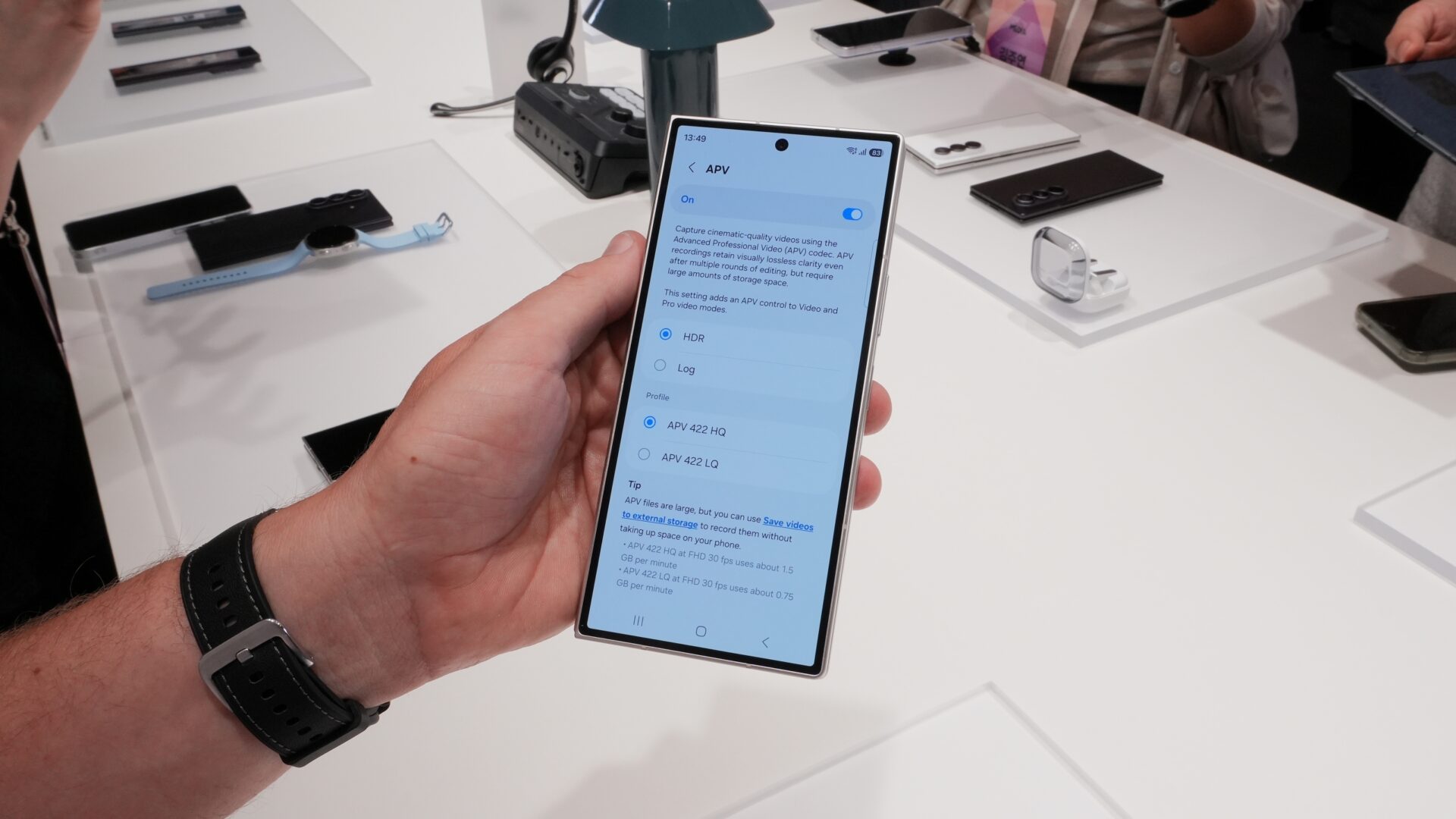
This massive data throughput means a one-minute 4K60FPS video recorded in APV 422 HQ occupies roughly 11.94GB of space, compared to just 390MB for HEVC HDR. While file sizes are nearly 30 times larger, they do not translate to an immediate 30x visual leap during casual playback. Instead, the primary advantage lies in post-production flexibility. APV recordings retain visual lossless clarity even after multiple rounds of color grading and editing.
Managing Large Files With External Storage Support
Because APV files consume storage at an alarming rate, Samsung allows users to bypass internal memory limitations entirely by recording straight to external drives, such as portable SSDs, HDDs, or USB flash drives.
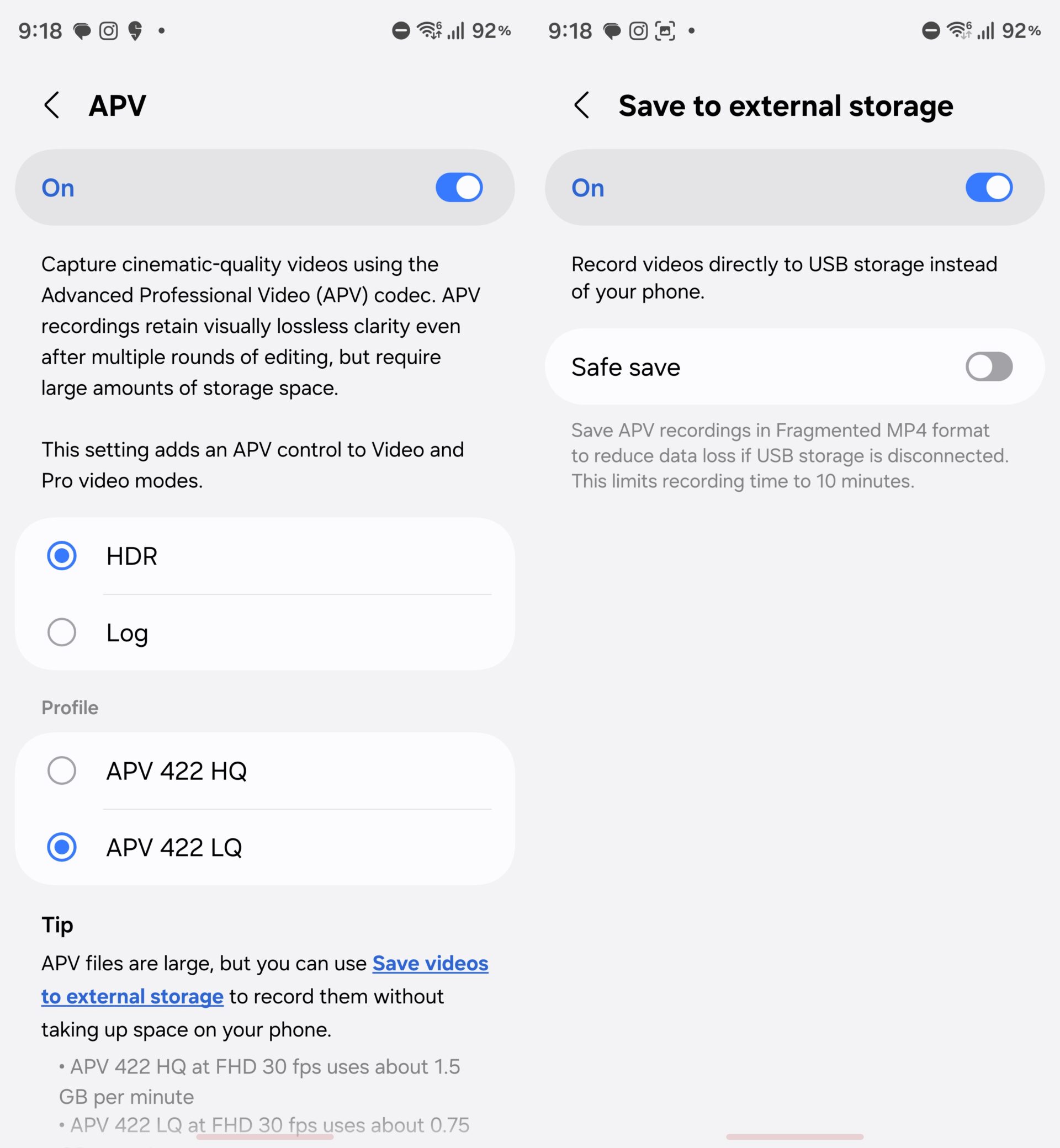
To set this up, navigate to Camera settings and activate the Save to external storage toggle. Furthermore, a Safe save option fragments recordings into smaller parts to safeguard against data loss if the USB cable is accidentally unplugged, though this mode caps continuous recording at 10 minutes.
Transforming Footage Instantly With Cine LUT
Building upon the LOG video recording foundations laid by the Galaxy Z Fold 7, the new Ultra model allows LOG capture directly in the high-fidelity APV format. This is where Cinematic Look-Up Table (Cine LUT) functionality becomes essential.
LOG profiles yield flat, desaturated visuals designed to preserve dynamic range. Traditional filters simply smear color profiles over footage, but a proper LUT intelligently remaps luminance, contrast, and color channels to establish a true cinematic look while keeping fine tonal details intact.
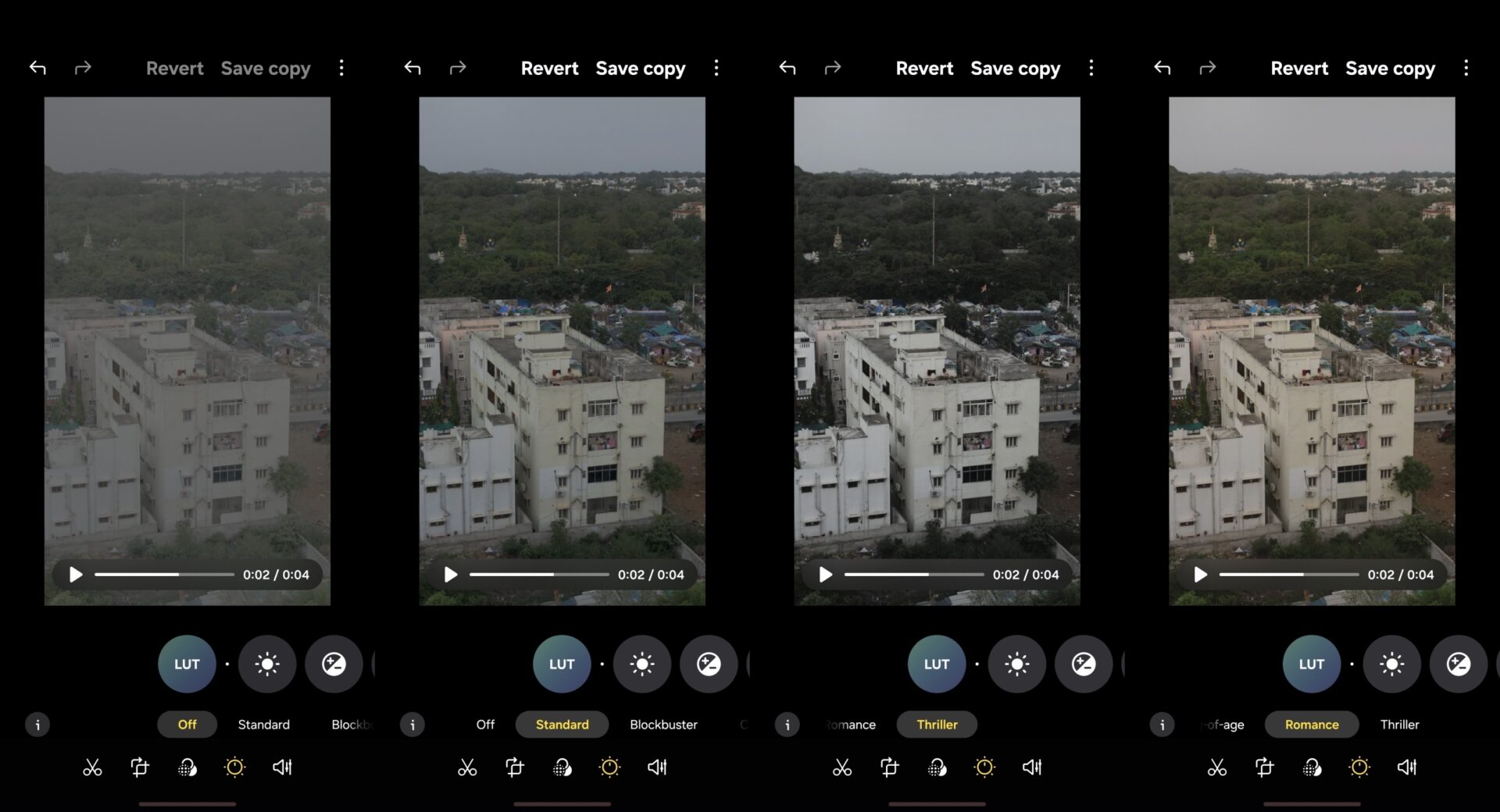
On the Galaxy Z Fold 8 Ultra, users can preview these looks in real-time during recording and apply them directly inside the Gallery app. Four curated Cine LUT profiles are available out of the box: Thriller, Blockbuster, Coming-of-age, and Romance.
What makes the APV codec different from standard video formats?
The APV codec records at significantly higher bitrates (up to 1,592Mbps) than standard HEVC or H.264 formats. This preserves a massive amount of visual data, allowing professional editors to perform multiple rounds of color grading and editing without experiencing quality degradation.
Can I record APV videos directly to a thumb drive?
Yes, the device features dedicated external storage support. By enabling the Save to external storage setting in the camera menu, all high-bitrate files will write directly to any connected USB-C drive, external SSD, or hard disk.
What is Cine LUT and how does it work?
Cine LUT (Cinematic Look-Up Table) takes flat, desaturated LOG video recordings and dynamically remaps color, contrast, and brightness channels. It provides an authentic cinematic color grade right on the device without needing complex desktop software.
How many cinema presets are included with Cine LUT?
The system comes equipped with four distinct preset styles designed for different creative moods: Thriller, Blockbuster, Coming-of-age, and Romance.
🔎 Ultimately, while these advanced tools may outstrip the needs of casual smartphone photographers, they transform the Galaxy Z Fold 8 Ultra into a remarkably potent pocket cinema camera. By combining ultra-high-bitrate APV recording, external drive saving capabilities, and on-device Cine LUT color grading, Samsung has delivered an exceptional package for mobile filmmakers and content creators alike.
Post a Comment