
How to Fix Awkward App Aspect Ratios on the Galaxy Z Fold 8
The unique 4:3 inner display of the Galaxy Z Fold 8 delivers an exceptional viewing experience for a wide variety of tasks, but its distinctive aspect ratio is rarely found across the standard Android ecosystem. Consequently, compatibility issues can occasionally arise when running certain applications, even those designed to support multiple layouts. For users looking to optimize their foldable device, adjusting these hidden settings can make a massive difference. If you want to dive deeper into optimizing your foldable experience, you can click on the Galaxy Z Fold 8 search page for more insights.
Summary of Key Points
- ✨ Apps on the Galaxy Z Fold 8 may occasionally display with awkward scaling due to the unique 4:3 inner screen dimensions.
- ✨ Users can manually configure individual app aspect ratios by navigating to Settings > Apps > App aspect ratios while using the unfolded main screen.
- ✨ Switching applications like Hearthstone from 16:9 to Full Screen unlocks a fully functional tablet and desktop interface layout.
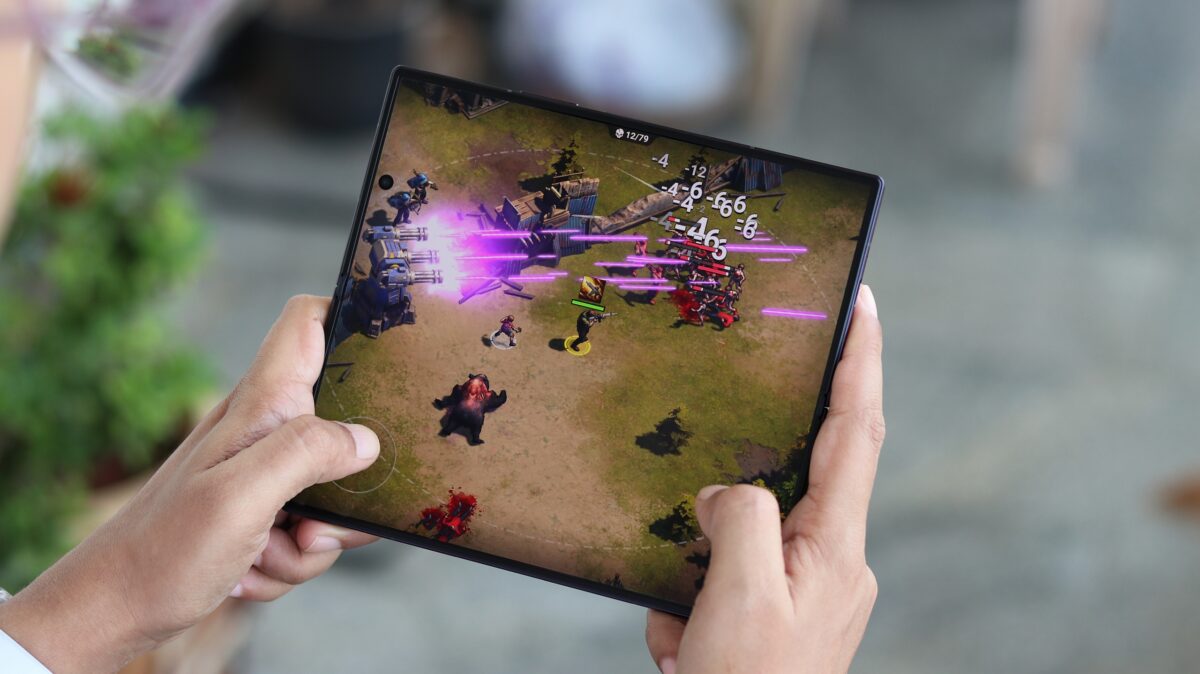
For instance, an application coded to support both traditional smartphones and tablets with varying screen dimensions might automatically default to an aspect ratio that fails to utilize the Galaxy Z Fold 8 display to its full potential.
Fortunately, One UI allows you to select customized aspect ratios for individual applications. You can often trigger this adjustment directly from a small pop-up option when launching the app for the first time.
If you require deeper control over these configurations, you can easily manage them through the system settings. Keep in mind that One UI hides these layout adjustments on the cover screen, meaning you must unfold your device to access them.
How to Change App Screen Ratios Manually on the Galaxy Z Fold
First, unfold your Galaxy Z Fold and use the large inner display to navigate to Settings > Apps. Next, locate and select your desired application, tap on App aspect ratios, and choose your preferred display layout.
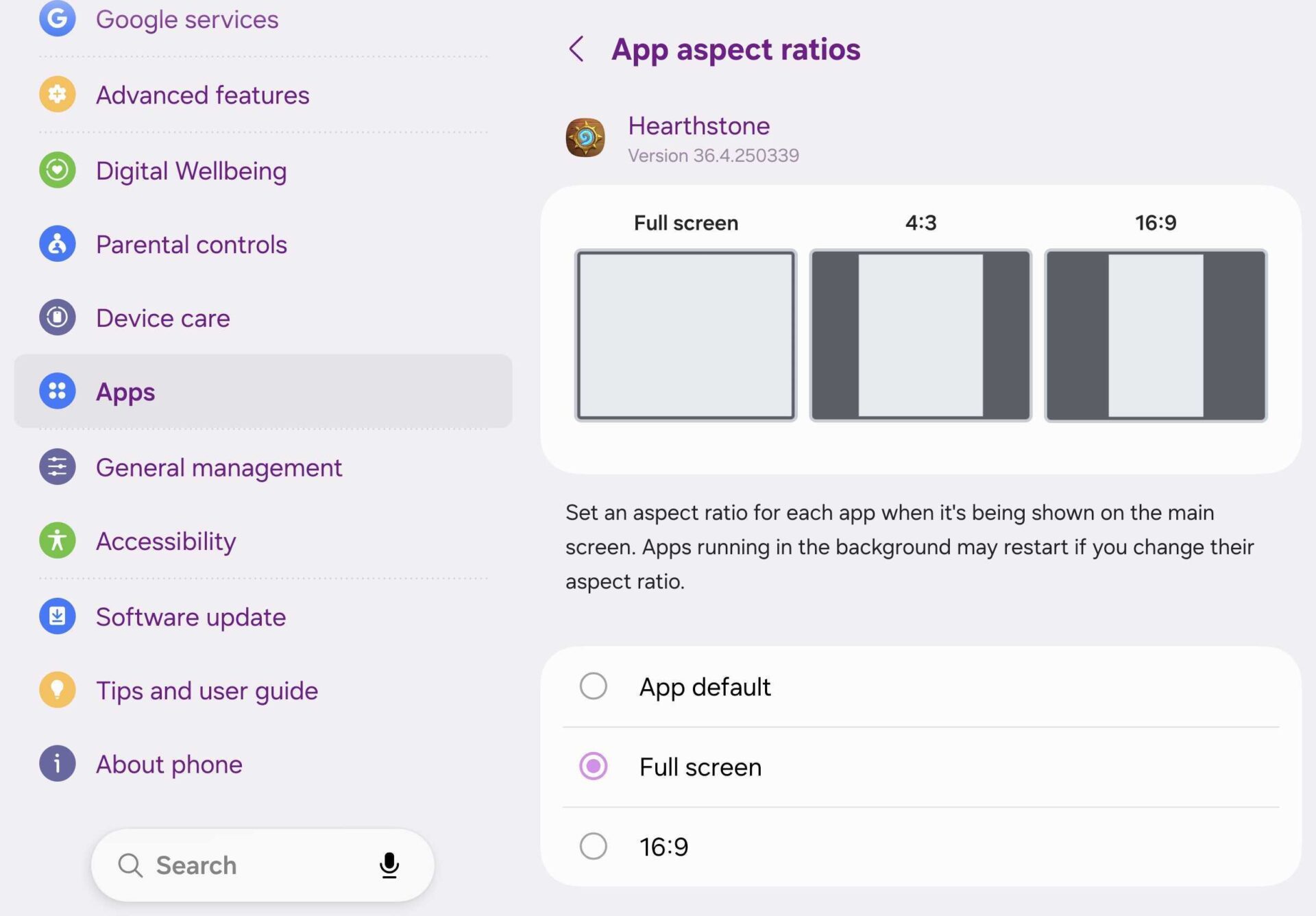
Feel free to test different configurations, as experimenting with these options can unlock surprising improvements across various apps. For a complete overview of software features, check out the latest One UI updates available for Samsung devices.
As an example, the popular digital collectible card game Hearthstone defaults to a 16:9 aspect ratio upon initial launch, forcing the software to run in smartphone UI mode even on the expansive inner display.
Switching the configuration from 16:9 to the Full Screen option causes the game to immediately transition into its native tablet and desktop user interface, offering a vastly superior experience on the Galaxy Z Fold 8.
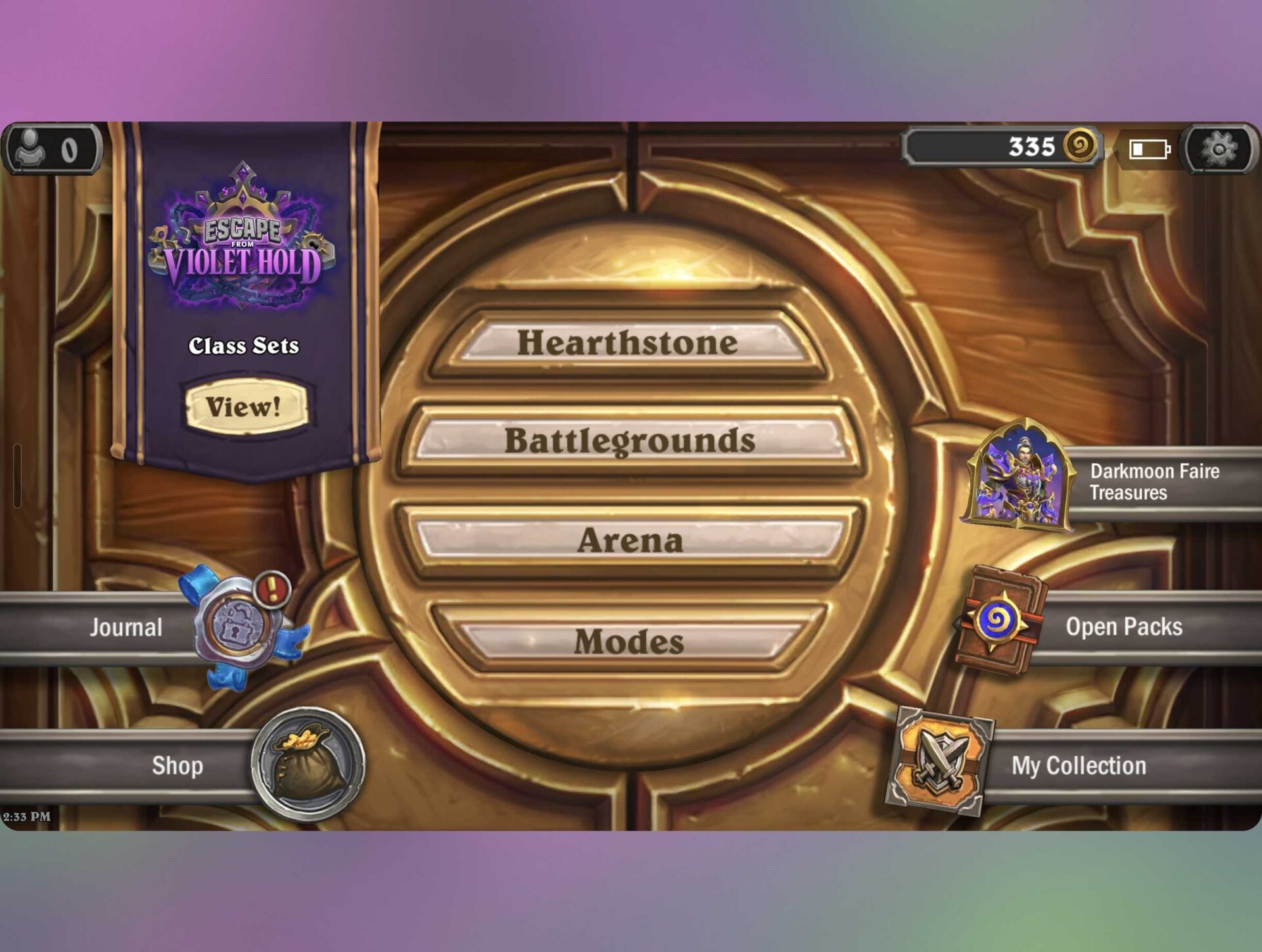
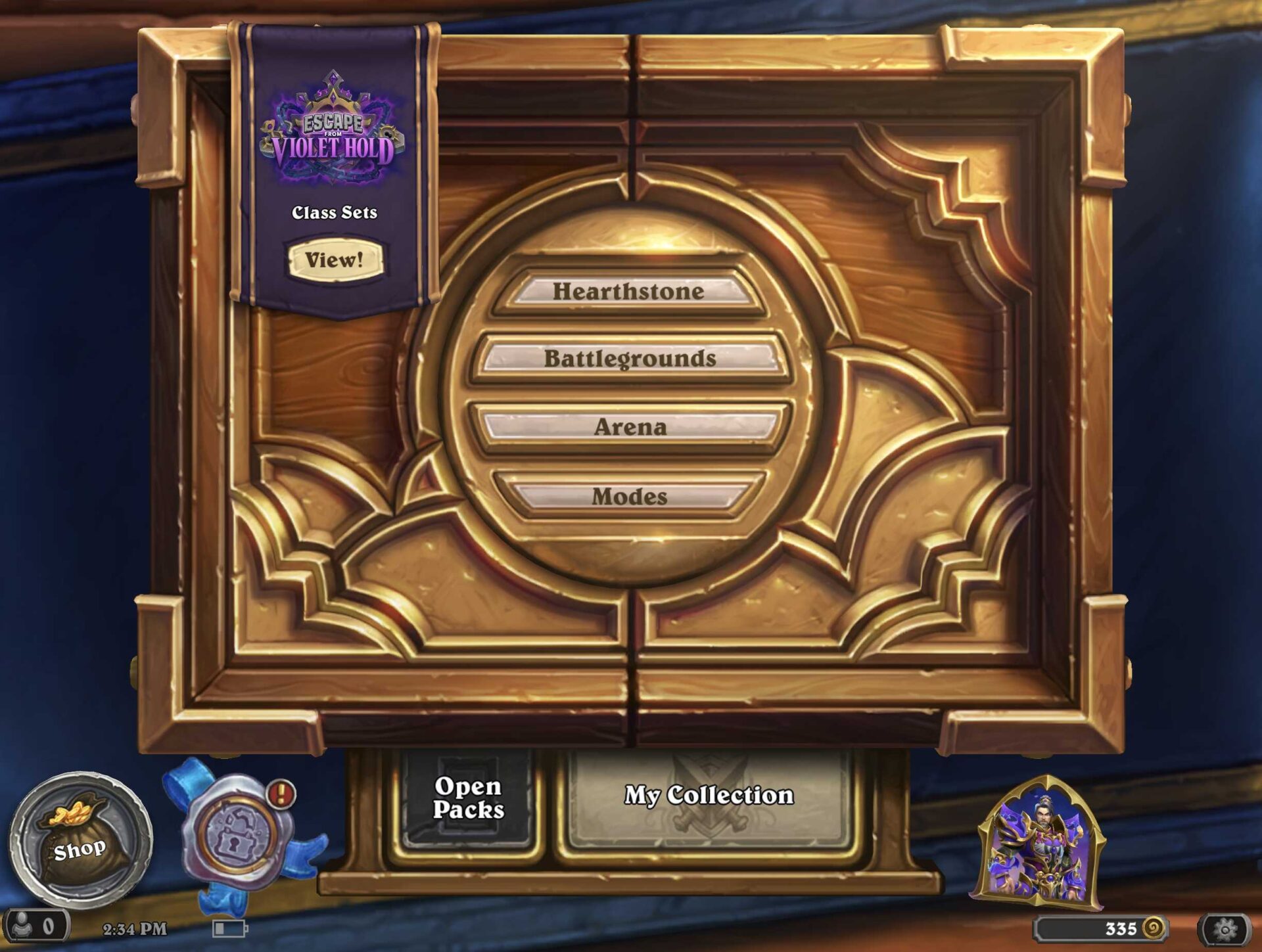
Naturally, different apps behave in unique ways, and many programs will automatically select a full-screen aspect ratio by default. However, whenever you encounter unexpected scaling hurdles, utilizing these hidden screen settings will help resolve them.
If you want to fine-tune other interface elements to complement the unique form factor of your device, you should explore our guide detailing UI zoom levels and potential display scaling mistakes when migrating data using Smart Switch.
Can I change aspect ratios for all apps on the Galaxy Z Fold 8?
Yes, you can customize the aspect ratio for individual apps through the settings menu when the device is unfolded, giving you full control over how each program utilizes the inner screen.
Why are aspect ratio settings hidden on the cover screen?
One UI restricts these advanced display and scaling configurations to the main inner screen because they are primarily designed to optimize tablet-class layouts on the larger folding display.
Does changing an app to full screen always improve the experience?
While games like Hearthstone benefit greatly by switching to tablet layouts, results vary by app. Some third-party applications may perform better when kept at standard aspect ratios depending on their developer optimization.
🔎 Mastering the hidden display and aspect ratio settings on your foldable device ensures you get the absolute most out of every application, transforming awkward mobile layouts into gorgeous tablet-grade experiences tailored specifically for the Galaxy Z Fold 8.
Post a Comment