
One UI 9 Simplifies Checking Galaxy Device Warranty Details
Samsung's latest firmware update brings a dedicated hub for tracking warranties, running device diagnostics, and estimating repair costs directly from the system settings.
Summary of Key Points
- ✨ A new Warranty and care section is now integrated natively into the One UI 9 Settings menu.
- ✨ The hub lets users check warranty expiration dates, monitor Samsung Care+ coverage status, and view linked devices.
- ✨ Built-in Bixby-powered diagnostics help troubleshoot hardware and performance issues instantly without manual web searches.
Streamlined Device Management With One UI 9
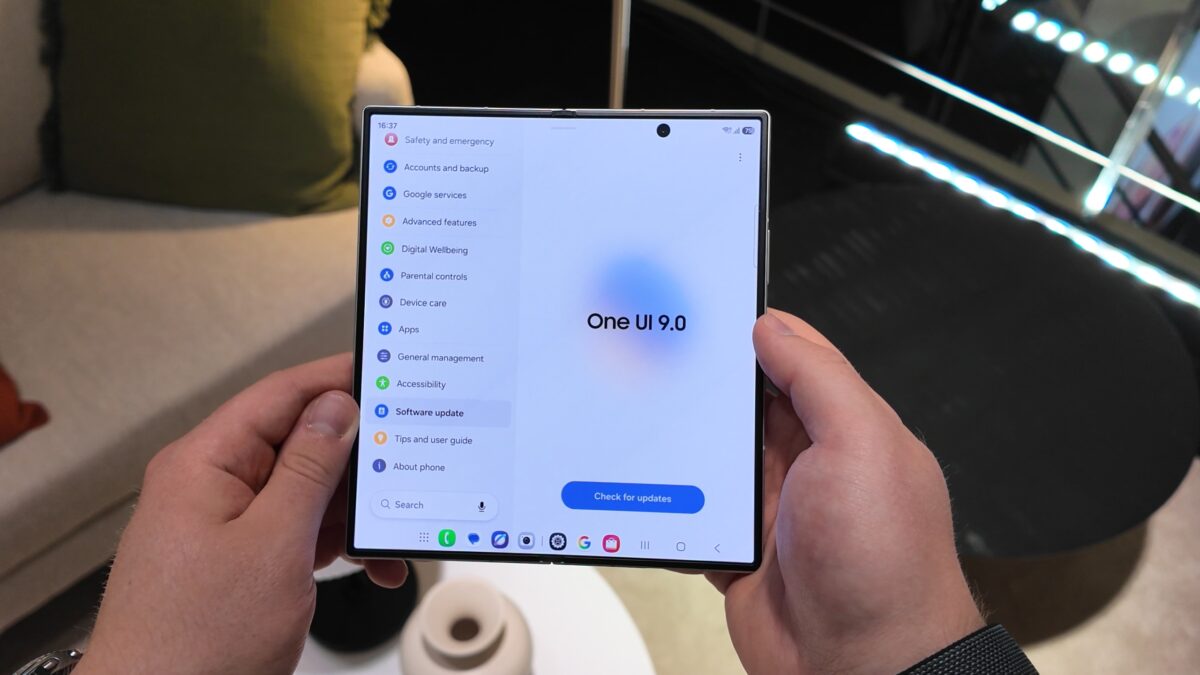
One UI 9.0, which officially debuted alongside the Galaxy Z Flip 8 and Galaxy Z Fold 8 series, introduces a major reorganization to the Android settings menu. By introducing a dedicated Warranty and care section, Samsung makes it significantly easier to manage your smartphone or tablet's lifecycle, check coverage, and troubleshoot problems.
The new menu sits directly within the main Settings application on any Galaxy device running One UI 9.0 or newer. It instantly shows your device's active warranty status, remaining coverage time, and whether it is protected under a Samsung Care+ subscription. Furthermore, users can purchase coverage extensions or check the warranty details of other connected Samsung account devices from one unified dashboard.

When encountering unexpected hardware behavior or performance slowdowns, the built-in Diagnostics tool helps pinpoint the exact root cause. Users can run hardware checks on components such as the battery health, charging efficiency, touchscreen responsiveness, physical sensors, network connectivity, security features, and data backup integrity.
Because the hub integrates deeply with Bixby, users can talk directly to Samsung's voice assistant regarding active device issues. Bixby provides tailored, step-by-step troubleshooting instructions automatically, eliminating the need to browse through external support forums.

If a physical repair becomes necessary, the interface allows users to schedule appointments at authorized service centers or launch remote support sessions instantly. It transparently calculates estimated repair costs for major parts, differentiating between standard pricing and covered rates under Samsung Care+.
At present, the Warranty and care feature is exclusively available on the Galaxy Z Flip 8, Galaxy Z Fold 8, and Galaxy Z Fold 8 Ultra. However, Samsung plans to expand this utility to older Galaxy devices through forthcoming software updates.
Can I check the warranty for multiple Samsung devices in One UI 9?
Yes, the new Warranty and care section allows you to view the coverage status of other registered Galaxy hardware linked to your active Samsung account.
Does Bixby require an internet connection to troubleshoot phone issues?
While basic diagnostics run locally on the hardware, Bixby utilizes cloud intelligence to fetch guided troubleshooting recommendations based on your diagnostic results.
Which models currently support the Warranty and care hub?
The feature is currently available out of the box on the Galaxy Z Flip 8, Galaxy Z Fold 8, and Galaxy Z Fold 8 Ultra running One UI 9.0.
Are repair estimates shown with Samsung Care+ discounts?
Yes, the system displays dynamic pricing structures that reflect your current subscription tier, clearly outlining out-of-pocket costs versus covered repairs.
🔎 Ultimately, the introduction of the Warranty and care hub in One UI 9 marks a significant improvement in user-friendly device maintenance. By combining diagnostics, warranty tracking, Bixby assistance, and repair ticketing into one central menu, Samsung makes managing and servicing ecosystem hardware much more seamless and transparent for everyday consumers.
Post a Comment