
Samsung One UI 9 Smart Switch Simplifies iPhone to Galaxy Transfers
Switching from an iPhone to a new Samsung Galaxy device has never been more seamless. Thanks to the latest updates introduced with Samsung's One UI 9, the Smart Switch application has received a massive overhaul, making wireless transfers easier, faster, and much more comprehensive than ever before.
- ✨ Samsung’s One UI 9 introduces an upgraded Smart Switch experience that allows iPhone and iPad users to complete wireless data transfers without needing any additional apps.
- ✨ The enhanced wireless transfer process now supports essential personal data such as passwords, passkeys, accessibility settings, and eSIM configurations.
- ✨ Users can effortlessly link their devices by scanning a simple QR code, bridging the gap between iOS and the Android ecosystem smoothly.
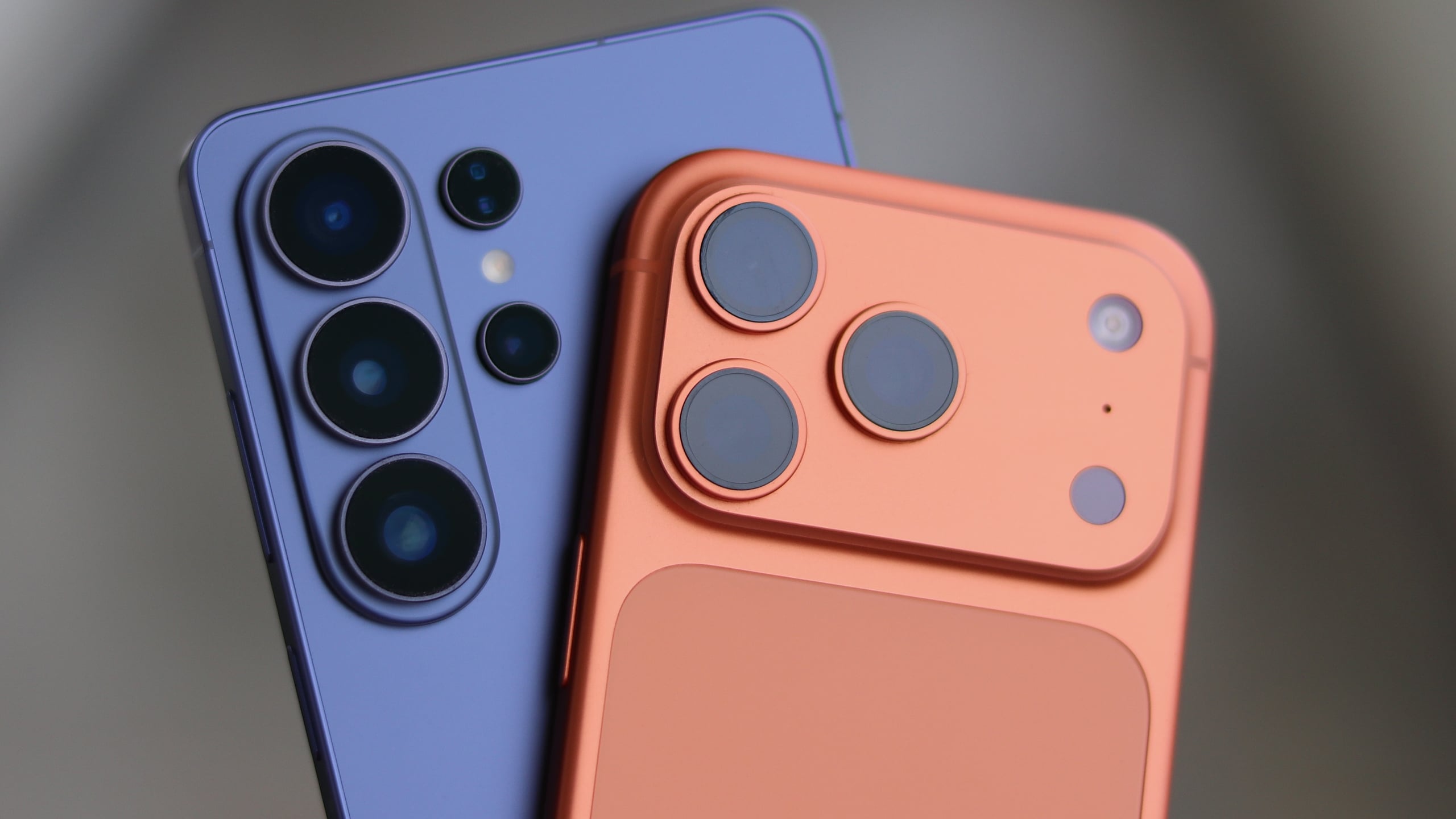
Article Summary: Planning to leave iOS behind for a brand-new Samsung Galaxy foldable? The integration of One UI 9 upgrades the Smart Switch tool, eliminating wired restrictions and allowing users to migrate everything from call histories to Wi-Fi networks wirelessly with zero friction.
What Makes the One UI 9 Smart Switch Upgrade Special?
Over the past year, Samsung and Google have successfully narrowed the gap between Android and iOS through innovative cross-platform capabilities. For example, Google found a workaround to make Quick Share compatible with AirDrop.
In a similar vein, the latest Galaxy foldable phones, announced alongside One UI 9, introduce an easier, upgraded way to transfer files and data from an iPhone or an iPad. Here is a closer look at how this revolutionary feature functions.
Effortless Wireless Data Migration
Whether you choose a wired or wireless connection no longer makes a difference in terms of what you can transfer. The wireless Smart Switch transfer process has been significantly upgraded. iPhone and iPad users can now wirelessly move all the data types that were previously restricted strictly to wired connections.
To top it all off, Apple users do not even need to install Samsung's application on their device to begin the process. It operates natively and the setup steps are straightforward:
- Launch Smart Switch on your Galaxy phone.
- Select Receive on this phone, followed by iPhone/iPad.
- Scan the displayed QR code using your iPhone camera.
- Select Transfer to Android on the iPhone and tap Continue.
- Scan the QR code once more to verify.
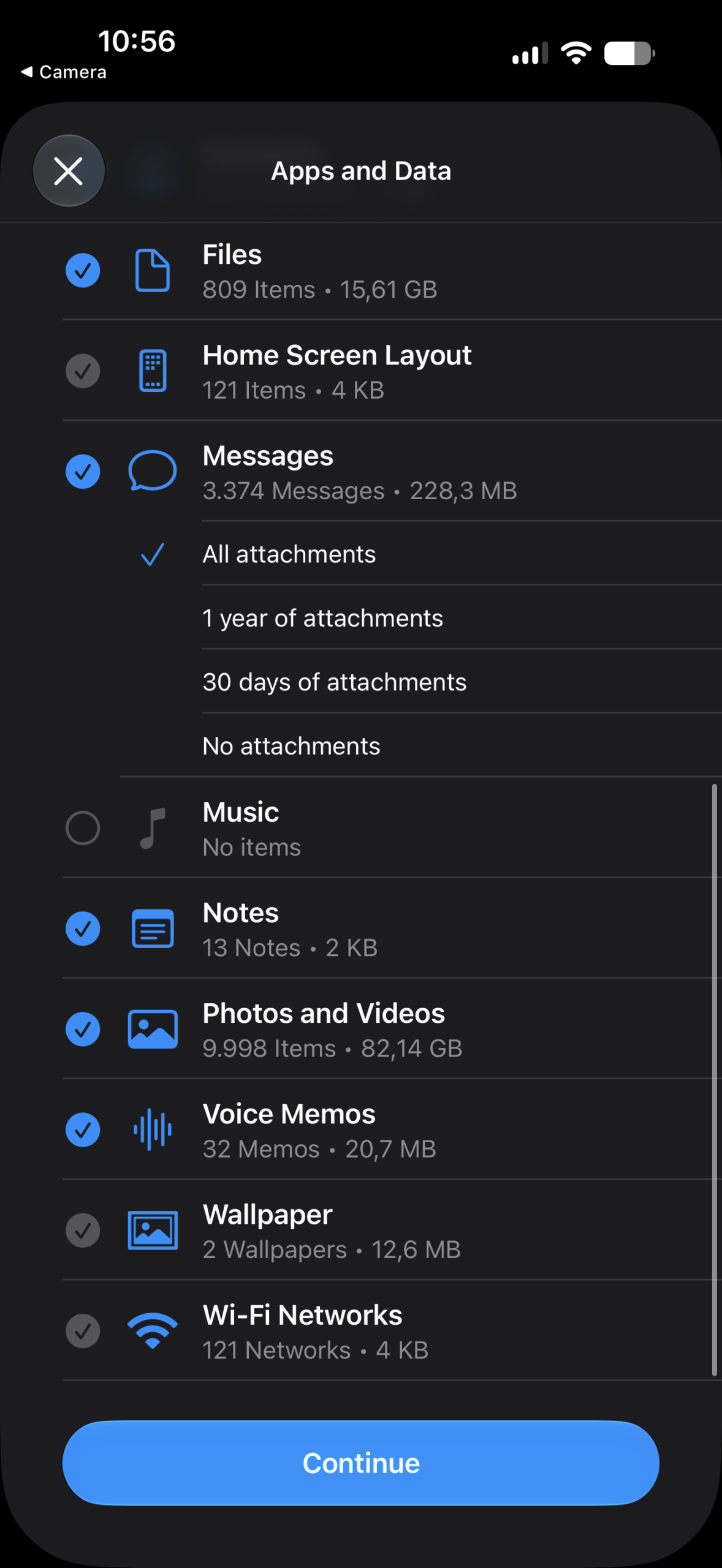
- Choose the specific files and data you want to import to your Galaxy device and follow the on-screen prompts.
Another massive enhancement is the inclusion of brand-new data categories that can now be successfully synchronized and migrated over a wireless link.
Comprehensive List of Supported Transfer Categories
Here is a comprehensive directory of everything you can transfer from your Apple device to the latest Galaxy hardware, even via a wireless connection. Newly supported items are indicated accordingly:
- NEW: Passwords and Passkeys
- NEW: Accessibility Settings
- NEW: Call History
- NEW: Wi-Fi Networks
- NEW: eSIM Profiles
- Applications
- App Data
- Alarms & Reminders
- Calendars
- Contacts
- Documents & Files
- Home Screen Layouts
- Messages (with customizable attachment handling)
- Music Libraries
- Notes
- Photos and Videos
- Voice Memos
- Wallpapers
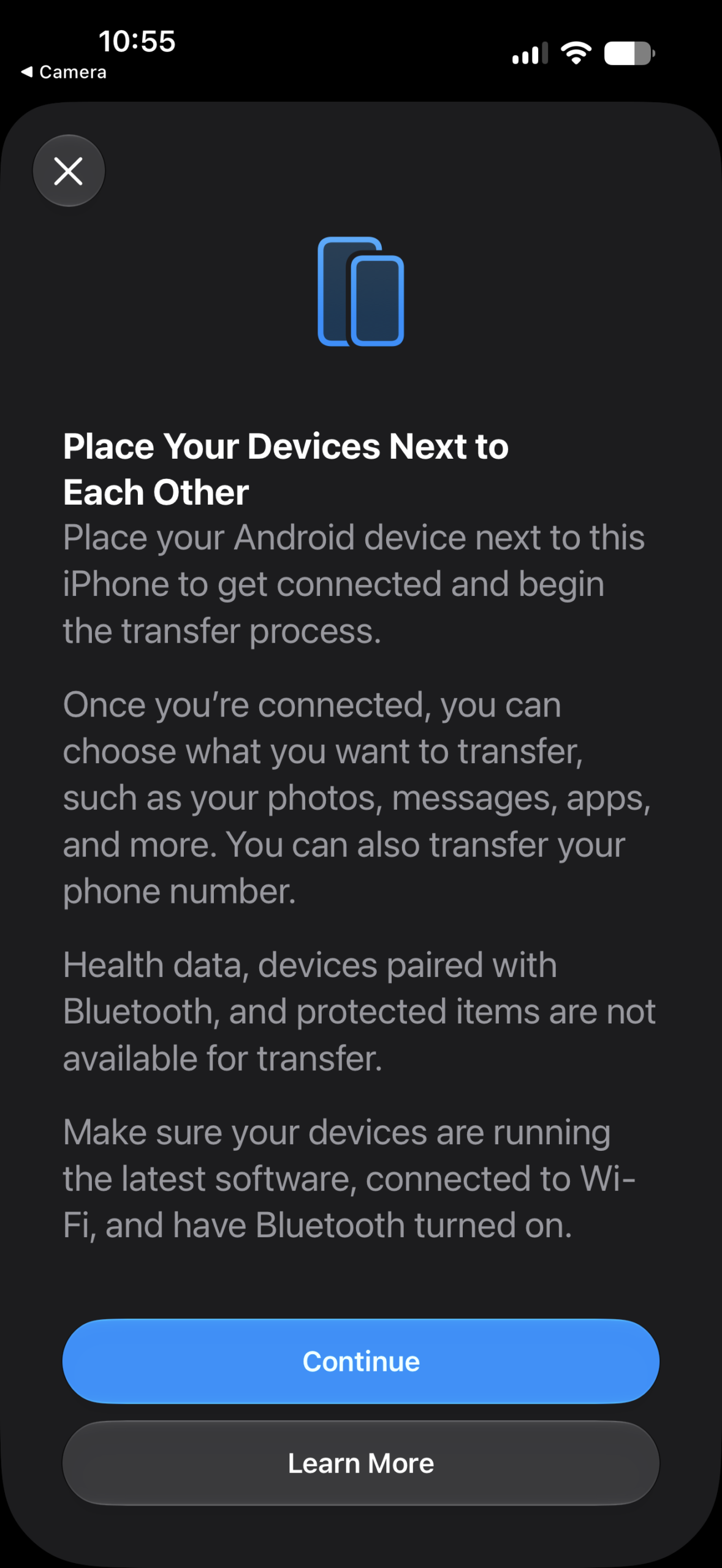
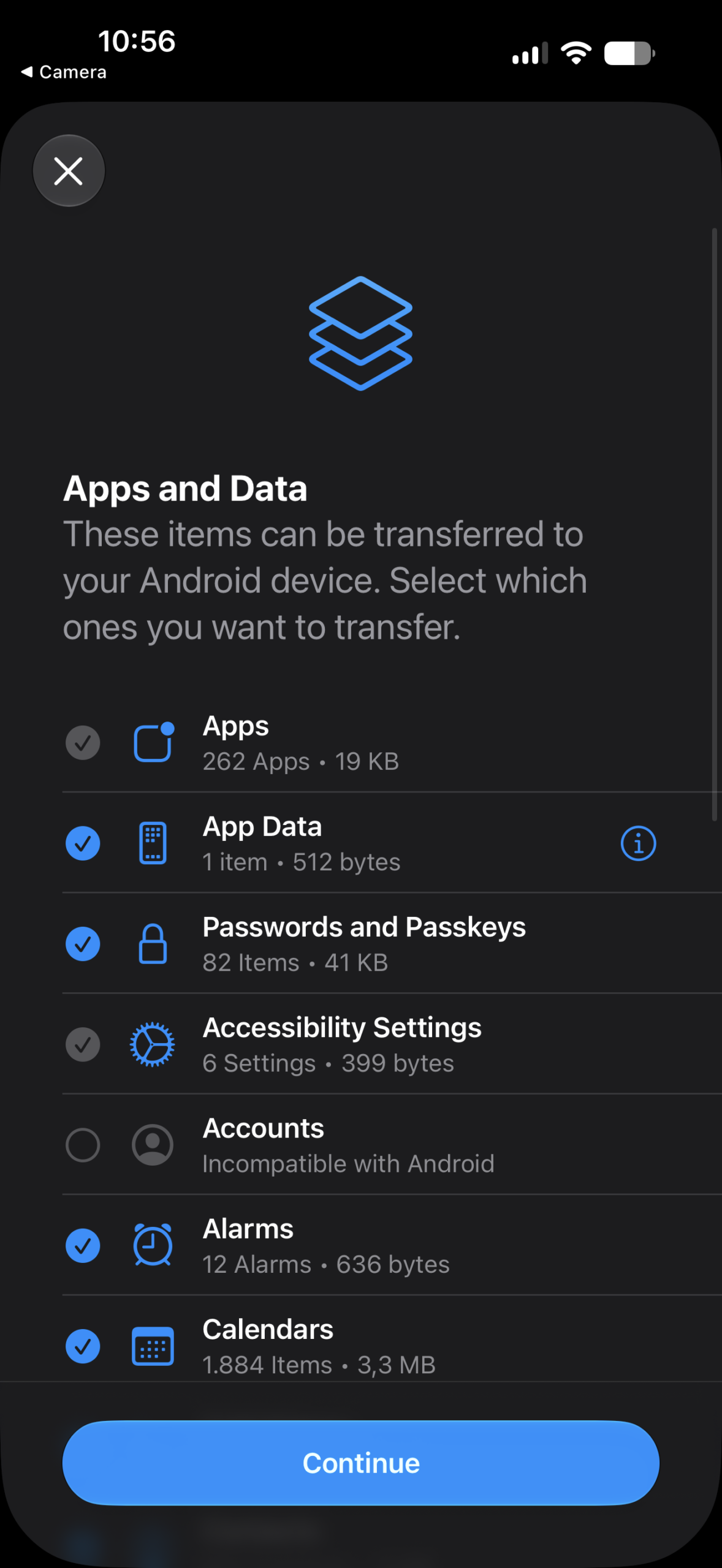
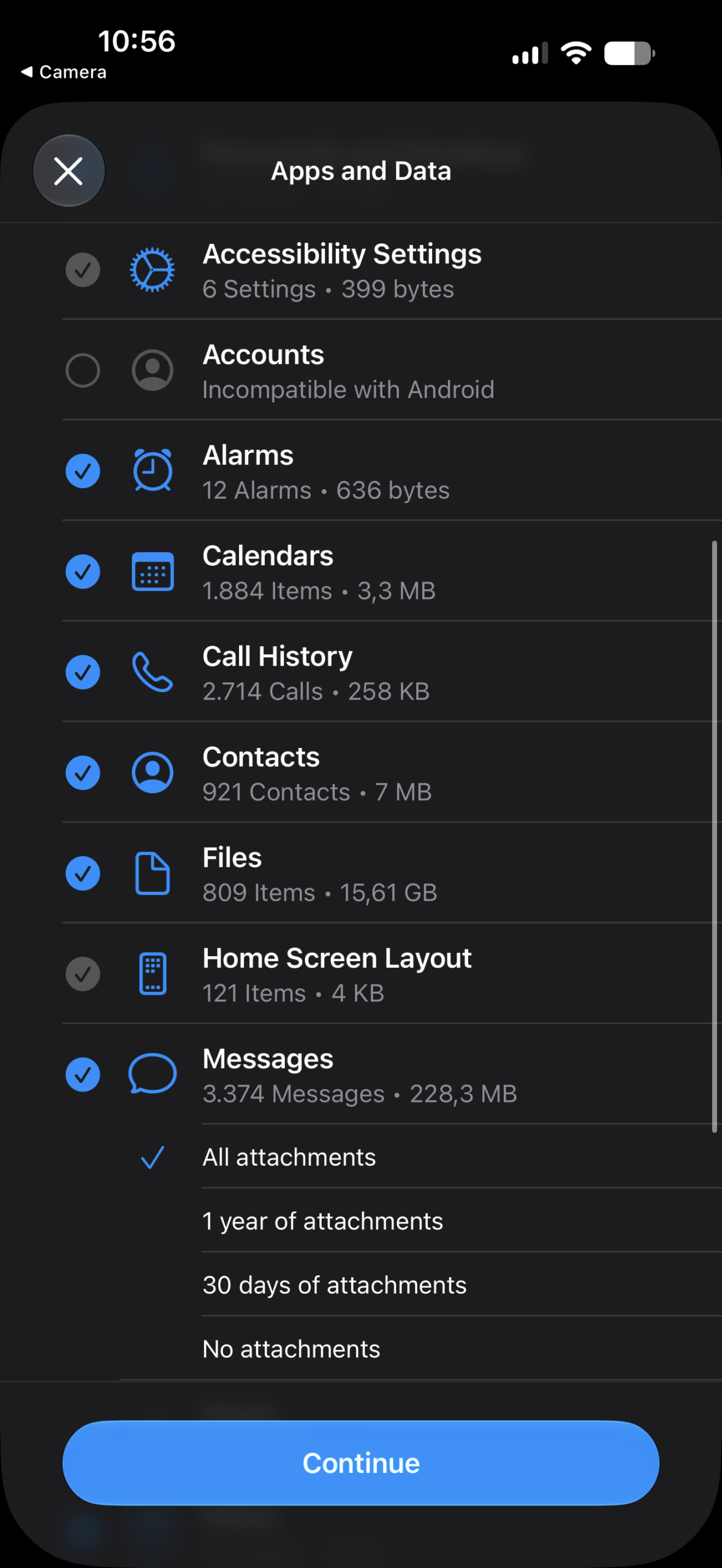
This upgraded Smart Switch experience forms an integral part of One UI 9, meaning it is currently available exclusively on Samsung's latest generation of foldable handsets.
Although the feature is temporarily missing from public beta builds on other smartphone lines, it is expected to reach a broader range of legacy and modern Galaxy devices once the software update completes its testing phase.
For Apple users, compatibility requires running iOS 26.6 or later on iPhones and iPads. No external companion software download is required on the iOS side to begin moving your personal items.
Do I need to install an app on my iPhone to use Smart Switch?
No, the upgraded Smart Switch feature in One UI 9 works natively without requiring you to download any third-party applications on your iOS device.
What new data types are supported wirelessly?
You can now wirelessly transfer sensitive data items that were previously restricted, including passwords, passkeys, Wi-Fi networks, call history, accessibility settings, and eSIM configurations.
Which iOS versions are compatible with this feature?
The updated transfer mechanism is supported on iPhones and iPads running iOS 26.6 or later.
Are older Galaxy models getting this feature?
While it debuts on the latest foldables running One UI 9, Samsung plans to roll out the updated capabilities to more devices once the software exits its beta stages.
🔎 Ultimately, transitioning from an Apple device to a Samsung ecosystem has never been more straightforward or feature-rich. With versatile hardware options and streamlined wireless transfer protocols, jumping to Android offers a frictionless experience for users looking to explore new horizons.
Post a Comment