
Essential Features to Explore on Your New Samsung Galaxy S26 FE
The Galaxy S26 FE has officially hit the market, delivering many of the top-tier capabilities found in the standard Galaxy S26 series at a more accessible price point. Interestingly, it even holds a distinct advantage over the Galaxy S26, S26+, and S26 Ultra by running Android 17 and Samsung's One UI 9 straight out of the box.
- ✨ Discover how to isolate subjects in videos using the brand-new My FanCam feature powered by Galaxy AI.
- ✨ Create customized daily summaries with tailored prompts in Now Brief.
- ✨ Pin Samsung Finder and Google Search directly to the bottom of your home screen for instant access.
- ✨ Test out the Super Steady Horizontal Lock to keep your videos perfectly level during intense motion.
- ✨ Completely personalize your Quick Panel layout with flexible resizing and placement options.
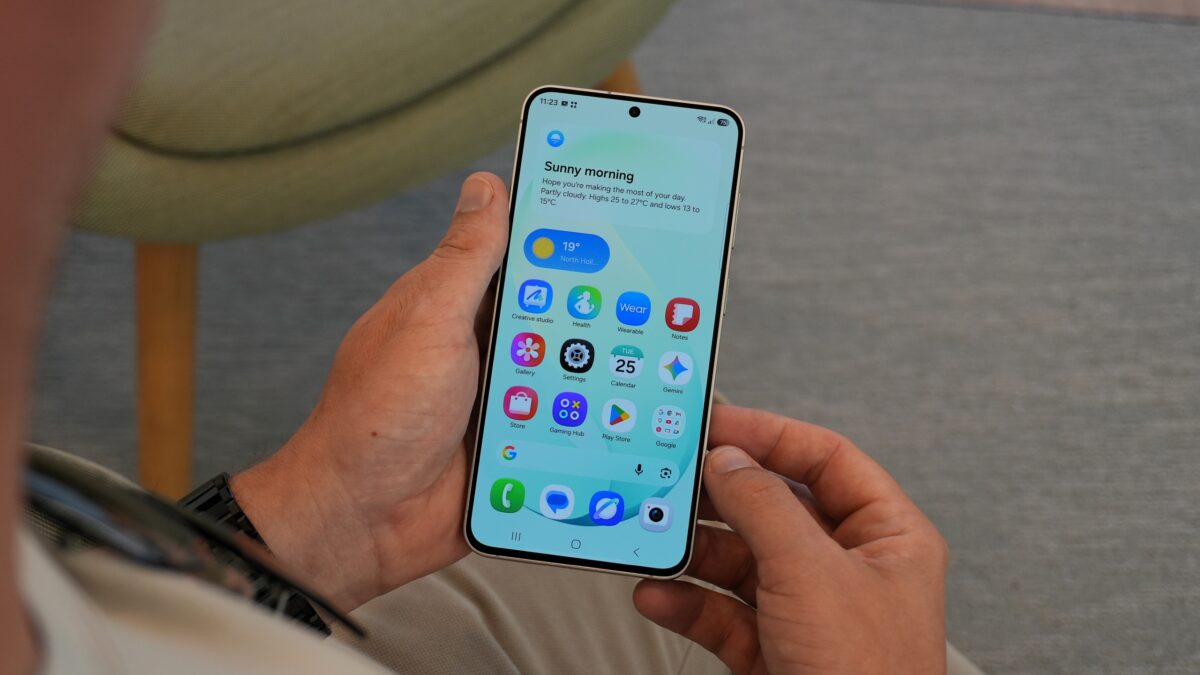
Whether you are a seasoned Galaxy veteran or switching over to Samsung for the very first time, here are five incredible features worth trying on your brand-new Galaxy S26 FE.
Turn a group video into your own FanCam
Imagine recording a video featuring multiple people at a live concert or a bustling public event. My FanCam allows you to single out a specific individual and generate a cleanly cropped version that tracks their movement automatically. Galaxy AI keeps your selected person dead center as they move around, smoothly cutting away everything outside of that custom frame.
Unlike the standard Auto Framing tool found within the camera app—which tracks subjects while recording—My FanCam gives you the freedom to choose whom to follow long after the video file has been saved.
To test this feature out, open any video inside the Gallery app, tap the Galaxy AI icon, and select My FanCam. Pick your desired aspect ratio, then select and frame the exact person you wish to track.
If My FanCam encounters trouble locating anyone initially, simply drag the seek bar to a timestamp where subjects are clearly visible.
Tell Now Brief what you want to know
Now Brief delivers customized updates throughout your day utilizing relevant data pulled directly from your device. While Samsung supplies several predefined categories out of the box, they might not always highlight the exact information you are looking for.
One UI 9 introduces a dedicated Custom cards panel, enabling you to build up to three personalized information widgets. Available tracking categories include weather forecasts, health statistics, and curated video recommendations.
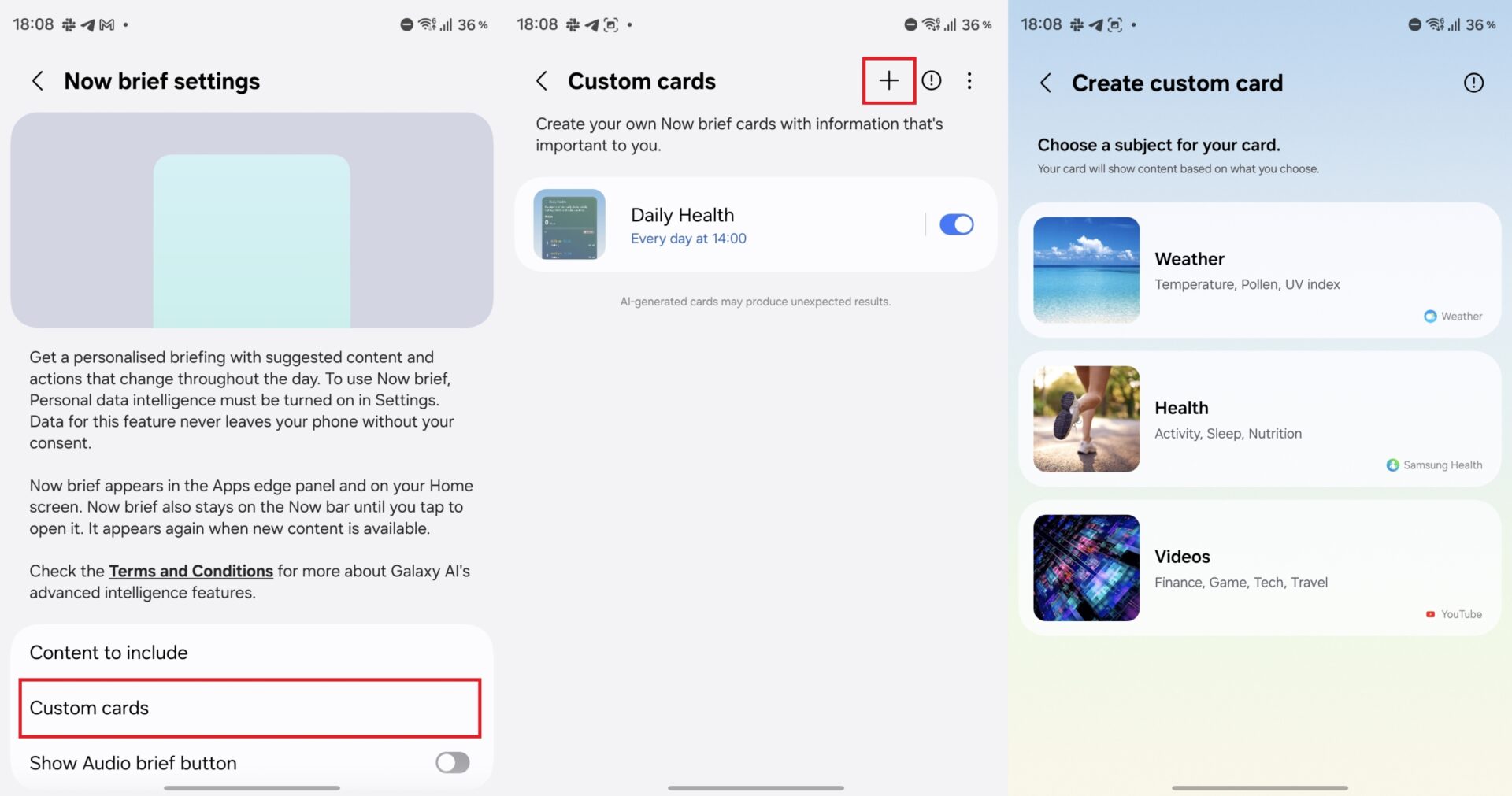
You can pick from several suggested prompts or write out your own custom request. For instance, you can type in “Show me my sleep and energy scores” and specify the exact time of day you want the card to display. Now Brief will instantly verify your prompt, construct a clean layout, and present a live preview of the finalized widget.
You can also configure custom cards to suggest videos focusing on a particular athlete, sports league, or hobby. Any user-generated card can be easily edited or deleted down the road.
Put Finder just one tap away
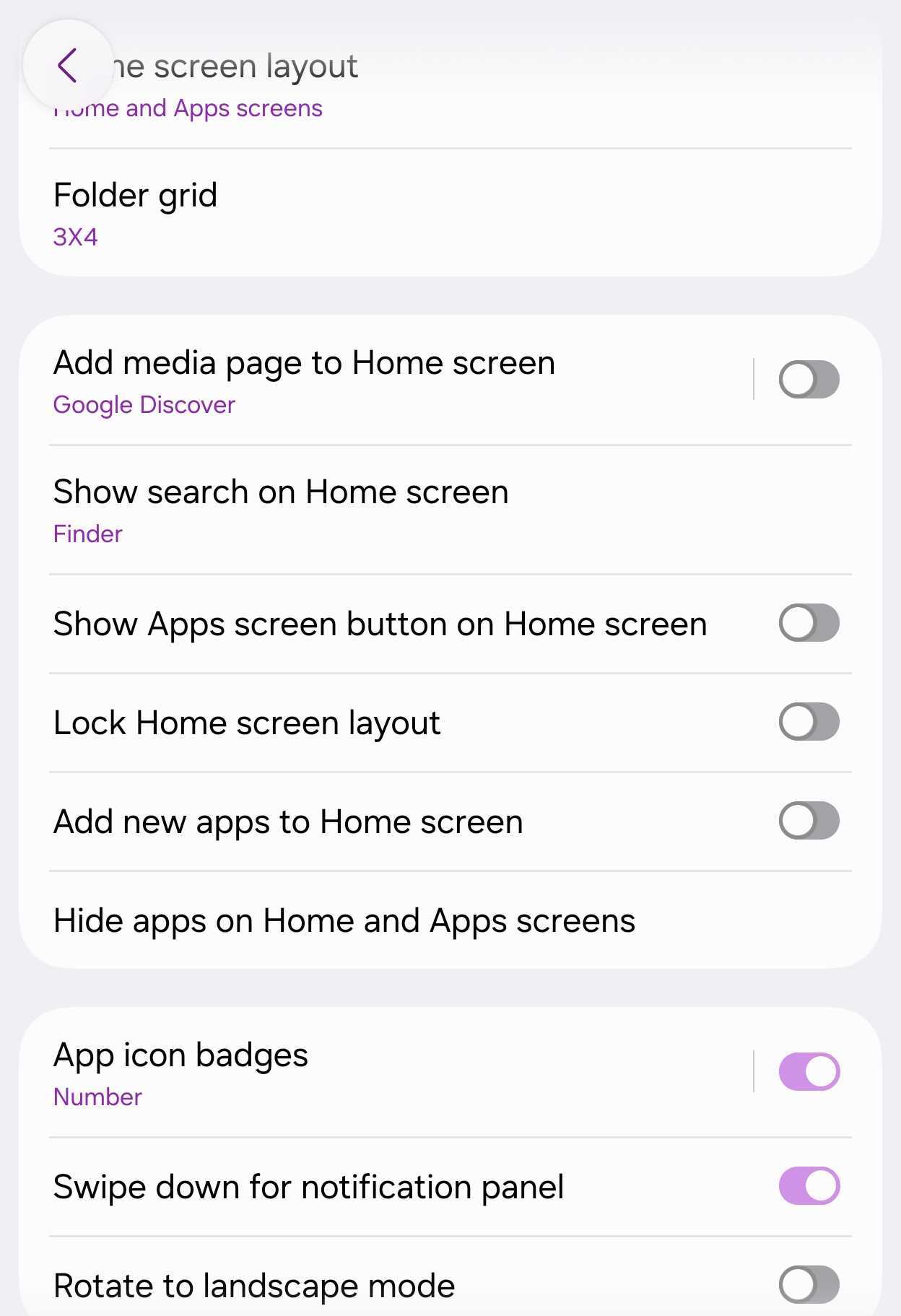
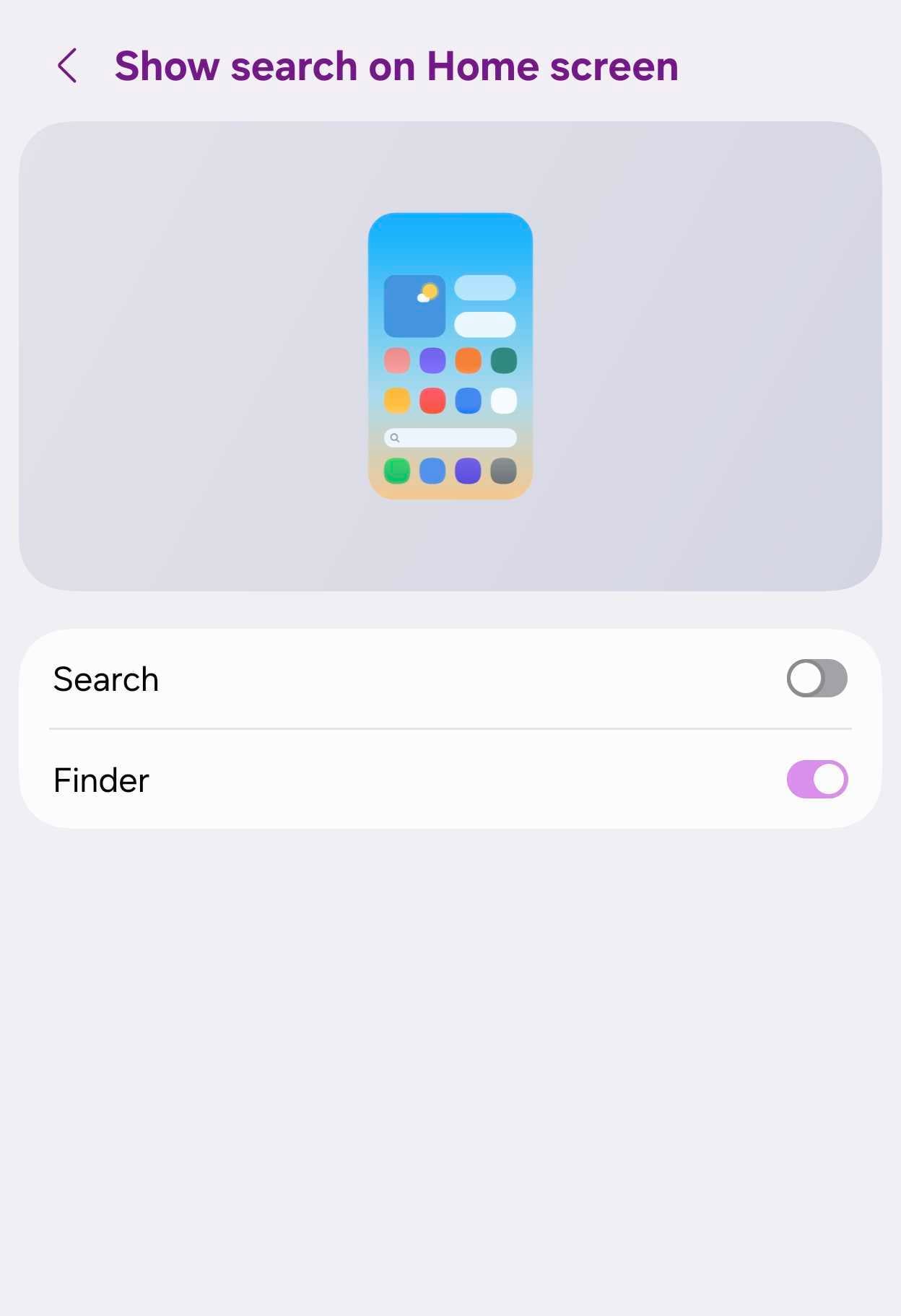
The Galaxy S26 FE can permanently display both Samsung Finder and Google Search right at the bottom of your home screen for ultimate accessibility.
Pinch your home screen, tap Settings, and choose Show search on Home screen. From here, you can toggle on Samsung Finder, Google Search, or both simultaneously.
Google Search offers swift access to the web, whereas Finder crawls through all stored local content on your handset. It can help you track down hidden apps, device settings, contacts, downloaded files, and even specific calendar appointments without needing to open the full app drawer.
Enabling both options lets you easily switch back and forth directly from the search bar interface. Disabling both reverts your view back to the standard home screen page indicator dots.
Try to defeat Horizontal Lock
The Galaxy S26 FE fully supports Super Steady video capture equipped with Horizontal Lock. This advanced utility leverages internal gyroscope and orientation sensors to lock the horizon in place, even if you aggressively tilt or fully rotate the phone while recording.
Launch the Camera application, switch over to Video mode, and press the running person-shaped Super Steady icon. Afterward, tap the secondary icon featuring a running figure intersected by a diagonal line to activate Horizontal Lock.
Once recording is underway, try turning your phone completely upside down or sideways. While the physical device will rotate in your hands, the actual video framing should remain remarkably level.
Horizontal Lock is exceptionally practical when filming fast-paced action sports, outdoor treks, or any thrilling scenario where keeping a steady hand is nearly impossible.
Design the Quick Panel your way
The Quick Panel layout in One UI offers deep customization depth, granting you total authority over its visual arrangement and utility arrangement.
Pull down the Quick Panel completely by swiping downward from the top-right corner of your display, then tap the pencil-shaped edit icon to enter customization mode.
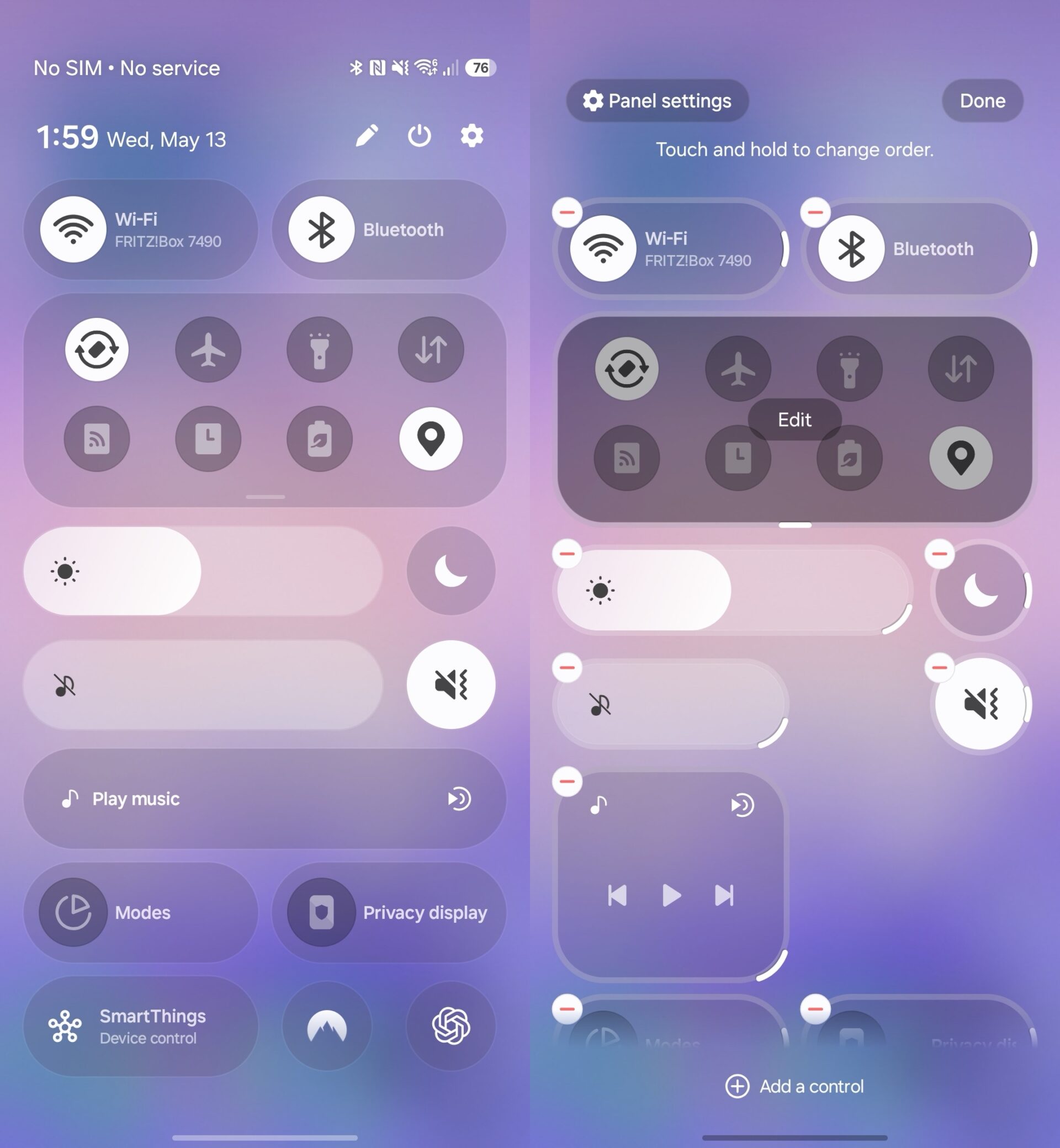
You are free to reposition toggles and widgets almost anywhere across the grid, strip away shortcuts you rarely utilize, and toggle brightness or volume controls between horizontal and vertical configurations. You can also adjust the physical size of individual sliders like display brightness, audio volume, and the media player module.
With so many configuration parameters available, you might want to spend a few minutes fine-tuning everything. Once completed, your most frequently accessed settings will always reside precisely where you expect them to be.
Does the Galaxy S26 FE run the latest version of One UI out of the box?
Yes, the Galaxy S26 FE arrives pre-installed with Android 17 and Samsung's One UI 9 directly out of the box, giving it a software advantage over earlier models in the family.
How does My FanCam differ from regular video tracking?
Unlike traditional Auto Framing which follows subjects while filming, My FanCam utilizes Galaxy AI to let you choose and crop a specific person to follow after the video has already been recorded and saved.
Can I customize the information shown in Now Brief?
Yes, One UI 9 introduces a custom cards section allowing you to create up to three personalized briefing cards using suggested presets or your own custom prompts.
What is the purpose of Horizontal Lock in video mode?
Horizontal Lock uses advanced device sensors to maintain a completely level horizon line in your recorded videos, even if you physically tilt or rotate the phone during recording.
Where can I find settings to enable home screen search bars?
You can easily activate permanent search bars by pinching your home screen, tapping Settings, and selecting the option to show search on the home screen.
🔎 Exploring these versatile features on your new Galaxy S26 FE ensures you get the absolute most out of Samsung's latest hardware and One UI 9 ecosystem enhancements from day one.
Post a Comment