
How One UI 9 Revolutionizes the Galaxy Z Flip 7 Cover Screen Experience
One UI 9 brings a massive wave of features and interface enhancements originally designed for the Galaxy Z Flip 8 over to the Galaxy Z Flip 7. Among the most exciting upgrades are the extensive improvements tailored specifically for the exterior display.
Quick Summary (TL;DR)
- ✨ One UI 9 turns the Galaxy Z Flip 7 cover screen into a fully functional mini home page, complete with a dedicated app drawer and recent apps view.
- ✨ Notification and quick settings gestures now match the main display, creating a seamless and consistent user experience.
- ✨ Users can now manage and add widgets directly from the outer display, saving valuable space with new compact shortcut cards.
The Cover Screen Now Features a True Home Display
One of the most noticeable updates happens the moment you unlock the cover screen. Previously, unlocking the device left you stranded on the unlocked lock screen. With One UI 9, the system directs you straight to a brand-new home screen featuring the Now Brief widget and quick shortcuts for your favorite applications.
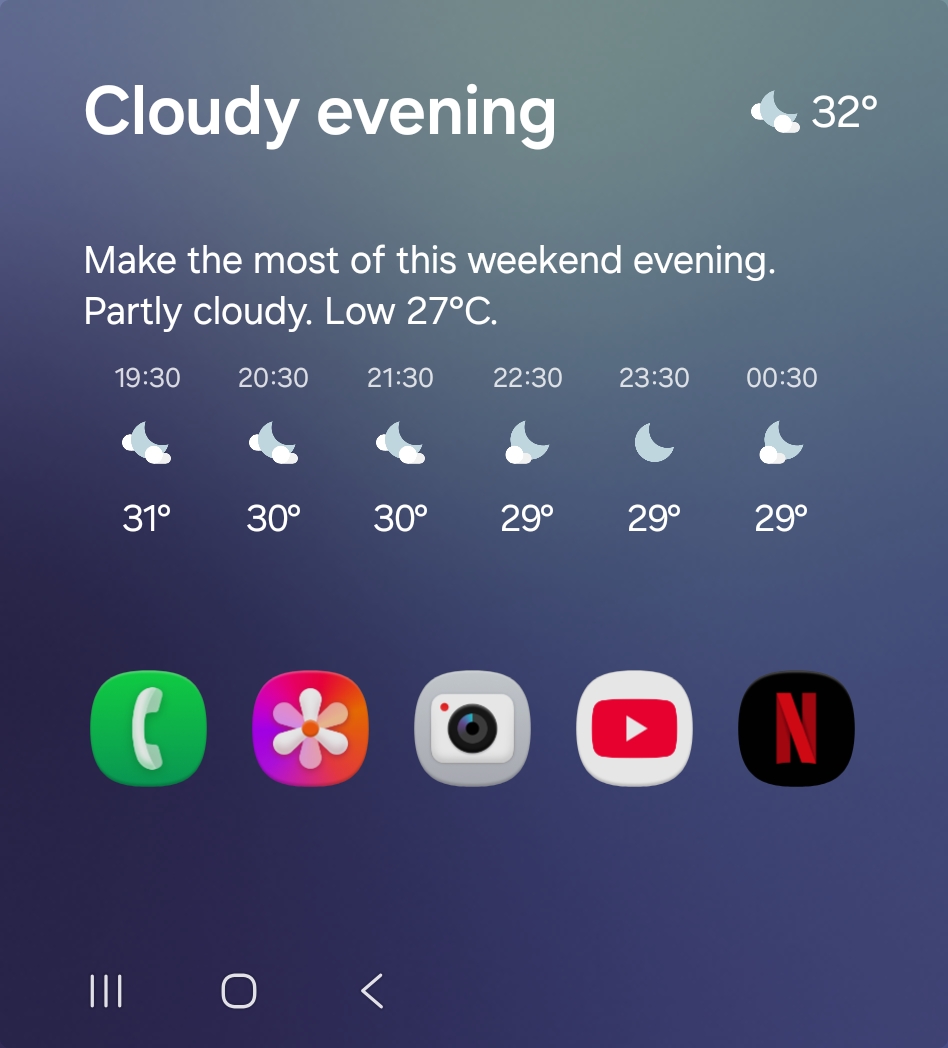
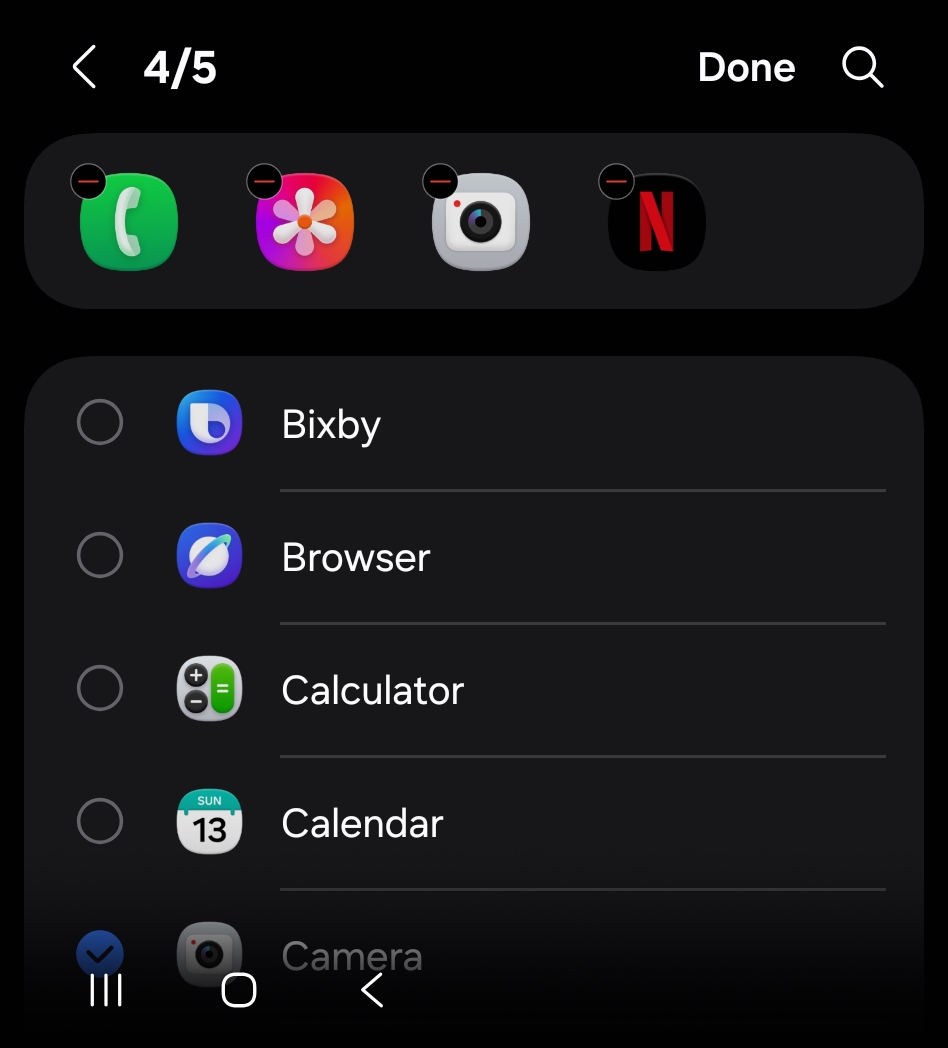
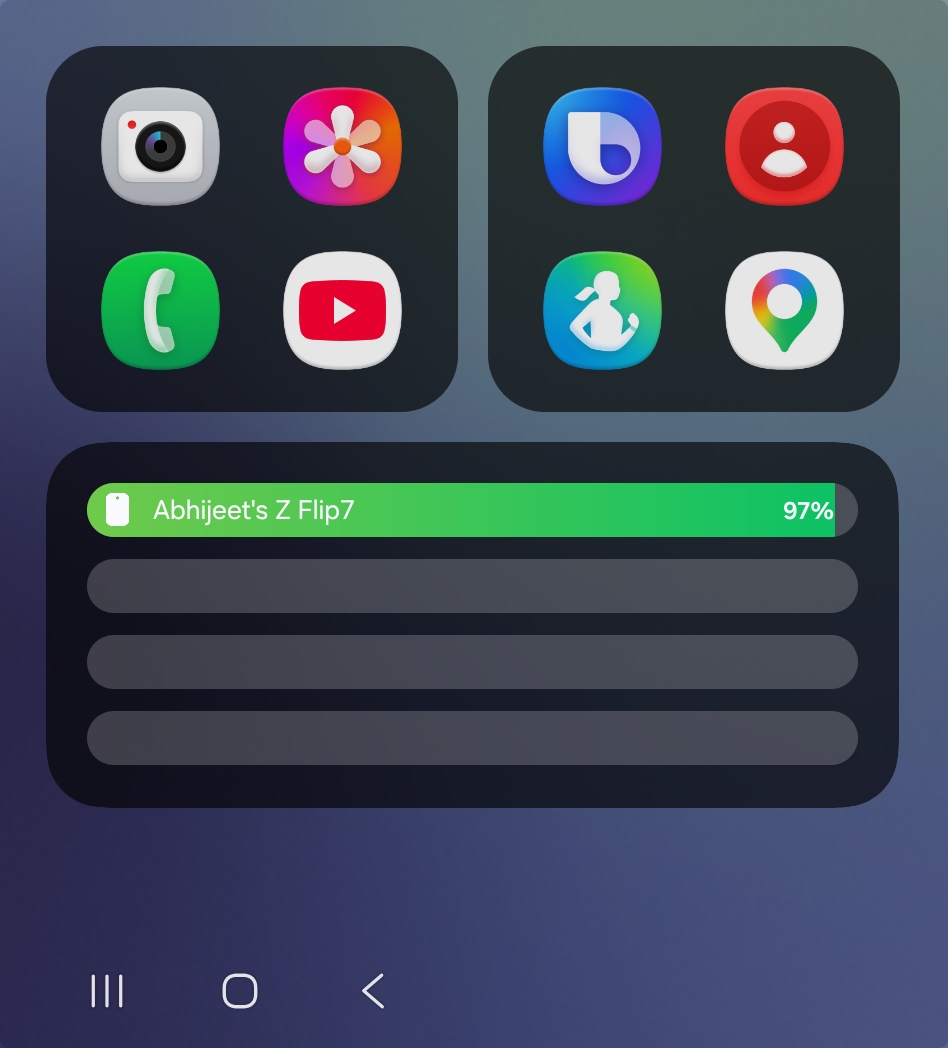
You can fully customize the five displayed app shortcuts, ensuring rapid access to the tools you utilize most frequently without needing to hunt through menus. If you prefer the legacy style, the new home screen can be easily toggled off to revert straight to your traditional widgets upon unlocking.
Consistent Navigation for Notifications and Quick Settings
Samsung has overhauled the gesture mechanics for checking alerts and toggling system controls. Prior software iterations required swiping right to view notifications. Now, you simply swipe down to reveal notifications, then swipe left to access the quick settings panel. Alternatively, swiping down from the upper right corner instantly triggers the quick panel.
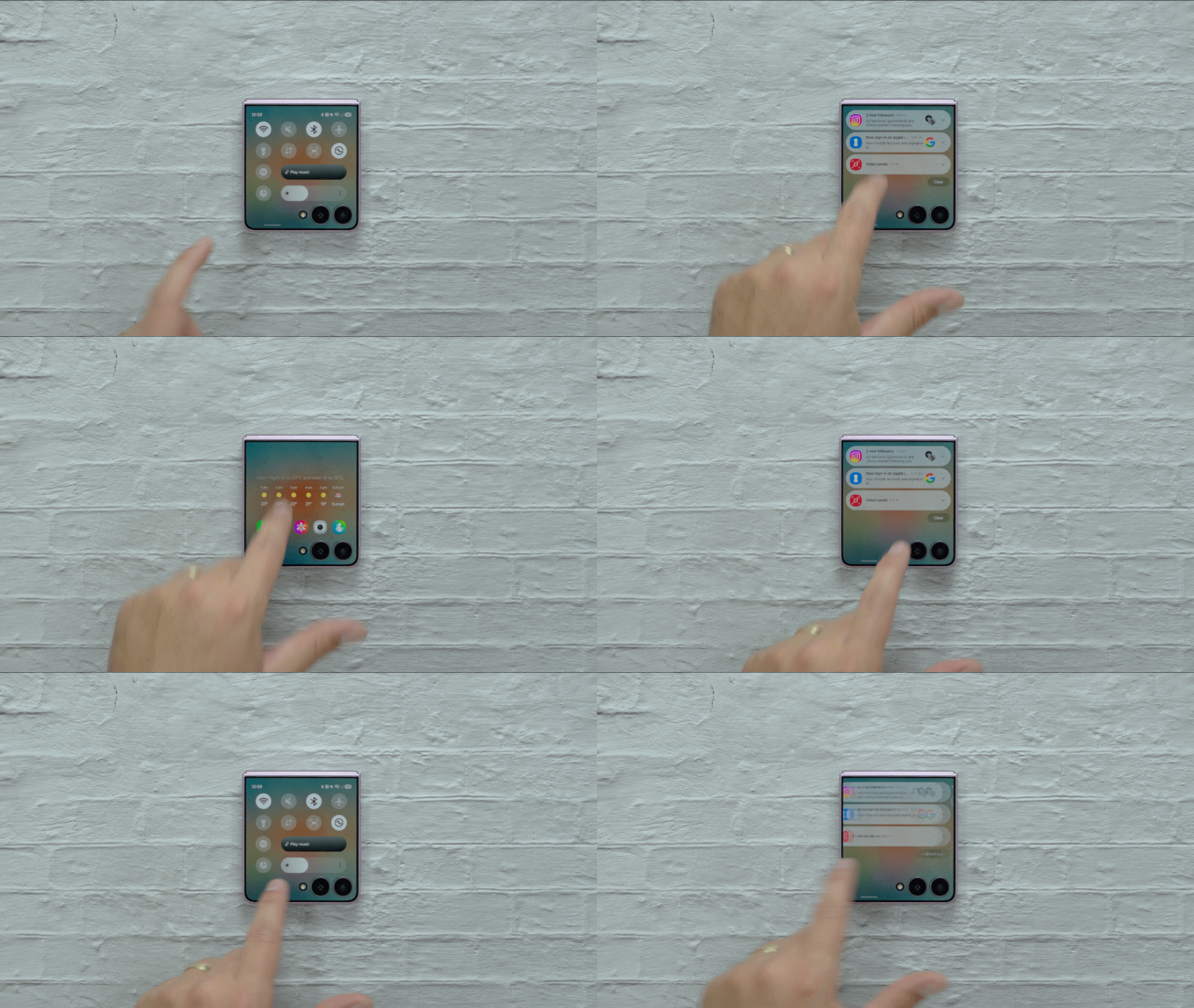
This layout mirrors the navigation scheme of the primary inner display, providing absolute workflow consistency across both screens.
Effortless App Discovery and Multitasking
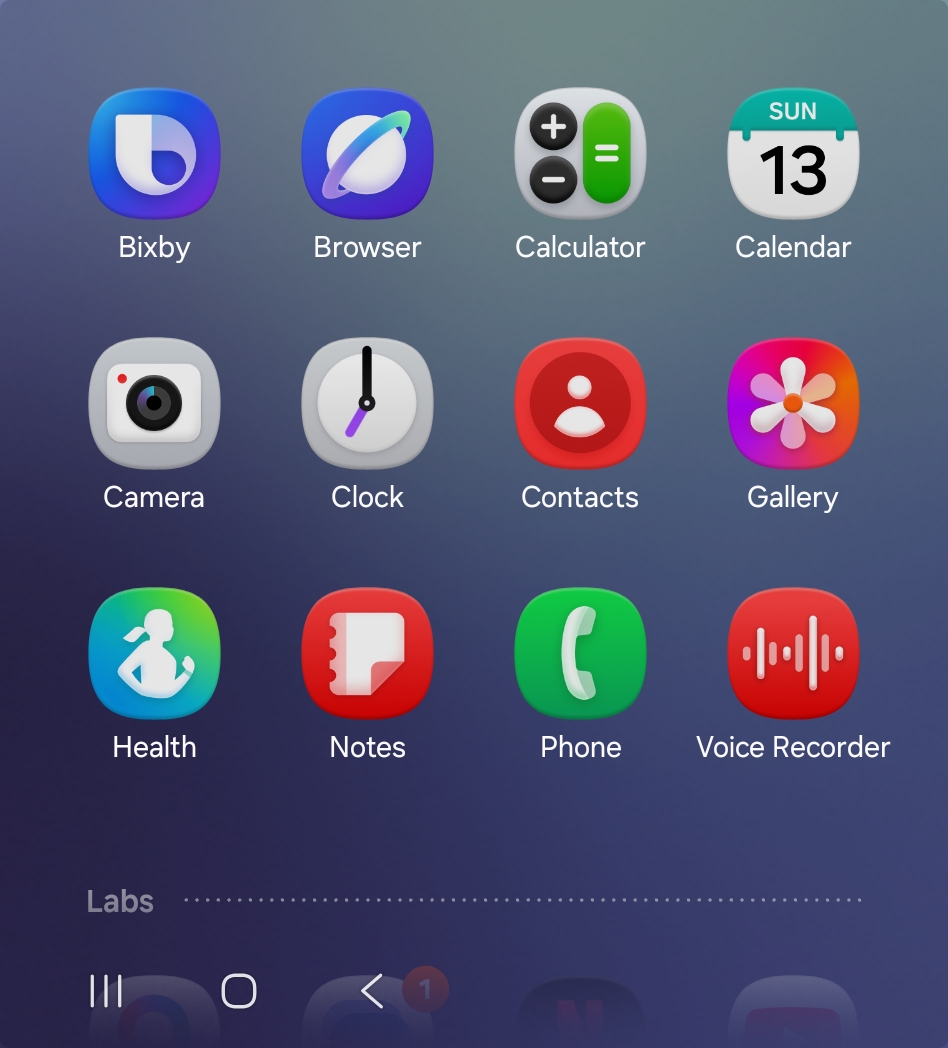
The update introduces a dedicated app drawer to the outer display, accessible via a simple upward swipe from the home interface. If you leverage Good Lock alongside the MultiStar module, all enabled third-party applications will seamlessly populate inside this drawer, with intelligent auto-resizing handling apps not natively optimized for smaller panels.
Furthermore, a newly introduced recent apps interface lets you switch between active programs instantly by tapping the recents key or performing a swipe-and-hold gesture, matching standard phone usage.
Advanced Widget Management On-the-Go
Managing your layout is vastly simpler now that widgets can be added directly from the cover screen without ever needing to unfold your device. Samsung has also expanded native widget support to include popular utilities like Bixby and Samsung Internet.
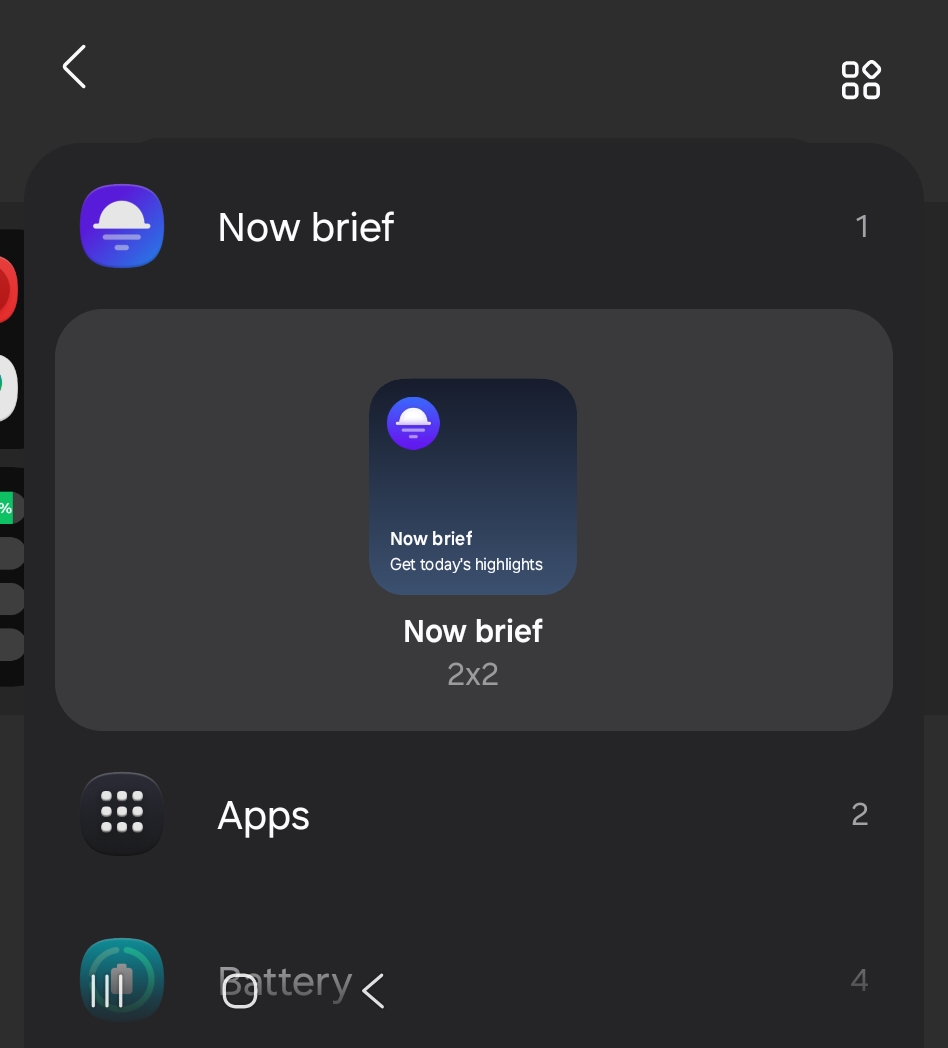
Shortcut icons are no longer forced to hog an entire display panel; instead, they can reside inside compact cards, freeing up remaining screen real estate for supplementary widgets.
Can I use any application on the Galaxy Z Flip 7 cover screen with One UI 9?
Yes, especially if you utilize Good Lock and the MultiStar module to force-enable unsupported applications, which will then appear neatly inside the new cover screen app drawer.
How do I open notifications on the cover screen after updating?
With One UI 9 installed, you simply swipe down on the cover screen to view your notifications, mirroring the interaction style found on the main interior display.
Is it possible to add widgets directly from the outer screen?
Absolutely. The latest firmware update allows you to configure, organize, and append new widgets straight from the cover screen without unfolding the device.
When will the stable One UI 9 update become available?
These features are currently accessible via the public beta program, with a broader stable rollout anticipated from Samsung in the near future.
🔎 Ultimately, while hardware dimensions remain identical, One UI 9 completely reinvents how users interact with their foldable device. By introducing an intuitive home screen, an accessible app drawer, recent task switching, and advanced widget capabilities, the Galaxy Z Flip 7 cover screen becomes a powerhouse of productivity and everyday convenience.
Post a Comment