
Comparing One UI 9 on the Galaxy S25 and Galaxy S26 Series: Key Differences Explained
Samsung’s One UI 9 update brings a multitude of shared improvements to both the Galaxy S25 and Galaxy S26 series. Users across both generations can enjoy brand-new Galaxy AI tools, expanded customization choices, and subtle tweaks to standard system apps and settings.
✨ Key Highlights
- ✨ One UI 9 delivers identical Galaxy AI capabilities, customization menus, and app enhancements to both Galaxy S25 and S26 devices.
- ✨ The S26 lineup maintains exclusive camera advantages, including advanced Pro video frame-rate configurations and 24MP shooting directly in standard Photo mode.
- ✨ While the Galaxy S25 FE skips Call Brief, it successfully receives Quick Share compatibility for Apple devices under the One UI 9 update.

Shared Galaxy AI Features and Daily Enhancements
Both device lineups inherit powerful Galaxy AI additions like My FanCam, Call Brief, and fully customizable Now Brief cards.
My FanCam allows you to take an existing video recording of a group of people and generate a cropped version that seamlessly tracks a single individual. You can designate who to track after the video has already been recorded, letting you test the feature on older clips stored inside your Gallery.
Call Brief surfaces relevant contextual information right during active phone calls, such as shared calendar events or the local time zone when dialing international phone numbers. While it won't appear on every single call, it conveniently eliminates the need to switch apps to look up basic details.
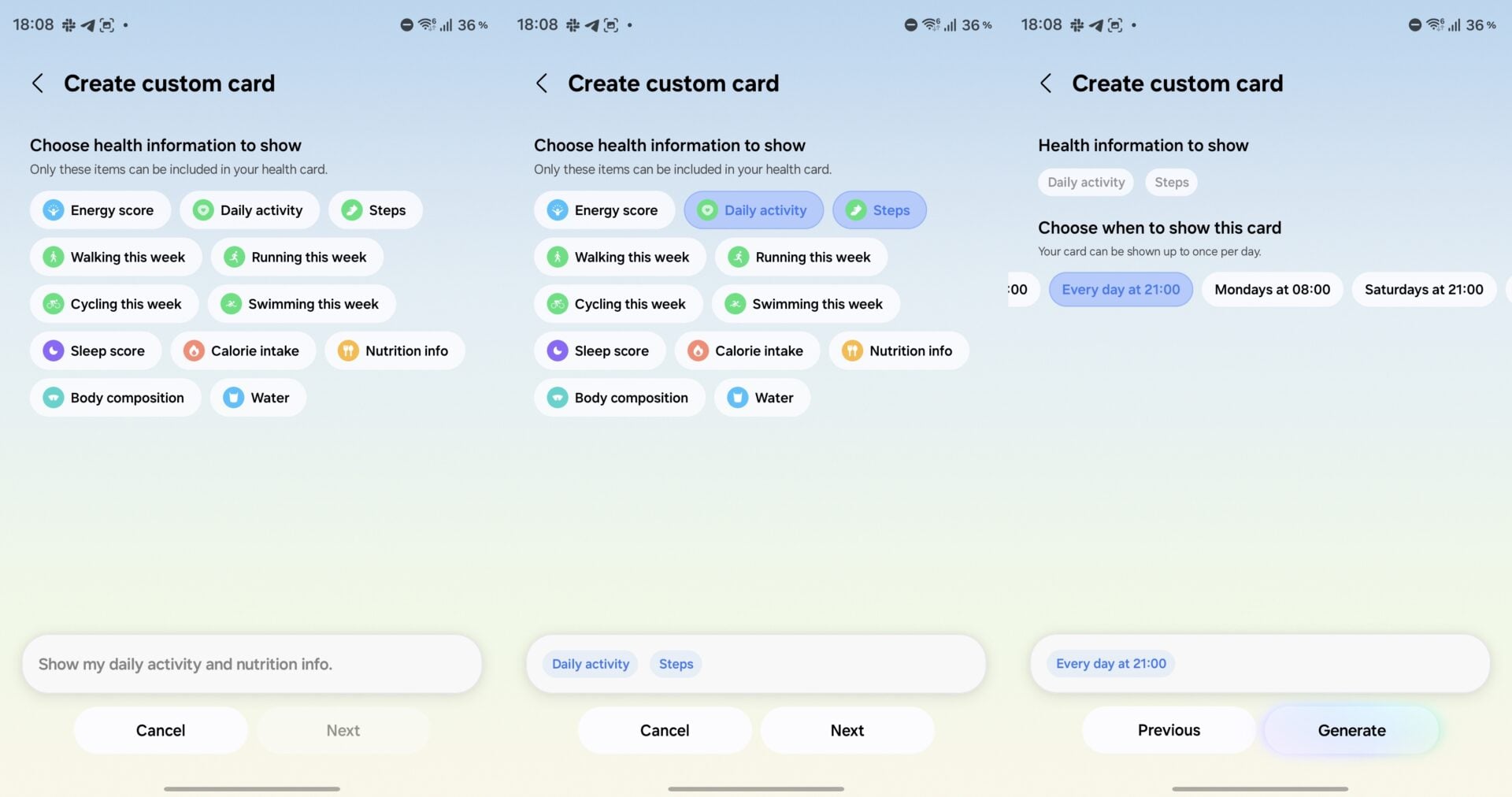
Custom Now Brief cards give you greater authority over your daily briefing schedules. You can select preferred updates for weather, fitness tracking, or video summaries, and determine exactly when these cards should pop up—such as a ready-to-view weather card first thing in the morning.
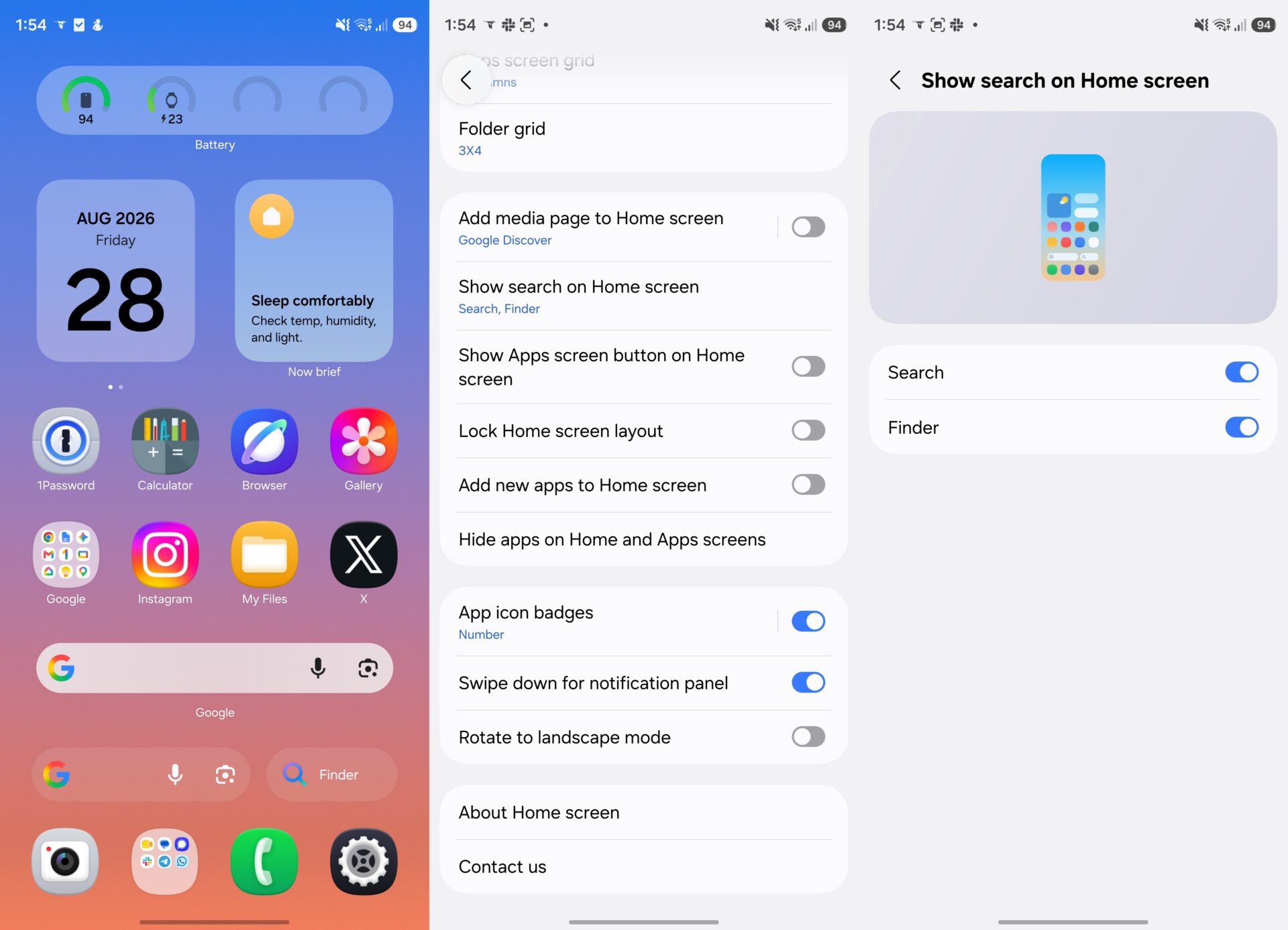
Home screen modifications match across both generations as well. You can integrate a dedicated Finder search bar straight onto your home screen to instantly find applications, settings files, and internal documents without opening the main app drawer.
Brand-new Bixby widgets offer a streamlined method to speak or type requests to Bixby while leaving Gemini assigned directly to the device's physical power button. Both lineups also gain deeper Quick Panel layout options, improved desktop multitasking within Samsung DeX, and a centralized Warranty and care menu for streamlined support.
Camera Feature Parity and Hardware Exclusives
One UI 9 introduces Super steady video stabilization paired with Horizontal Lock to the Galaxy S25 series, matching native capabilities already present on the S26 lineup. With Horizontal Lock active, your video footage remains perfectly level even if the phone is physically tilted or rotated mid-recording.
Both series also feature a fresh vertical split layout mode for dual-camera video recording, expanding beyond the standard picture-in-picture and side-by-side configurations found in older firmware versions.
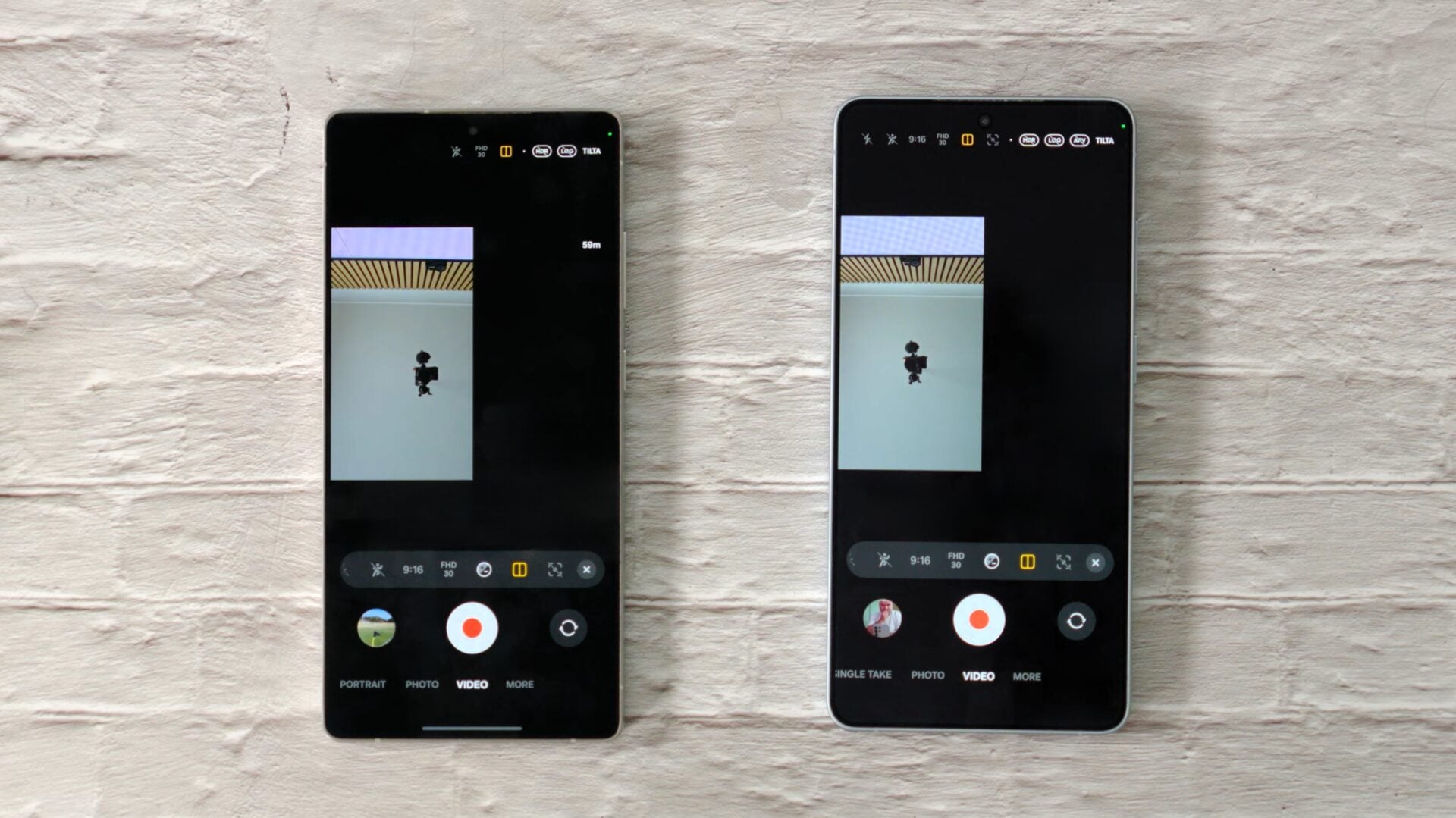
However, the Galaxy S26 series retains exclusive rights to select professional camera tools. For instance, it introduces a much broader array of distinct frame rates when shooting in Pro video mode.
At Full HD and UHD settings, the S26 family handles recording at 120, 60, 48, 30, 24, 100, 50, and 25 fps. By comparison, the S25 lineup caps out at 120, 60, 30, and 24 fps. In demanding 8K resolutions, the S26 hardware adds a dedicated 25 fps option alongside traditional 30 and 24 fps modes.
For photography enthusiasts, the S26 generation enables default 24MP capture directly inside the native Photo mode via Samsung's Camera Assistant utility—an option that remains absent on the Galaxy S25 models even following their transition to One UI 9.
What to Expect on the Galaxy S25 FE
The Galaxy S25 FE misses out on Call Brief functionality entirely. Interestingly, the Galaxy S26 FE also leaves this specific AI tool out despite shipping with One UI 9 out of the box.
On the bright side, One UI 9 introduces full cross-platform file sharing support to the S25 FE via Quick Share for Apple devices, letting users effortlessly transfer media files to iPhones, iPads, and Mac computers.
Do both the Galaxy S25 and S26 series receive the exact same One UI 9 update features?
While they share the vast majority of core Galaxy AI tools, interface layouts, and home screen customizations, the S26 series retains minor hardware-backed exclusives like advanced Pro video frame rates and native 24MP standard photo shooting.
Is My FanCam available on older recorded gallery videos?
Yes, My FanCam lets you select existing video clips stored in your Gallery and apply person-tracking crop effects after the recording has already finished.
Does the Galaxy S25 FE support Apple device file sharing after updating?
Yes, the One UI 9 update equips the Galaxy S25 FE with Quick Share capabilities compatible with Apple products like iPhones, iPads, and Macs.
Can I use Bixby and Gemini simultaneously on One UI 9?
Yes, new Bixby home screen widgets let you interact with Bixby easily while keeping Google Gemini bound directly to your phone's power key.
🔎 In summary, upgrading to One UI 9 brings a remarkably unified experience to both the Galaxy S25 and S26 families, ensuring older flagship users get nearly all modern AI utilities and visual enhancements. While the S26 series maintains a few fine-tuned hardware edges in camera flexibility, the update successfully bridges the generation gap for everyday mobile productivity.
Post a Comment