
Essential Features to Try After Updating Your Galaxy S24 to One UI 9
The rollout of the stable One UI 9 update has brought a wave of innovative tools and interface enhancements to Galaxy S24, S24+, S24 Ultra, and S24 FE users. While immediate visual adjustments like the redesigned Quick Panel will catch your eye right away, a variety of powerful capabilities require a quick dive into your settings or specialized applications to unlock their full potential.
- ✨ Discover how My FanCam uses advanced Galaxy AI to dynamically track individuals within your recorded memories.
- ✨ Fine-tune your workflow with customizable Now Brief cards, dedicated home-screen search bars, and comprehensive AI assistant activity tracking.
- ✨ Explore productivity and accessibility boosters like the interactive Samsung Notes Tape tool, Text spotlight, and Motion Assist for travel.
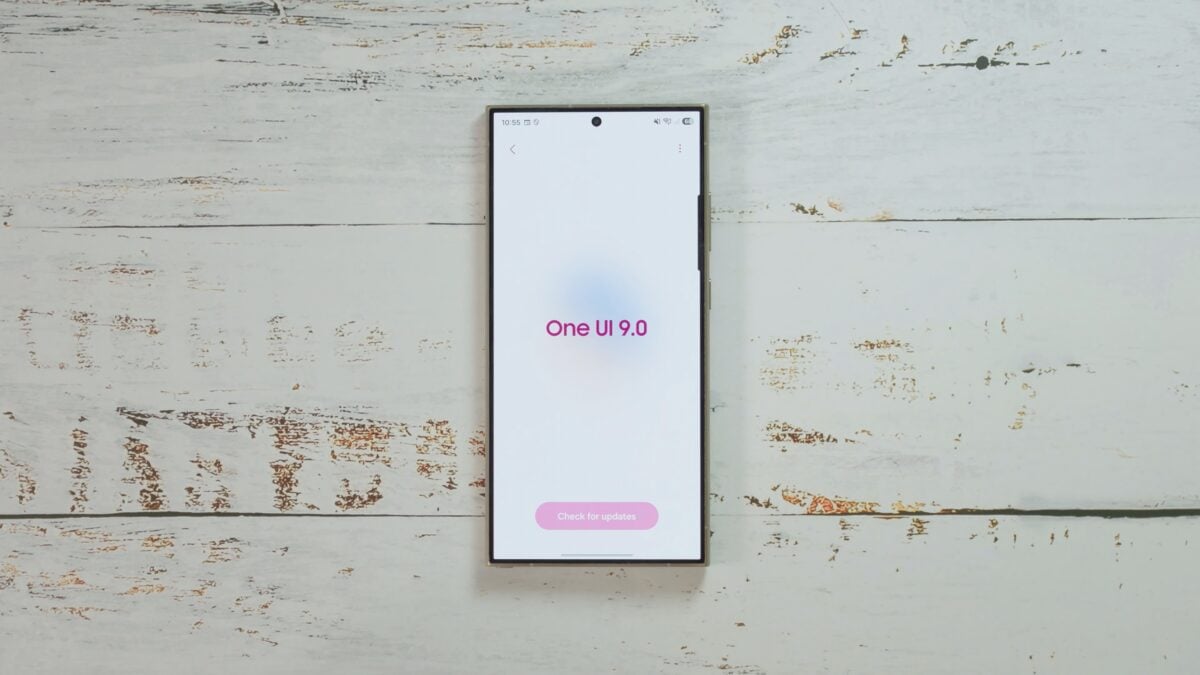
Give Someone Their Own FanCam
If you have captured memorable moments at concerts, school events, or family get-togethers, My FanCam offers a remarkable way to isolate and highlight a specific person. The tool automatically crops the video and smoothly adjusts the framing to follow your chosen subject as they move across the screen.
This feature is fully compatible with pre-existing video clips captured prior to your One UI 9 upgrade, allowing you to breathe new life into your personal archives.
Simply open any video file inside your Gallery, click the Galaxy AI badge, and choose My FanCam. Designate your target individual along with your preferred orientation and aspect ratio, then select Follow to process.
Should the system struggle to lock onto your subject immediately, simply scrub through the timeline to a clearer frame and reapply. Your final production can be exported as a brand-new copy while preserving your pristine source file untouched.
Customize the Quick Panel to Your Liking
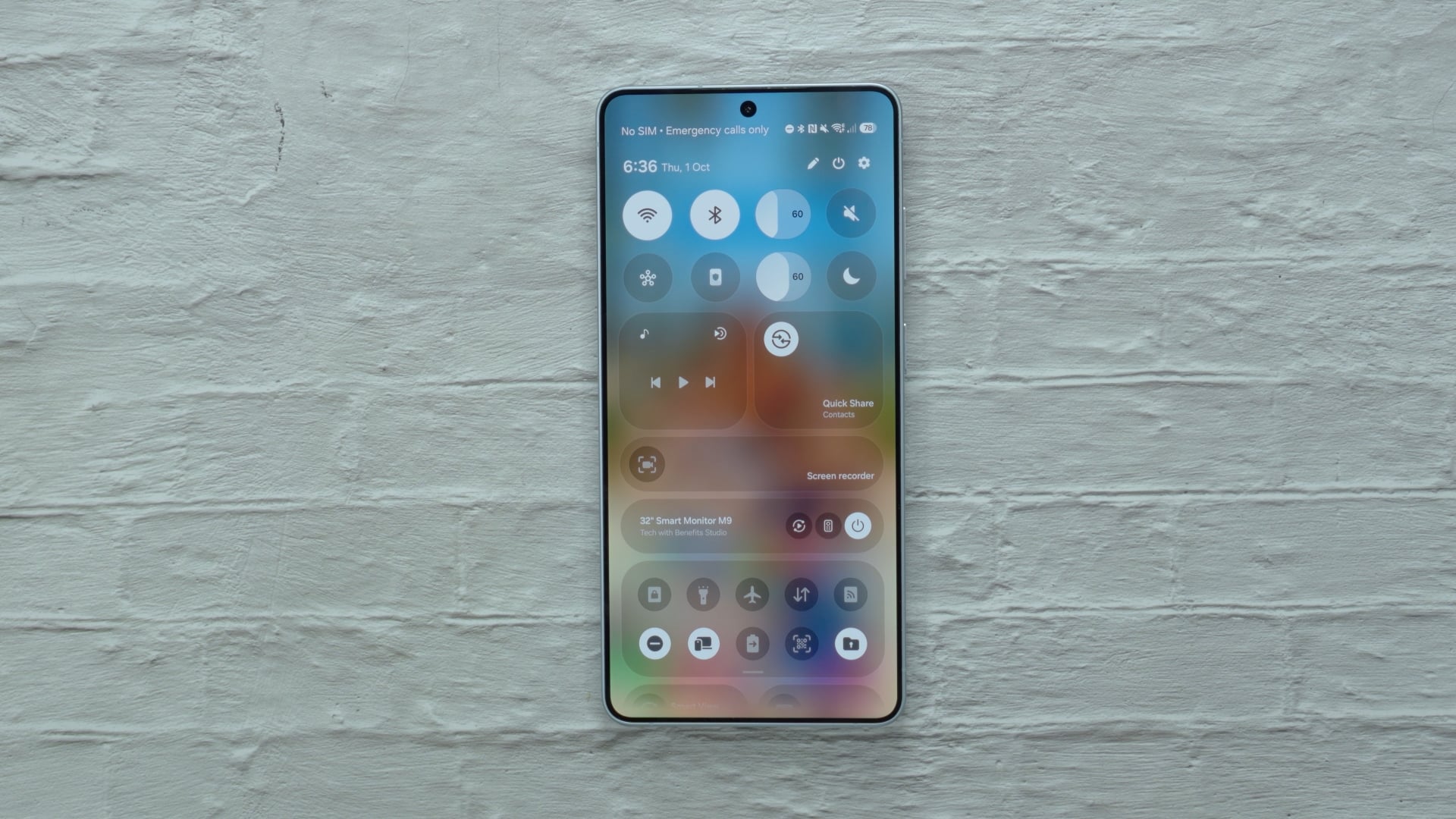
One UI 9 introduces granular control over core interface elements, letting you adjust the dimensions of the brightness slider, volume controls, and media playback widgets independently. You can even isolate the sound mode toggle away from the main volume slider.
Open your Quick Panel and tap the pencil edit icon to test out alternative arrangements. Tailor the sizes to match your daily habits—such as enlarging the brightness control if you adjust display illumination far more frequently than audio output.
Put Finder and Google Search on Your Home Screen
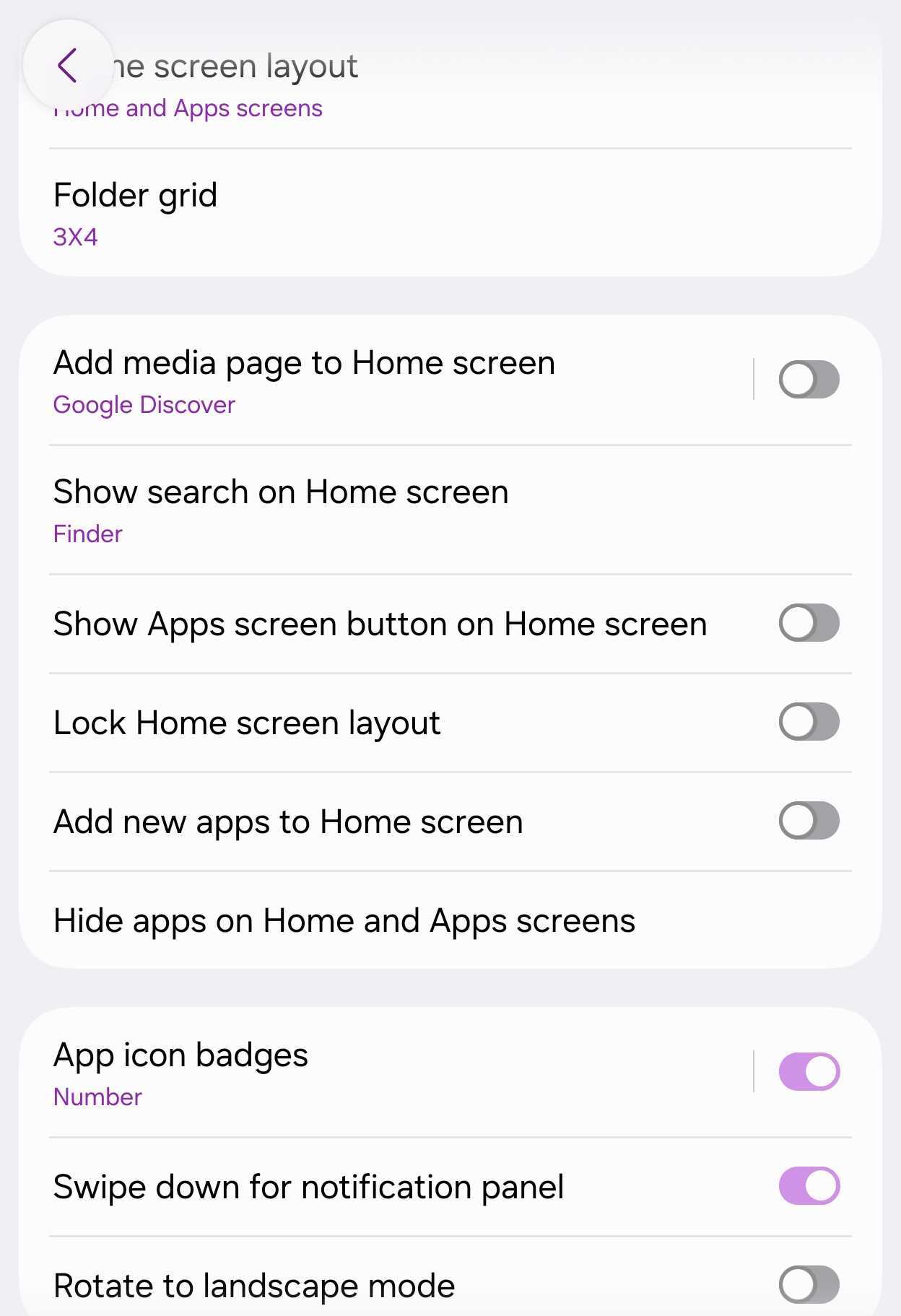
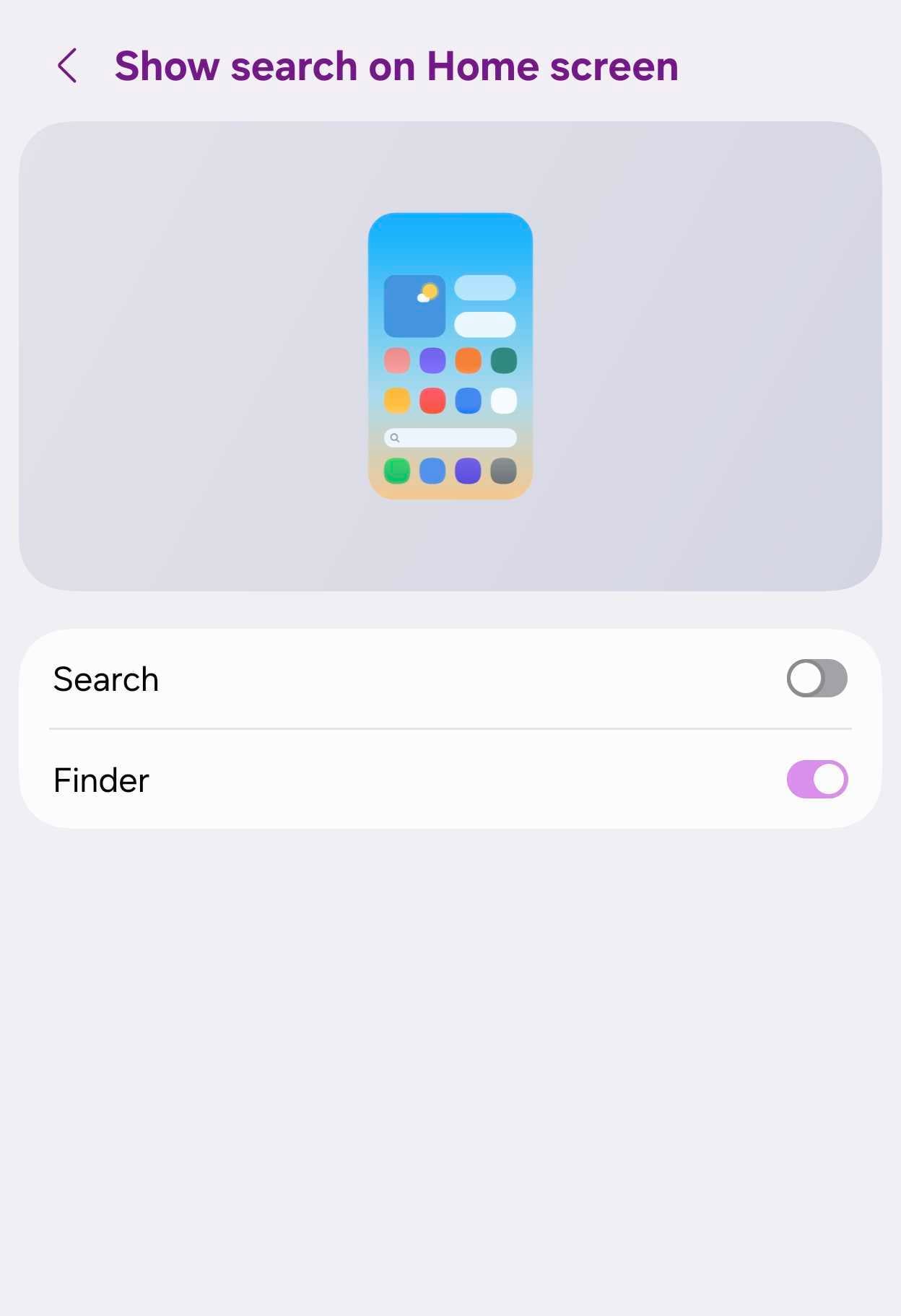
Navigating your device is faster than ever thanks to the Samsung Finder integration, which places a dedicated search bar directly on your home screen for instantaneous access to applications, system settings, and internal documents.
Navigate to Settings > Home screen > Show search on Home screen to activate the Finder option. You can also easily pair this alongside a standard Google Search bar for maximum convenience.
Tell Now Brief What You Want to See
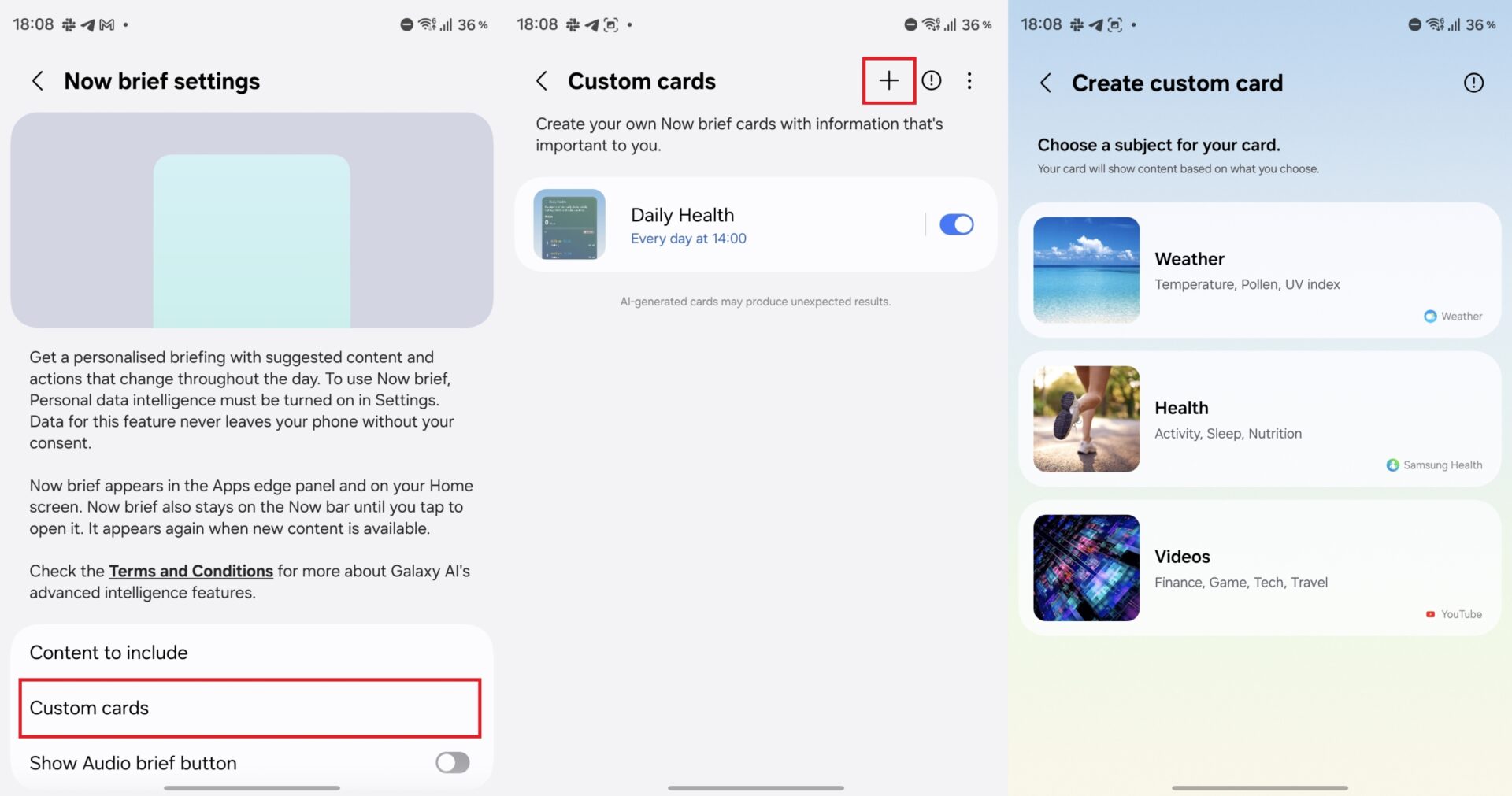
Custom information cards let you pull in real-time updates across weather, fitness, and media categories, scheduling precisely when they surface inside your Now Brief feed.
Build a targeted morning weather overview or an evening wellness snapshot highlighting your daily step count and sleep metrics.
Go to Settings > Galaxy AI > Now brief > Custom cards, press the + symbol, define your parameters, and preview the layout prior to saving. You can maintain a maximum of three custom cards simultaneously.
See What Your AI Assistant Has Been Doing
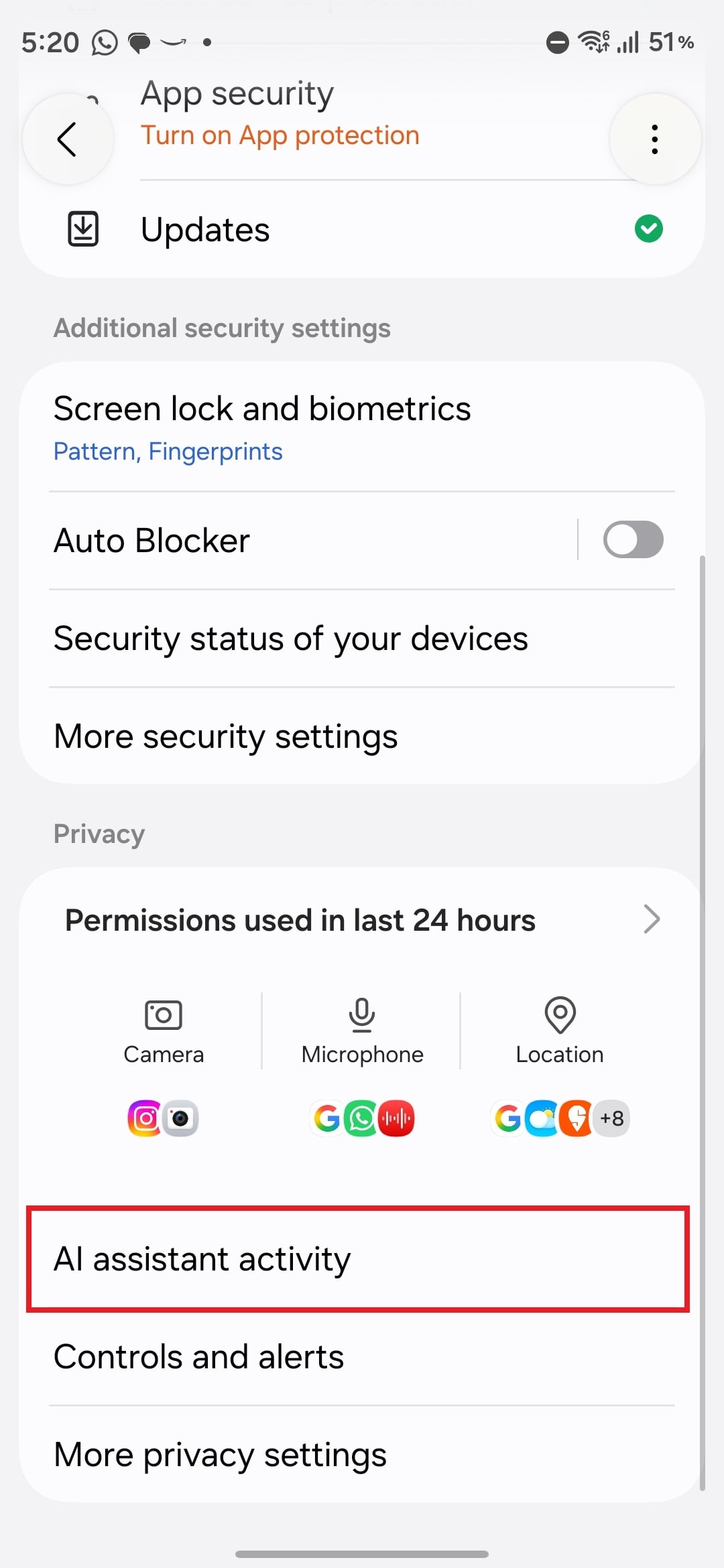
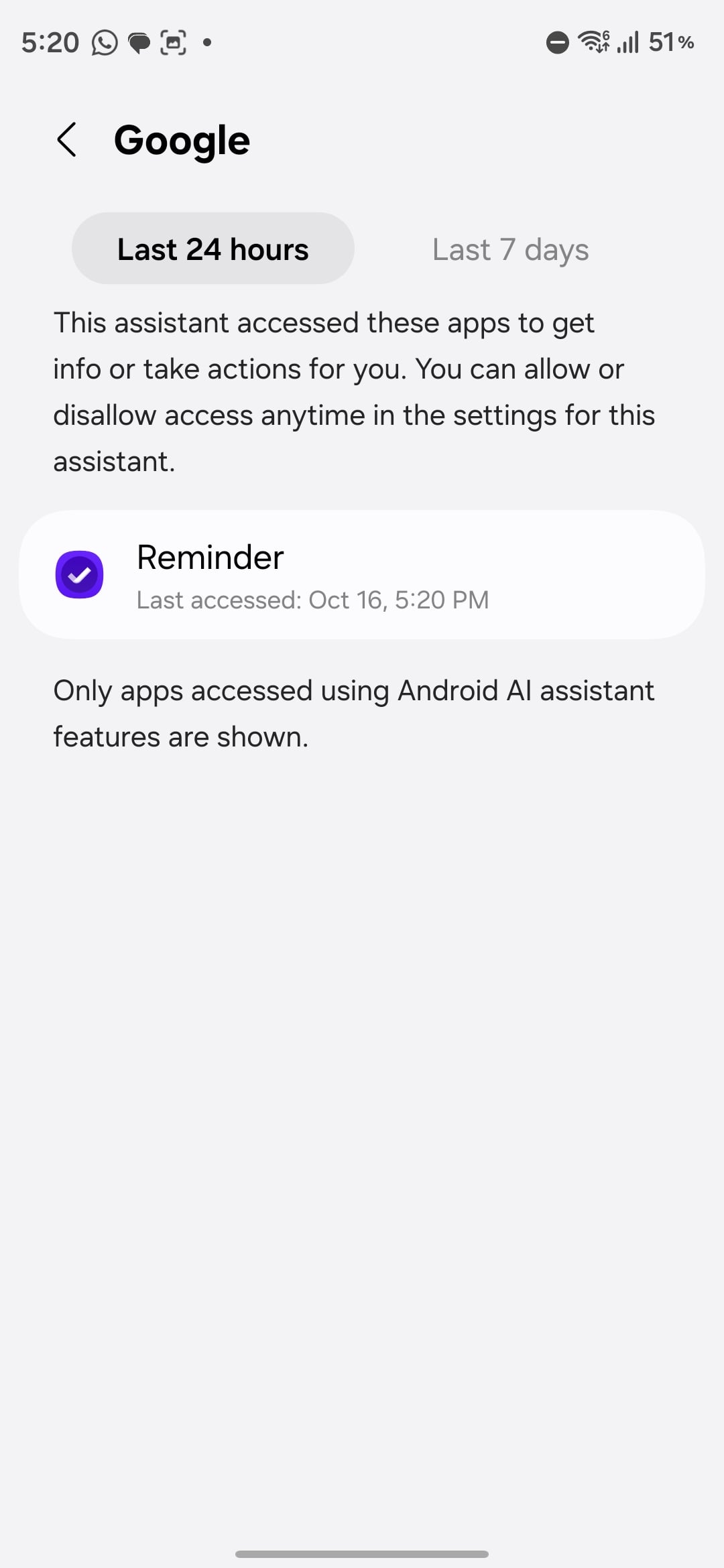
The new AI assistant activity log gives you complete transparency over automated tasks executed by your digital helpers. For instance, you can easily audit background operations after instructing Gemini to append items to Samsung Reminder.
Access this log via Settings > Security and privacy > AI assistant activity, choose your preferred assistant, and filter logs spanning the past 24 hours or 7 days for deep inspection.
Cover Answers in Samsung Notes
Samsung Notes introduces a specialized Tape tool designed to obscure specific portions of your notes until you are ready to reveal them.
Students can leverage this to mask textbook answers underneath study questions, enabling active self-testing. Customize your experience using a variety of solid colors and aesthetic patterns.
Enlarge Text or Have It Read Aloud
Head over to Settings > Accessibility > Vision enhancements to find powerful reading aids including Text spotlight and Select to speak.
Text spotlight isolates tricky passages into a dedicated magnification window complete with customized color and scaling schemes, while Select to speak reads selected sections aloud seamlessly without requiring full TalkBack activation.
Bonus: Try Motion Assist on Your Next Car or Bus Ride
If reading text or scrolling through feeds while traveling in transit leaves you feeling dizzy, Motion Assist can help ease discomfort.
Developed by Google, this utility generates subtle, animated visual cues along the borders of your display that dynamically respond to vehicle acceleration and turns, mitigating motion sickness.
Search for Motion Assist within your system settings to configure automatic activation upon transit detection, or pin a toggle directly inside your Quick Settings panel for instant manual control.
Can older video recordings use the My FanCam feature?
Yes, My FanCam works fully with historical video files stored on your device, even those captured long before upgrading your software.
Where can I locate the AI assistant activity logs?
You can review past automated tasks by navigating directly to Settings, selecting Security and privacy, and opening the AI assistant activity section.
How many custom cards can I add to Now Brief?
Users are permitted to keep a maximum of three active custom cards configured within their Now Brief dashboard at any given time.
Does Motion Assist require manual activation every trip?
No, you can configure the setting to automatically trigger whenever the device detects movement in a vehicle.
🔎 Ultimately, updating your device to One UI 9 provides a wealth of thoughtful enhancements that go far beyond superficial surface updates. Taking a few moments to customize these specific features will significantly elevate your day-to-day user experience.
Post a Comment