
Google Photos Rolls Out a Brand New, Fully Customizable Collections Tab Design
Google Photos for Android is rolling out a major, highly anticipated update that completely redesigns the "Collections" tab. This fresh layout introduces advanced customization options, empowering users to take absolute control over how their favorite cards, albums, and shortcuts are arranged and displayed.
Article Summary: Google Photos has released a major update on Android focusing on a redesigned "Collections" tab that brings advanced personalization features, allowing users to fully manage and customize their preferred folders and card layouts.
- ✨ Launch of a completely redesigned and customizable Collections tab in Google Photos for Android devices.
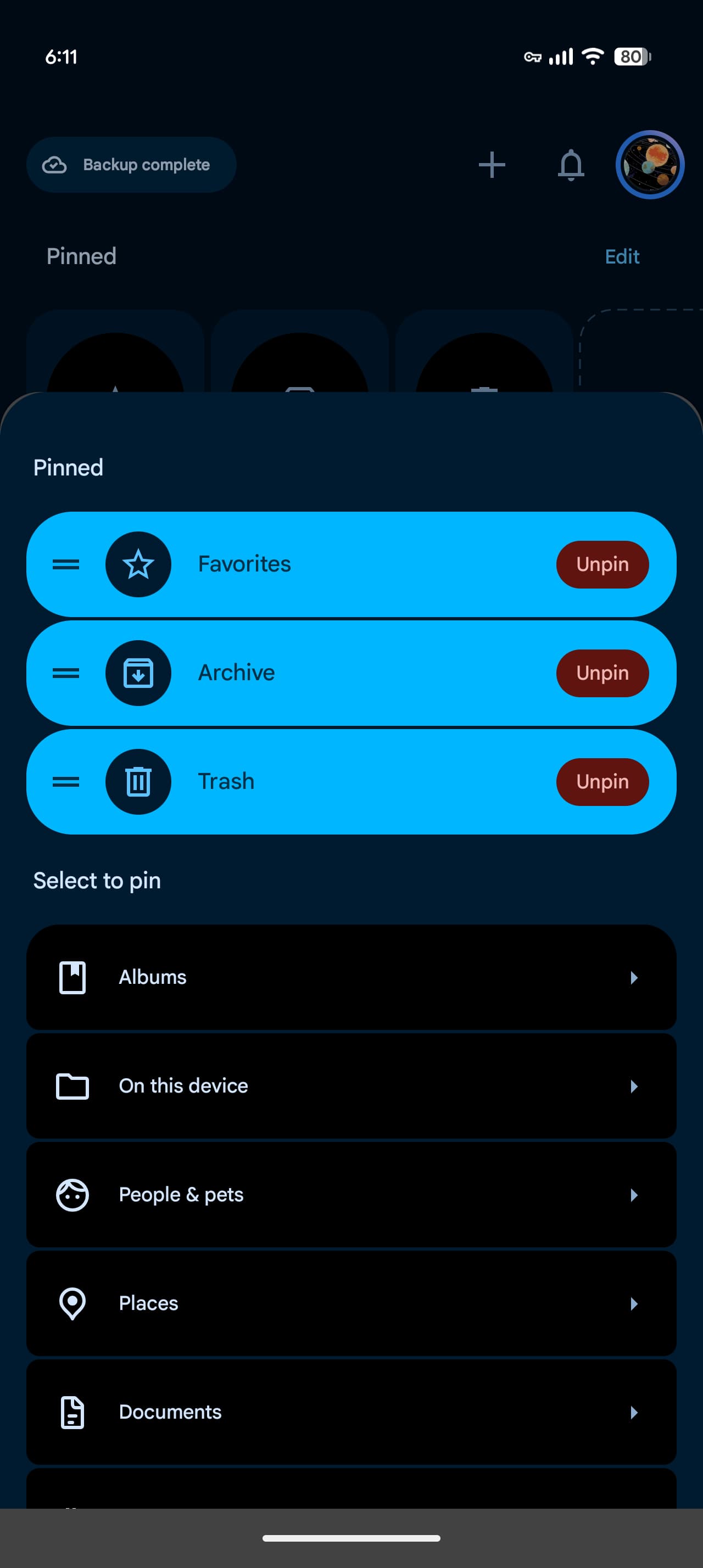
- ✨ Ability to pin favorite cards and gain full control over hiding or rearranging sections to your preference.
- ✨ Quick access to the traditional grid or list view via the dedicated "See all" button.
- ✨ The update is gradually rolling out via server-side changes starting with app version 7.97.
Following the rollout of the floating navigation bar last July, the Google Photos app for Android is continuing its UI evolution with a comprehensive update designed to let users tailor the Collections tab precisely to their liking.
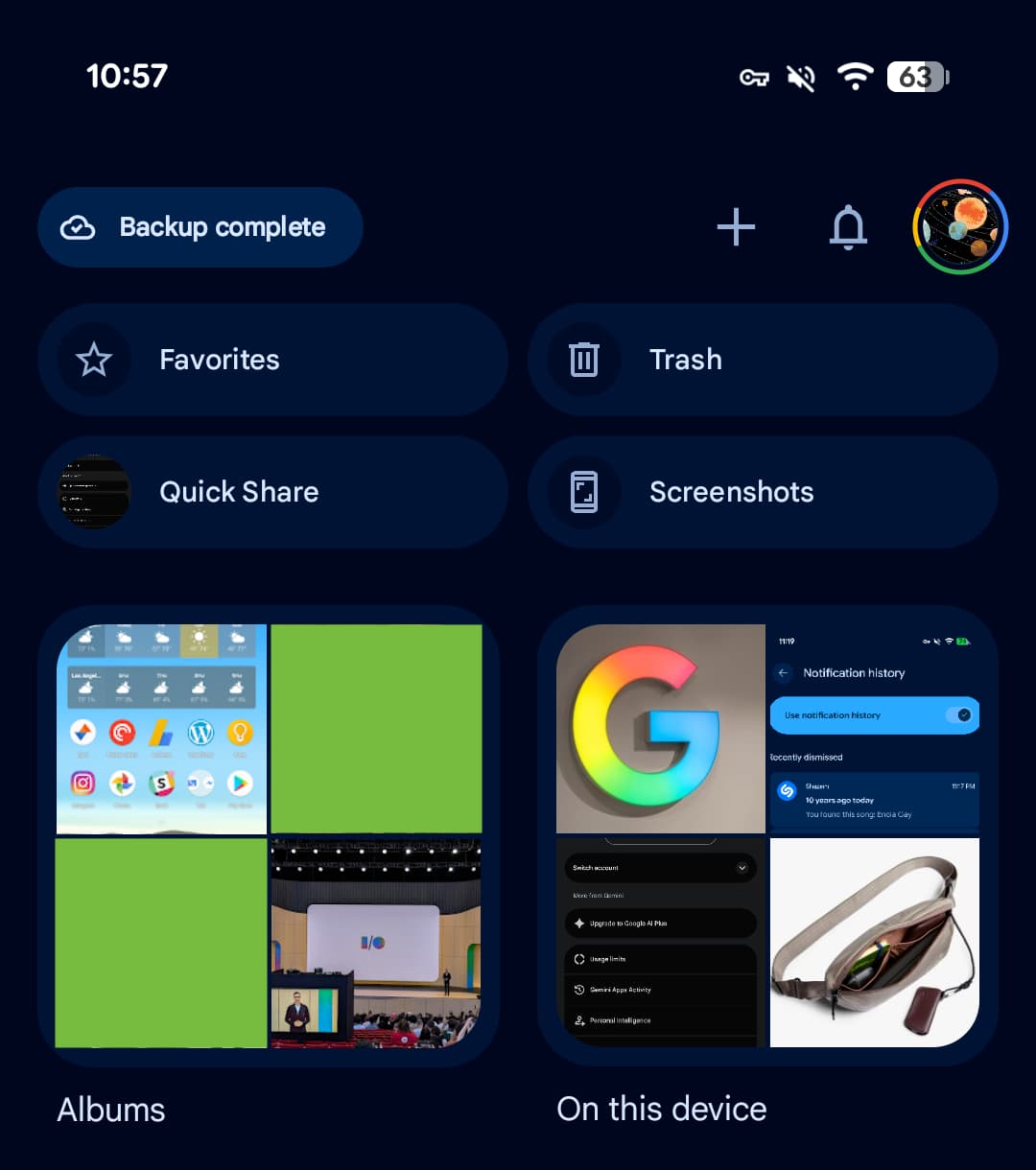
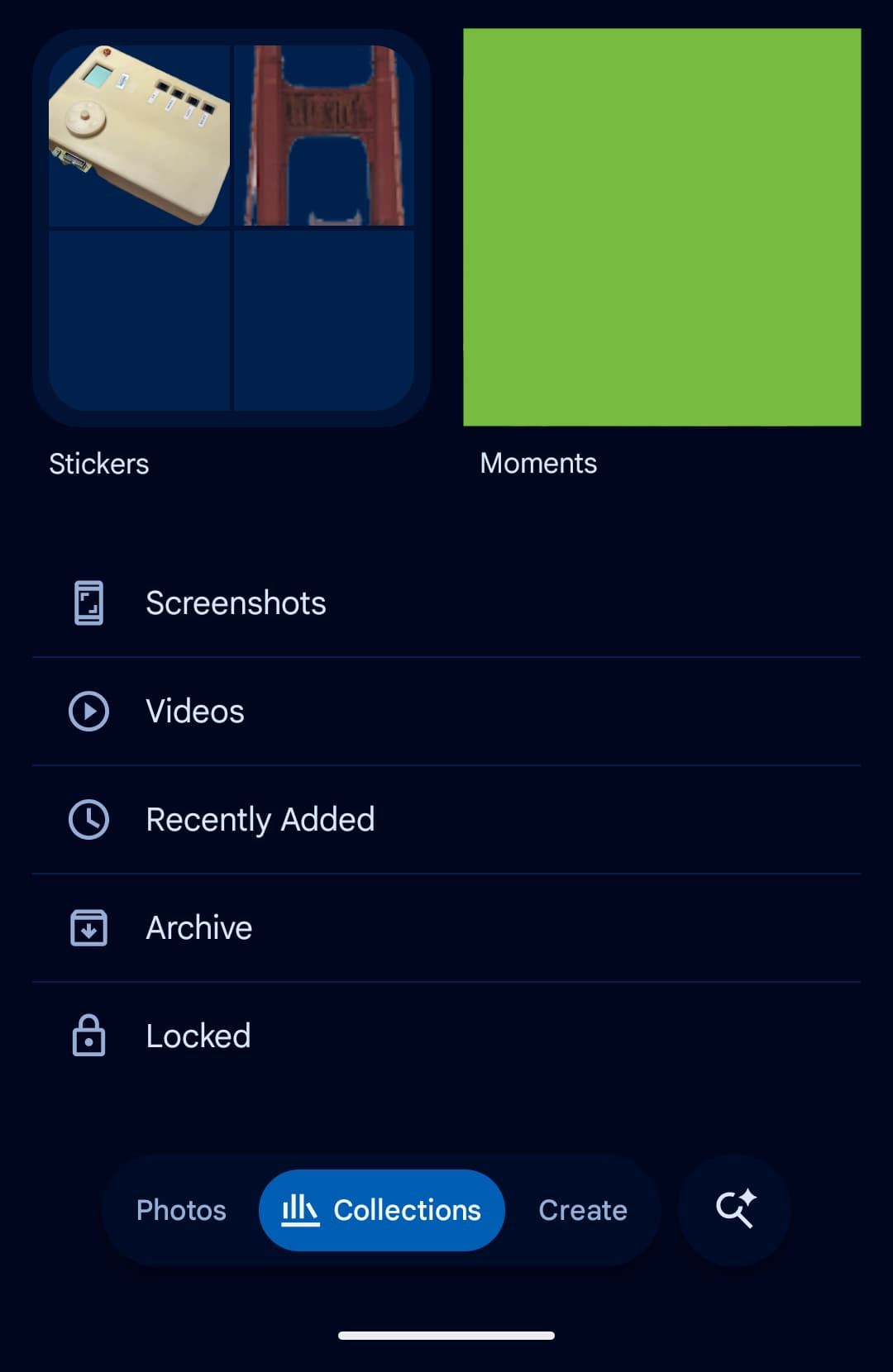
The older interface previously started with a 2x2 grid featuring Favorites and Trash near the top, while other shortcuts dynamically shifted based on usage patterns. Below that sat prominent cards dedicated to Albums, On this device, People & pets, Utilities, Documents, Places, Things, and Moments. On Android, this was followed by a comprehensive list including Screenshots, Videos, Recently added, Archive, and Locked folder.
The Legacy Layout Overview
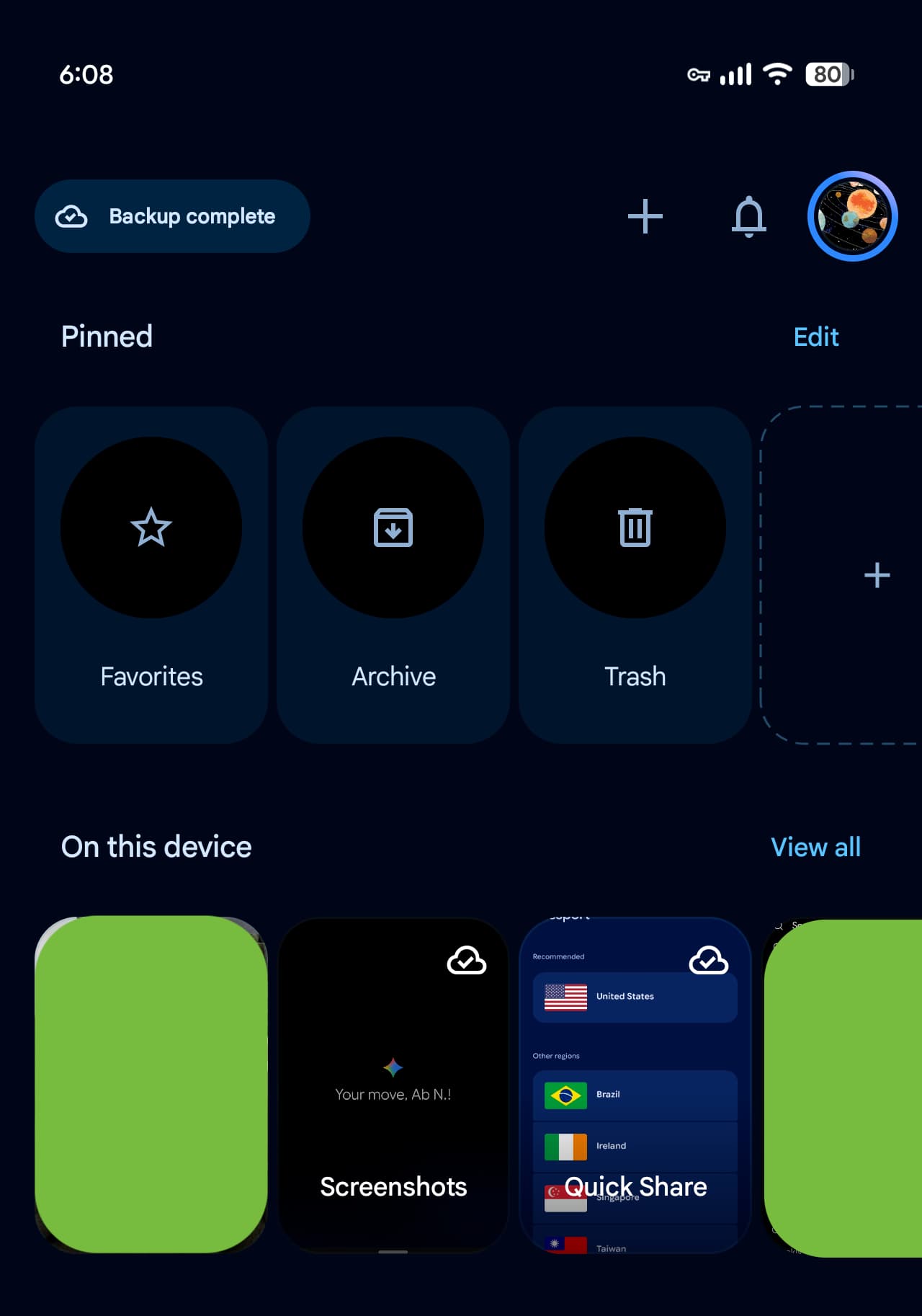
This completely overhauled Collections experience focuses squarely on personalization. The primary section is now titled "Pinned," allowing you to choose exactly which cards live at the very top of your interface. By default, this section features items like Favorites, Screenshots, and Trash, with a flexible option to remove the pinned section entirely if you prefer a cleaner view.
Following the pinned section are horizontal carousels for On this device, Albums, People & pets, Things, Places, and Documents. A convenient "See all" button tucked in the upper corner instantly takes you into the full grid or list view. Additional options let you seamlessly hide any unwanted section and reorder the layout to fit your personal workflow.
The Fresh, Personalized Redesign
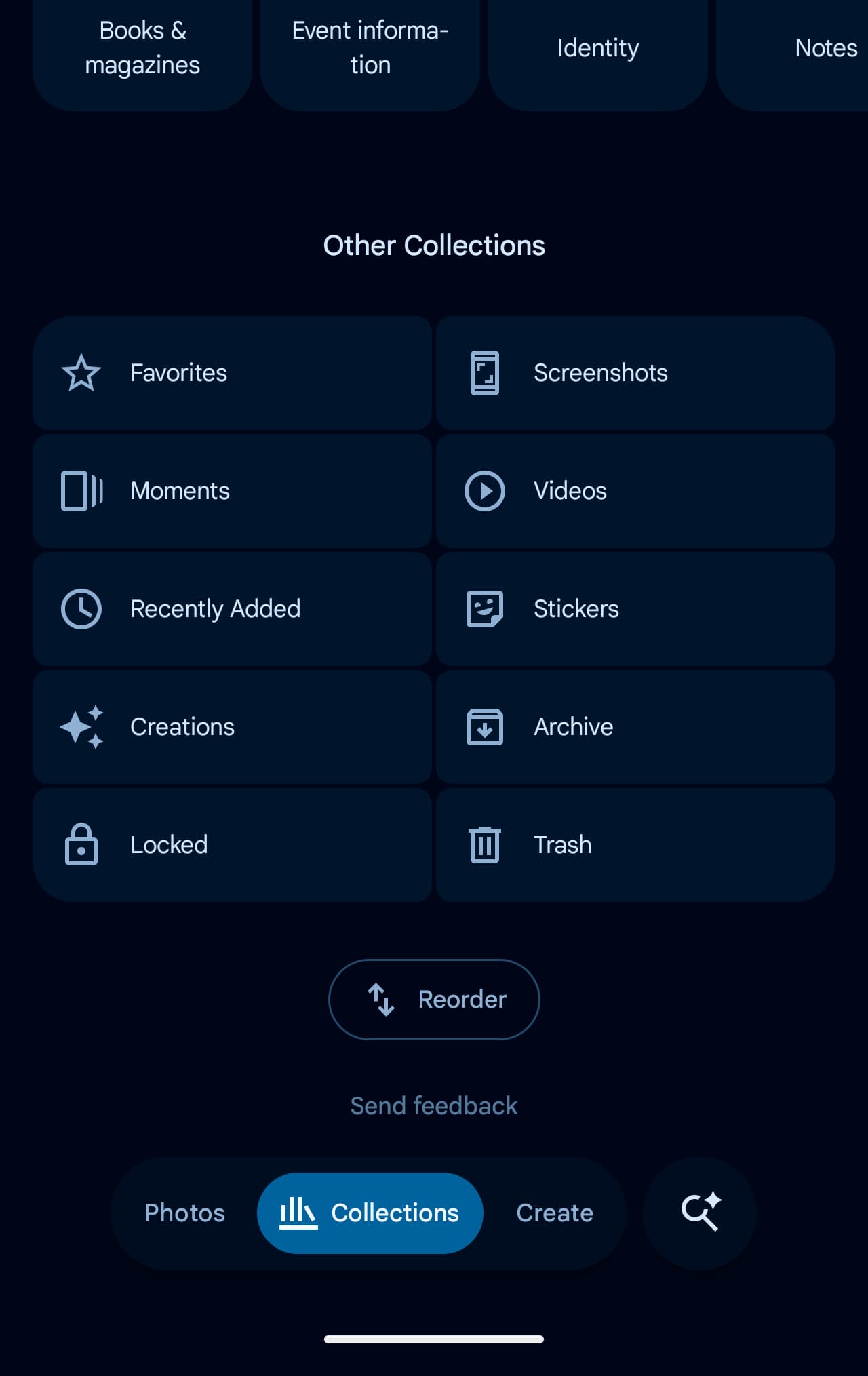
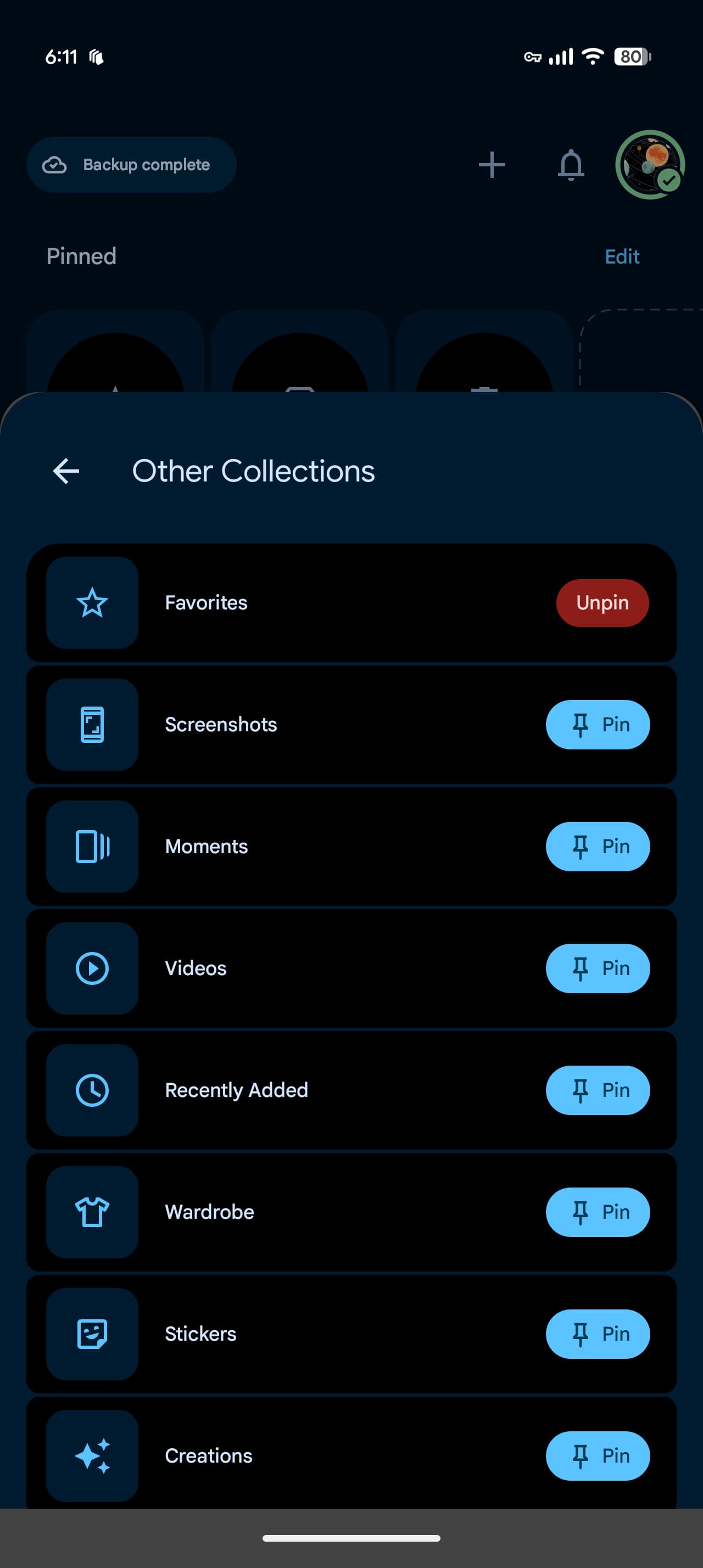
An "Other collections" grid rounds out the rest of the page, organizing Favorites, Screenshots, Moments, Videos, Recently added, Things, Creations, Archive, Locked folder, and Trash. Furthermore, a dedicated "Rearrange" button sits cleanly at the very bottom of the view.
This redesign is rolling out widely alongside Google Photos version 7.97. Rather than forcefully clearing app data or waiting indefinitely, many users find that restarting their device and reopening the app helps trigger the update since it operates primarily as a server-side release.
Key Advantages of the Updated Collections Tab
This exciting update grants Google Photos app users unprecedented flexibility in organizing personal memories and files, making photo retrieval, video browsing, and screenshot management significantly faster and better tailored to individual habits.
How can I get the new Collections tab design?
The update is rolling out gradually via server-side activation alongside Google Photos version 7.97. You can try restarting your smartphone and launching the application to prompt the new interface to appear.
Can I completely remove the pinned cards section?
Yes, the modern design allows you to completely remove the "Pinned" section if you prefer not to have quick-access cards displayed at the top of your screen.
What options are available for rearranging sections?
You can use the dedicated "Rearrange" button located at the very bottom of the collections page to easily customize the placement of every section and save your ideal setup.
Is this update available on all platforms immediately?
The rollout is primarily targeting Android devices first through version 7.97 and server-side configurations, with other platforms expected to follow.
🔎 In conclusion, this latest update represents a fantastic step forward by Google to elevate user experience, granting individuals absolute freedom to customize their app interface in harmony with their everyday digital media habits.
Post a Comment