
Major Samsung SmartThings App Redesign Finally Reaches Galaxy Phones
Article Summary
- ✨ Samsung’s redesigned SmartThings app is now rolling out to select Galaxy and other Android devices after initially launching on iOS.
- ✨ The update introduces a fresher, more modern interface featuring a compact floating bottom tab bar and streamlined top controls.
- ✨ The Home and Devices tabs now include compact cards, improved room grouping, and support for interactive 2D and 3D home layout customization.
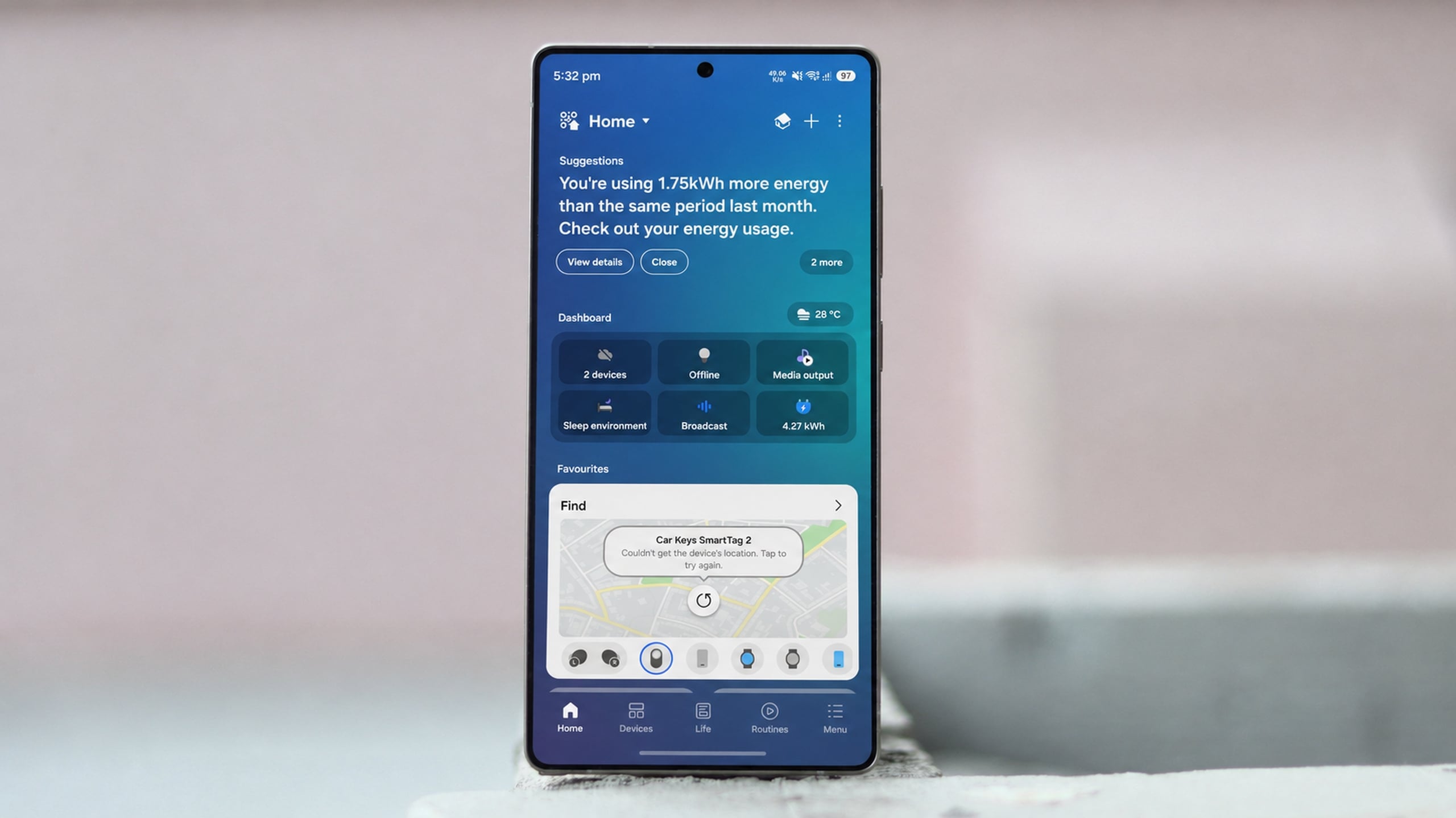
Earlier this week, Samsung's SmartThings app received a major UI redesign, though it was initially restricted to iPhones. Now, the rollout has officially expanded to Galaxy smartphones and other Android devices. This update delivers the modernized look that users have long requested, bringing a cleaner and more streamlined experience to smart home management.
The Redesigned SmartThings Experience Rolls Out to Android
The new application version (1.8.51.30) is currently becoming available for compatible Galaxy smartphone and tablet users. It utilizes lighter color schemes and a compact, floating bottom tab bar for easier navigation. At the top of the interface, you will find quick-access controls for location QR codes, location switching, map views, adding new hardware, and settings options. Positioned right below these top controls is a prominent widget card highlighting important suggestions and updates.
This layout matches the design that was previously leaked months before its official release.
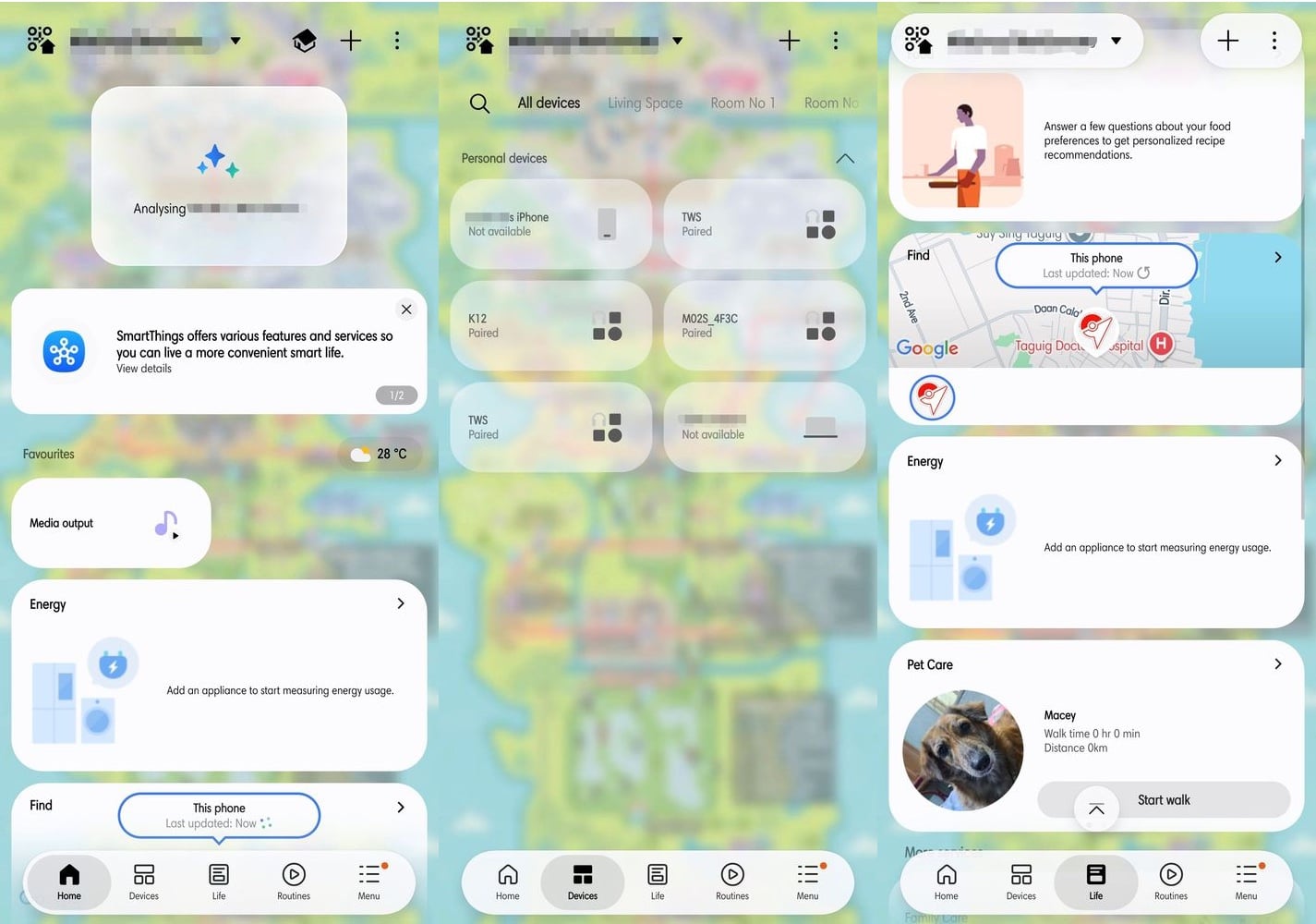
The Home tab consolidates your favorite connected appliances and automation routines. Individual device cards now appear more compact by default, but you can effortlessly enlarge them with a simple long-press. Tapping the icon on any card quickly turns the appliance on or off, while selecting the rest of the card opens comprehensive device details.
Meanwhile, the Devices tab presents all compatible smart home gear sorted neatly by room. You can modify your home layout and toggle between 2D and 3D floor plan views. The application even lets you place interior elements—such as lighting fixtures, couches, and wardrobes—alongside your connected electronics.
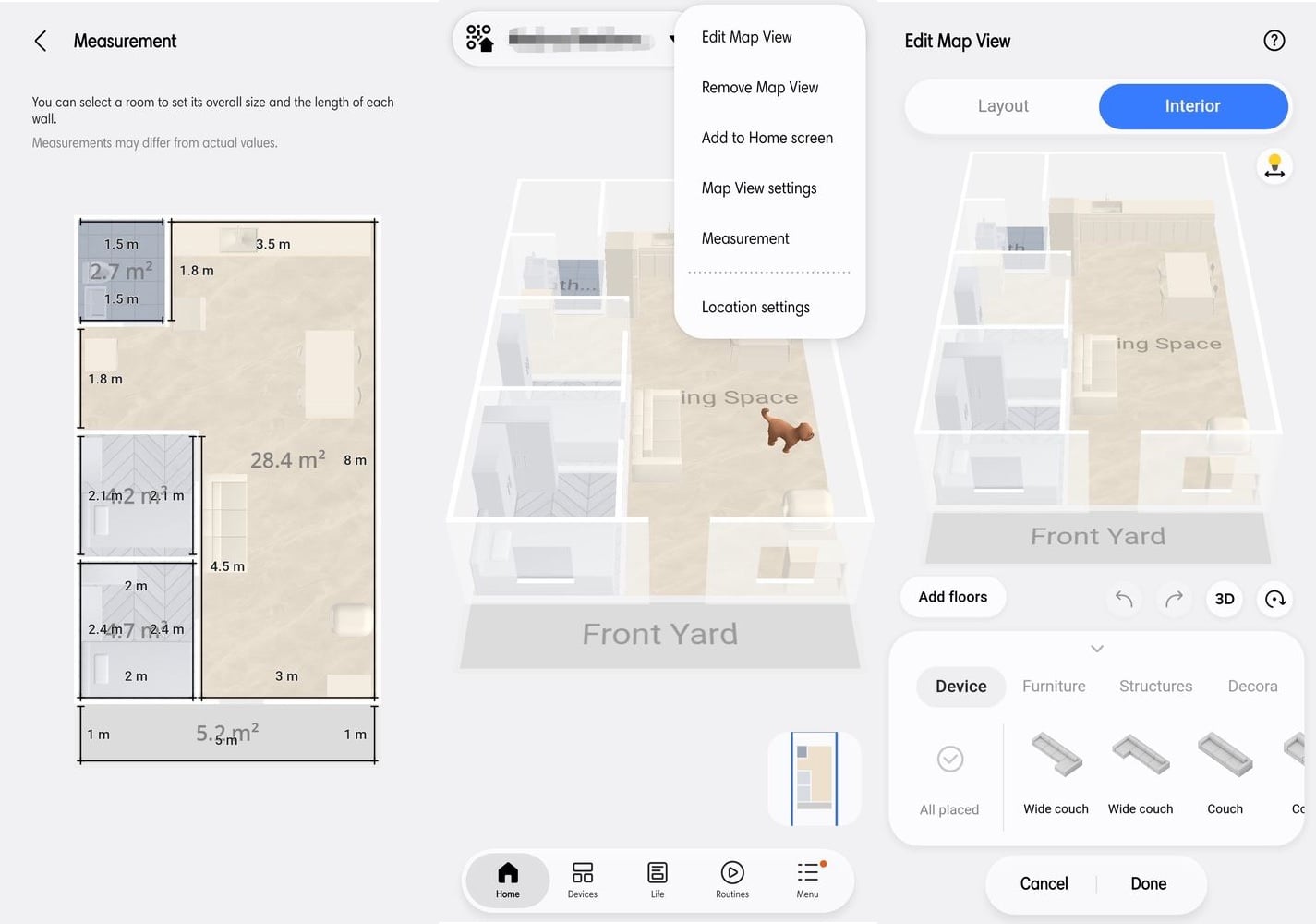
Overall, this refreshed design offers a significantly cleaner aesthetic compared to older iterations, further enhancing everyday home automation control.
Which devices are eligible for the new SmartThings app update?
The update is currently rolling out to select Samsung Galaxy smartphones and tablets running compatible software versions, such as version 1.8.51.30.
How can I adjust the size of device cards on the Home tab?
You can easily increase the size of any individual device or routine card by performing a long-press on the desired card.
Can I view my smart home layout in 3D?
Yes, the redesigned Devices tab allows you to view and edit your home's layout in either 2D or 3D, including adding custom furniture and structural elements.
What quick controls are available at the top of the app?
The top section provides fast access to location QR codes, location selection, map views, device addition shortcuts, and the settings menu.
🔎 Ultimately, the deployment of the redesigned SmartThings application to Android and Galaxy devices marks a welcome visual evolution for Samsung's ecosystem. By combining cleaner aesthetics, compact navigational tools, and interactive 3D floor plans, the platform delivers a much more intuitive and polished smart home control experience.
Post a Comment