
New Gemin Live Design Makes Adding Context to Conversations Easier
Google has launched a new and distinctive update for the Gemini application interface, bringing a revamped design to Gemini Live that introduces an easier and more flexible way to attach images and share files directly during live voice conversations on Android devices, elevating the smart user experience.
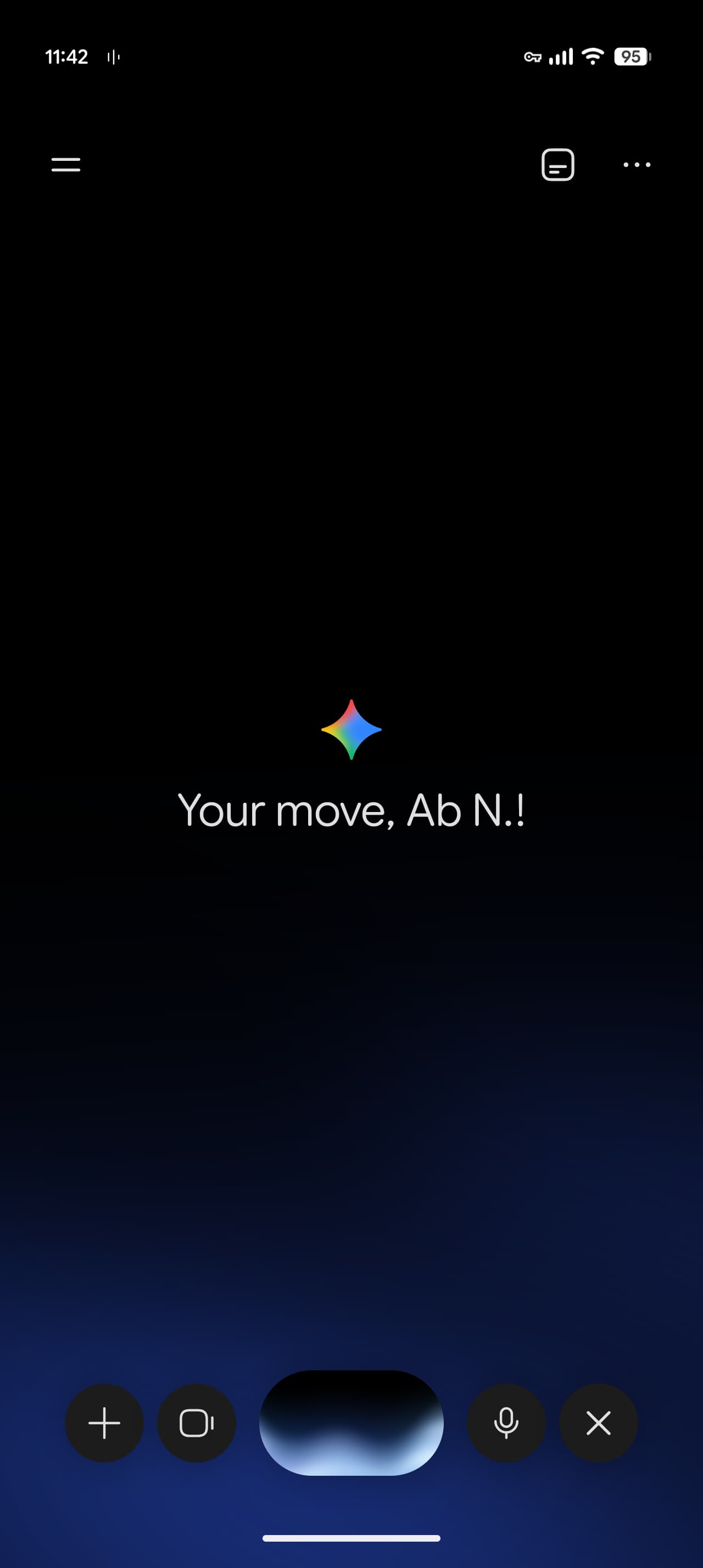
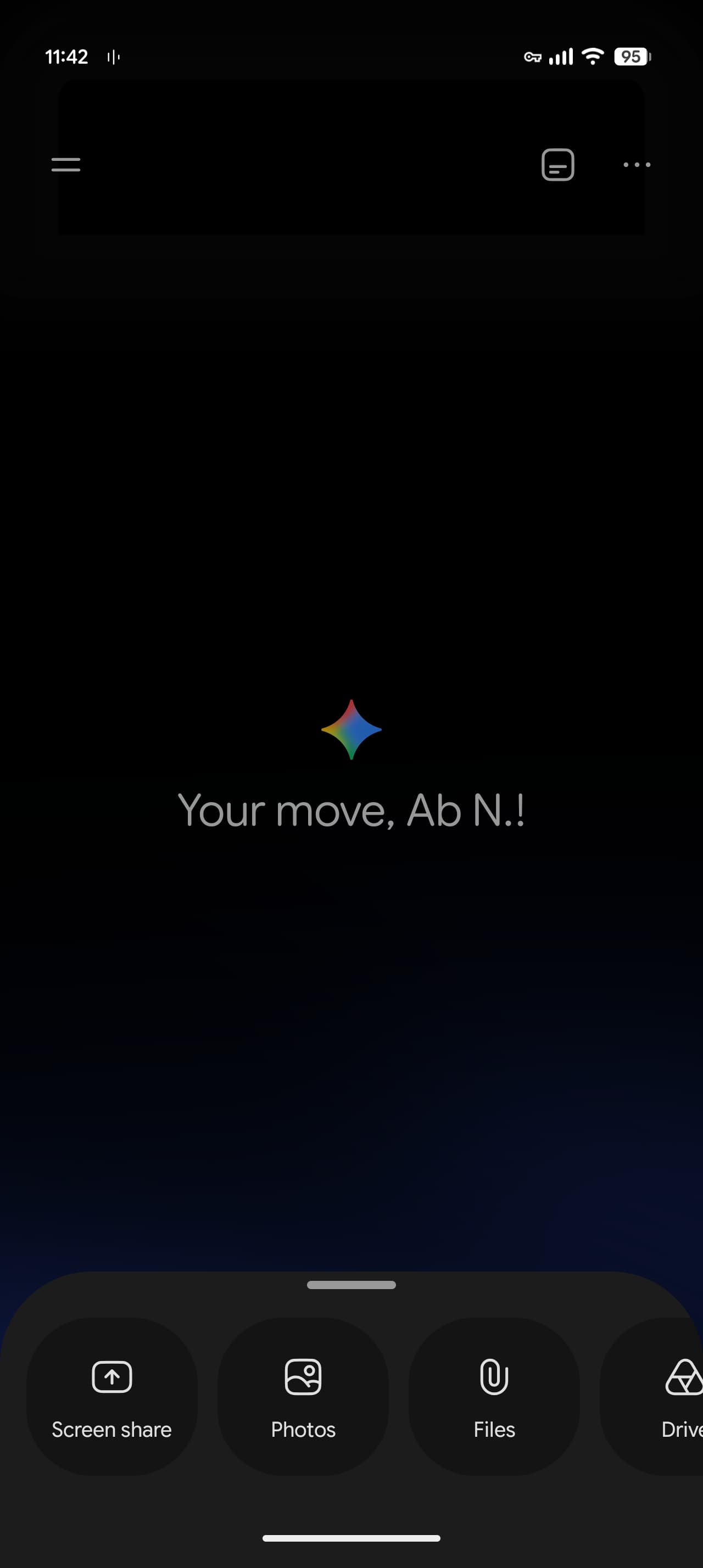
- ✨ Addition of a new "plus" button allowing quick access to screen sharing, photos, files, and Google Drive.
- ✨ Rearrangement of buttons such as the camera button, which has moved next to the audio wave for easier control.
- ✨ The update is currently available with stable version 17.68 of the Google app on the Android operating system.
- ✨ The new feature has not yet been rolled out to iOS-powered devices.
Enhanced User Experience with the New Additions Menu
Following the major user interface updates this month, Google is rolling out a new "plus" button in Gemini Live on Android devices. When activating the feature inside the app, users will notice a new plus button on the left side, which, when tapped, reveals a familiar menu containing options for screen sharing, photos, files, and Google Drive.
Previously, adding elements required adding them first to the Gemini popup window and then switching to the live mode, whereas users can now access them with much greater flexibility. Although screen sharing now requires an extra step, the camera button has moved right next to the audio wave, while the microphone mute switch and close button remain in their usual places.
Other News on Google App Updates
- Rollout of Gemini Settings Redesign and Side Panel for Android Devices
- Availability of Gemini Notebook as a Connected App for Deeper Integration
- Gemini App Expands Personal Intelligence Feature Scope in Google Maps
When will the new additions menu become available for Apple iOS users?
So far, this feature is exclusively available with stable version 17.68 of the Google app on Android, and the company has not announced an official release date for iOS devices.
Have the functions of the mute and close buttons changed in the updated interface?
No, there have been no changes to the functions or locations of the microphone mute switch or the close button located on the right side of the screen.
How can users access file and photo sharing options in the new design?
You can easily access them by tapping the new "plus" button that appears on the left side of the screen when activating the Gemini live mode.
🔎 In conclusion, this continuous update to Gemini Live demonstrates Google's commitment to improving the voice and visual interaction experience for users, making it easier to integrate live data and documents into smart conversations seamlessly in line with modern digital demands.
Post a Comment