
One UI 9 Introduces PC-Like Taskbar Customization Options for Samsung Galaxy Tablets
✨ Key Takeaways
- ✨ One UI 9.0 brings advanced taskbar alignment settings to Galaxy Tab tablets, allowing users to position favorite app icons to the left, right, or center.
- ✨ The configuration is easily accessible under Settings > Display > Taskbar, supporting both gesture and three-button navigation systems.
- ✨ The feature is currently active on Galaxy Tab S12 series devices, though it remains unsupported within Samsung DeX and foldable form factors.
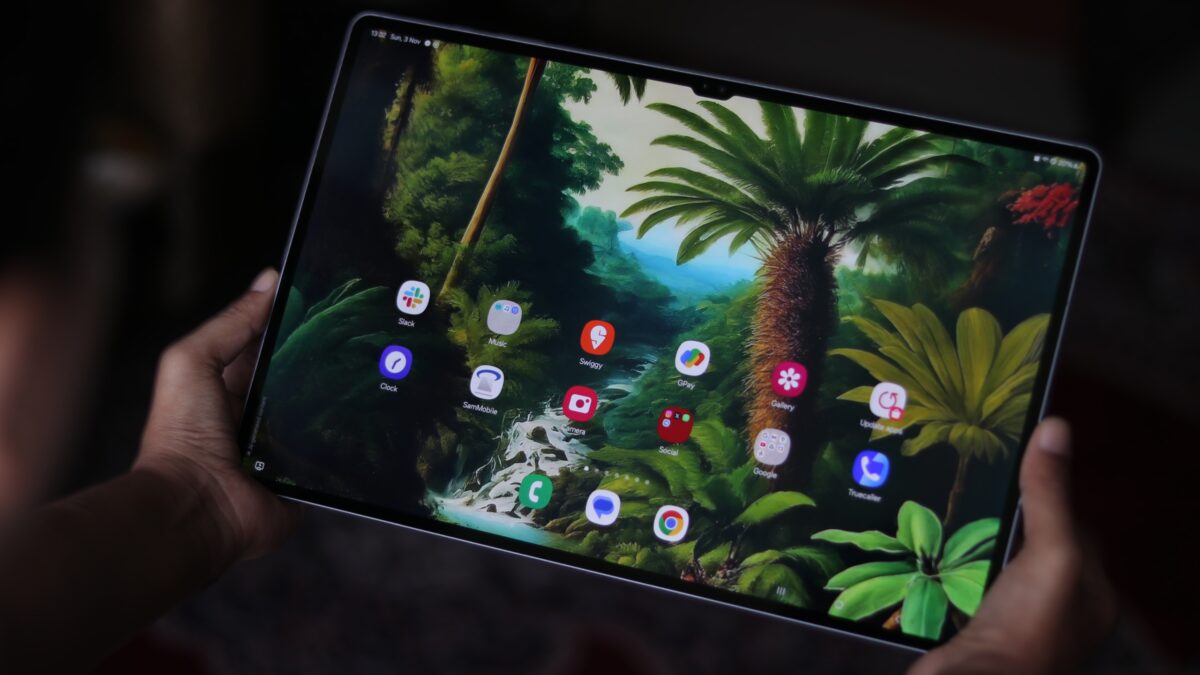
Samsung has officially rolled out the stable One UI 9 update to several compatible mobile ecosystems over the past few weeks, introducing a rich suite of new features, performance enhancements, and personalization controls. Among the most exciting recent discoveries is a productivity-focused taskbar adjustment tailored specifically for Galaxy Tab series tablets.
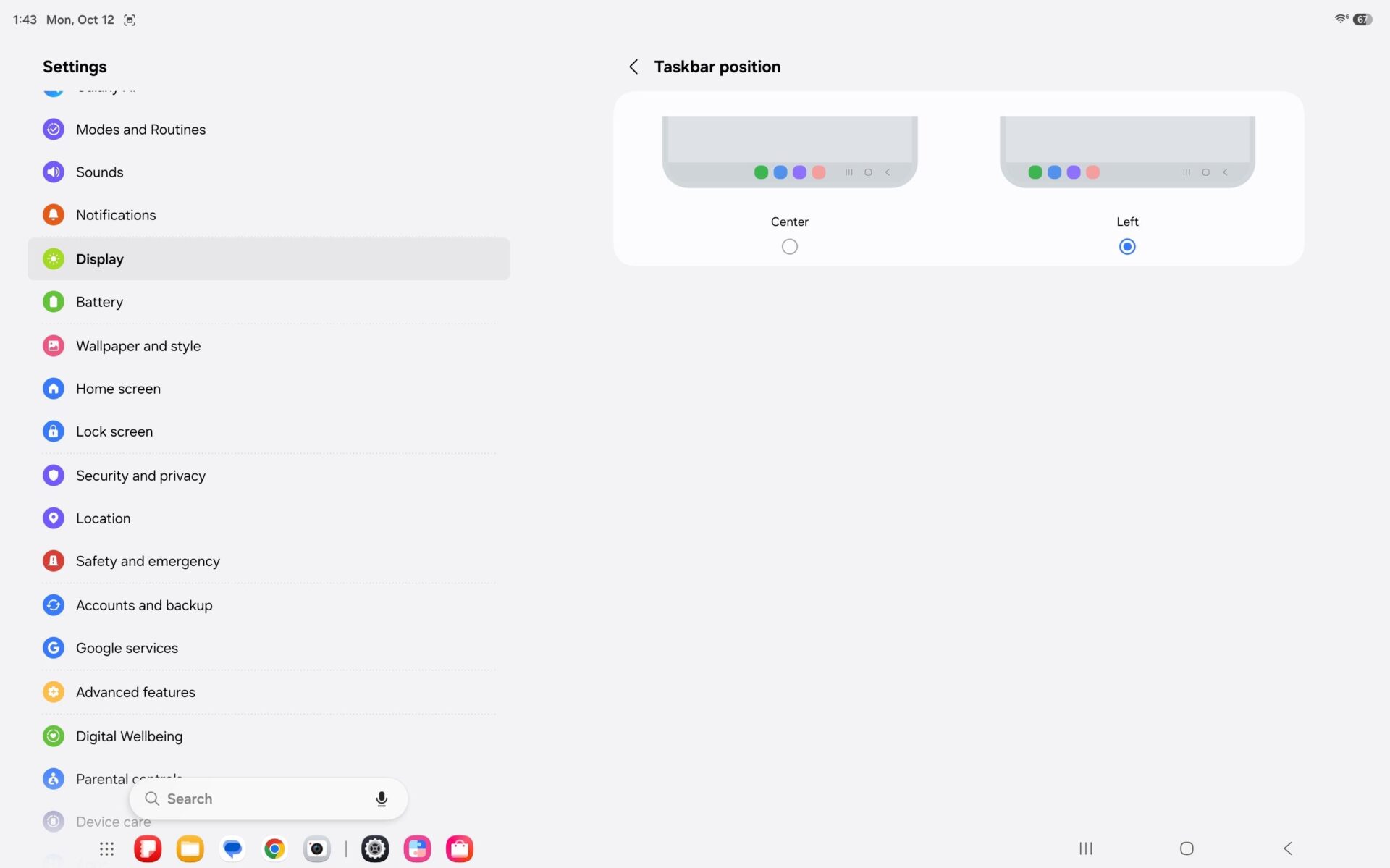
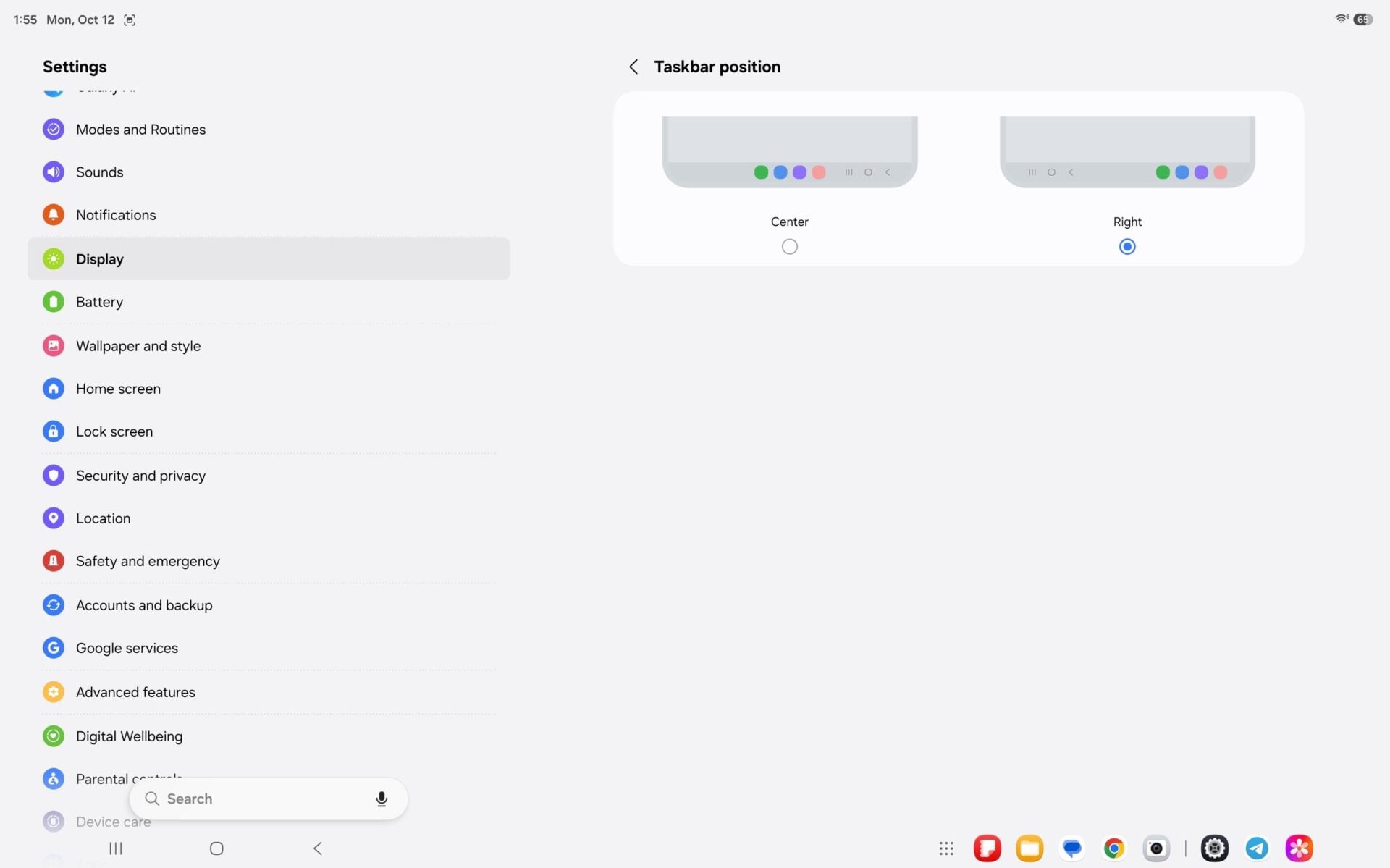
With One UI 9.0, users are no longer locked into a strictly centered taskbar layout. The new software update empowers users to align their favorite application icons to either the left or right side of the screen. This design choice proves exceptionally practical for large-screen users who prefer having frequently accessed apps positioned comfortably near either bottom corner, eliminating the need to stretch fingers toward the middle of the display.
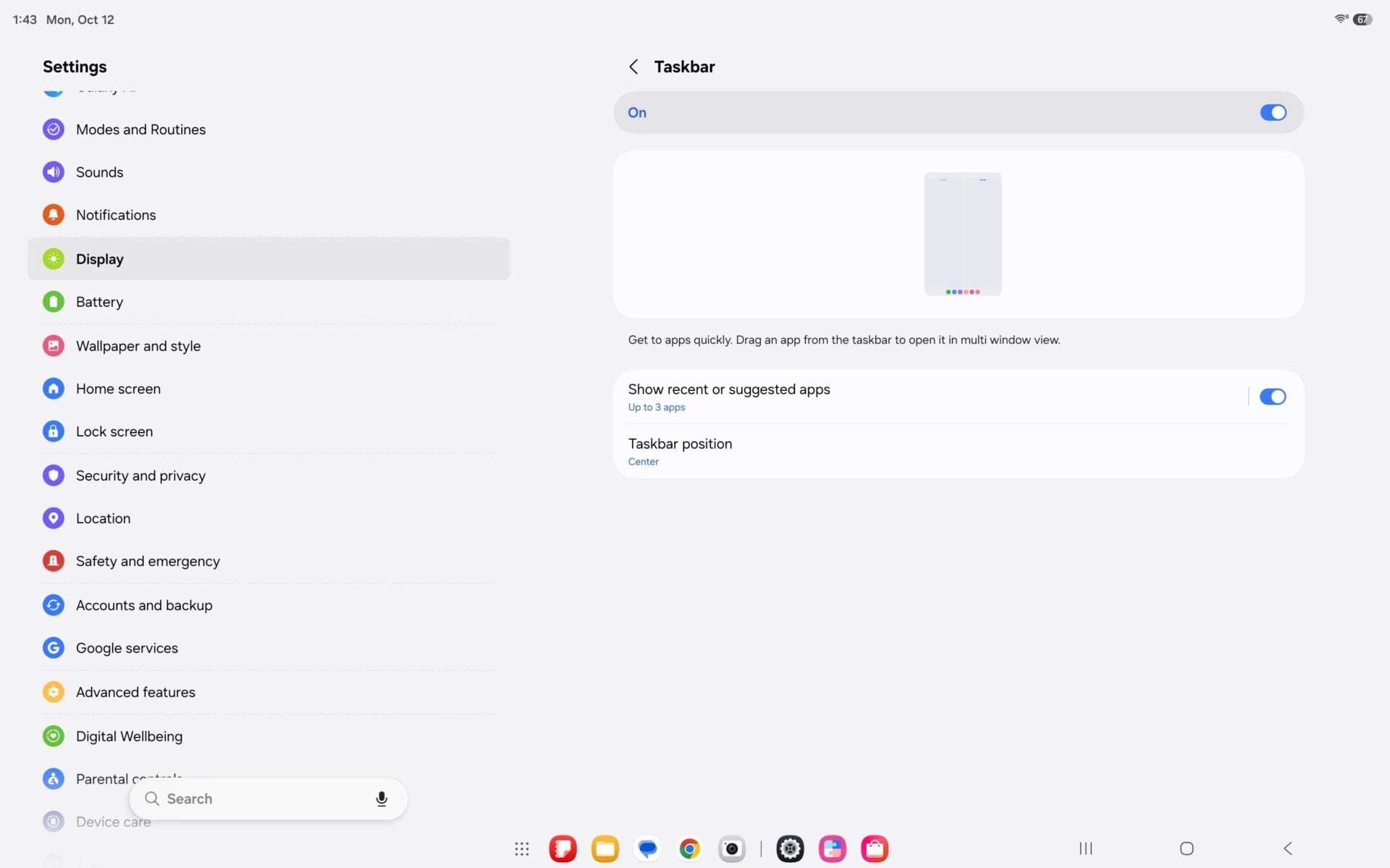
How to Customize Your Tablet Taskbar in One UI 9
To apply this personalization on a supported Galaxy Tab model, navigate to Settings > Display > Taskbar, select Taskbar position, and choose your preferred layout: Center, Left, or Right. This customization functions seamlessly across both modern gesture navigation and traditional three-button navigation setups. However, please note that the feature is currently unavailable when running Samsung DeX mode.
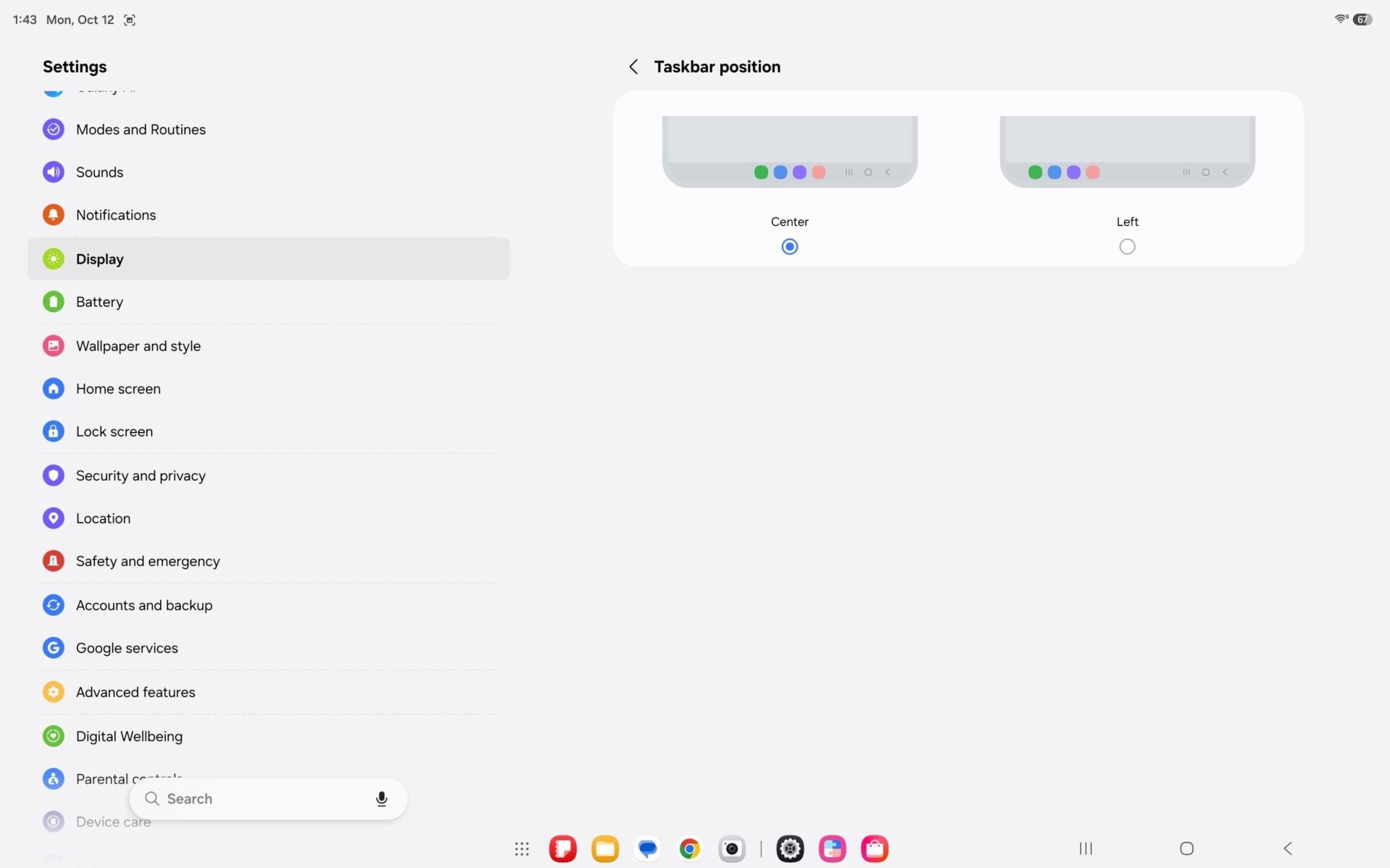
This layout modification is presently accessible on Galaxy Tab S12 series hardware and is anticipated to roll out to additional legacy tablet models as part of broader firmware schedules.
Interestingly, this specific layout option has not yet appeared on Samsung's foldable device lineup, such as the Galaxy Z Fold 8 or Galaxy Z Fold 8 Ultra. This is primarily because foldable inner and outer screens possess significantly narrower footprints compared to dedicated productivity tablets, rendering custom taskbar icon positioning less critical for physical reachability.
Which devices support the new One UI 9 taskbar alignment feature?
The customizable taskbar position feature is currently supported on Samsung Galaxy Tab S12 series tablets running the stable One UI 9.0 software, with wider rollouts expected for more tablet models soon.
Can I change the taskbar alignment while using Samsung DeX?
No, the option to reposition favorite taskbar icons to the left, right, or center is currently unavailable when operating Samsung DeX mode on your tablet.
Does this taskbar customization work with gesture navigation?
Yes, the taskbar position settings work smoothly across both modern full-screen gesture navigation and traditional three-button navigation layouts.
🔎 Ultimately, One UI 9 continues to bridge the operational gap between mobile touch interfaces and desktop-class operating environments. By granting users granular control over their screen layout and app shortcut placements, Samsung has significantly enhanced daily multitasking efficiency and ergonomic comfort across its expanding hardware lineup.
Post a Comment