
Samsung My FanCam Explained: Key Features and How It Works
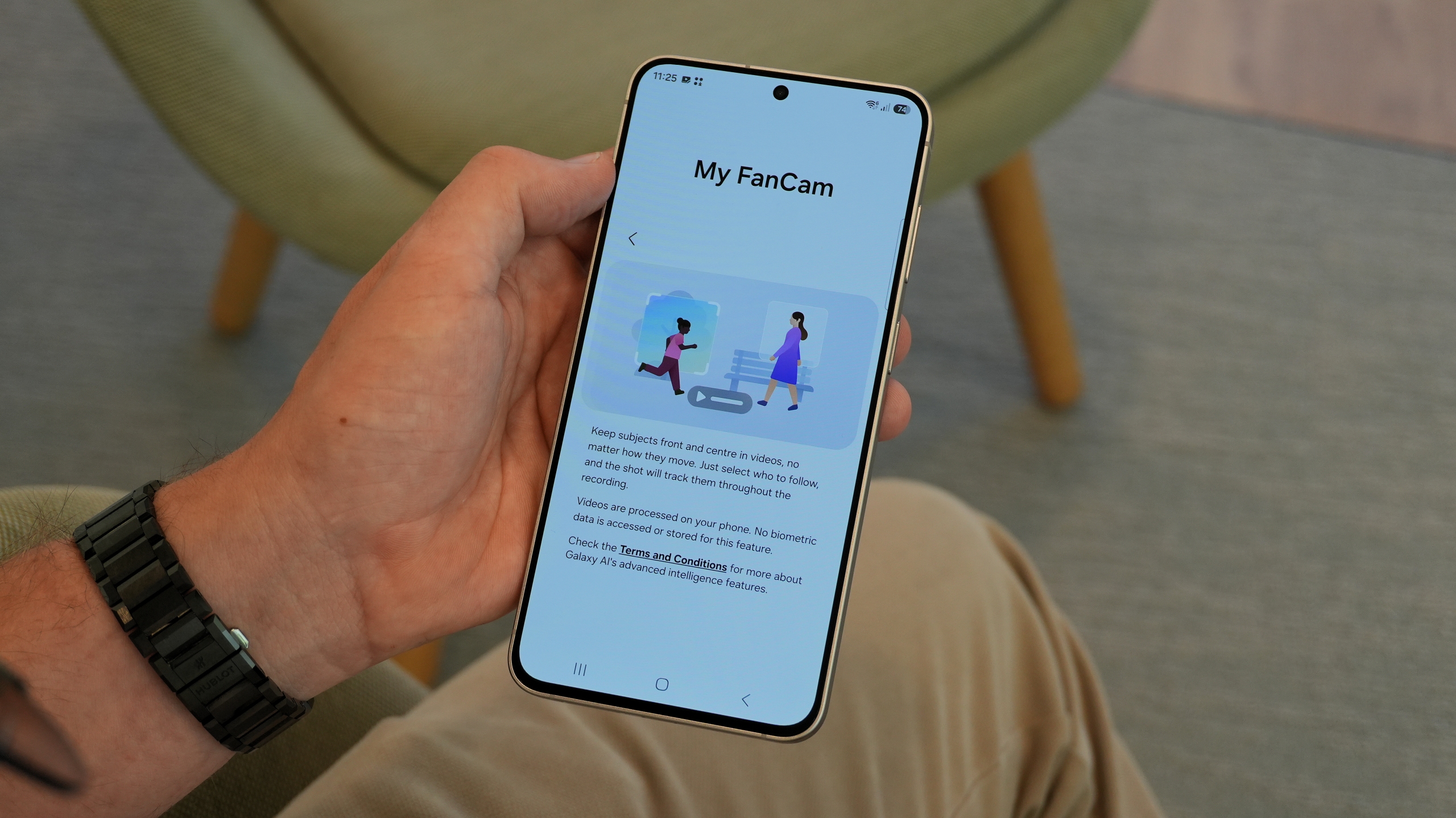
My FanCam is an innovative Galaxy AI video-editing feature integrated within the Samsung Gallery app, designed to automatically generate a fresh video clip centered tightly on a specific person of your choice. By intelligently tracking that individual throughout an existing recording, it dynamically adjusts the framing as they move across the scene.
Key Takeaways
- ✨ My FanCam is a Galaxy AI tool that tracks and frames a selected person in existing videos.
- ✨ Supports various aspect ratios and converts horizontal recordings into vertical clips effortlessly.
- ✨ Compatible with devices launched in 2024 and later running One UI 9 or newer.
- ✨ Saves a separate copy, leaving your original video completely untouched.
How Does My FanCam Work?
My FanCam scans your recording to detect all individuals present, allowing you to pick a specific person to focus on. It then crops the footage and actively pans that crop to follow the chosen subject. Before you finalize the processing, the user interface presents a clear preview highlighting your chosen framing while darkening the areas outside it.
Unlike a static crop that risks cutting someone out of the frame when they walk away, My FanCam dynamically tracks their motion. While highly accurate, Samsung notes that complex clothing, unusual poses, or subject size variations can occasionally impact tracking precision.
This functionality differs fundamentally from the Auto framing mode found inside the native Camera app. While Auto framing adjusts your view while you are actively recording, My FanCam works entirely in post-production on videos that have already been saved.
Supported Devices and Compatibility
My FanCam is natively available on Samsung Galaxy S, Galaxy Z, and Galaxy Tab S series smartphones and tablets launched in 2024 or later, provided they are running One UI 9 (Android 17) or higher.
You do not need to enable any special shooting modes beforehand. The tool seamlessly handles pre-recorded videos, including files imported from other third-party devices or sent directly to you by friends and family.
Customizing Framing and Aspect Ratios
You have complete freedom to change the output aspect ratio and switch freely between portrait and landscape orientations, regardless of how the source video was originally captured. A standard landscape video can easily be turned into a vertical masterpiece for social media sharing.
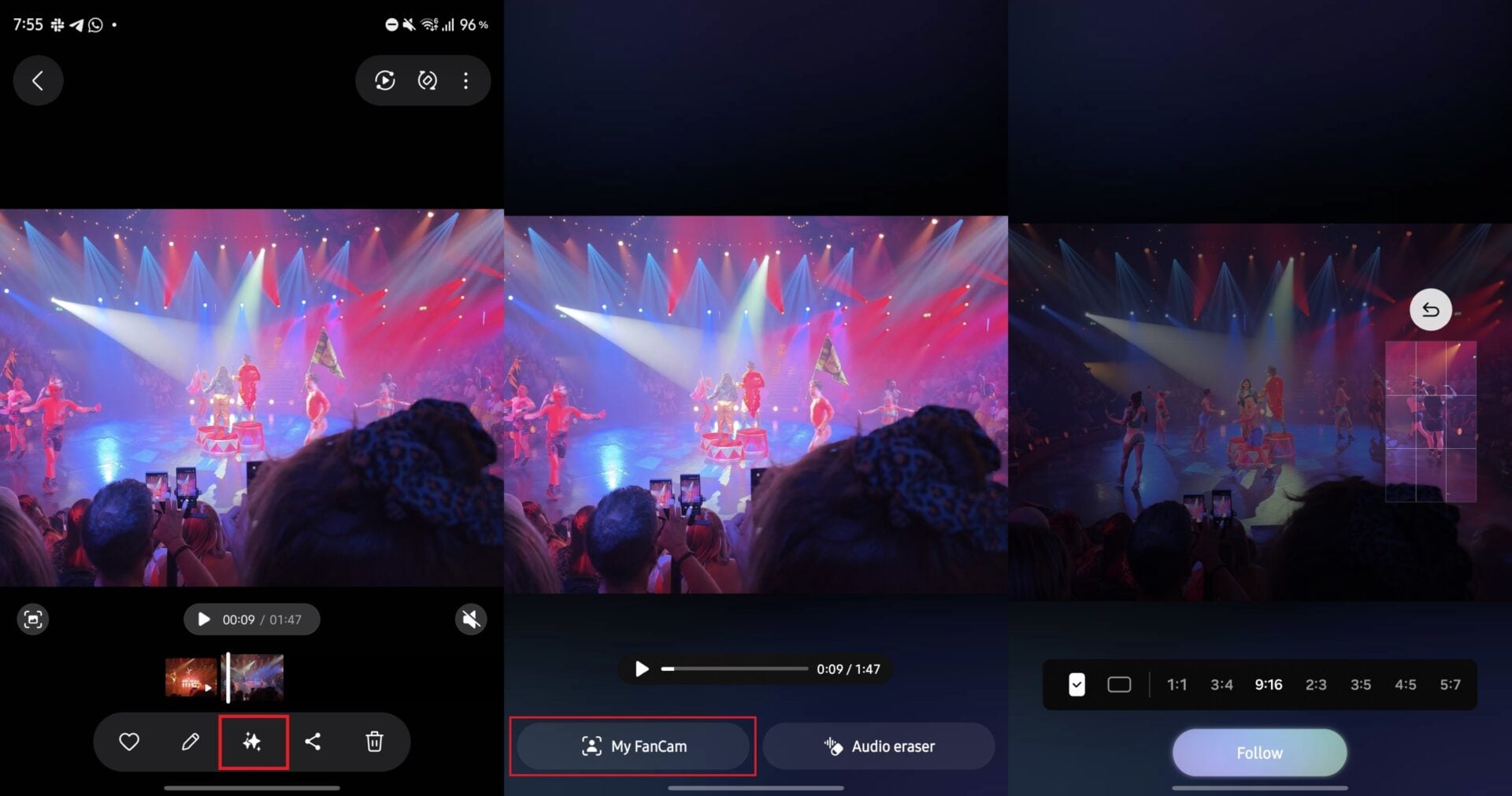
Supported ratios include 1:1, 3:4, 9:16, 2:3, 3:5, 4:5, and 5:7. Choosing landscape orientation automatically flips non-square ratios, converting 3:4 into 4:3 and 9:16 into 16:9. Please note that pinch-to-zoom is not supported within the My FanCam editor.
Step-by-Step Guide to Using My FanCam
Accessing and running the tool requires just a few taps within your device's media library:
- ✨ Open any video inside Samsung Gallery, tap the Galaxy AI icon, and select My FanCam.
- ✨ Use the interactive timeline scrubber to trim the clip if you wish to work with a shorter segment.
- ✨ Tap the specific person you wish to follow from the options detected on your screen.
- ✨ Select your preferred aspect ratio and orientation, reviewing the shaded crop preview to ensure proper framing.
- ✨ Tap Follow to process the video, then play back the generated preview to inspect the tracking performance.
- ✨ Tap Save copy to export the final video directly to your Gallery.
Does My FanCam require an internet connection?
The feature functions completely offline for video processing once set up. However, an initial Samsung account sign-in is mandatory the first time you activate Galaxy AI services on your device.
Does editing alter the original video file?
No, My FanCam preserves your original file entirely by saving your reframed clip as a separate standalone copy complete with original audio.
What happens to other people in the background?
The tool adjusts your framing around your target subject but does not perform object removal. Anyone standing immediately next to your selected subject will still appear if they remain inside the cropped boundaries.
Why might the tracking fail at times?
Complex lighting, rapid movements, unusual clothing, or obstructed views can occasionally degrade AI tracking accuracy. Always check the preview window before saving your final creation.
🔎 Ultimately, Samsung's My FanCam serves as an exceptional tool for content creators and everyday users alike, turning unedited multi-person footage into cinematic, professionally-focused masterpieces with minimal effort.
Post a Comment