
Exclusive Hands-On: Explore the Redesigned Samsung Calendar App in One UI 9.5
Samsung continues to refine its software ecosystem, and the upcoming software update brings notable interface tweaks. We recently gained early access to the Samsung Calendar app bundled within One UI 9.5 to test its latest features and visual adjustments. While it is not a complete structural overhaul, several smart layout improvements make organizing your daily schedule much smoother and more efficient.
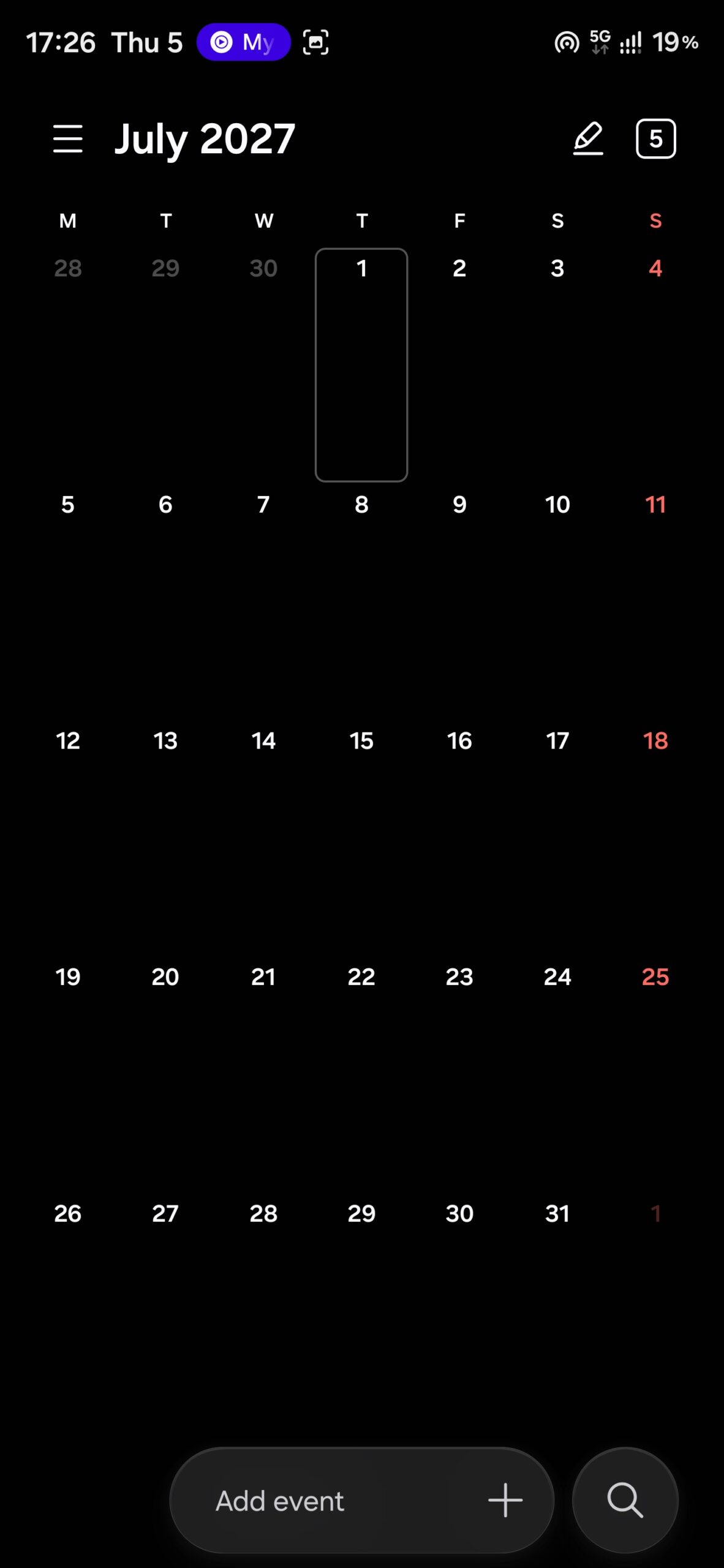
- ✨ The search button moves to the bottom-right corner for effortless one-handed access.
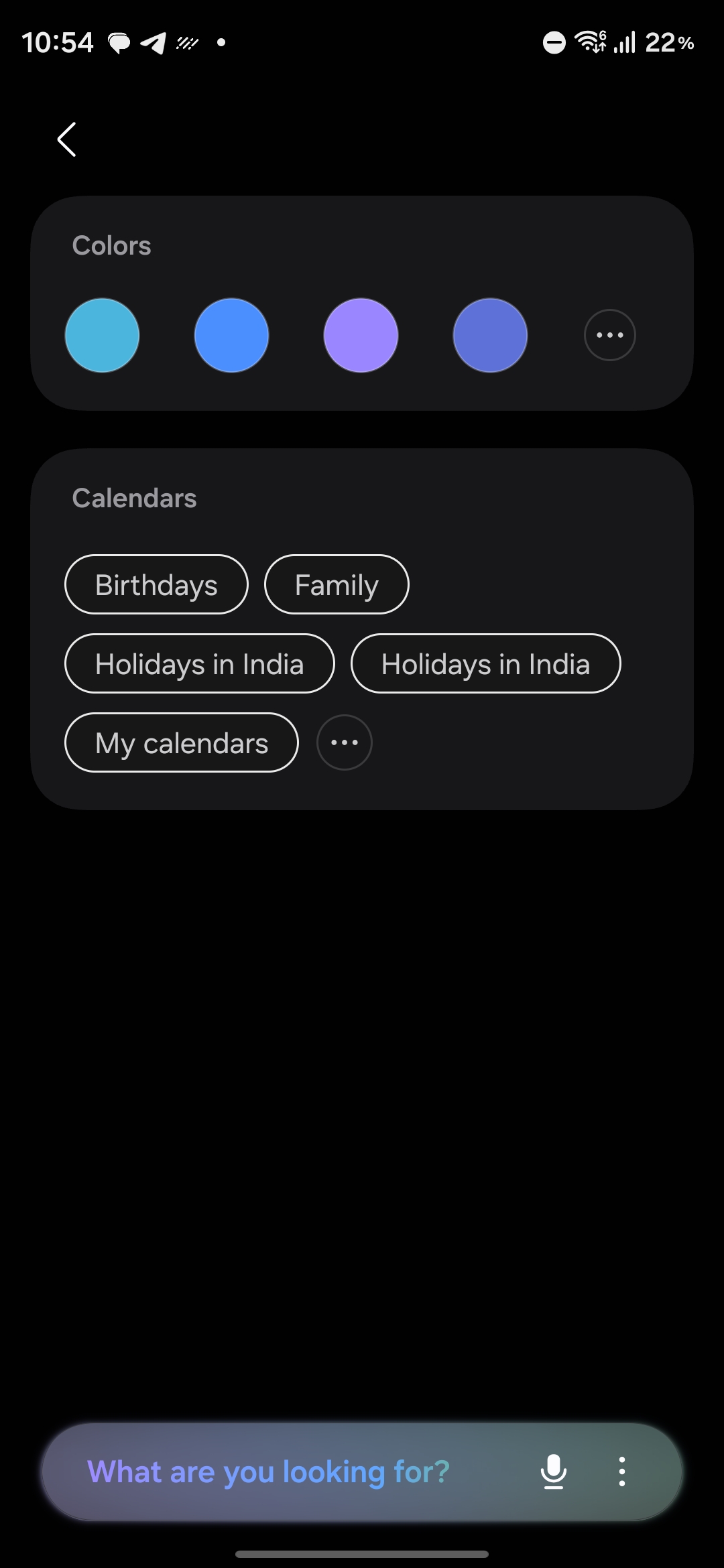
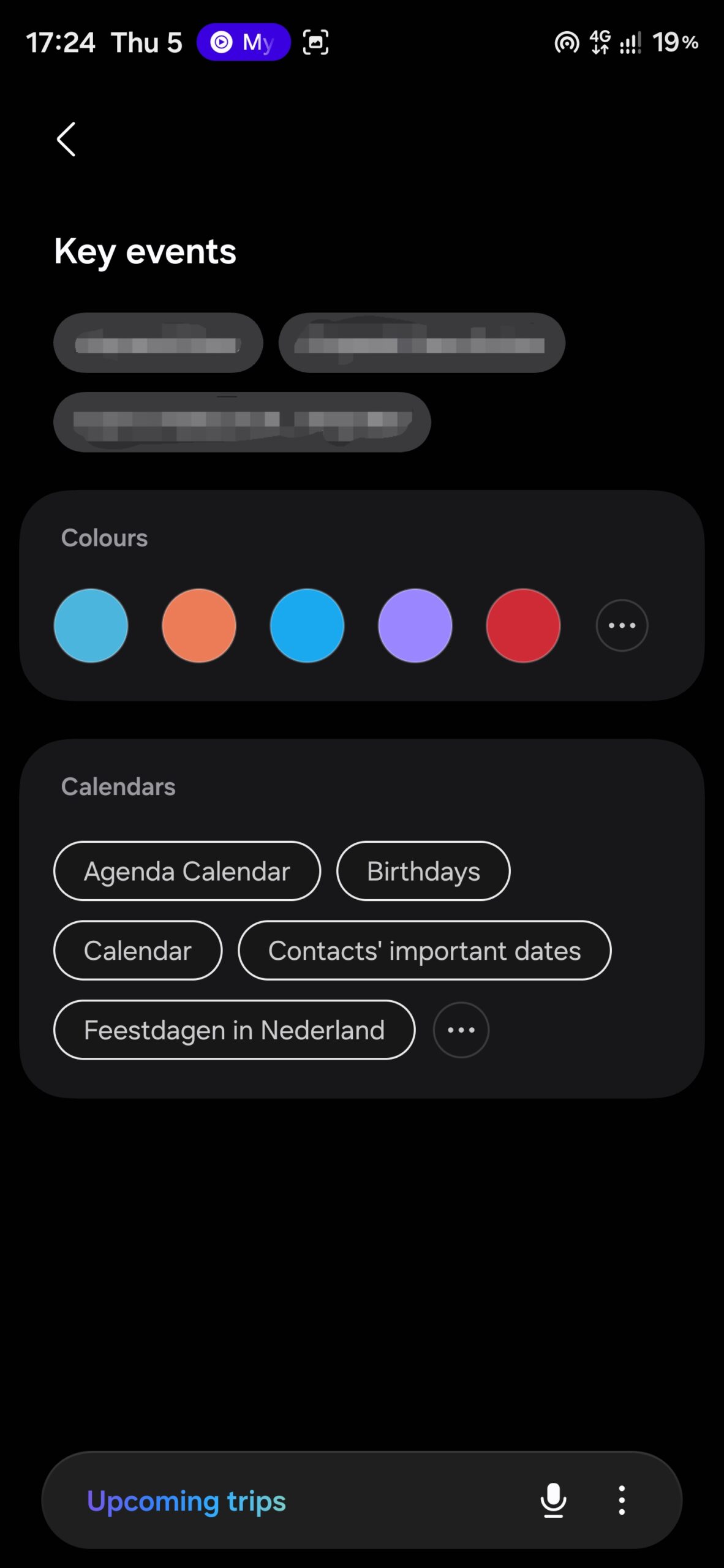
- ✨ A brand-new "Key events" section introduces pill-shaped filter shortcuts during searches.
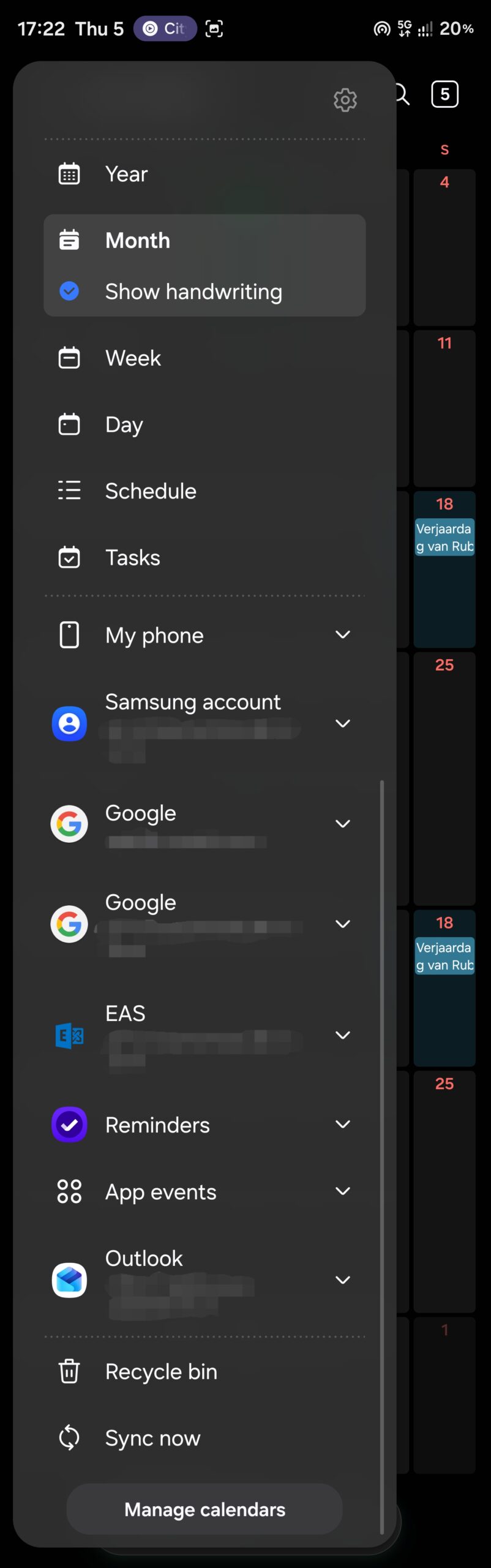
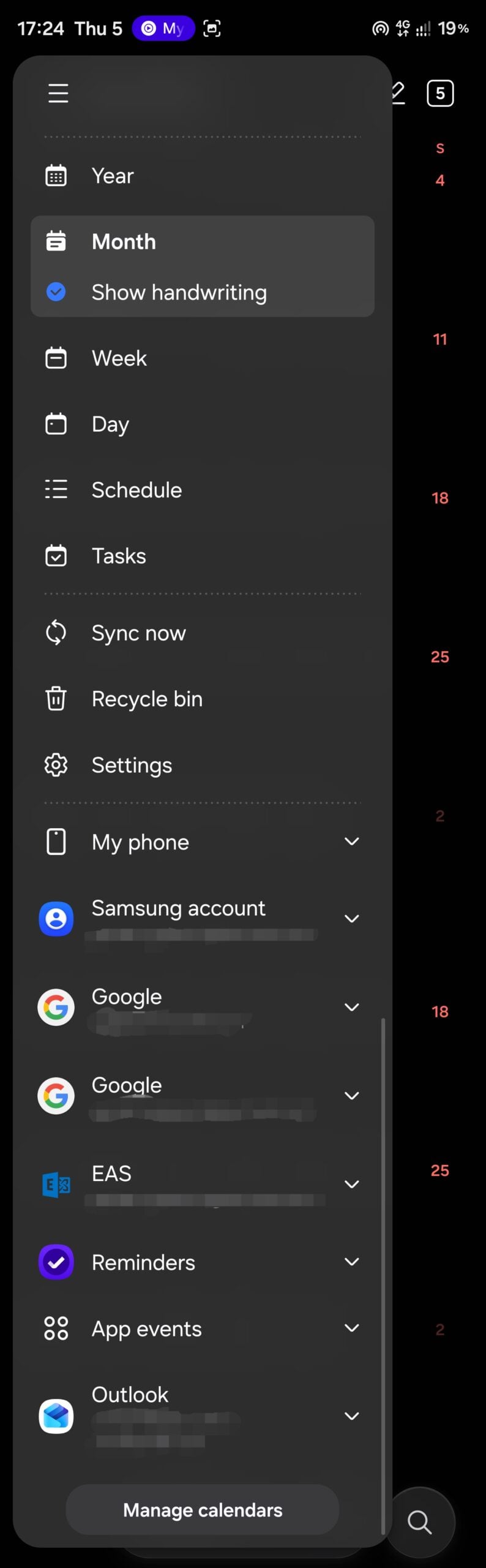
- ✨ The application sidebar is completely reorganized, placing synchronization, recycle bin, and settings upfront.
- ✨ Early firmware sightings point toward an imminent beta release for flagship devices.

What Has Changed in the New Samsung Calendar?
The most immediate visual update you will notice upon opening the application is the repositioning of the search tool. Previously tucked away at the top of the interface, Samsung has shifted the search button down to the bottom-right corner. It now sits proudly as a dedicated circular button right next to the quick event creation bar. Furthermore, this quick-add bar has been streamlined to be narrower, displaying a clean "Add event" prompt instead of referencing the currently selected date.
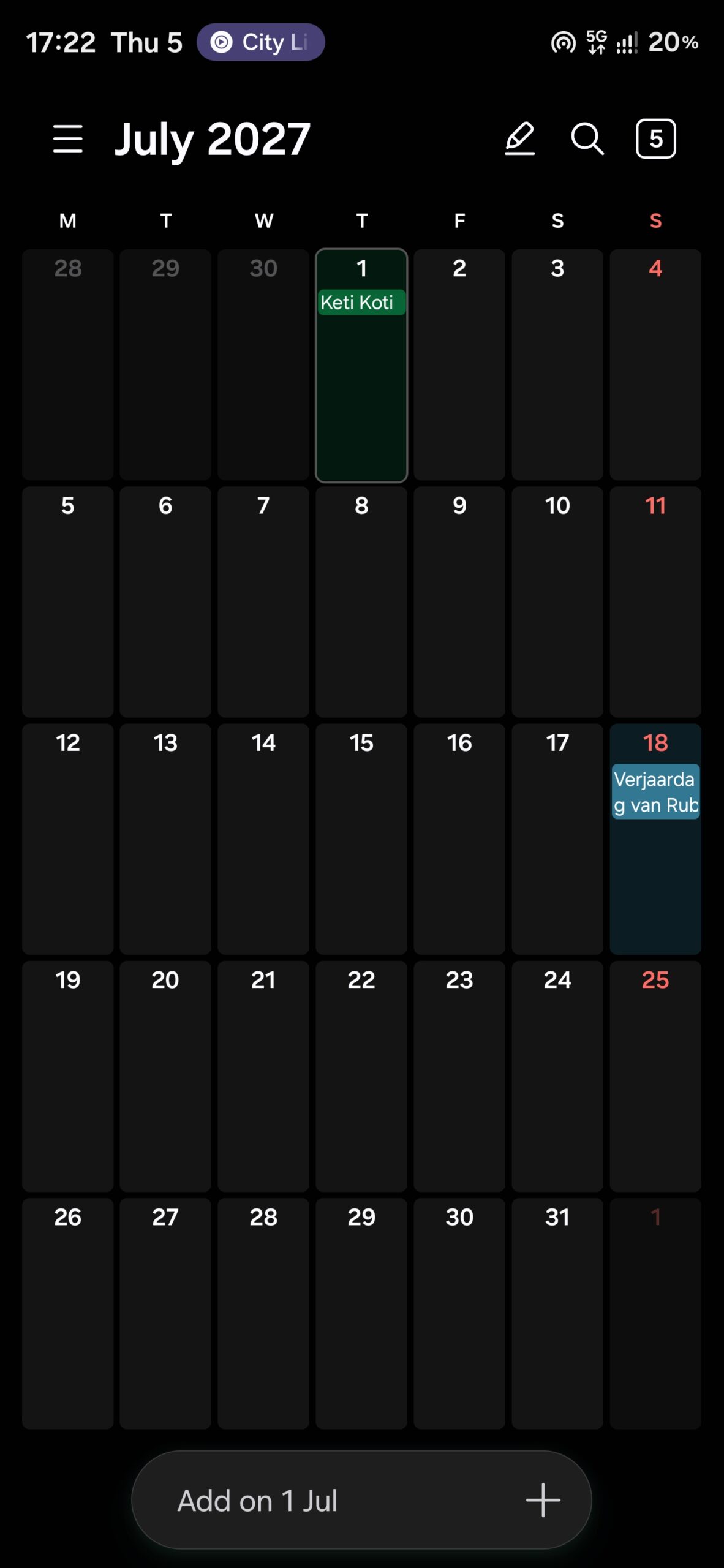
Diving deeper into the search menu reveals another welcome addition: a dedicated Key events section. This feature presents your significant schedule entries as distinct pill-shaped buttons positioned directly above the standard color and calendar filters, allowing you to locate important dates instantly.
Navigation via the sidebar has also been thoughtfully revised. Essential options such as Sync now, Recycle bin, and Settings are now neatly grouped together near the top, right above your active calendars and account lists. In previous versions, sync and recycle tools were buried below the calendars, while settings required tapping a gear icon at the very top edge.
These modifications represent just the initial wave of tweaks discovered in early builds. Samsung developers are likely to introduce further refinements as testing on One UI software progresses toward official public rollout.
Upcoming Beta Release Expectations for Flagship Devices
As development cycles speed up, owners of compatible flagship handsets can anticipate software testing phases sooner than expected. Early beta firmware files have already surfaced on testing servers significantly earlier than comparable firmware periods from previous years, pointing to a potential late November launch window for eager testers.
When will the next software beta become available?
While Samsung has not yet confirmed an exact calendar date, historical rollout patterns combined with current server activity suggest that early adopters might gain access to testing builds ahead of traditional holiday schedules.
Which devices are expected to receive these updates first?
Flagship smartphone lineups, particularly the latest generation Galaxy S series and foldable devices, are traditionally prioritized for initial beta testing programs before expanding to a wider range of hardware.
Are these calendar interface changes permanent?
The spotted modifications are part of active development builds. While highly likely to ship in the final public release, Samsung may continue to polish visual elements based on user feedback gathered during the testing phases.
🔎 Ultimately, these incremental adjustments to the Samsung Calendar demonstrate a clear focus on ergonomics and ease of use. By moving crucial action buttons within natural thumb reach and organizing management tools logically, Samsung continues to make daily productivity on mobile devices feel more intuitive than ever.
Post a Comment