
Explore One UI 9.5: Bringing Seamless Tap-to-Share Capabilities to Galaxy Phones
Samsung has officially rolled out its latest software innovation, making file sharing on mobile devices easier than ever before. With the new software update, sharing files locally has become entirely effortless, offering an experience heavily inspired by seamless device-to-device connectivity standards.
Quick Summary Overview
- ✨ The upcoming One UI 9.5 update introduces an intuitive Tap-to-Share function directly into the Quick Share ecosystem.
- ✨ Users can instantly transfer pictures, documents, and media simply by bringing two compatible mobile devices into close proximity.
- ✨ The system requires both participating smartphones to have active NFC, Bluetooth, and Wi-Fi connections enabled.
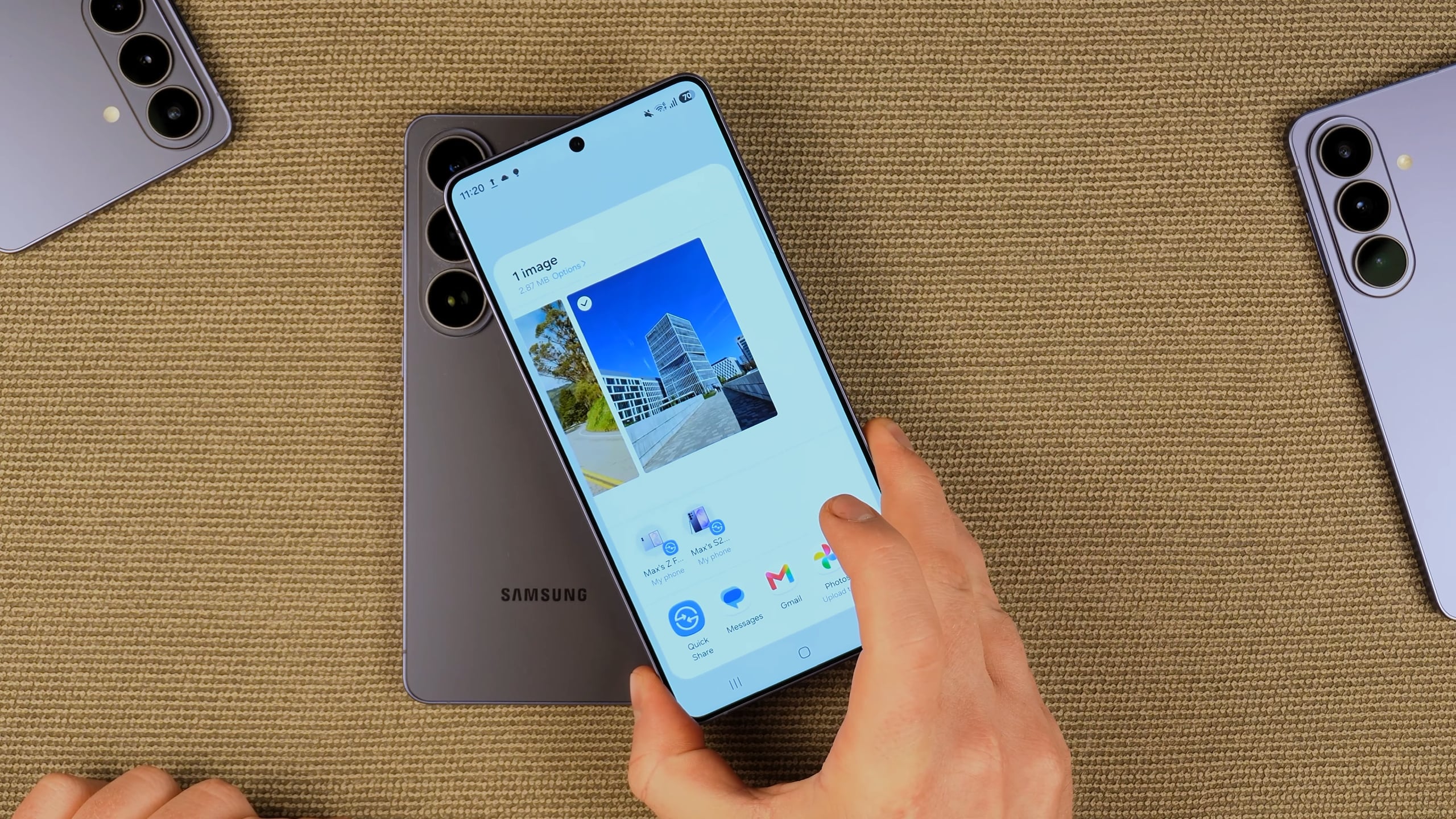
How to Master the New Tap-to-Share Feature
The latest beta developments for flagship devices have introduced advanced capabilities that revolutionize how users exchange files. By merging Near Field Communication technology with high-speed local data transfers, you can bypass manual device searching entirely.
To successfully execute a transfer, ensure that both devices are unlocked and that your wireless radios—specifically Bluetooth, Wi-Fi, and NFC—are fully active. Gently bring the back or the top section of your phone near the recipient's device. Because internal antenna placements can vary depending on hardware design, a slight adjustment might be necessary.
Take a closer look at the workflow demonstration provided in the official video breakdown below:
What hardware requirements are necessary to use this feature?
Both participating smartphones must support modern connectivity standards, including built-in NFC hardware, active Bluetooth modules, and functional Wi-Fi capabilities.
Do both devices need to be unlocked during the transfer?
Yes, security protocols require both the sending and receiving devices to be fully unlocked and powered on before an NFC handshake can initiate a file transfer.
How does the recipient accept incoming files?
Once the devices are tapped together, a prompt will appear on the target device screen, allowing the recipient to tap an accept button to initiate the download.
🔎 Ultimately, this seamless integration bridges the gap between fast device communication and user-friendly software design. As ecosystems continue to evolve, features like these redefine expectations for cross-device sharing, ensuring that sending large files remains fast, secure, and entirely hassle-free for everyone involved.
Post a Comment