
One UI 9.5 Updates Bring Powerful New Bixby Widgets to Galaxy Devices
Samsung is gearing up for the upcoming software release cycle, and recent software leaks have revealed exciting improvements coming to user interface elements and smart assistants. Among the most notable updates is a major overhaul of the Bixby smart assistant, which is set to feature redesigned and far more functional widgets on the home screen.
Quick Summary
- ✨ One UI 9.5 introduces heavily improved Bixby widgets designed for quicker visual searches and streamlined text prompts.
- ✨ The larger 4x2 widget now supports direct local file uploads, enabling easier document summarization and data analysis.
- ✨ The assistant introduces advanced background automation features alongside fresh linear icon styles for a cleaner aesthetic.

Enhanced Functionality and Redesigned Visual Layouts
As anticipation builds ahead of the One UI 9.5 beta rollout, continuous leaks continue to showcase user interface refinements. While the total number of Bixby home screen widgets remains at three—matching previous iterations—their capabilities have expanded significantly to rival modern productivity tools.
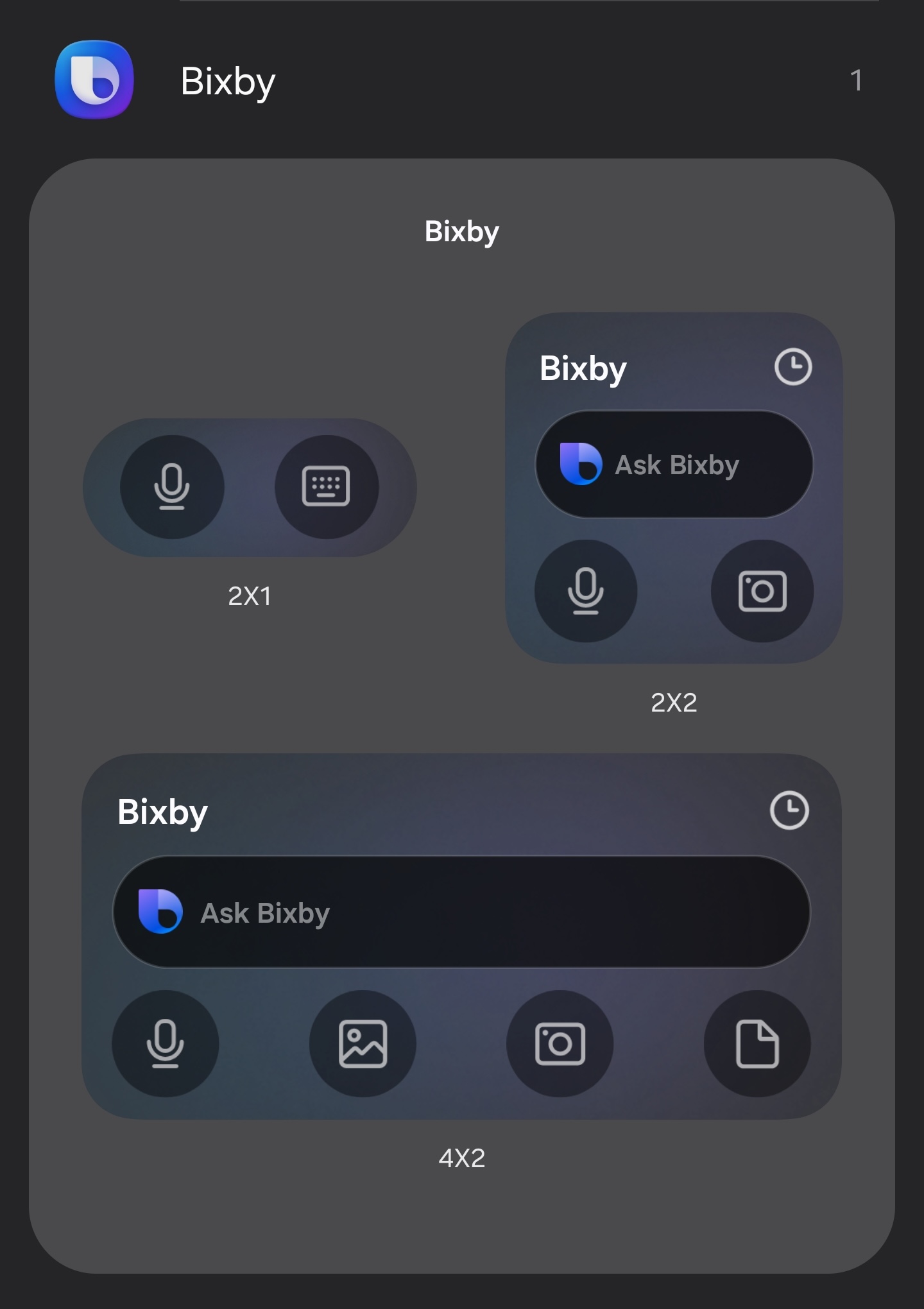
Both the 2x2 and 4x2 widgets now integrate a dedicated camera shortcut. This addition lets users instantly capture photos and perform visual searches or contextual queries on the fly. Furthermore, older keyboard indicators have been replaced with a streamlined text entry box.
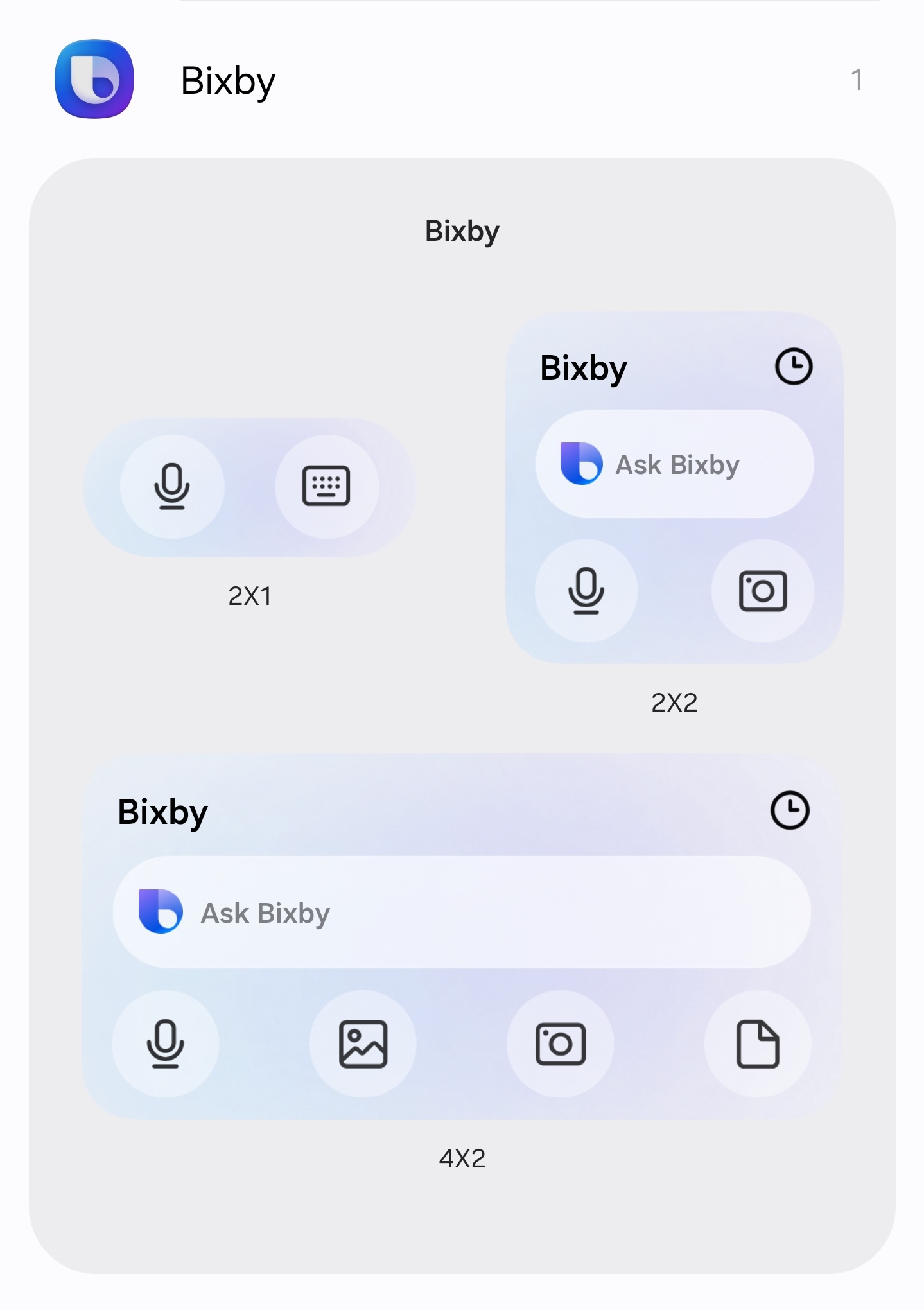
Visual styling has also shifted away from traditional gradient fills toward clean linear iconography. Additionally, the expanded 4x2 variant introduces a file upload shortcut, streamlining how users interact with local documents and PDFs for quick summaries and data extraction.
Beyond widget improvements, the underlying assistant introduces Bixby Actions, an autonomous agent capable of running multi-step background routines, tracking user preferences over time, and integrating deeply with forthcoming productivity ecosystems.
What new features are included in the One UI 9.5 Bixby widgets?
The updated widgets feature direct camera shortcuts for visual queries, clean linear iconography, and a dedicated text entry box replacing older interface elements.
Can you upload files directly through the new widgets?
Yes, the larger 4x2 widget includes a convenient file upload shortcut designed to simplify reading PDFs, summarizing documents, and analyzing data.
What are Bixby Actions?
Bixby Actions is an advanced AI automation tool capable of executing scheduled background tasks, remembering custom user preferences, and integrating smoothly with Samsung applications.
Do the widgets support dark mode themes?
Yes, all newly redesigned Bixby widgets fully support both Light and Dark operating system themes.
🔎 Ultimately, these upcoming changes highlight Samsung's continuous push to make its native digital assistant more practical, versatile, and deeply integrated into daily mobile productivity workflows.
Post a Comment